
1. Introduction
This manual provides detailed instructions for the N newline NewEye 62 4K Webcam. It covers product features, setup, operation, maintenance, and troubleshooting to ensure optimal performance and user experience. Please read this manual thoroughly before using the device.

Image 1.1: The N newline NewEye 62 4K Webcam, featuring a sleek black design with an integrated privacy cover and adjustable stand.
2. Package Contents
Verify that all items listed below are present in the package:
- N newline NewEye 62 4K Webcam (1 unit)
- USB-A Cable (Black, 1 unit)
- Privacy Cover (1 unit)
3. Product Features
3.1. Stunning 4K Quality
The webcam features a high-performance 1/2.5'' Sony sensor, delivering ultra-clear 4K visuals at 30 frames per second (FPS) or 1080P at 60 FPS for smooth streaming. This enhances visual clarity for video calls, online teaching, and streaming.

Image 3.1: Visual comparison demonstrating 4K, 2K, and 1080P resolutions, highlighting the superior detail of 4K.
3.2. Precise PDAF Autofocus & Auto Light Correction
Equipped with advanced PDAF autofocus technology, the webcam achieves fast, accurate, and stable focus within 1 second. The automatic light adjustment function balances shadows and highlights, improving clarity in various lighting conditions without manual adjustment.

Image 3.2: Illustration of PDAF autofocus technology, showing how it maintains sharp focus on subjects even during movement.
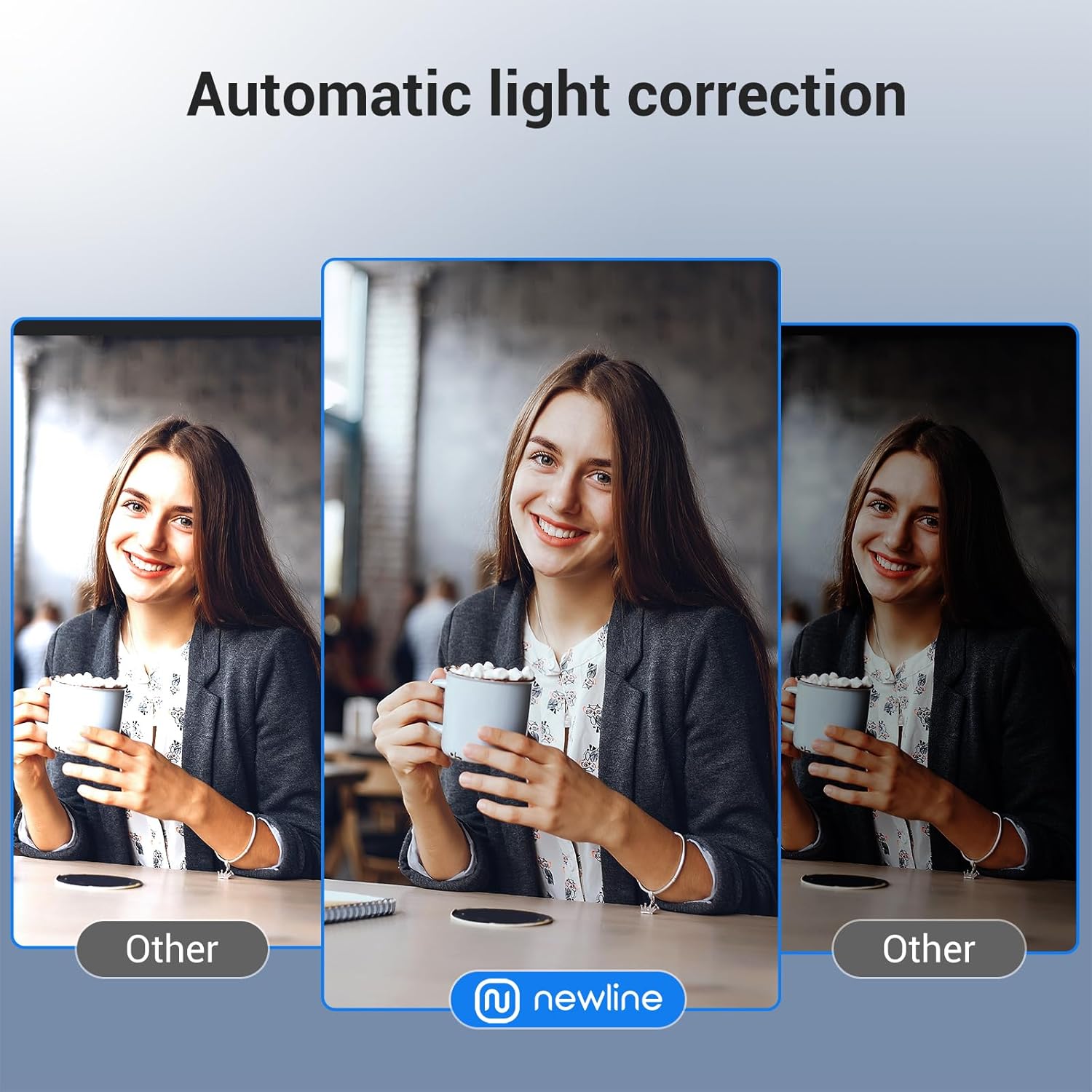
Image 3.3: Demonstration of automatic light correction, showing improved image quality in challenging lighting compared to standard webcams.
3.3. Enhanced Audio Clarity & 79° FOV
Two high-quality microphones with advanced noise reduction technology capture clear and natural voice within a 9.8-foot range. The 79° wide-angle lens provides flexibility to focus on the user or include more of the surroundings, suitable for meetings and online teaching.

Image 3.4: Visual representation of the dual noise-canceling microphones and the 79-degree field of view, illustrating audio pickup range and camera coverage.
3.4. USB Plug and Play & Wide Compatibility
The webcam offers a seamless plug-and-play experience via USB-A, requiring no additional software for basic functionality. It is compatible with Windows 7 and above, macOS 10.10 and above, and major communication software like Zoom and Microsoft Teams.
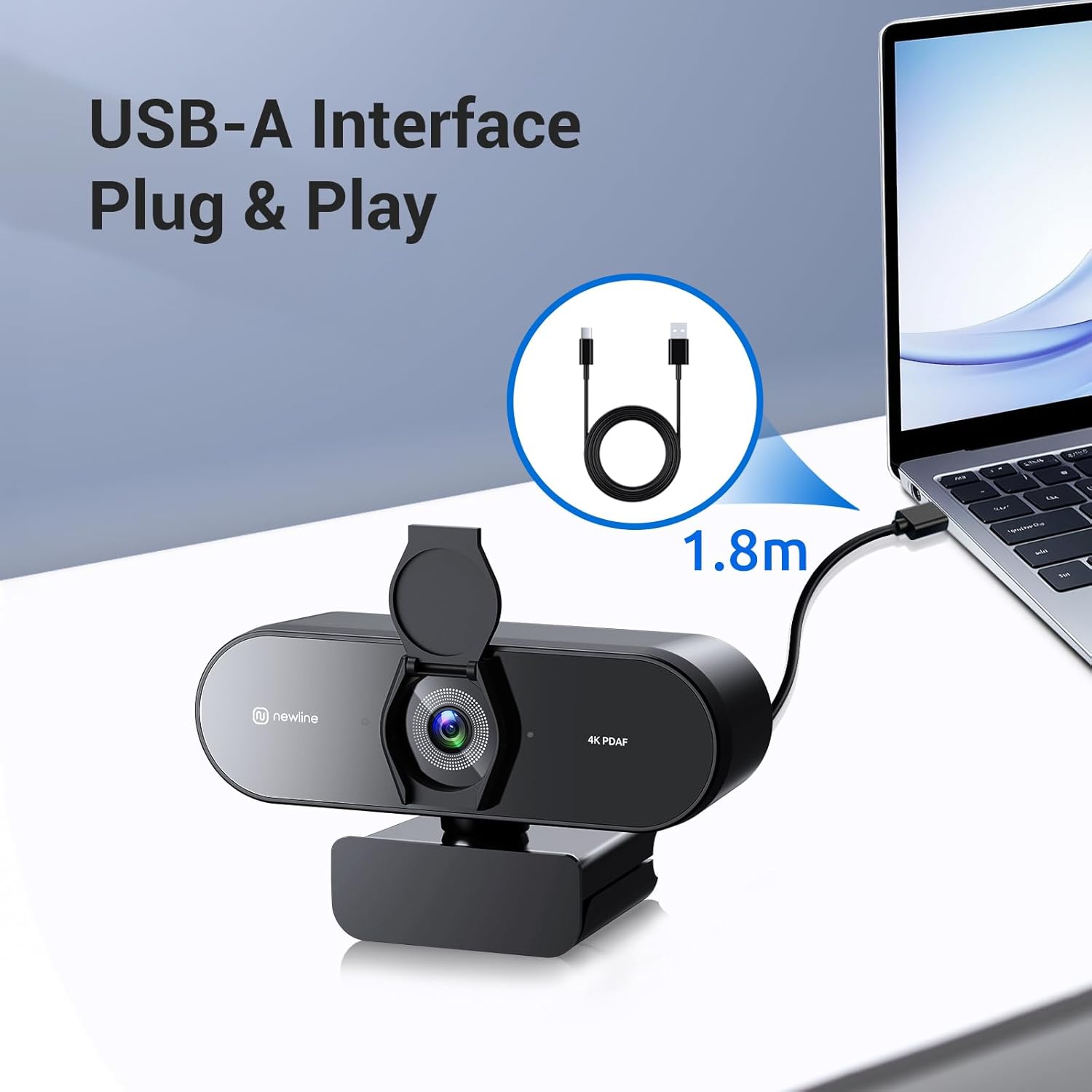
Image 3.5: Diagram showing the USB-A cable connection for plug-and-play functionality, indicating a 1.8m cable length.
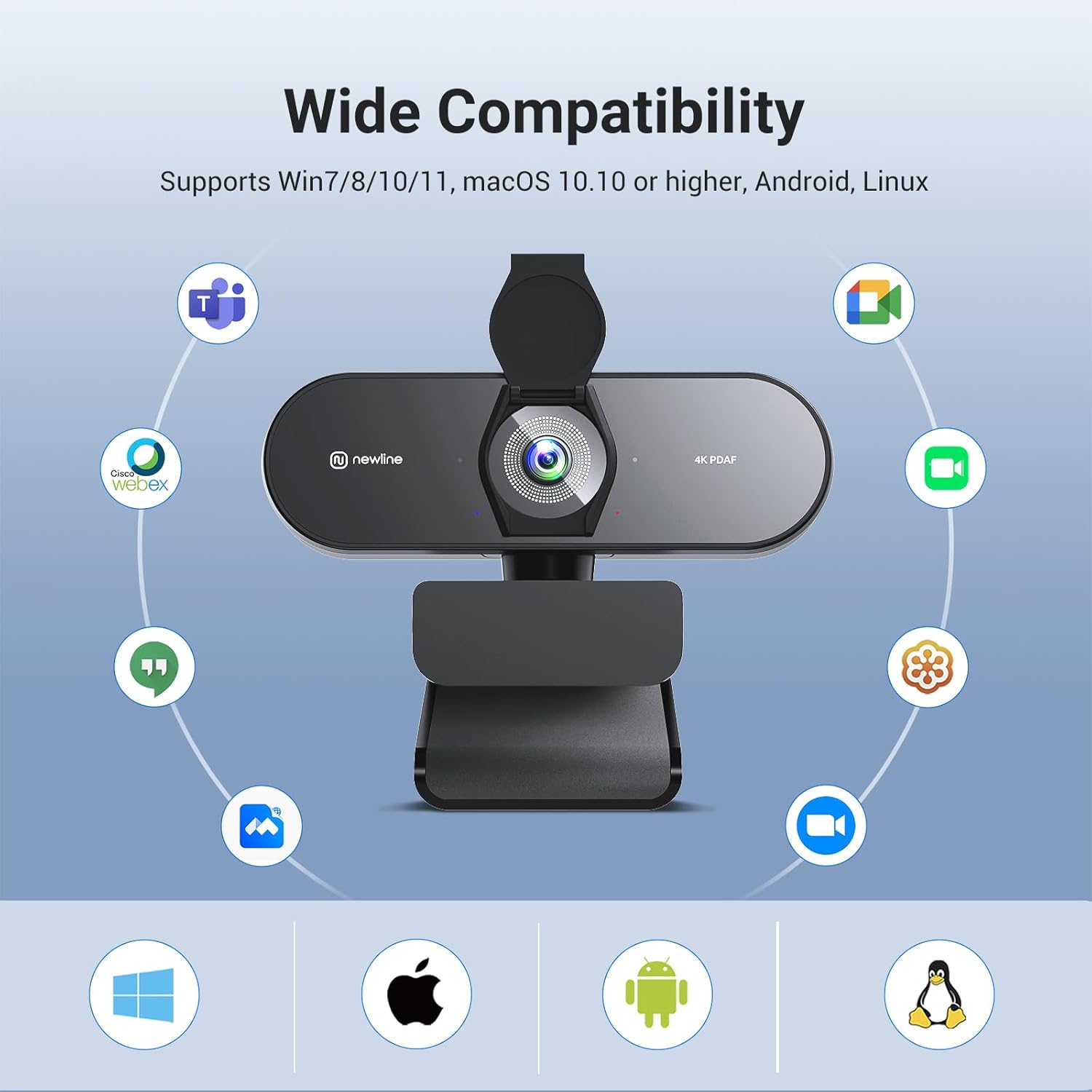
Image 3.6: Icons representing compatibility with various operating systems (Windows, Linux, macOS) and applications (Skype, Facetime, Zoom, Teams, etc.).
3.5. Privacy Cover & Durable Design
A built-in privacy cover protects the lens from damage and ensures privacy when the webcam is not in use. The robust construction provides stability and long-lasting performance.
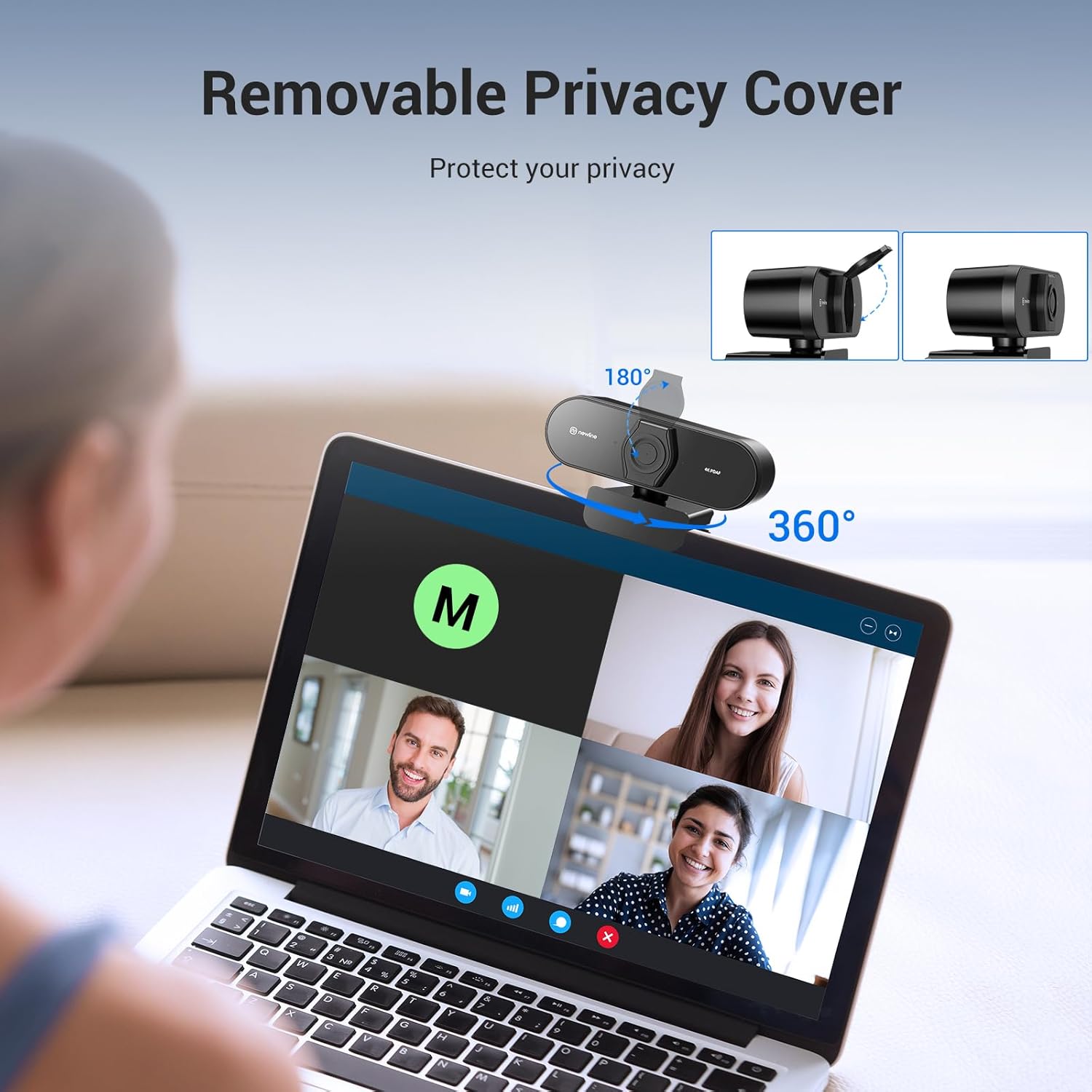
Image 3.7: Depiction of the removable privacy cover in open and closed positions, along with the webcam's 360-degree horizontal rotation and 180-degree vertical tilt capabilities.
4. Setup Instructions
- Unpack the Webcam: Carefully remove the N newline NewEye 62 webcam, USB-A cable, and privacy cover from the packaging.
- Mount the Webcam:
- On a Monitor/Laptop: Open the clip base and place the webcam on top of your monitor or laptop screen. Adjust the clip to securely rest against the back of the screen.
- On a Tripod (Optional, if using a compatible tripod): The webcam features a standard tripod thread on its base. Screw the webcam onto a tripod if desired.
- Connect to Computer: Insert the USB-A cable into the webcam's port and then connect the other end of the USB-A cable to an available USB-A port on your computer.
- Automatic Driver Installation: The webcam is plug-and-play. Your operating system (Windows, macOS, Linux) should automatically detect and install the necessary drivers. This may take a few moments.
- Verify Connection: Once installed, the webcam should be recognized by your computer. You can verify this in your operating system's device manager or camera settings.
- Adjust Position: Adjust the webcam's angle and tilt to achieve the desired view. The webcam can rotate 360 degrees horizontally and tilt 180 degrees vertically.
5. Operating Instructions
- Open Privacy Cover: If the privacy cover is closed, gently slide it open to expose the lens.
- Launch Application: Open your preferred video conferencing, streaming, or recording application (e.g., Zoom, Microsoft Teams, Skype, OBS Studio).
- Select Webcam: In the application's video settings, select "N newline NewEye 62" as your primary camera.
- Select Microphone: In the application's audio settings, select "N newline NewEye 62" or "USB Audio Device" as your microphone input.
- Adjust Settings (Optional): Most applications allow for basic video adjustments (brightness, contrast, white balance). The NewEye 62 features automatic light correction and autofocus, minimizing the need for manual adjustments.
- Begin Use: You are now ready to use your N newline NewEye 62 4K Webcam for video calls, streaming, or recording.
6. Maintenance
- Cleaning the Lens: Use a soft, lint-free cloth specifically designed for camera lenses to gently wipe the lens. Avoid abrasive materials or harsh cleaning chemicals.
- Cleaning the Body: Wipe the webcam body with a soft, dry cloth.
- Privacy Cover: Always close the privacy cover when the webcam is not in use to protect the lens from dust and scratches, and to ensure privacy.
- Storage: Store the webcam in a cool, dry place away from direct sunlight and extreme temperatures.
7. Troubleshooting
| Problem | Possible Cause | Solution |
|---|---|---|
| Webcam not detected. | Loose USB connection, faulty USB port, driver issue. |
|
| No video output. | Privacy cover closed, incorrect camera selection in software. |
|
| No audio input. | Incorrect microphone selection, microphone muted. |
|
| Poor image quality (blurry, dark). | Dirty lens, poor lighting, software settings. |
|
8. Specifications
| Feature | Detail |
|---|---|
| Brand | N newline |
| Model Number | NewEye 62 |
| Item Weight | 9.9 ounces |
| Package Dimensions | 6.57 x 3.5 x 3.46 inches |
| Color | Black |
| Special Features | Auto Light Correction, Dual Noise-Cancelling Mics, PDAF Autofocus, Stunning 4K Resolution, Wide 79° FOV |
| Photo Sensor Technology | CMOS |
| Video Capture Resolution | 4K |
| Maximum Focal Length | 4.27 Millimeters |
| Maximum Aperture | 1.8 f |
| Flash Memory Type | Internal flash memory |
| Video Capture Format | 4k |
| Supported Audio Format | AAC, MP3 |
| Connectivity Technology | USB |
9. Warranty and Support
For warranty information, please refer to the documentation included with your purchase or contact N newline customer support directly. If you encounter any issues not covered in the troubleshooting section, or require further assistance, please visit the official N newline website or contact their customer service department.
N newline Official Website: www.newline-interactive.com
