
GODOX RS60Bi
Contents
Godox RS60Bi Bi-Color LED Video Light Instruction Manual
Model: RS60Bi | Brand: GODOX
Introduction
The Godox RS60Bi is a compact and versatile bi-color LED video light designed for various professional lighting needs, including studio work, live streaming, and video recording. It features a cylindrical design, offers a wide range of color temperatures, and supports multiple control methods including DMX and APP control. This manual provides detailed instructions for the safe and effective use of your RS60Bi LED video light.
What's in the Box
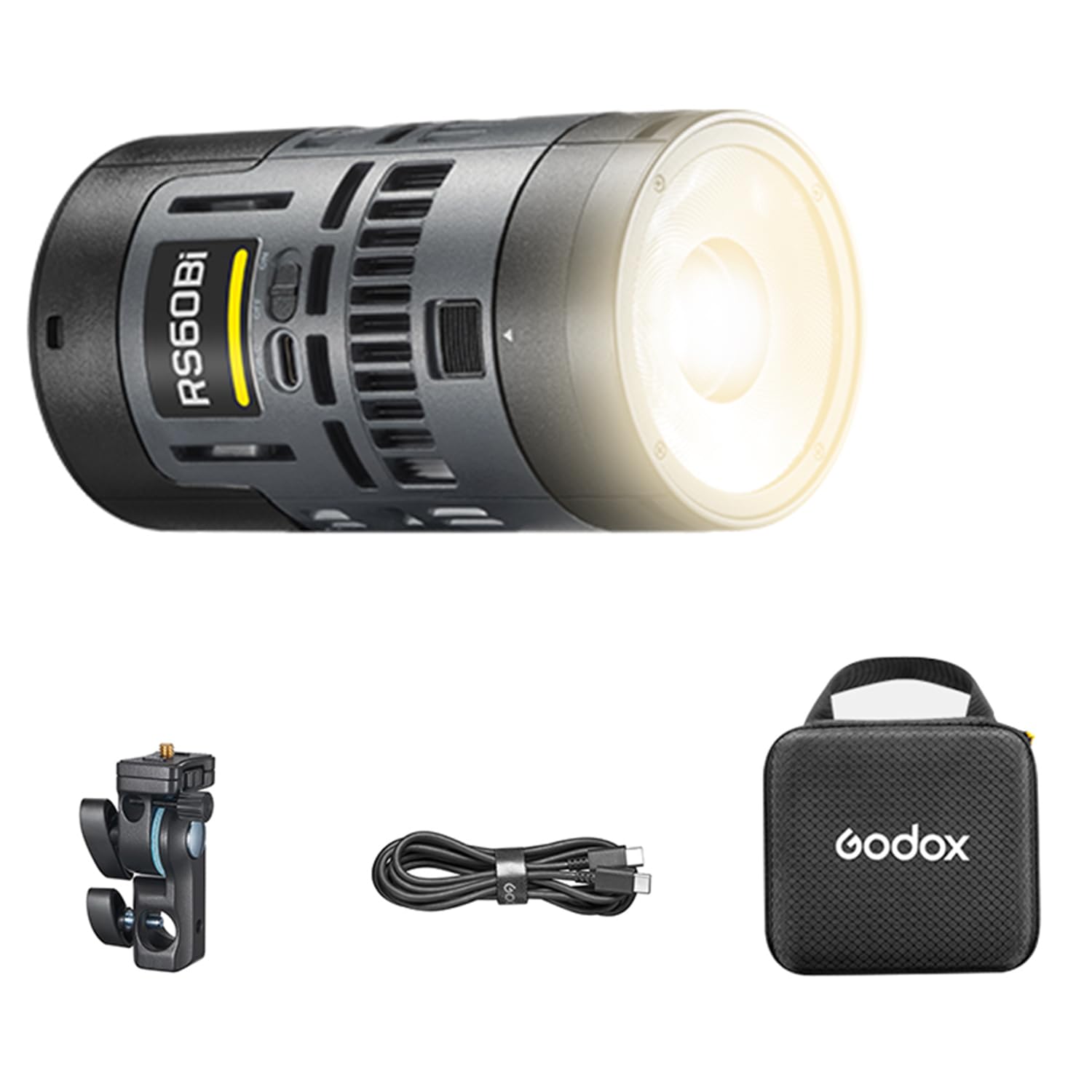
Please verify that all items are present in your package:
- Light Body x 1
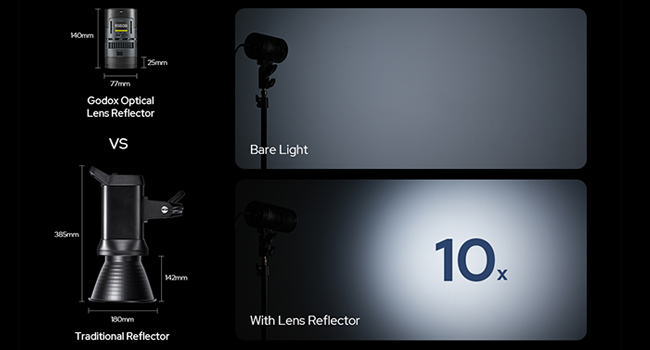
- Lens Reflector x 1
- Battery x 1
- Metal Holder Bracket x 1
- USB-C charging cord x 1
Setup
1. Battery Installation and Charging
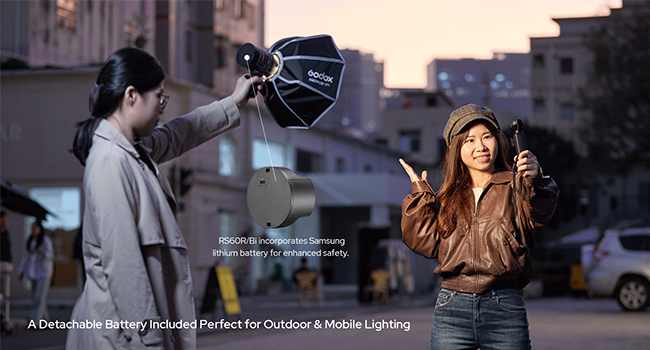
The RS60Bi light is powered by a removable battery or via USB-C. Ensure the battery is fully charged before first use.
- Install Battery: Insert the provided battery into the designated battery compartment on the light body. Ensure it clicks securely into place.
- Charge Battery: Connect the USB-C charging cord to the USB-C port on the light and to a compatible USB power adapter (not included). The charging indicator will show the charging status.
- Alternative Power: The light can also be powered directly via USB-C or using an E27 socket adapter (sold separately) for continuous power.
2. Mounting the Light
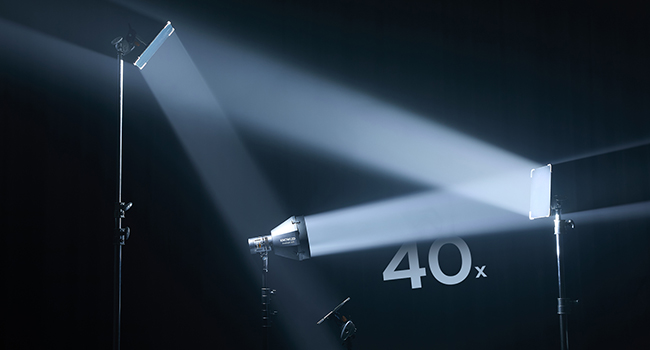
Attach the metal holder bracket to the light for mounting on a light stand or other support.
- Secure the metal holder bracket to the base of the RS60Bi light.
- Mount the assembled light onto a compatible light stand or grip equipment. Ensure it is stable and securely fastened.
Operating Instructions
1. Power On/Off
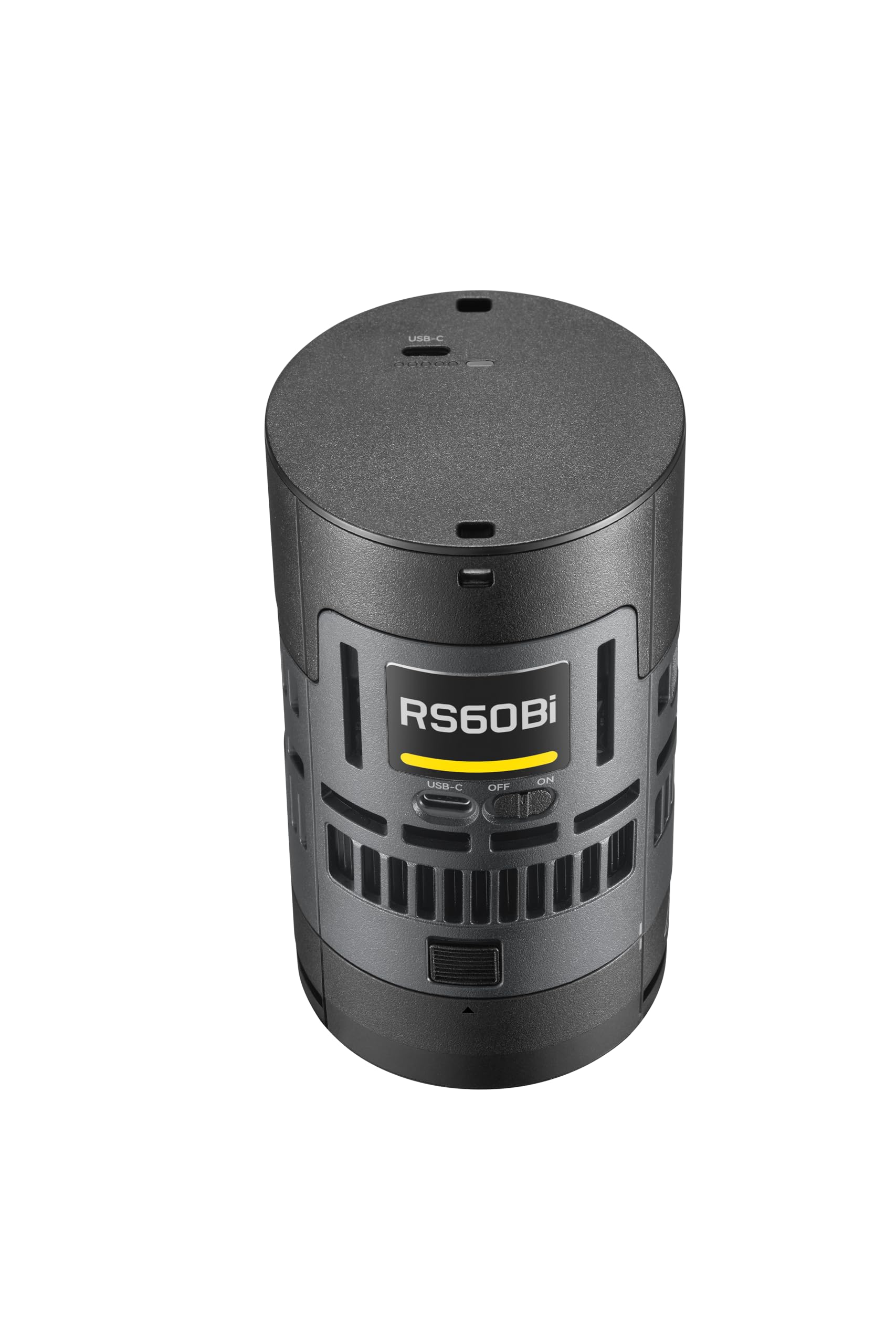
Locate the ON/OFF switch on the light body and slide it to the 'ON' position to power on the device. Slide to 'OFF' to power down.
2. Control Modes
The RS60Bi offers various lighting modes for creative control:
- CCT Mode: Adjust color temperature from 1800K to 10000K.
- HSI Mode: Control Hue, Saturation, and Intensity for a full spectrum of colors.
- RGBW Mode: Fine-tune Red, Green, Blue, and White channels.
- FX Mode: Access various special effects for dynamic lighting scenarios.
3. Brightness Adjustment
Use the control dial or buttons on the light body to adjust the brightness output. The light offers approximately 11000 lux at 3.3 inches (5600K).
4. DMX and APP Control
For advanced control, the RS60Bi supports DMX and smartphone APP control.
- APP Control: Download the official Godox Light APP from your device's app store. Follow the in-app instructions to pair and control your RS60Bi light via Bluetooth.
- DMX Control: Connect the RS60Bi to a DMX controller using a compatible DMX cable (sold separately) for integration into professional lighting setups. Refer to the DMX protocol documentation for detailed channel assignments.
Optical Ecosystem and Accessories
The Godox RS60Bi is part of a comprehensive optical ecosystem, allowing for precise light shaping and modification.
1. DL5 Lite Parallel Beam Booster
When paired with the SZL2 zoom lens, the DL5 Lite Parallel Beam Booster provides a 5° beam angle, significantly increasing brightness by approximately 50 times. It is lightweight, collapsible, and adaptable.
2. Magnetic Kit and Modifiers
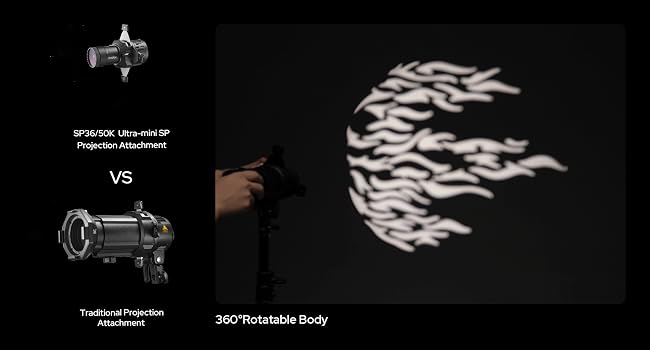
The RS60Bi supports a magnetic accessory kit for quick attachment of various light modifiers, including diffusers and deformation films, to soften, concentrate, diffuse, or reshape the light beam.
Maintenance
- Keep the light clean and free from dust. Use a soft, dry cloth for cleaning.
- Avoid exposing the light to extreme temperatures or humidity.
- Store the light in its protective carrying case when not in use.
- Ensure proper ventilation during operation to prevent overheating.
Troubleshooting
| Problem | Possible Cause | Solution |
|---|---|---|
| Light does not turn on. | Battery depleted or improperly installed; power cable disconnected. | Charge or re-install battery; check power cable connection. |
| Fan noise is noticeable. | Normal operation; fan speed setting. | The built-in cooling fan operates to maintain optimal temperature. Adjust fan speed settings if available, or ensure adequate distance from microphones. |
| Light gets hot quickly. | High power output; insufficient ventilation. | This is normal for high-power LED lights. Ensure the light is in a well-ventilated area and not obstructed. |
| Cannot connect via APP. | Bluetooth not enabled; incorrect pairing procedure. | Ensure Bluetooth is active on your device and the light. Follow the APP's pairing instructions carefully. |
Specifications
| Feature | Detail |
|---|---|
| Model Number | RS60Bi |
| Brand | GODOX |
| Item Weight | 2.59 pounds |
| Package Dimensions | 6.69 x 6.57 x 4 inches |
| Battery Life | 50 Hours (Note: Actual battery life may vary based on usage and brightness settings.) |
| Connectivity Technology | Bluetooth |
| Hardware Interface | Bluetooth |
| Color Temperature Range | 1800K-10000K |
| Max Brightness | Approx. 11000 lux at 3.3 inches (5600K) |
Warranty and Support
For warranty information, technical support, or service inquiries, please refer to the official GODOX website or contact your authorized GODOX dealer. Keep your purchase receipt as proof of purchase for warranty claims.
Official GODOX Website: www.godox.com
Ask a question about this manual
Ask about setup, troubleshooting, compatibility, parts, safety, or missing instructions. Manuals+ will review the question and use this page’s manual context to help answer it.