1. Introduction
This manual provides essential instructions for the safe and effective use of your GODOX KNOWLED MS60Bi Bi-Color LED Video Light. Please read this manual thoroughly before operating the device to ensure proper function and to prevent damage.
2. Safety Information
Observe the following safety precautions to prevent electric shock, fire, or damage to the product and property:
- Do not disassemble or modify the product.
- Keep the product dry. Do not handle with wet hands or immerse in water.
- Keep out of reach of children.
- Do not use in the presence of flammable gases or liquids.
- Ensure the power source matches the specified voltage.
- Avoid direct eye exposure to the LED light.
- Always use the specified battery and charger.
3. What's in the Box
Verify that all items are present upon unpacking:
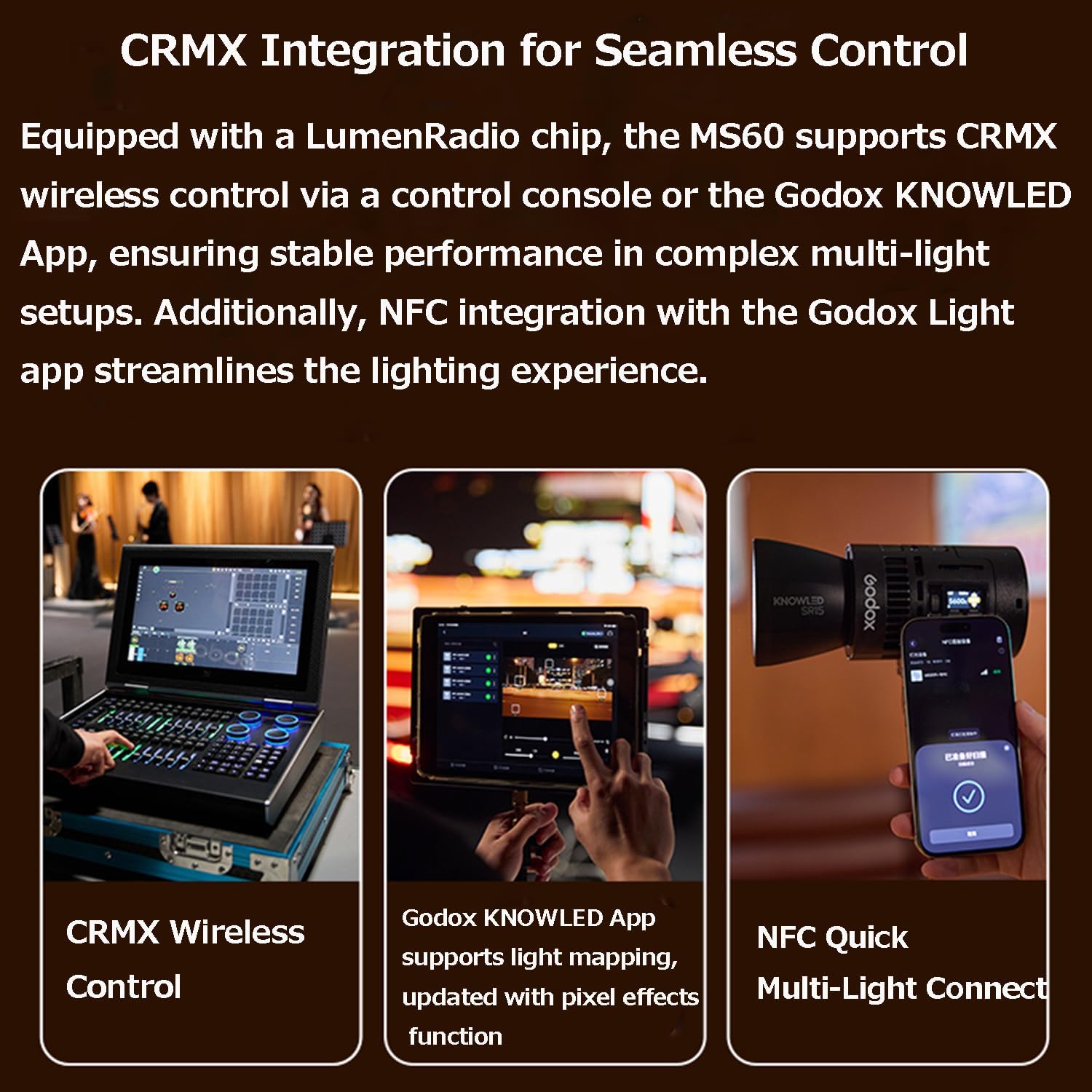
Image: The GODOX KNOWLED MS60Bi package contents, showing the light body, lens reflector, battery, metal holder bracket, and USB-C charging cord.
- Light Body x 1
- Lens Reflector x 1
- Battery x 1
- Metal Holder Bracket x 1
- USB-C charging cord x 1
4. Product Overview
The GODOX KNOWLED MS60Bi is a compact and versatile bi-color LED video light designed for various professional lighting needs.

Image: The GODOX KNOWLED MS60Bi Bi-Color LED Video Light.
Key Features
- Mini Size, Portable Design: Compact and lightweight, weighing approximately 311g.
- Bi-Color Output: Offers adjustable color temperature for various lighting scenarios.
- Multiple Lighting Modes: Includes CCT, HSI, X-Y, and FX modes for creative control.
- CRMX Wireless Control: Integrated LumenRadio chip for stable wireless control via console or Godox KNOWLED App.
- NFC Integration: Streamlined connection with the Godox Light app.
- Flexible Power Solutions: Supports fast-charging removable battery, GaN power adapter, USB-C, NPF battery adapter, and E27 socket adapter.
- Godox Optical Ecosystem: Compatible with various light modifiers for precise beam control.
5. Setup
5.1 Mounting the Light
Attach the MS60Bi to a light stand or other support using the included metal holder bracket. Ensure it is securely fastened before operation.
5.2 Powering the Device
The MS60Bi offers multiple power options:
- Detachable Battery: Insert the included fast-charging battery for portable use.
- AC Power Adapter: Connect the all-in-one detachable GaN power adapter to the light and then to an AC outlet using the 8-shaped power cable.
- USB-C Power Supply: For power supply only (does not charge the battery), connect a USB-C power source (requires >60W) to the light.
- NPF Battery Power Supply: Use an NPF battery adapter (sold separately) to power the light with NPF batteries.
- E27 Socket Adapter: For seamless integration into existing lighting setups, use an E27 socket adapter (sold separately) to power the light as a downlight, spotlight, or stage light.

Image: The MS60Bi with its detachable battery, ideal for mobile use.

Image: Connecting the AC power adapter.

Image: USB-C power supply connection.

Image: NPF battery power supply setup.

Image: MS60Bi powered via E27 socket adapter.
6. Operation
6.1 Basic Controls
The MS60Bi features intuitive controls for adjusting light output and settings. Refer to the on-device display for current parameters.
- Power Button: Press to turn the light on or off.
- Control Dial: Rotate to adjust brightness (0-100%) and color temperature (2800K-6500K). Press to confirm selections or navigate menus.
- Mode Button: Cycle through different lighting modes.
6.2 Lighting Modes
The MS60Bi offers various modes for creative lighting:

Image: Display of various color modes.
- CCT Mode: Adjust color temperature from 2800K to 6500K.
- HSI Mode: Control Hue, Saturation, and Intensity for a wide range of colors.
- X-Y Mode: Precise color selection using X and Y coordinates.
- FX Mode: Access special effects like lightning, fire, TV, etc.
6.3 Wireless Control
The MS60Bi supports advanced wireless control options:
- CRMX Wireless Control: Utilize a DMX control console for stable performance in multi-light setups.
- Godox KNOWLED App Control: Download the Godox KNOWLED App to control the light via Bluetooth. The app supports light mapping and pixel effects.
- NFC Quick Multi-Light Connect: Use NFC to quickly connect and streamline the lighting experience with the Godox Light app.
- App Download: For the latest version of the Godox Light App, visit: Godox Light App Download

Image: CRMX Wireless Control in use.

Image: Godox KNOWLED App interface.

Image: NFC Quick Multi-Light Connect via Godox Light App.
6.4 Using Light Modifiers
The MS60Bi is compatible with various light modifiers from the Godox optical ecosystem to shape and control your light:

Image: Various compatible light modifiers (accessories not included).
- Lens Reflector: The included lens reflector can increase brightness significantly compared to bare light.
- DL5 Lite Parallel Beam Booster: When paired with the SZL2 zoom lens, this booster provides a 5° beam angle and can increase brightness by approximately 50 times.
- Magnetic Kit: Utilize the magnetic kit for quick attachment of diffusers and deformation films for efficient lighting adjustments.

Image: Lens Reflector performance comparison.

Image: DL5 Lite Parallel Beam Booster with SZL2 Zoom Lens.

Image: Magnetic Kit for quick setup.
7. Maintenance
Proper maintenance ensures the longevity and optimal performance of your MS60Bi:
- Cleaning: Use a soft, dry cloth to clean the light body. Do not use harsh chemicals or abrasive materials.
- Storage: Store the light in a cool, dry place away from direct sunlight and extreme temperatures. Remove the battery if storing for extended periods.
- Battery Care: Charge the battery regularly, even if not in use, to maintain its health.
8. Troubleshooting
If you encounter issues with your MS60Bi, refer to the table below for common problems and solutions:
| Problem | Possible Cause | Solution |
|---|---|---|
| Light does not turn on | No power, low battery, or incorrect power connection. | Check battery charge, ensure AC adapter is properly connected, or try a different power source. |
| Light output is weak | Brightness set too low, or battery is nearly depleted. | Increase brightness setting. Recharge or replace the battery. |
| Cannot connect via App | Bluetooth/NFC disabled, app not updated, or interference. | Ensure Bluetooth/NFC is enabled on your device. Update the Godox Light App. Move closer to the light. |
| Overheating warning | Prolonged use at high power, or obstructed ventilation. | Reduce power output. Ensure ventilation holes are clear. Allow the unit to cool down. |
9. Specifications
Technical specifications for the GODOX KNOWLED MS60Bi:
| Feature | Detail |
|---|---|
| Model Number | MS60Bi |
| Product Dimensions | 3.58 x 3.03 x 3.58 inches |
| Item Weight | 2.64 pounds |
| Batteries | 1 D battery required (included) |
| Connectivity Technology | Bluetooth |
| Hardware Interface | USB |
| Manufacturer | GODOX |
10. Warranty and Support
For warranty information and technical support, please refer to the documentation included with your purchase or visit the official GODOX website. Keep your proof of purchase for warranty claims.


