Introduction
The MOZA CRP2 Clutch Pedal is designed for sim racing enthusiasts, providing a realistic and immersive driving experience. This high-performance clutch pedal features advanced sensors and adjustable mechanisms to replicate the feel of a real racing car clutch.

Image: The MOZA CRP2 Clutch Pedal, showcasing its robust design and hexagonal pedal face.
What's in the Box
Verify that all components are present before proceeding with installation.
- MOZA CRP2 Clutch Pedal * 1

Image: The retail packaging for the MOZA CRP2 Clutch Pedal, indicating the product name and brand.
Setup and Installation
Follow these steps to properly set up your MOZA CRP2 Clutch Pedal.
1. Physical Installation
- Mounting: Securely attach the CRP2 Clutch Pedal to your sim racing rig or pedal plate using appropriate bolts and nuts (not included, typically provided with the rig). Ensure the pedal is stable and does not wobble during use.
- Cable Connection: Connect the pedal to your PC or MOZA wheelbase using the provided USB cable. Ensure the connection is firm.
2. Software Configuration
The MOZA CRP2 Clutch Pedal requires software configuration for optimal performance.
- Download MOZA Pit House Software: Visit the official MOZA Racing website to download the latest version of the MOZA Pit House software.
- Install Drivers: Follow the on-screen instructions to install any necessary drivers for the pedal.
- Calibrate Pedal: Open MOZA Pit House and navigate to the pedal calibration section. Follow the prompts to calibrate the clutch pedal's full range of motion.
- Adjust Settings: Within Pit House, you can fine-tune various settings such as clutch bite point, linearity, and dead zones to match your preference and racing style.
Operating the CRP2 Clutch Pedal
The CRP2 Clutch Pedal is designed for precise control in sim racing applications.
Key Features and Adjustments:
- Three-stage Adjustable Clutch: The clutch pedal mimics the feel of a high-performance car with three distinct stages. The first stage offers short travel with light resistance. In the second stage, resistance increases sharply, similar to a clutch pressure plate spring. The third stage releases quickly, providing a satisfying snap. The clutch includes two springs with different resistance levels and offers continuous force adjustment, allowing it to replicate the throttle resistance of nearly any vehicle.

Image: Close-up view of the three-stage adjustable clutch mechanism, highlighting the spring and internal components.
- Quiet and Smooth Operation: Thanks to the enclosed structure and the high-polish steel shaft, the pedal operates smoothly and quietly. The soft cushioning at the limit points ensures excellent noise control.

Image: Close-up of the pedal shaft and cushioning, illustrating the design for quiet and smooth operation.
Maintenance
Regular maintenance ensures the longevity and optimal performance of your CRP2 Clutch Pedal.
- Cleaning: Use a soft, dry cloth to wipe down the pedal and base regularly. Avoid using abrasive cleaners or solvents, as they may damage the finish or internal components.
- Inspection: Periodically check all screws and connections to ensure they are tight. Inspect the springs and shafts for any signs of wear or damage.
- Lubrication: If any moving parts begin to feel stiff or noisy, a small amount of silicone-based lubricant can be applied to the shafts and pivot points. Avoid petroleum-based lubricants.
Troubleshooting
This section addresses common issues you might encounter with your CRP2 Clutch Pedal.
| Problem | Possible Cause | Solution |
|---|---|---|
| Pedal not recognized by PC/Software | Loose USB connection, outdated drivers, software conflict. |
|
| Inconsistent pedal response | Improper calibration, physical obstruction, sensor issue. |
|
| Pedal feels stiff or noisy | Lack of lubrication, debris, worn components. |
|
Specifications
Technical details of the MOZA CRP2 Clutch Pedal.
- Model Number: RS067
- Construction Material: CNC Aerospace-grade Aluminum (Key components), High-strength steel base.
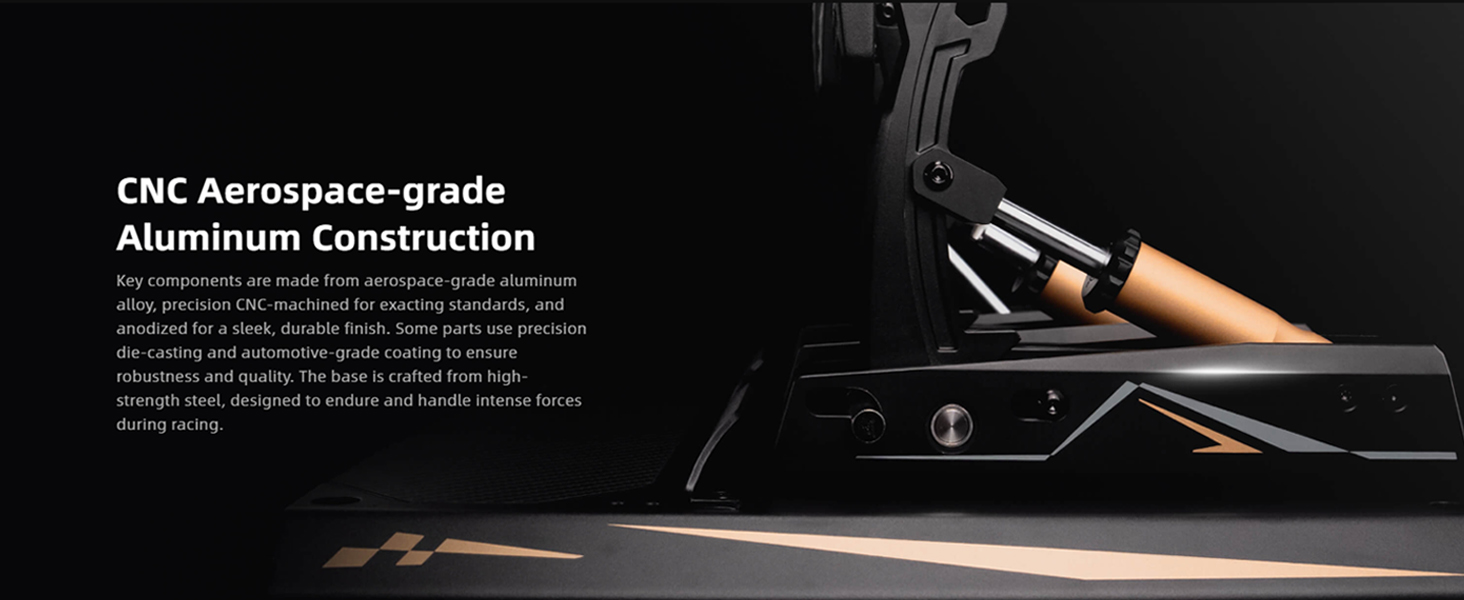
Image: View of the pedal's construction, highlighting the aerospace-grade aluminum components and robust design.
- Sensor Type: 15-bit High-precision Angle Sensor combined with Load Cell Sensor.
- Adjustability: Three-stage adjustable clutch, adjustable spring resistance.
- Heel Plate: Carbon Fiber Heel Plate.
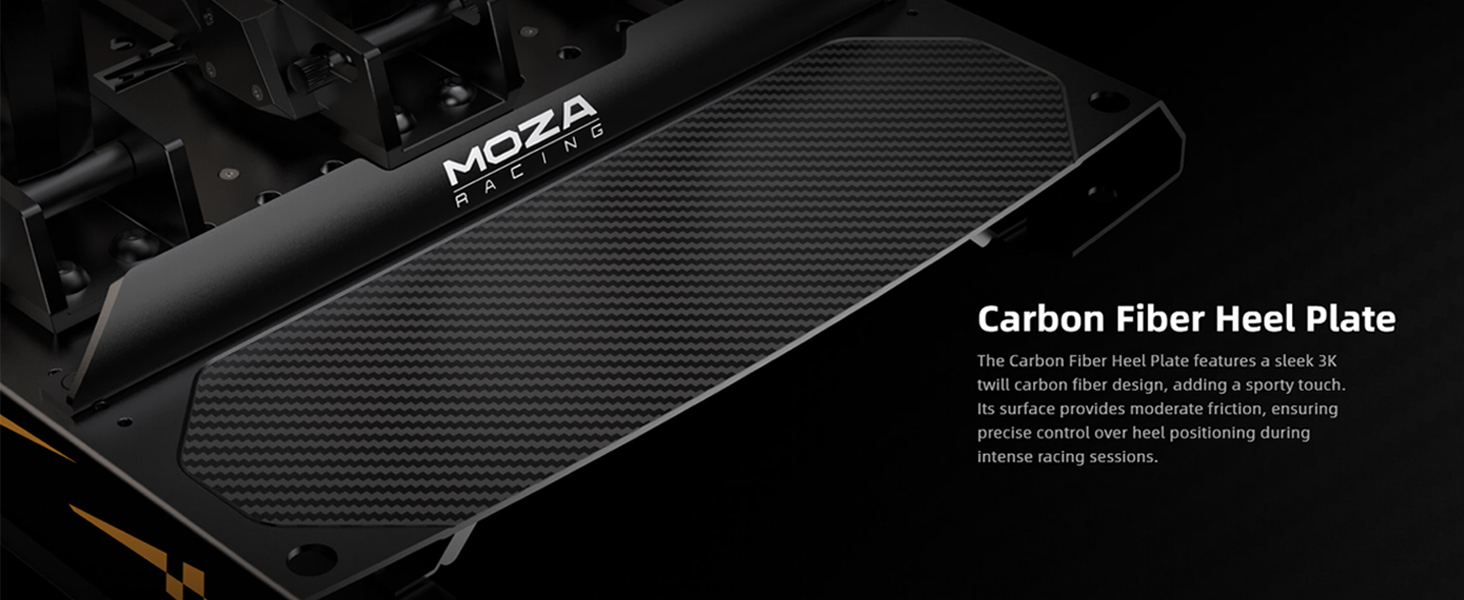
Image: Close-up of the carbon fiber heel plate, showing its texture and integration with the pedal base.
- Connectivity: Direct Connection to PC (USB).
- Item Weight: 3.24 pounds
- Package Dimensions: 11.1 x 10.5 x 4 inches
- Manufacturer: Gudsen
- Date First Available: January 8, 2025
Warranty and Support
For warranty information and technical support, please refer to the official MOZA Racing website or contact their customer service directly.
MOZA Racing Official Website: www.mozaracing.com
Please have your product model number (RS067) and purchase date ready when contacting support.