Introduction
This manual provides essential information for the safe and efficient operation of your Bella Depot Outdoor Gazebo Fan. Please read it thoroughly before installation and use, and retain it for future reference.

Image: Overview of the 20-inch Outdoor Ceiling Fan with its key features.
Safety Information
Always adhere to the following safety precautions to prevent injury or damage to the product.
- Ensure the power supply is disconnected before installation, cleaning, or maintenance.
- This fan is designed for outdoor use and is rated IP44 for water resistance. However, avoid direct high-pressure water jets.
- Mount the fan securely to a stable structure capable of supporting its weight.
- Keep hands, hair, and loose clothing away from moving fan blades.
- Do not attempt to repair or modify the fan yourself. Contact qualified personnel for service.
- Use only the provided components and accessories.

Image: The outdoor gazebo fan shown in a light rain environment, highlighting its waterproof design.

Image: The fan is depicted as an all-weather outdoor ceiling fan light, emphasizing its resilience against wind and rain with an IP44 rating.

Image: The fan is shown performing reliably in various outdoor conditions including rain, snow, and dusty environments.
Package Contents
Verify that all components are present and undamaged before proceeding with installation.
- Outdoor Gazebo Fan Unit (with integrated light)
- Remote Control
- Easy Hanger Hook
- Power Cord (16-foot) with Plug
- Downrods (9.8 inches and 5.9 inches)
- Mounting Hardware
- User Manual (this document)

Image: Detailed view of the fan's components including the hanger hook, power plug, two different length downrods, and the overall fan dimension.
Specifications
| Feature | Detail |
|---|---|
| Brand | Bella Depot |
| Model Name | 202428 (Note: Product model number is 202028) |
| Color | 20"-Black |
| Material | Metal + ABS |
| Product Dimensions | 19.7" Diameter (Note: 42"L x 42"W x 17.5"H from product data may refer to packaging or a different variant) |
| Light Fixture Form | Ceiling Fan Light |
| Indoor/Outdoor Usage | Outdoor |
| Power Source | Corded Electric (Plug-in Design) |
| Special Feature | LED Light, Waterproof |
| Control Method | Remote, Smart App |
| Voltage | 12 Volts (DC) |
| Wattage | 18 watts (Light) |
| Fan Blades | 5 PCS |
| Motor Type | DC Motor |
| Wind Speed Settings | 6 Speeds |
| Waterproof Rating | IP44 |
| Timer | 2 Hours |
| Cable Length | 5 Meters (approx. 16 feet) |
| Light Brightness | 781-2000 lumens (adjustable) |
| Color Temperature | 3000K (Warm), 4500K (Neutral), 6500K (White) |
| Assembly Required | Yes |
Image: Product information table detailing specifications like material, timer, waterproof rating, light wattage, fan blade count, motor type, wind speeds, and cable length.

Setup and Installation
Follow these steps for proper installation of your outdoor gazebo fan.
- Choose Location: Select a suitable outdoor location such as a gazebo, patio, or pergola. Ensure the mounting surface is sturdy and can safely support the fan's weight.
- Mounting: Use the provided Easy Hanger Hook for mobile or fixed installation. Secure the hook to the chosen overhead structure.
- Attach Downrod: Select the appropriate downrod (9.8 inches or 5.9 inches) based on your desired hanging height and attach it to the fan unit and the hanger hook.
- Power Connection: The fan features a plug-in design for convenience. Route the 16-foot power cord to a suitable outdoor power outlet. Ensure the waterproof connector is securely fastened if applicable.
- Final Checks: Before plugging in, ensure all connections are secure and the fan blades are free to rotate without obstruction.

Image: The fan installed on a patio, demonstrating a typical outdoor setup.

Image: The fan installed under a pergola, illustrating another common outdoor application.
Operating Instructions
Your Bella Depot Outdoor Gazebo Fan offers versatile control options for optimal comfort.
Remote Control Operation
- Power On/Off: Press the power button to turn the fan and light on or off.
- Fan Speed: Use the fan speed buttons to cycle through 6 available speeds.
- Light Control:
- Adjust light brightness.
- Change color temperature: Choose between 3000K (Warm light), 4500K (Neutral light), and 6500K (White light).
- Timer Function: Activate the 2-hour timer for automatic shut-off.
- Reversible Mode: Switch between Summer (downdraft) and Winter (updraft) modes for year-round air circulation.
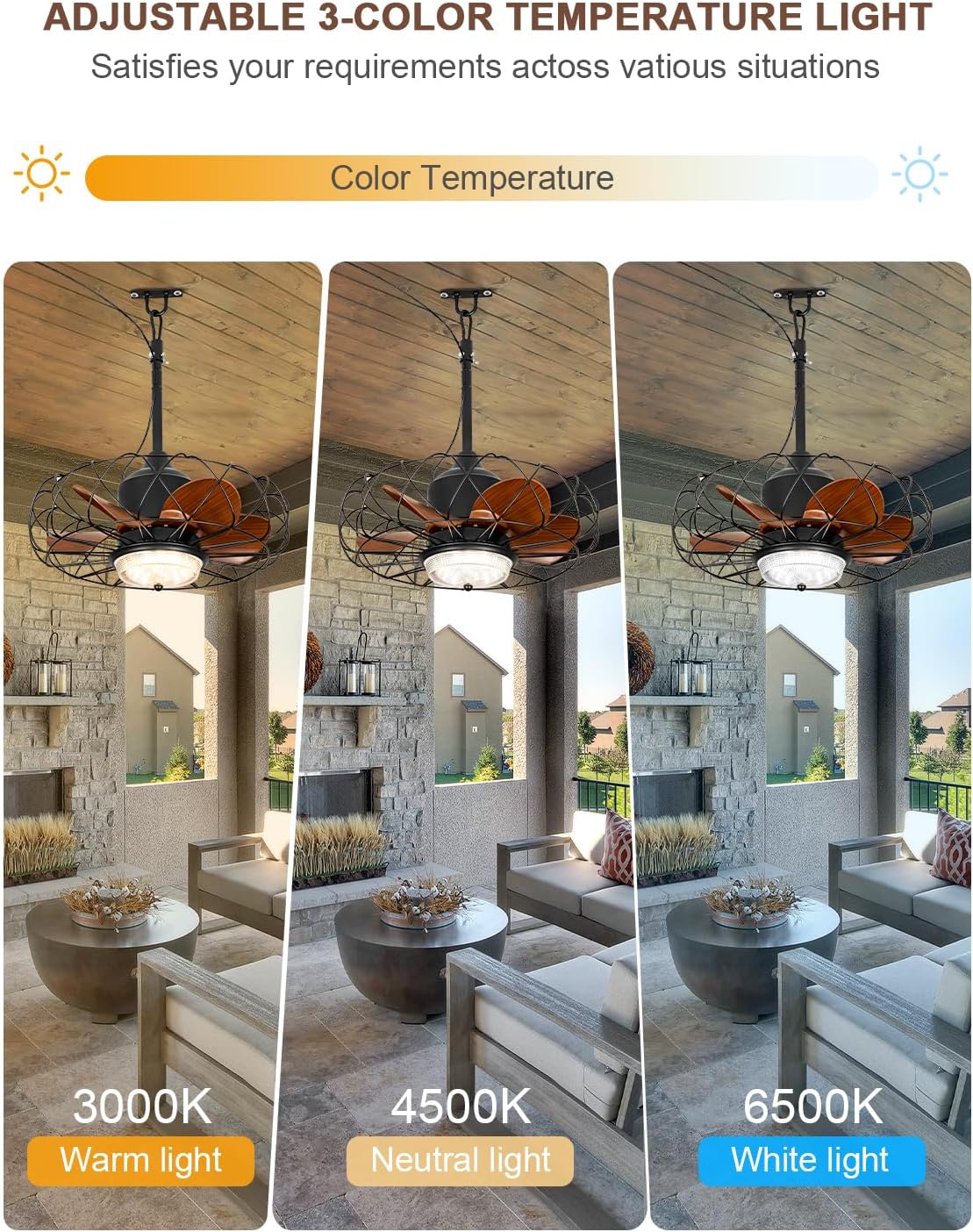
Image: Demonstration of the fan's adjustable light color temperatures (Warm, Neutral, White).

Image: Visual explanation of the fan's reversible airflow modes for summer cooling and winter air circulation.

Image: The fan's operation in Summer Mode for cooling and Winter Mode for heat distribution.
Smart App Control
For enhanced control, download the FanLamp Pro app to your smartphone.
- Download App: Scan the QR code provided on the product packaging or search for "FanLamp Pro" in your device's app store. You can also visit jasonghost.com/fanlamppro.
- Pairing: Follow the in-app instructions to pair your fan with your smartphone.
- Control Features: The app allows for comprehensive control over fan speed, light brightness, color temperature, timer settings, and reversible mode.

Image: Smartphone displaying the FanLamp Pro app, with a QR code for easy download and pairing instructions.
Additional Features
- Mosquito Deterrence: Certain wind speeds can help deter outdoor mosquito bites, enhancing comfort during outdoor gatherings.
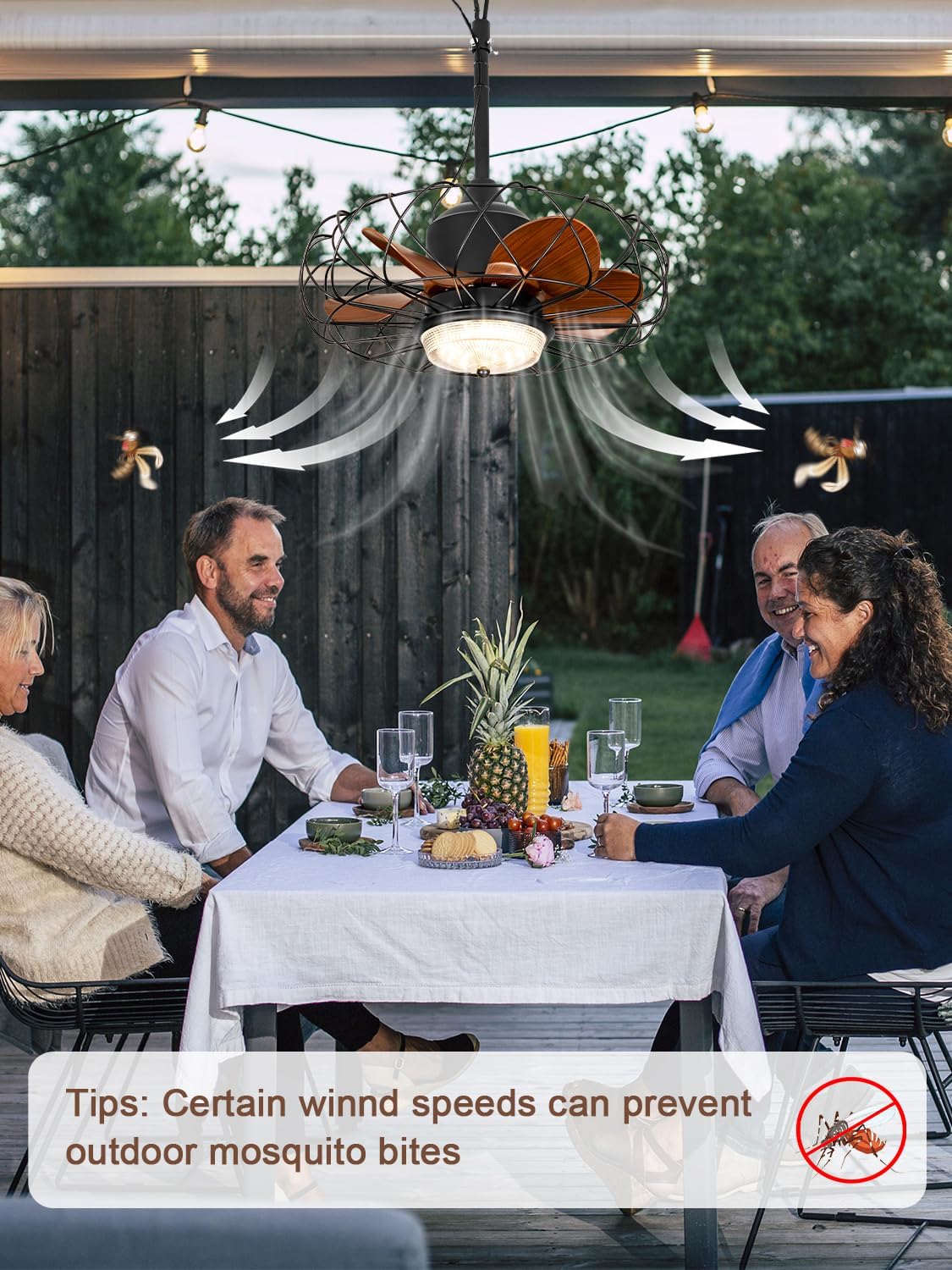
Image: The fan providing airflow over an outdoor dining setting, with a tip about its ability to help prevent mosquito bites.
Maintenance
Regular maintenance ensures the longevity and optimal performance of your fan.
- Cleaning: Disconnect power before cleaning. Use a soft, damp cloth to wipe down the fan housing and blades. Avoid abrasive cleaners or solvents.
- Blade Inspection: Periodically check fan blades for any damage or accumulation of debris.
- Secure Connections: Ensure all mounting hardware and electrical connections remain secure, especially after prolonged use or exposure to harsh weather.
- Storage: If storing the fan for an extended period, clean it thoroughly and store it in a dry, protected area.
Troubleshooting
Refer to this section for common issues and their solutions.
| Problem | Possible Cause | Solution |
|---|---|---|
| Fan does not turn on. | No power supply; Loose connection; Remote control battery low. | Check power outlet and cord connection; Ensure remote batteries are fresh. |
| Light does not work. | Light setting off; Electrical issue. | Verify light is turned on via remote/app; Check power connection. |
| Fan makes unusual noise. | Loose mounting; Obstruction in blades. | Ensure fan is securely mounted; Check for and remove any obstructions. |
| Remote control not responding. | Battery low; Remote out of range; Interference. | Replace batteries; Move closer to the fan; Reduce electrical interference. |
| App control not working. | Bluetooth/Wi-Fi disconnected; App not updated. | Ensure Bluetooth/Wi-Fi is enabled and connected; Update the app to the latest version. |
Warranty and Support
Your Bella Depot Outdoor Gazebo Fan comes with a 12-month warranty from the date of purchase, covering manufacturing defects.
For technical support, warranty claims, or any inquiries, please contact Bella Depot customer service through the official website or your point of purchase.
Visit the Bella Depot Store: Bella Depot Amazon Store
Product Video
Watch the official product video for a visual guide on the fan's features and capabilities.
Video: An overview of the Bella Depot Outdoor Gazebo Fan, demonstrating its waterproof features, lighting, and general operation.