Introduction
This manual provides essential information for the safe and efficient operation of your TELEFUNKEN 2025 Smart TV 40 inch Full HD, model TE40750B49V4DAZ. Please read these instructions thoroughly before using the television and retain them for future reference.
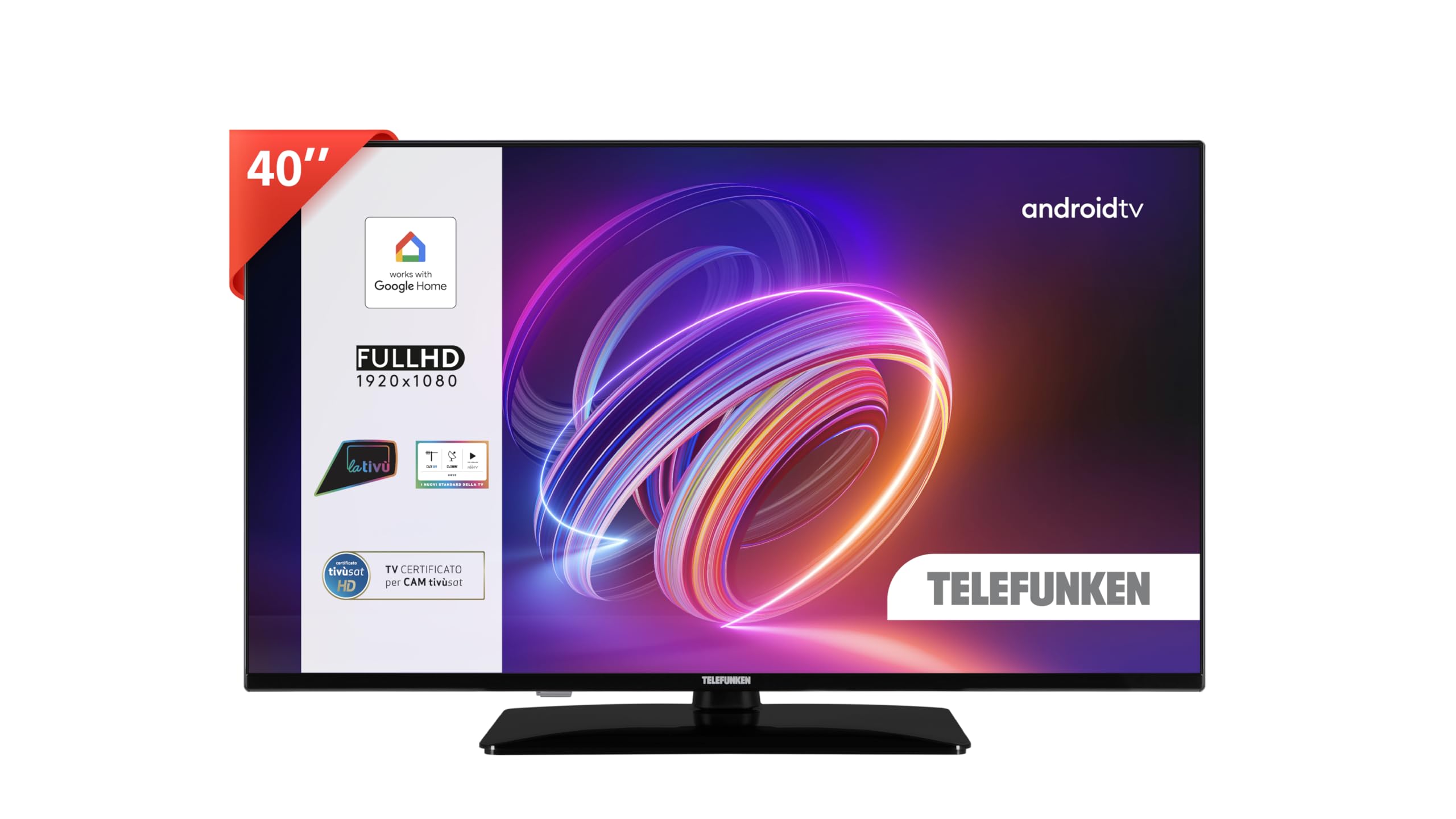
Image: The TELEFUNKEN 40 inch Smart TV displayed in a contemporary living room environment, showcasing its design and screen quality.
Safety Information
Always observe the following safety precautions to prevent electric shock, fire, or injury:
- Do not expose the TV to rain or moisture.
- Do not open the TV casing; refer all servicing to qualified personnel.
- Ensure proper ventilation around the TV.
- Keep the TV away from heat sources and direct sunlight.
- Use only the power cord supplied with the TV.
- Unplug the TV during lightning storms or when unused for long periods.
What's in the Box
Verify that all components are present:
- TELEFUNKEN 40 inch Smart TV (TE40750B49V4DAZ)
- Power Cable
- Remote Control
- User Manual (this document)
- TV Stand (if not pre-attached)
- Screws for TV Stand
Setup
1. Unpacking
Carefully remove the TV from its packaging. It is recommended to keep the original packaging for potential future transport or servicing.
2. Attaching the Stand
If your TV stand is not pre-attached, follow these steps:
- Place the TV face down on a soft, flat surface to prevent screen damage.
- Align the stand with the mounting holes on the bottom of the TV.
- Secure the stand using the provided screws.

Image: A technical diagram illustrating the dimensions of the 40-inch TELEFUNKEN TV, including its width, height, and depth, along with the stand's dimensions and attachment points.
3. Wall Mounting (Optional)
This TV is compatible with wall mounts. Refer to the wall mount manufacturer's instructions for installation. Ensure the wall mount can support the TV's weight (9.5 kg).
4. Connecting Cables
Connect external devices to the TV's ports. Refer to the image below for port locations.

Image: A close-up view of the rear panel of the TELEFUNKEN TV, highlighting the available connectivity ports such as HDMI, USB, Ethernet, and antenna input.
- Power: Connect the power cable to the TV and then to a wall outlet.
- HDMI: Connect HDMI devices (e.g., Blu-ray player, game console) to the HDMI ports.
- USB: Connect USB storage devices for media playback.
- Antenna/Cable: Connect an antenna or cable TV signal to the DVB-T2 input.
- Ethernet: For a wired internet connection.
- CI+ Slot: For Conditional Access Modules (CAM) for encrypted channels.
- Headphone Output: For connecting headphones.
5. Initial Power On and Setup Wizard
After connecting the power, press the power button on the remote control or TV. The TV will guide you through the initial setup process, including language selection, network connection, and Google account login for Android TV features.
Operating Your TV
1. Remote Control Functions
The remote control allows you to navigate the TV's features. Common buttons include:
- Power: Turns the TV on/off.
- Source: Selects input sources (HDMI, TV, USB).
- Navigation (Arrow) Buttons: Move through menus.
- OK/Enter: Confirms selections.
- Back: Returns to the previous screen.
- Home: Accesses the Android TV home screen.
- Volume +/-: Adjusts volume.
- Channel +/-: Changes channels.
- Google Assistant Button: Activates voice control.
2. Android TV Interface
The Android TV home screen provides access to installed apps, recommended content, and settings. Use the navigation buttons on your remote to browse.
3. Google Assistant Voice Control
Press the Google Assistant button on your remote and speak into the microphone to control your TV. Examples:
- "Open Netflix"
- "Increase volume"
- "Switch to HDMI 1"
- "What's the weather?"
The TV is also compatible with Google Home for integrated smart home control.
4. Connecting to Wi-Fi
To access online features and apps:
- Go to Settings on the Android TV home screen.
- Select Network & Internet.
- Choose your Wi-Fi network and enter the password.
5. Chromecast Built-in
Cast content from your smartphone, tablet, or computer directly to your TV using the Chromecast built-in feature. Look for the Cast icon in compatible apps.
6. Picture and Sound Settings
Adjust picture and sound preferences via the TV's settings menu. This TV supports Dolby Vision HDR10 for enhanced picture quality and Dolby Audio for immersive sound.
7. Channel Tuning (DVB-T2)
To scan for digital terrestrial channels:
- Ensure an antenna is connected to the DVB-T2 input.
- Go to Settings.
- Select Channel or Broadcast.
- Initiate an Auto Scan for channels.
Maintenance
1. Cleaning the Screen
Gently wipe the screen with a soft, dry, lint-free cloth. For stubborn marks, slightly dampen the cloth with water or a specialized screen cleaner. Do not spray liquid directly onto the screen.
2. Software Updates
Your Android TV may receive software updates to improve performance and add features. Ensure your TV is connected to the internet. Updates can usually be found in Settings > About > System update.
Troubleshooting
| Problem | Possible Solution |
|---|---|
| No power | Check if the power cable is securely connected to the TV and the wall outlet. Ensure the outlet has power. |
| No picture, but sound is present | Verify the correct input source is selected. Check cable connections to external devices. |
| No sound, but picture is present | Check volume levels. Ensure Mute is not active. Check audio settings and external device audio output. |
| Remote control not working | Replace batteries. Ensure no obstructions between the remote and the TV's IR sensor. |
| Cannot connect to Wi-Fi | Ensure Wi-Fi is enabled on the TV. Check Wi-Fi password. Restart your router. |
| Android TV is slow or unresponsive | Restart the TV by unplugging it for a few minutes. Close unused applications. Consider a factory reset if issues persist (note: this will erase all data). |
Specifications
| Feature | Detail |
|---|---|
| Model Name | TE40750B49V4DAZ |
| Screen Size | 40 inches |
| Display Technology | LED |
| Resolution | 1080p Full HD (1920x1080) |
| Refresh Rate | 120 Hz |
| Operating System | Android TV |
| Special Features | Integrated Voice Support (Google Assistant), HDR10, Dolby Vision, Dolby Audio, Chromecast Built-in |
| Connectivity | Wi-Fi, Ethernet, Bluetooth, 2x HDMI, 1x USB, 1x CI+, Headphone Output |
| Dimensions (W x H x D) | 90.2 x 57 x 23.5 cm (with stand) |
| Weight | 9.5 kg |
| Power Supply | AC 100-240V, 50/60Hz |
| Included Components | Power Cable, Remote Control, User Manual |
Warranty and Support
Your TELEFUNKEN TV comes with a standard manufacturer's warranty. Please refer to the warranty card included in the packaging for specific terms and conditions. For technical support, service, or further inquiries, please contact your local TELEFUNKEN customer service or visit the official TELEFUNKEN website.


