
Radtel RT-4D
Radtel RT-4D DMR Dual Band Two-Way Radio User Manual
Model: RT-4D
1. Introduction
The Radtel RT-4D is a versatile DMR (Digital Mobile Radio) dual-band two-way radio designed for reliable communication. It supports both analog and digital modes, offering 1024 channels and dual time slot functionality (Tier 1 and Tier 2). This manual provides essential information for setting up, operating, and maintaining your RT-4D radio.
2. What's in the Box
Upon unboxing your Radtel RT-4D radio, please verify that all components are present:
- 2x Radtel RT-4D Radio Units
- 2x Rechargeable Batteries (12V)
- 2x Charging Docks
- 2x Antennas
- 2x Belt Clips
- 2x USB Type-C Cables
- 2x User Manuals (this document)

Image: The complete package contents for the Radtel RT-4D, showing two radio units along with their accessories.
3. Product Overview
The Radtel RT-4D radio features a robust design with a clear display and intuitive controls. Familiarize yourself with the radio's components for optimal use.
3.1 Key Features
- Dual Band Operation: Supports both UHF and VHF frequencies.
- Analog and Digital Modes: Seamlessly switch between traditional analog and advanced DMR digital communication.
- 1024 Channels: Ample capacity for various communication needs.
- Dual Time Slot (Tier 1 & 2): Enhances communication efficiency in digital mode.
- AES 128/256 Encryption: Provides secure communication.
- User-Friendly Interface: Intuitive controls and clear display for ease of use.

Image: The radio's display highlighting digital encryption capabilities, designed to prevent cross-interference and enhance privacy.
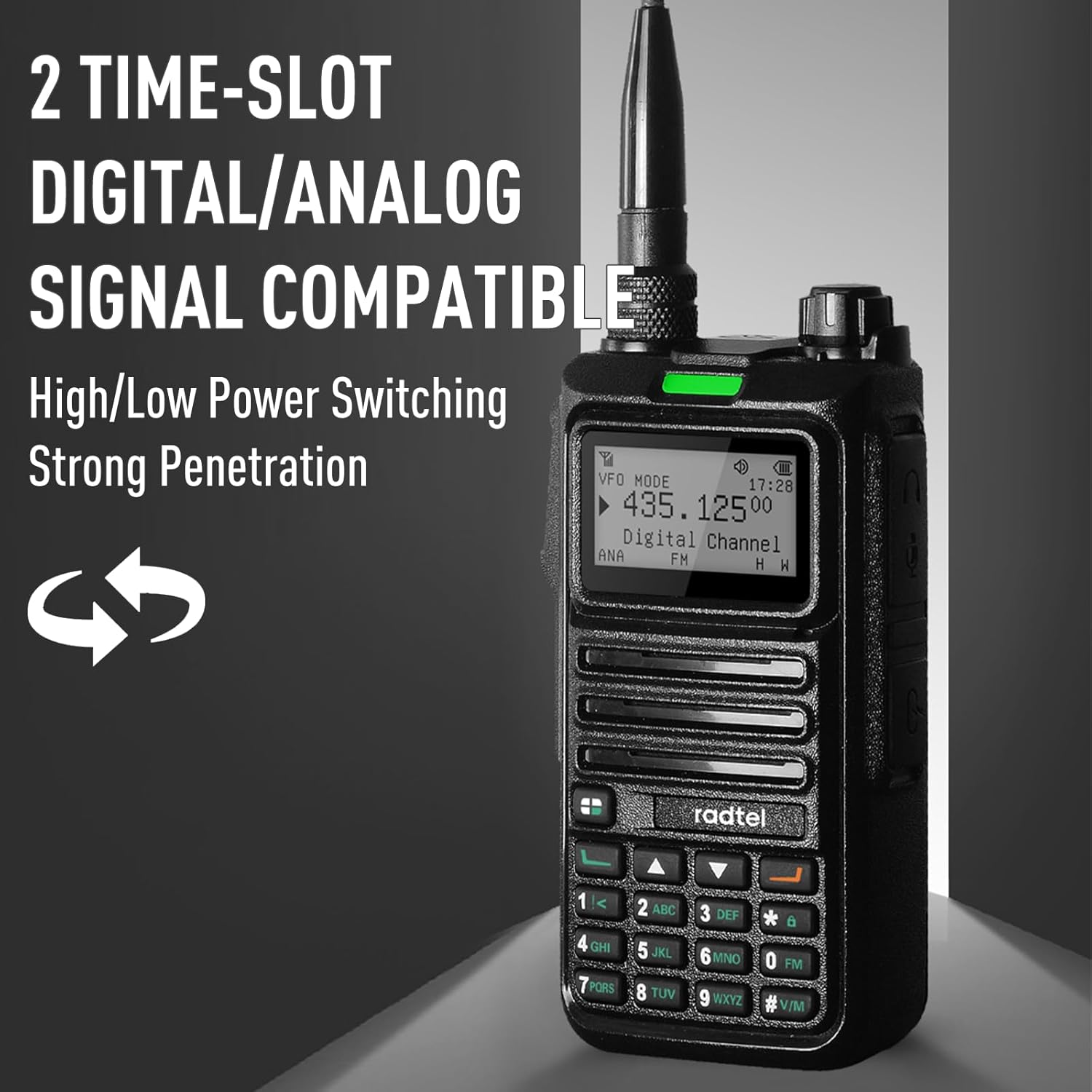
Image: The radio's screen indicating its compatibility with both digital and analog signals, featuring dual time slots and high/low power switching.

Image: The Radtel RT-4D, a handheld radio capable of operating in both DMR digital and analog modes.
4. Setup
4.1 Battery Installation
- Ensure the radio is powered off.
- Align the battery pack with the grooves on the back of the radio.
- Slide the battery pack upwards until it clicks into place.
- To remove, press the battery release latch and slide the battery downwards.
4.2 Charging the Battery
- Insert the battery (or radio with battery installed) into the charging dock.
- Connect the USB Type-C cable to the charging dock and a compatible power source.
- The charging indicator light will show the charging status (e.g., red for charging, green for fully charged).
- A full charge typically takes several hours. Do not overcharge.
4.3 Antenna Attachment
- Screw the antenna clockwise into the connector on the top of the radio until it is finger-tight.
- Do not overtighten the antenna.
5. Operating Instructions
5.1 Power On/Off and Volume Control
- Power On: Rotate the Power/Volume knob clockwise until you hear a click. The display will illuminate.
- Power Off: Rotate the Power/Volume knob counter-clockwise until you hear a click. The display will turn off.
- Volume Adjustment: Rotate the Power/Volume knob to increase (clockwise) or decrease (counter-clockwise) the audio volume.
5.2 Channel Selection
- Use the Up/Down arrow keys on the keypad to navigate through available channels.
- Alternatively, enter the desired channel number directly using the numeric keypad.
5.3 Mode Switching (Analog/Digital)
The RT-4D supports both analog and digital modes. The current mode is typically displayed on the screen. Refer to the radio's menu system for specific instructions on how to switch between modes, as this may vary based on firmware version.
5.4 Making Calls
The RT-4D supports various call types in digital mode:
- Single Call: Direct communication with a specific radio user.
- Group Call: Communication with a predefined group of radio users.
- All Call: Broadcast message to all radios within range.
To initiate a call:
- Select the desired channel and contact (for Single/Group calls).
- Press and hold the Push-to-Talk (PTT) button on the side of the radio.
- Speak clearly into the microphone.
- Release the PTT button to listen for a response.

Image: The radio's display illustrating the options for single, group, and all calls, allowing users to select communication based on their needs.
5.5 Advanced Functions
- Spectrum Functions / TX Test: The radio includes features for testing signals across different frequencies. Refer to the detailed menu for access.
- Remote Sub-Tone Decoding: Allows for quick matching and decoding of remote sub-tones.

Image: The radio's screen showing spectrum analysis and TX test functions, useful for evaluating signal performance across various frequencies.

Image: Two Radtel RT-4D radios demonstrating the one-click remote sub-tone detection and decoding feature for quick signal matching.
6. Maintenance
- Cleaning: Use a soft, damp cloth to clean the radio's exterior. Do not use harsh chemicals or solvents.
- Battery Care: Store batteries in a cool, dry place. Avoid fully discharging batteries for extended periods.
- Antenna: Ensure the antenna is securely attached but not overtightened. Avoid bending or damaging the antenna.
- Storage: When not in use for extended periods, remove the battery and store the radio in a dry, dust-free environment.
7. Troubleshooting
| Problem | Possible Cause | Solution |
|---|---|---|
| Radio does not power on | Low or dead battery; Incorrect battery installation | Charge the battery; Reinstall the battery correctly |
| Cannot transmit or receive | Incorrect channel/frequency; Antenna not attached; Out of range; Mode mismatch (Analog/Digital) | Verify channel and frequency settings; Attach antenna securely; Move closer to other radios; Ensure radios are in the same mode (Analog or Digital) |
| Poor audio quality | Weak signal; Obstructions; Low battery | Move to an open area; Charge the battery |
| Battery drains quickly | Frequent transmission; Old battery; High power setting | Reduce transmission time; Replace battery if old; Use low power setting when possible |
8. Specifications
| Feature | Specification |
|---|---|
| Model Number | RT-4D |
| Brand | Radtel |
| Number of Channels | 1024 |
| Frequency Range | VHF: 136-174 MHz / UHF: 400-470 MHz (Analog/Digital) Analog RX: 108-136 MHz (Aviation AM), 136-520 MHz |
| Talking Range Maximum | 5 Kilometers (approx. 3.1 miles) |
| Special Features | Dual Band Analog/Digital, Type-C charger, 2000 Contacts, AES 128/256 Encryption |
| Voltage | 12 Volts (DC) |
| Batteries | 2 x 12V batteries required (included) |
| Item Weight | Approx. 1.98 pounds (for the package) |
| Package Dimensions | 9.45 x 7.09 x 4.33 inches |
| Water Resistance Level | Not Water Resistant |
9. Warranty and Support
9.1 Warranty Information
The Radtel RT-4D radio comes with a 1-Year Warranty from the date of purchase. This warranty covers manufacturing defects under normal use. It does not cover damage caused by misuse, accidents, unauthorized modifications, or natural disasters.
9.2 Customer Support
For technical assistance, troubleshooting beyond this manual, or warranty claims, please contact Radtel customer support through their official channels. Refer to the packaging or the Radtel website for the most current contact information.
Related documentsRT-4D


Ask a question about this manual
Ask about setup, troubleshooting, compatibility, parts, safety, or missing instructions. Manuals+ will review the question and use this page’s manual context to help answer it.