
LAMTTO RC19
LAMTTO 7-Inch Wireless Motorcycle Carplay GPS Navigation System
Instruction Manual
Introduction
The LAMTTO 7-Inch Wireless Motorcycle Carplay GPS Navigation System is designed to integrate your smartphone's essential features directly onto your motorcycle's handlebars. This portable device supports both Apple CarPlay and Android Auto wirelessly, allowing for voice-controlled navigation, music playback, messaging, and hands-free calling. Its robust design ensures reliable performance in various riding conditions.
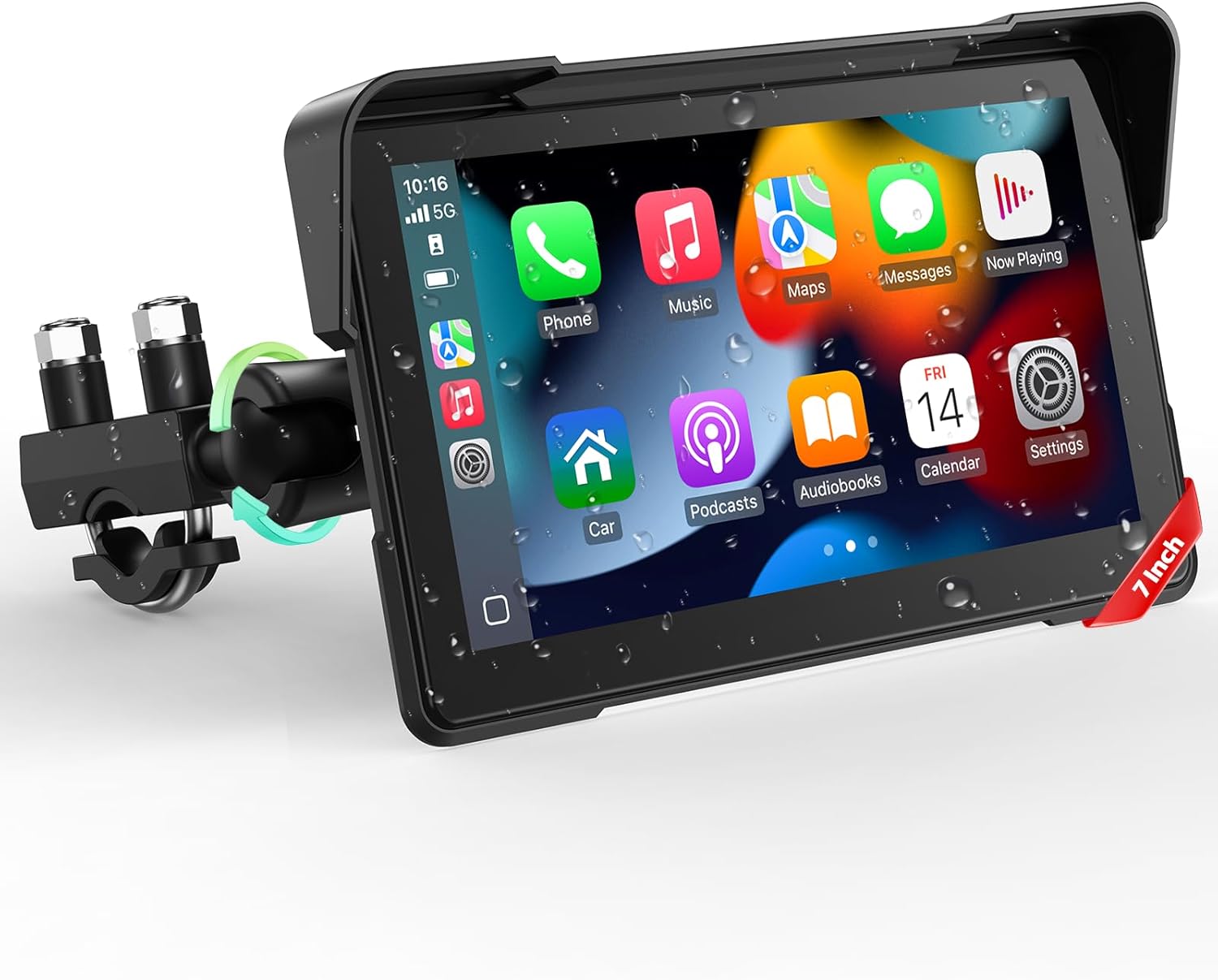
Figure 1: LAMTTO 7-Inch Wireless Motorcycle Carplay GPS Navigation System
What's in the Box
- 1 x 7 Inch Motorcycle Carplay Screen
- 1 x Power Cord
- 1 x Manual
- 1 x Instruction Tools
- 1 x Fixed Bracket
Video 1: Unboxing the Motorcycle Carplay System. This video demonstrates the contents of the product packaging, including the main screen, power cord, manual, and mounting accessories.
Setup
1. Bracket Installation
The system includes a fixed bracket for secure mounting on your motorcycle's handlebars. Use the provided tools to attach the bracket firmly. The design allows for 360-degree adjustment to achieve the optimal viewing angle.

Figure 2: Mounted Carplay screen on a motorcycle handlebar, showcasing its adjustable position.

Figure 3: Detailed steps for installing the handlebar bracket, showing how to secure it and attach the screen.
2. Wiring Diagram
Connect the power cord to your motorcycle's electrical system. The black wire (GND) connects to the motorcycle battery's negative terminal, and the red wire (ACC) connects to the motorcycle's ACC control line. Ensure all connections are secure and properly insulated.

Figure 4: Visual guide for connecting the power cord to the motorcycle's battery and ACC line.
Operating
1. Wireless CarPlay and Android Auto Connection
To connect your smartphone, turn on Bluetooth and Wi-Fi on your phone. On the Carplay screen, select either CarPlay or Android Auto. Pair your phone's Bluetooth with the device (e.g., 'CAR-BT-XXXX'). Once paired, the system will automatically connect via Wi-Fi for full functionality.

Figure 5: Overview of Wireless CarPlay and Android Auto interfaces.

Figure 6: Step-by-step visual guide for Apple CarPlay connection.

Figure 7: Step-by-step visual guide for Android Auto connection.
Video 2: Demonstrates the Android Auto connection method for the Carplay screen.
2. Voice Control (Siri or Google Assistant)
Utilize Siri or Google Assistant for hands-free operation. Simply activate the voice assistant to make calls, change routes, or control music without taking your hands off the handlebars. This feature requires a Bluetooth-enabled helmet or headset with a microphone.

Figure 8: Visual representation of voice control capabilities.
3. Bluetooth Hands-Free Call
Connect your helmet or headphones via Bluetooth to the Carplay system. This enables you to answer calls directly from the screen, use voice navigation, play music, and send texts, all while maintaining focus on the road.

Figure 9: Illustration of Bluetooth hands-free calling functionality.

Figure 10: Guide for setting up Bluetooth connection with helmets or headphones.
4. 7-Inch IPS Touchscreen
The 7-inch IPS touchscreen provides a clear and detailed display for navigation and app usage. It is designed for quick and accurate responses, even when wearing gloves, minimizing accidental taps and improving readability.

Figure 11: Display of common functions on the Carplay screen.

Figure 12: Visual comparison highlighting the benefits of the 7-inch screen size.
5. Anti-Glare Design & IP67 Waterproof
The anti-glare design and sun visor prevent screen glare in direct sunlight, ensuring clear visibility. With an IP67 waterproof rating, the device is protected against dust and water immersion, making it suitable for all weather conditions.

Figure 13: The Carplay system shown in different weather conditions, emphasizing its durability.

Figure 14: Illustration of the IP67 waterproof rating.
6. Day & Night Mode
The system automatically adjusts screen brightness for optimal visibility in both day and night conditions, reducing eye strain and improving safety.

Figure 15: Visual comparison of Day Mode and Night Mode on the screen.

Figure 16: Illustration of how the screen brightness adjusts for day and night.
Maintenance
Due to its IP67 waterproof rating, the device requires minimal maintenance. Regularly wipe the screen with a soft, damp cloth to remove dust and smudges. Ensure all cable connections remain secure and free from corrosion. Avoid using harsh chemicals or abrasive materials for cleaning.
Troubleshooting
- No Power: Check all power connections to the motorcycle battery and ACC line. Ensure the power cord is securely plugged into the device.
- Connection Issues (CarPlay/Android Auto): Ensure Bluetooth and Wi-Fi are enabled on your smartphone. Verify that the correct device is selected for pairing. Try restarting both the smartphone and the Carplay screen.
- Screen Unresponsive: If the touchscreen is unresponsive, try restarting the device. Ensure the screen is clean and free from excessive moisture or debris.
- Audio Problems: Confirm your Bluetooth helmet/headset is properly paired with your smartphone. Check volume settings on both the phone and the Carplay screen.
Specifications
| Feature | Detail |
|---|---|
| Item Weight | 1 pounds |
| Package Dimensions | 8.94 x 5.67 x 3.78 inches |
| Country of Origin | China |
| Item model number | RC19 |
| Display Size | 7 Inches |
| Warranty | 1 Year Manufacturer |
| Voice command | Touchscreen |
| Vehicle Service Type | Motorcycle |
| Special Feature | IP67 Waterproof and Anti-glare Design, 7-Inch IPS Touchscreen, Wireless CarPlay and Android Auto for Motorcycles, Bluetooth Hands-Free Call, GPS Navigation and Siri/Google Assistant Voice Control |
| Connectivity Technology | Bluetooth, Wi-Fi |
| Map Type | Worldwide |
| Audio Output Mode | Bluetooth Headphones/Helmet |
| Mounting Type | Handlebar Mount |
Warranty
The LAMTTO 7-Inch Wireless Motorcycle Carplay GPS Navigation System comes with a 1 Year Manufacturer Warranty. Please retain your proof of purchase for warranty claims.
Support
For any questions, technical assistance, or support regarding your LAMTTO Carplay system, please contact LAMTTO customer support. Refer to the product manual for additional contact information or visit the official LAMTTO website.
Related documentsRC19

Ask a question about this manual
Ask about setup, troubleshooting, compatibility, parts, safety, or missing instructions. Manuals+ will review the question and use this page’s manual context to help answer it.