
Lienuis OX-60PA1
Lienuis Crawl Space Dehumidifier User Manual
Model: OX-60PA1
1. Introduction
This manual provides detailed instructions for the installation, operation, and maintenance of your Lienuis Crawl Space Dehumidifier. Designed for both home and commercial use, this unit efficiently removes excess moisture from basements, crawl spaces, garages, and other large areas up to 1300 sq ft. Please read this manual thoroughly before operating the dehumidifier to ensure safe and optimal performance.

Figure 1: Lienuis Crawl Space Dehumidifier, showing the main unit with its digital display, handles, and a coiled drain hose in the foreground.
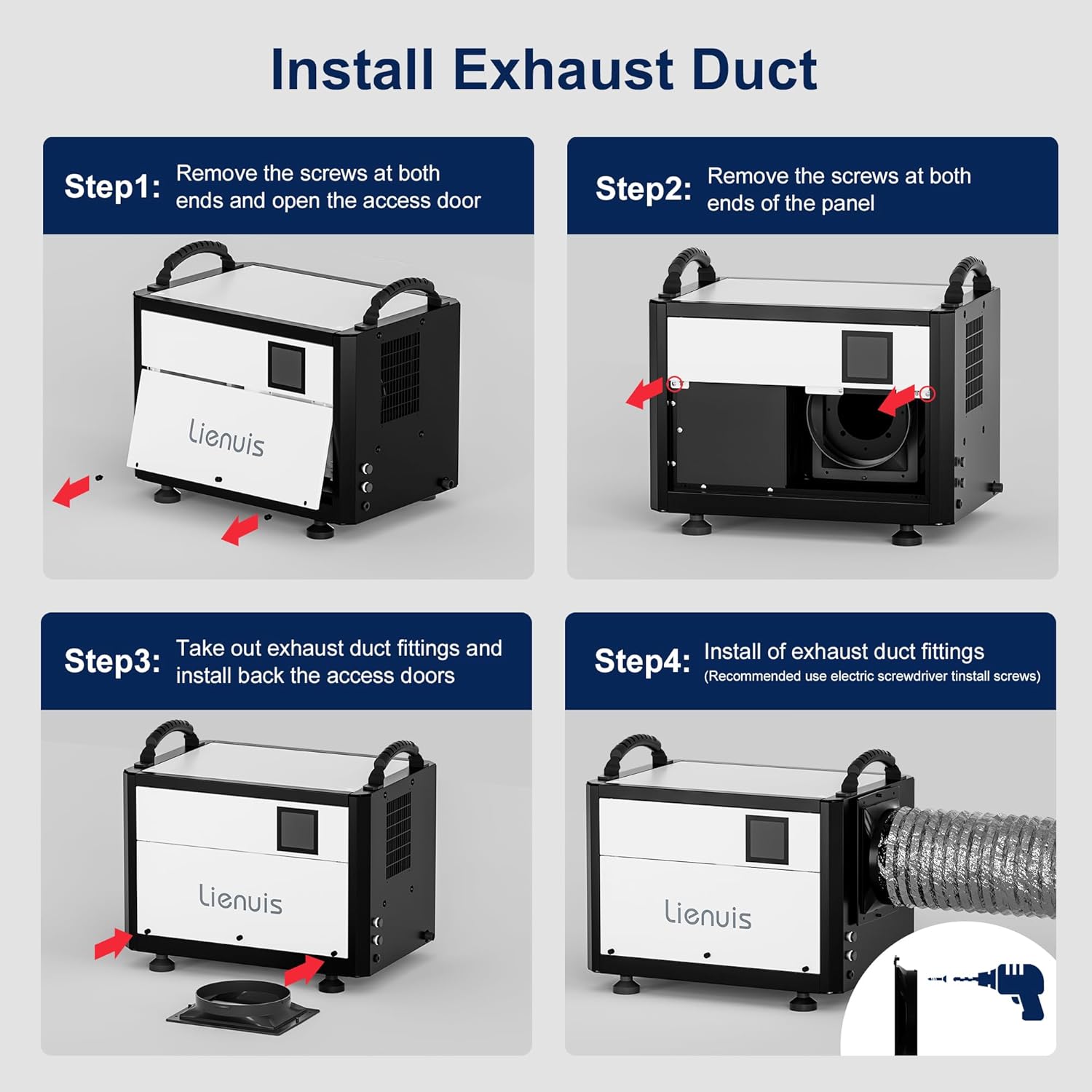
Figure 2: Illustrates the versatility of the dehumidifier for both commercial and home applications, including crawl spaces, basements, and garages.
2. Safety Information
Always follow basic safety precautions when using electrical appliances to reduce the risk of fire, electric shock, and injury.
- Ensure the power supply matches the voltage specified on the unit's rating label.
- Do not operate the dehumidifier with a damaged cord or plug.
- Keep the unit away from heat sources and direct sunlight.
- Do not block air inlets or outlets. Maintain adequate clearance around the unit for proper airflow.
- Unplug the unit before cleaning or performing any maintenance.
- This appliance is not intended for use by persons (including children) with reduced physical, sensory or mental capabilities, or lack of experience and knowledge, unless they have been given supervision or instruction concerning use of the appliance by a person responsible for their safety.
- Do not use the dehumidifier in areas where flammable gases or liquids are present.
3. Product Overview
The Lienuis Crawl Space Dehumidifier is designed for high-efficiency moisture removal, featuring a robust build and user-friendly controls.
Key Features:
- High Capacity: Removes up to 110 Pints per day (at saturation) with 125 CFM airflow, suitable for areas up to 1300 sq ft.
- Compact Design: Dimensions of 14"D x 20"W x 14"H make it ideal for tight spaces like crawl spaces and basements.
- Multiple Operating Modes: Auto Mode (20%-90% humidity control), Continuous Dry Mode, and Sleep Mode for versatile use.
- Remote Control: Includes a 32.8 ft extension cable for convenient remote monitoring and control.
- Flexible Drainage: Supports both gravity drainage and external pump drainage (pump not included).
- Automatic Defrost: Operates effectively in low temperatures (down to 41°F) with automatic defrosting.
- Washable Filter: Equipped with a reusable and washable filter for easy maintenance.
- Memory Restart: Automatically resumes operation with previous settings after a power outage.
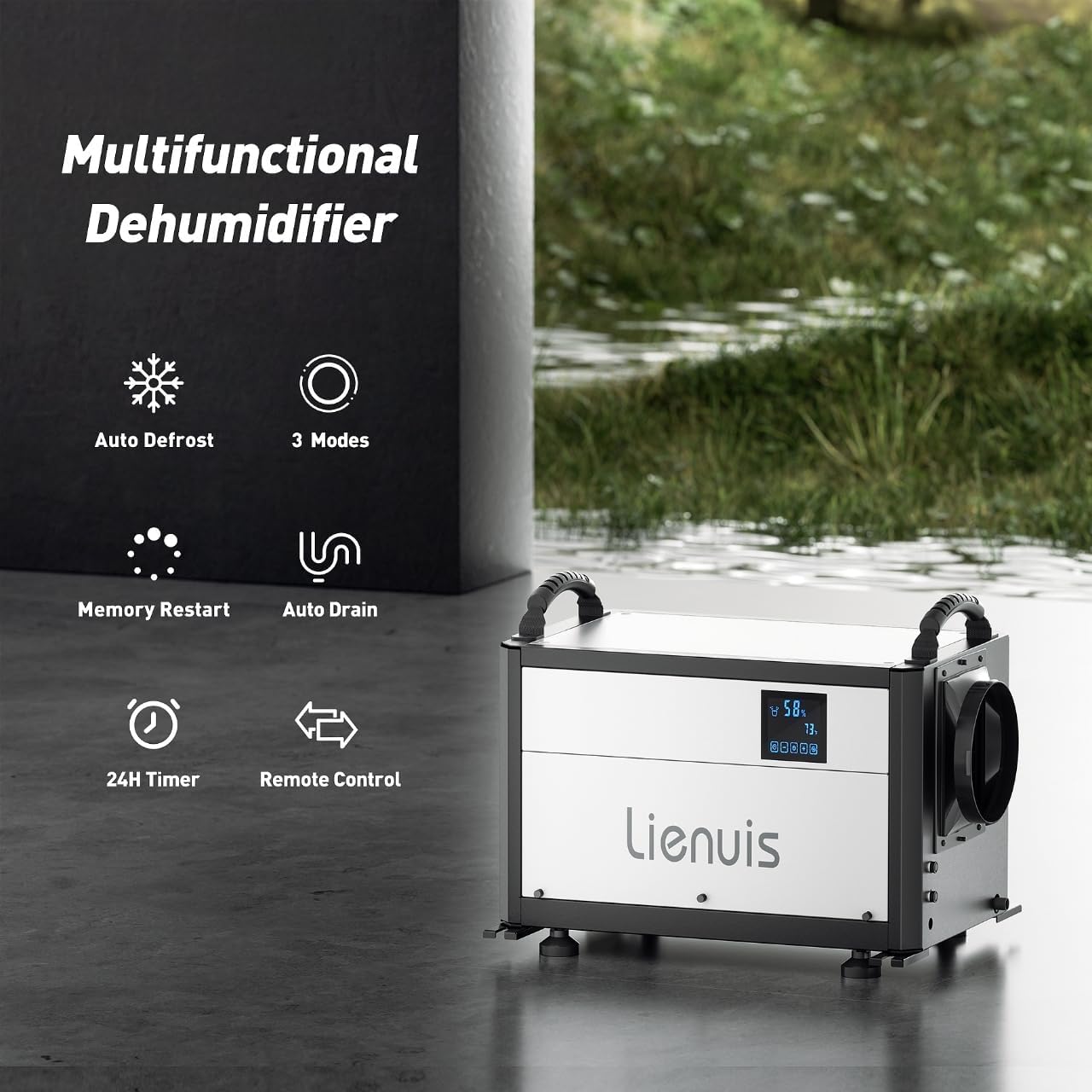
Figure 3: Overview of the dehumidifier's multifunctional capabilities, including Auto Defrost, 3 Modes, Memory Restart, Auto Drain, 24H Timer, and Remote Control.
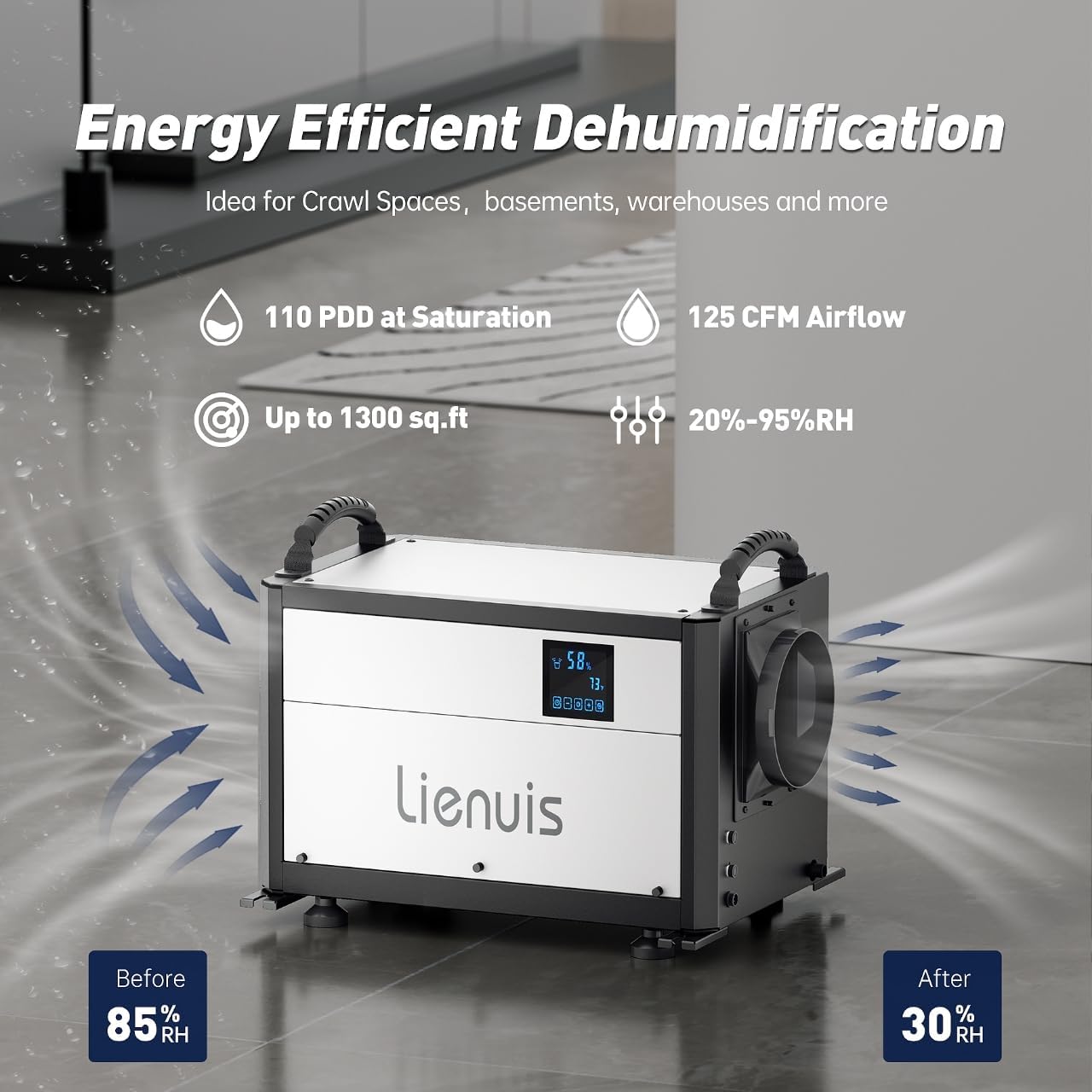
Figure 4: Highlights the energy-efficient dehumidification, showing 110 PDD at saturation, 125 CFM Airflow, and coverage up to 1300 sq ft, with humidity reduction from 85% RH to 30% RH.

Figure 5: Illustrates the compact design and ease of use, highlighting portable handles, leveling feet, and a reusable filter.
4. Setup
4.1 Placement
Place the dehumidifier on a level surface in the desired area. Ensure there is at least 12 inches of clearance around all sides for optimal airflow.
4.2 Drainage Options
The unit offers two drainage methods: gravity drainage and pump drainage.
- Gravity Drainage: Connect the included drain hose to the drainage outlet. Ensure the hose is sloped downwards to allow water to flow continuously to a suitable drain (e.g., floor drain, sink). The drain hose is 9.84 ft long.
- Pump Drainage (Optional): For long-distance or upward drainage, an external condensate pump (not included) can be connected. This allows water to be pumped up to 19.6 ft vertically.

Figure 6: Illustration of gravity drainage, showing the dehumidifier placed above a drain with the hose directing water downwards.

Figure 7: Illustration of pump drainage, showing the dehumidifier connected to an external pump for upward or long-distance water removal. Note: Pump is not included.

Figure 8: Comparison of gravity drainage and pump drainage methods, showing the respective drain heights and hose lengths.
4.3 Ducting (Optional)
The dehumidifier's air outlet is duct-able, allowing for directed airflow. This is useful for targeting specific areas or for more controlled air circulation.

Figure 9: Step-by-step guide for installing the exhaust duct. This involves removing screws, opening the access door, taking out duct fittings, and installing them back.

Figure 10: Shows the dehumidifier with an attached duct, illustrating its optional ductable air outlet for directed airflow.
4.4 Hanging Installation (Optional)
For crawl spaces or basements with limited floor space, the dehumidifier can be hung using optional hanging kits (not included).

Figure 11: Depicts both floor installation and optional hanging installation methods for the dehumidifier, highlighting its compact dimensions.
5. Operating Instructions
The dehumidifier features an intuitive control panel and can also be operated remotely.
5.1 Control Panel
The main unit has a built-in control panel. An optional external control panel with a 32.8 ft extension cable is provided for remote operation.

Figure 12: Shows the main control panel on the unit and the optional remote control panel, illustrating two ways to operate the dehumidifier.

Figure 13: Demonstrates the use of the optional remote control panel, allowing users to adjust settings from a distance.
5.2 Operating Modes
The dehumidifier offers three distinct operating modes:
- Auto Mode: Allows you to set a desired humidity level between 20% and 90% RH. The unit will automatically turn on/off to maintain this level.
- Continuous Dry Mode: The dehumidifier operates continuously, ideal for highly humid environments requiring rapid moisture removal.
- Sleep Mode: Operates quietly for undisturbed use, perfect for bedrooms or areas where noise is a concern.
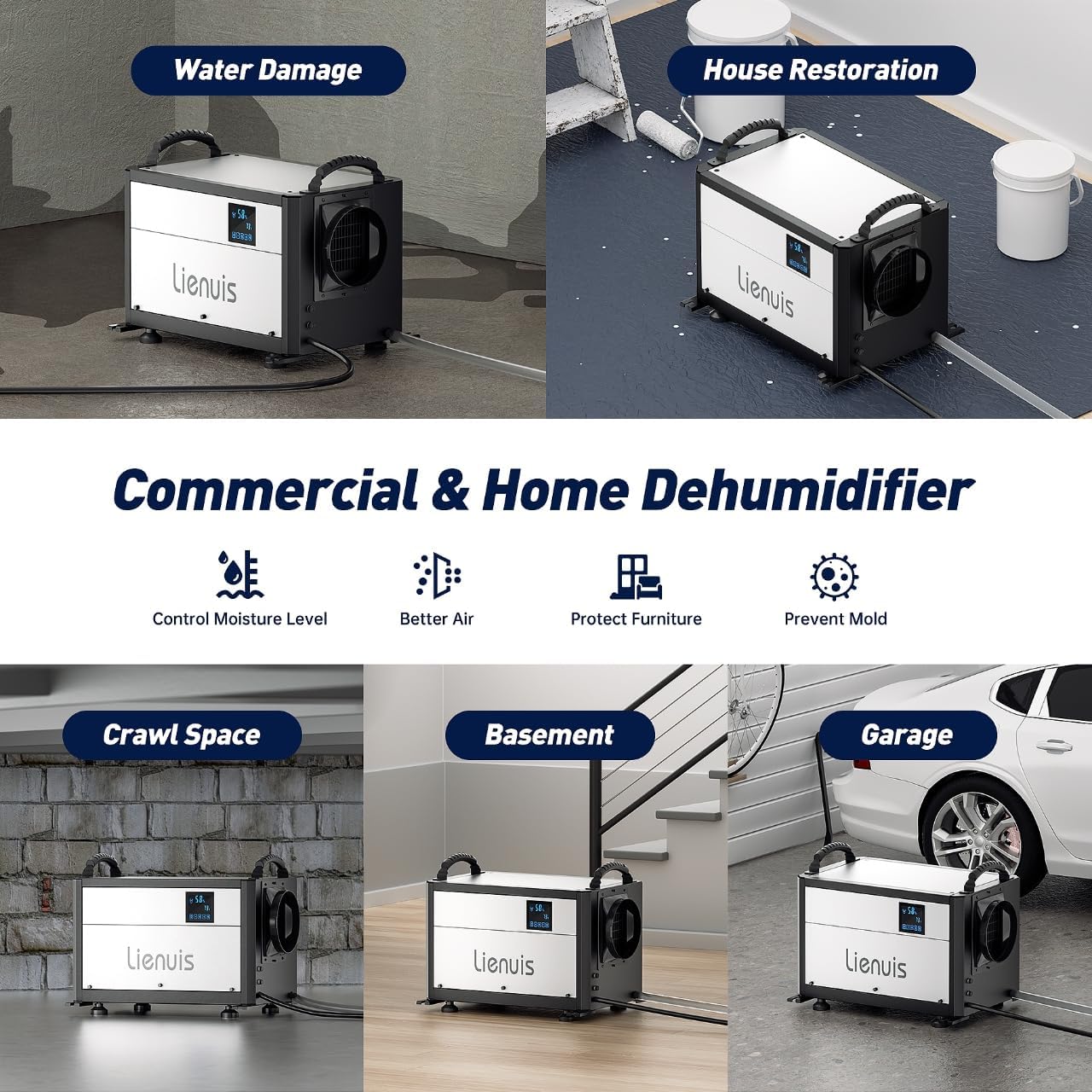
Figure 14: Visual representation of the three dehumidification modes: Auto Mode, Continuous Drying Mode, and Sleep Mode.

Figure 15: Illustrates the smart humidity control feature, showing the working humidity range (38°F-110°F) and temperature range (20%-95%).

Figure 16: Shows the effect of Continuous Drying Mode, reducing humidity from 85% RH to 30% RH.

Figure 17: Highlights the quiet operation in Sleep Mode, indicating noise levels as low as 10dB.
5.3 Additional Functions
- 24H Timer: Set the unit to turn on or off automatically after a specified period.
- Memory Restart: In case of a power interruption, the unit will automatically restart with the last used settings once power is restored.
- Auto Defrost: The unit is equipped with sensors to detect frost buildup on the coils and will automatically initiate a defrost cycle to ensure continuous operation in cold conditions.

Figure 18: Illustrates the 24-hour timer function and the quiet operation of the dehumidifier, comparing its noise level to common sounds.

Figure 19: Shows the Memory Restart function, where the unit automatically resumes operation with previous settings after a power interruption.

Figure 20: Illustrates the Auto Defrosting feature, which prevents coils from freezing in low-temperature environments.
6. Maintenance
Regular maintenance ensures the longevity and efficiency of your dehumidifier.
6.1 Cleaning the Air Filter
The dehumidifier is equipped with a washable, reusable filter. Clean the filter regularly (every 2-4 weeks, depending on usage) to maintain optimal performance.
- Unplug the dehumidifier from the power outlet.
- Locate and remove the air filter from the unit.
- Wash the filter with warm, soapy water. Rinse thoroughly.
- Allow the filter to air dry completely before reinserting it into the unit.

Figure 21: Shows the washable, reusable filter being cleaned with water, emphasizing ease of maintenance.
6.2 General Cleaning
Wipe the exterior of the unit with a soft, damp cloth. Do not use harsh chemicals or abrasive cleaners.
7. Troubleshooting
| Problem | Possible Cause | Solution |
|---|---|---|
| Dehumidifier does not turn on. | No power supply; Power cord not properly plugged in; Power outage. | Check power outlet; Ensure power cord is securely plugged in; Check circuit breaker. |
| Unit is running but not removing moisture. | Air filter is clogged; Room temperature is too low; Humidity level is already low. | Clean the air filter; Ensure room temperature is above 41°F; Adjust desired humidity setting or switch to Continuous Dry Mode. |
| Unit is noisy. | Unit is not on a level surface; Air filter is clogged. | Place unit on a flat, stable surface; Clean the air filter. |
| Water leakage. | Drain hose is kinked or blocked; Drain hose connection is loose. | Straighten the drain hose and clear any blockages; Ensure drain hose is securely connected. |
8. Specifications
| Attribute | Value |
|---|---|
| Brand | Lienuis |
| Model Name | OX-60PA1 |
| Dehumidification Capacity | 60 Pints per Day (AHAM) / 110 Pints (Saturation) |
| Floor Area Coverage | Up to 1300 Square Feet |
| Air Flow Capacity | 125 Cubic Feet Per Minute (CFM) |
| Product Dimensions | 14"D x 20"W x 14"H |
| Item Weight | 64 Pounds |
| Material | Metal |
| Color | White+Black |
| Wattage | 567 watts |
| Operation Mode | Auto / Continuous Drying / Sleep Mode |
| Minimum Operating Temperature | 41 Degrees Fahrenheit |
| Maximum Operating Temperature | 113 Degrees Fahrenheit |
| Included Components | Adjustable Feet, Control Panel External Connection Cable, Drain Pipe, Duct Adapter, Dehumidifier |
9. Warranty and Support
For warranty information and customer support, please refer to the contact details provided with your purchase or visit the official Lienuis website. Keep your purchase receipt as proof of purchase for warranty claims.
For further assistance, you may contact the seller, AC Humikiller, through the Amazon platform.