
1. Introduction
Thank you for choosing the WEN 14500-Watt 120V/240V Tri-Fuel Generator, Model TF1450. This generator is designed to provide reliable power using gasoline, propane, or natural gas, making it a versatile solution for home backup, job sites, or recreational use. Featuring an electric start and a robust 500cc engine, it delivers significant surge and running wattage to power essential appliances and tools. Please read this manual thoroughly before operation to ensure safe and efficient use of your generator.
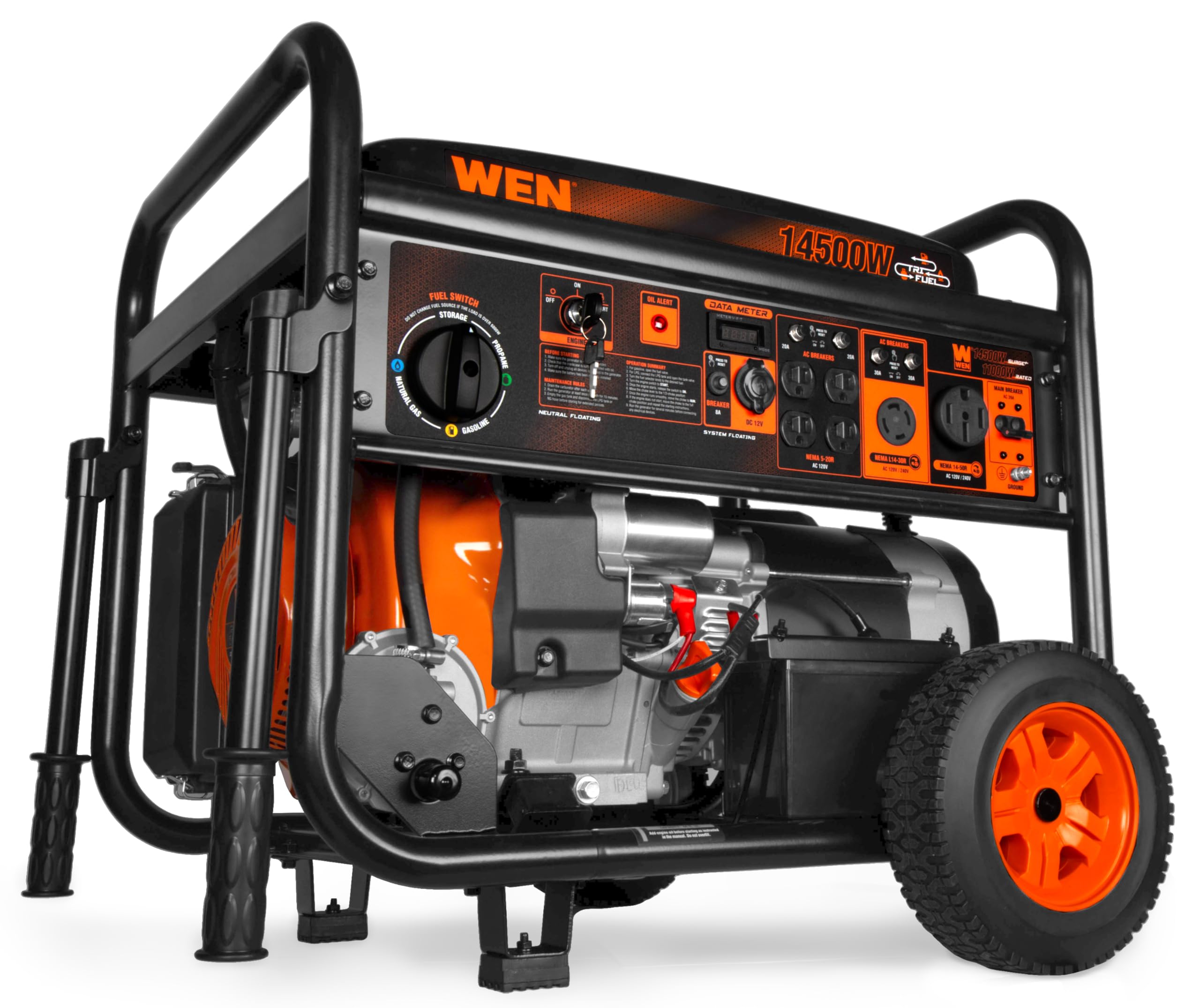
Figure 1: Main view of the WEN 14500-Watt Tri-Fuel Generator (TF1450).
2. Safety Information
Operating a generator safely is paramount. Failure to follow safety instructions can result in serious injury or death. Always prioritize safety during setup, operation, and maintenance.
- Carbon Monoxide Hazard: Generators produce carbon monoxide (CO), an odorless, colorless, and poisonous gas. Never operate the generator indoors or in partially enclosed areas. Always operate outdoors in a well-ventilated area, far from windows, doors, and vents.
- Fire Hazard: Fuel is highly flammable. Never refuel while the engine is running or hot. Avoid spilling fuel on hot engine parts. Store fuel in approved containers in a well-ventilated area away from ignition sources.
- Electrical Shock Hazard: Ensure the generator is properly grounded before use. Do not operate the generator in wet conditions. Always use appropriate extension cords rated for outdoor use and the generator's power output.
- Overload Protection: The generator is equipped with overload protection. Do not exceed the generator's rated wattage. Overloading can damage the generator and connected devices.
- Low Oil Shut-off: The engine will automatically shut down if the oil level is too low to prevent damage. Regularly check and maintain the oil level.
3. Setup
3.1 Unboxing and Assembly
Carefully remove the generator and all components from the packaging. The wheel and handle kit is included for easy transportation. Attach the wheels and handles according to the assembly instructions provided in the full manual.
3.2 Adding Engine Oil
The generator is shipped without engine oil. Locate the oil fill cap/dipstick. Using the included bottle of oil and a funnel, carefully add the recommended amount of SAE 10W-30 engine oil. Do not overfill. Refer to the oil alert indicator on the control panel.

Figure 2: Fuel tank and oil fill location.
3.3 Battery Connection
For electric start functionality, connect the battery terminals. Ensure connections are secure and correct polarity is observed (red to positive, black to negative).
3.4 Fuel Connection
- Gasoline: Fill the 8.2-gallon fuel tank with fresh, unleaded gasoline (minimum 87 octane). Do not overfill.
- Propane (LPG): Connect the included 6-foot LPG hose to a propane tank and to the generator's propane inlet. Ensure all connections are tight to prevent leaks.
- Natural Gas (NG): Connect a natural gas line to the generator using the included NG quick-connect adapter. An NG hose is not included and sold separately (part no. TF1450X-1431).
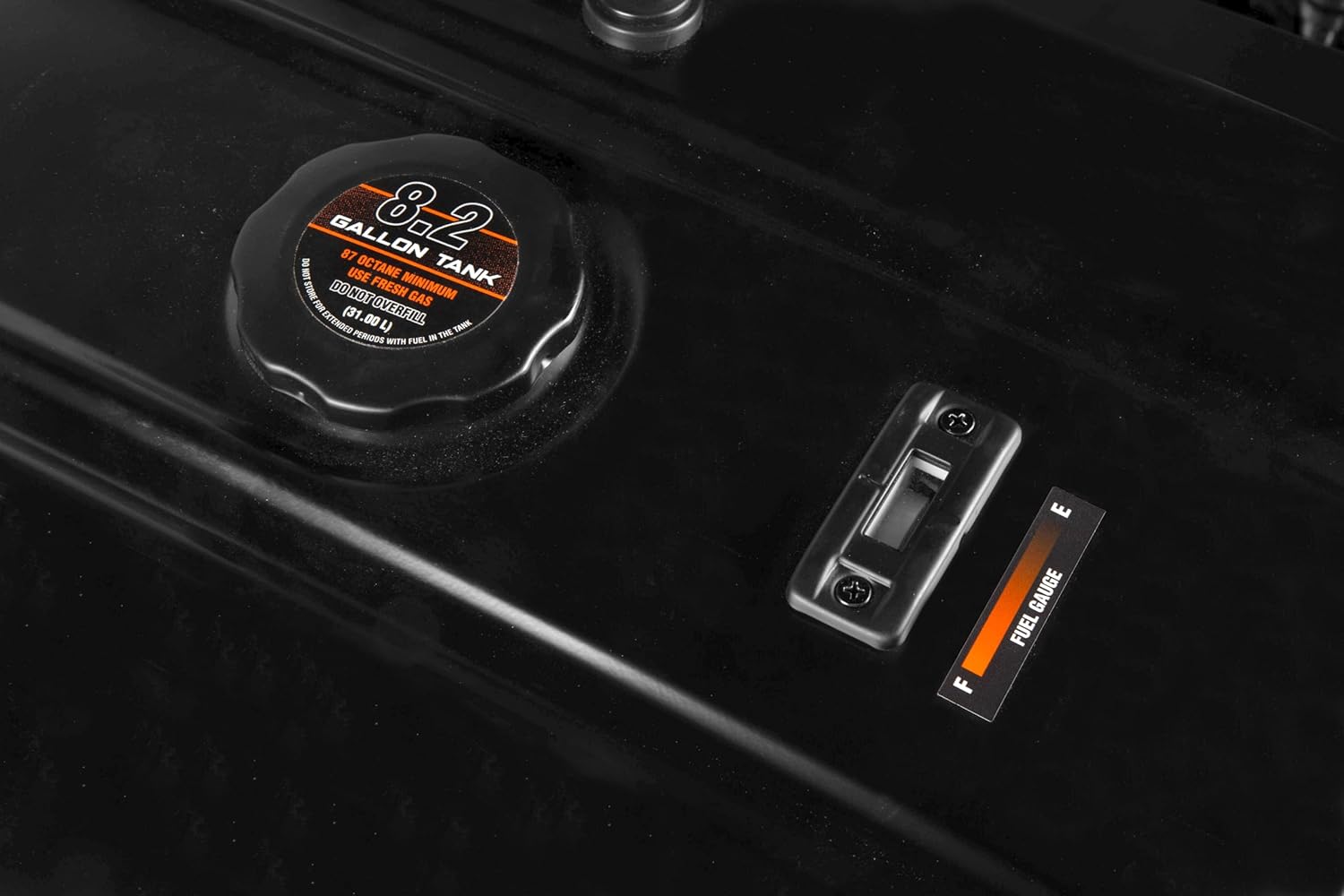
Figure 3: Location of the 1/2-inch LPG/NG connection point.
4. Operating Instructions
4.1 Starting the Generator
- Ensure the generator is on a level surface and properly grounded.
- Turn the fuel valve to the ON position for gasoline or open the propane/natural gas supply.
- Select the desired fuel type using the fuel switch on the control panel.
- For electric start, insert the key and turn it to the START position. Hold until the engine starts.
- As a backup, a recoil starter is available. Pull the recoil cord firmly and steadily until the engine starts.
- Allow the generator to run for several minutes to warm up before connecting any devices.
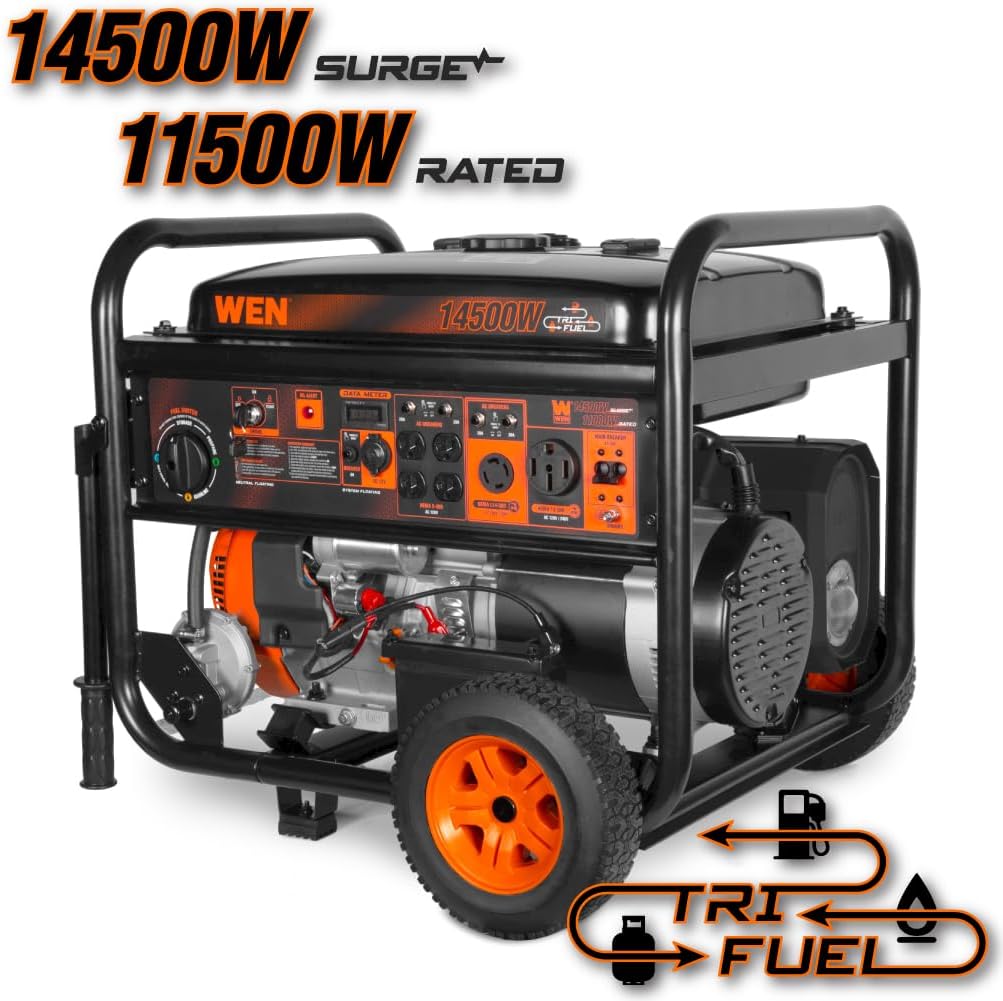
Figure 4: Close-up of the control panel, showing the fuel switch and electric start.
4.2 Connecting Electrical Loads
The generator features multiple outlets for various power needs:
- Four 120V NEMA 5-20R outlets
- One 120V/240V 30A NEMA L14-30R outlet (transfer-switch ready)
- One 120V/240V 50A NEMA 14-50R outlet (transfer-switch ready)
- One standard 12V DC automotive outlet
Connect your appliances or transfer switch to the appropriate outlets. Monitor the onboard data meter for voltage, frequency, and runtime to ensure stable operation and prevent overloading.

Figure 5: Detailed view of the generator's control panel with all available outlets.
4.3 Shutting Down the Generator
Before shutting down, disconnect all electrical loads. Turn the engine switch to the OFF position. If storing for an extended period, follow the storage procedures in the full manual.
Video 1: WEN Tri-Fuel Generator - Product Overview. This video provides a general overview of the generator's features and operation.
5. Maintenance
Regular maintenance is crucial for the longevity and optimal performance of your WEN TF1450 generator. The onboard data meter displays total runtime and session runtime, which can help you track maintenance intervals.
- Oil Changes: Change engine oil after the first 20 hours of operation, then every 50 hours or annually, whichever comes first.
- Air Filter: Inspect and clean the air filter regularly. Replace if damaged.
- Spark Plug: Inspect and clean the spark plug every 100 hours or annually. Replace if necessary.
- Fuel System: For long-term storage, drain the fuel tank and carburetor if using gasoline, or turn off the propane/natural gas supply.
Refer to the complete owner's manual for a detailed maintenance schedule and instructions.
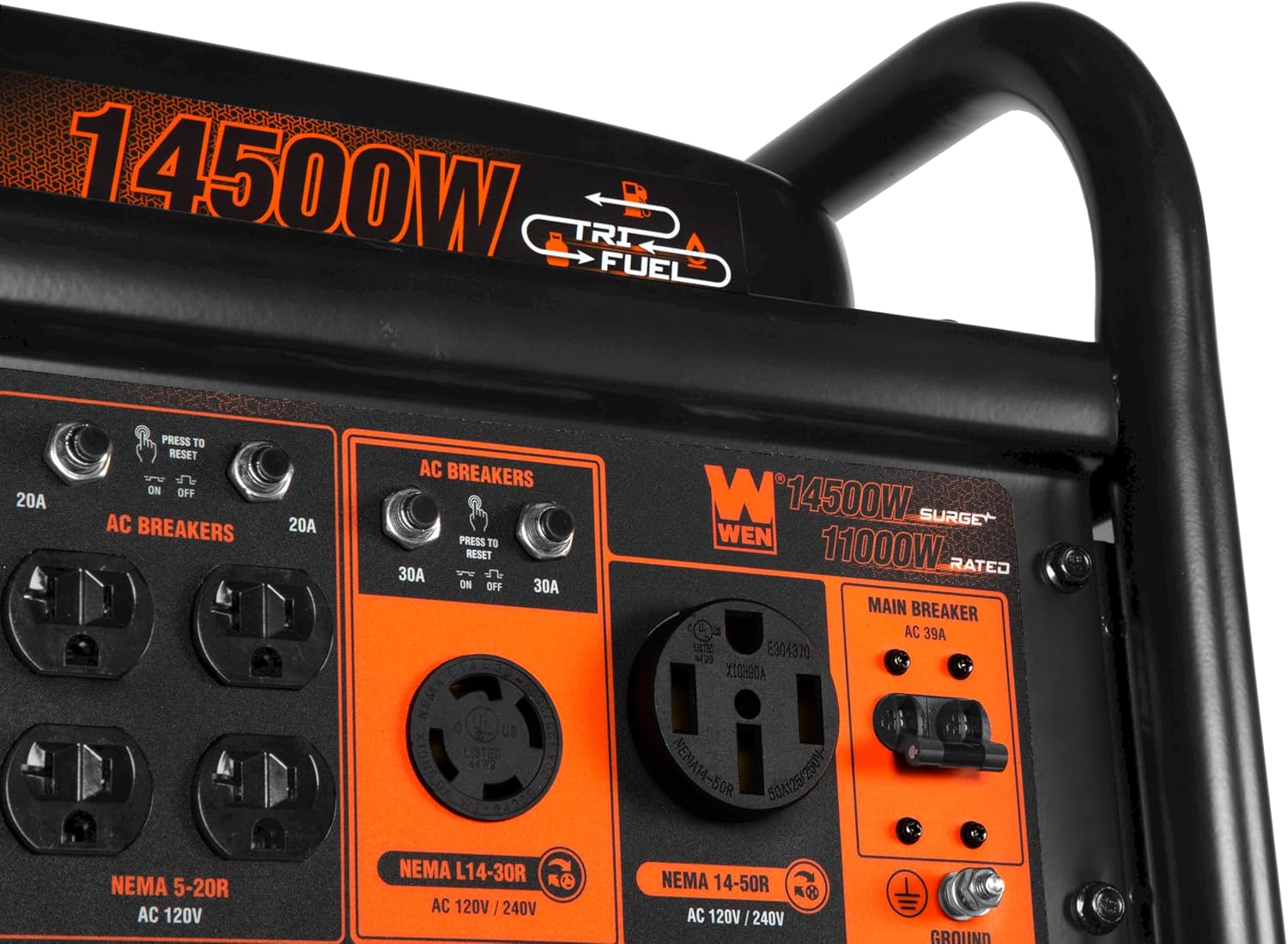
Figure 6: Side view of the engine, showing key components for maintenance.
6. Troubleshooting
If your generator experiences issues, consult the following basic troubleshooting steps:
| Problem | Possible Cause | Solution |
|---|---|---|
| Engine will not start | No fuel, low oil, spark plug issue, choke position | Check fuel level, add oil, inspect spark plug, adjust choke. |
| No power output | Circuit breaker tripped, overloaded, faulty connection | Reset circuit breakers, reduce load, check connections. |
| Engine runs rough | Stale fuel, dirty air filter, spark plug issue | Use fresh fuel, clean/replace air filter, inspect spark plug. |
For more complex issues or if troubleshooting steps do not resolve the problem, contact WEN customer support or a qualified service technician.
7. Specifications
| Feature | Specification |
|---|---|
| Model Number | TF1450 |
| Engine Type | 500cc 4-Stroke OHV |
| Fuel Type | Gasoline, Propane, Natural Gas |
| Gasoline Wattage (Surge/Running) | 14500W / 11500W |
| Propane Wattage (Surge/Running) | 12500W / 10300W |
| Natural Gas Wattage (Surge/Running) | 10500W / 8750W |
| Voltage | 120V / 240V |
| Frequency | 60 Hz |
| Gas Tank Volume | 8.2 Gallons |
| Half-Load Runtime (Gasoline) | Up to 12 hours |
| Outlets | 4x 120V 5-20R, 1x 120V/240V 30A NEMA L14-30R, 1x 120V/240V 50A NEMA 14-50R, 1x 12V DC |
| Starting System | Electric Start, Recoil Start |
| Item Weight | 249 Pounds |
| Dimensions (L x W x H) | 29"L x 28.5"W x 26"H |
8. Warranty and Support
The WEN 14500-Watt Tri-Fuel Generator (TF1450) comes backed by a three-year limited warranty. WEN is committed to providing excellent customer service with a nationwide network of skilled service technicians and a stocked inventory of replacement parts.
For technical assistance, parts, or warranty inquiries, please contact WEN customer support:
- Phone: 1-800-232-1195 (M-F 8 AM - 5 PM CST)
- Website: WENPRODUCTS.COM


