
HUMMINGBIRD MK7
HUMMINGBIRD MK7 Premium Foil Face Shaver User Manual
Model: MK7
1. Product Overview
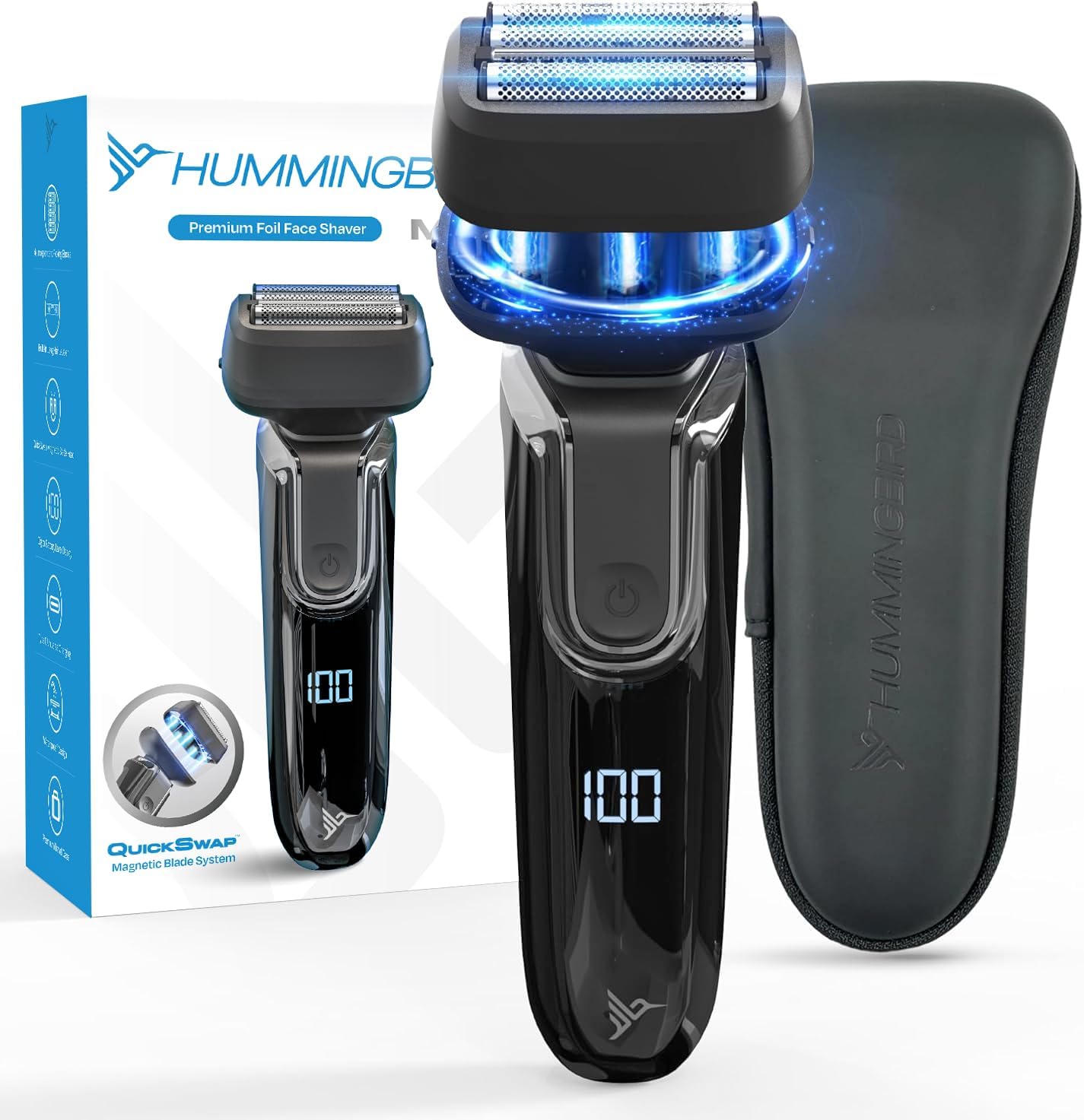
The HUMMINGBIRD MK7 is a premium foil face shaver designed for a close and comfortable shave. It features advanced technology for efficient hair removal and user convenience.
Key Features:
- Four Pressure-Sensitive Shaving Elements: Three independently flexing foils and a long hair leveler adapt to facial contours.
- Magnetic Blade Head: Detachable for easy cleaning and replacement.
- Hypoallergenic Stainless Steel Blades: Designed to reduce skin irritation.
- Waterproof Design: Suitable for wet or dry shaving, and easy cleaning under running water.
- Travel Lock: Prevents accidental activation during transport.
- LED Battery Display: Shows real-time battery level.
- USB-C Rechargeable: Offers cordless operation with convenient charging.
- 60-Minute Runtime: Provides extended use on a single charge.

2. Safety Information
Please read all safety instructions before using the HUMMINGBIRD MK7 shaver to ensure safe operation and prevent injury.
- Always engage the travel lock when the shaver is not in use to prevent accidental activation.
- Regularly clean and maintain the shaver to prevent bacterial growth and ensure optimal performance.
- Do not use the shaver while it is charging or near a power source to avoid electrical hazards.
- Keep the shaver away from children.
- Do not disassemble or attempt to repair the shaver yourself. Contact customer support for assistance.
- Avoid dropping the shaver, as this may damage internal components.
3. Setup
3.1 Initial Charging
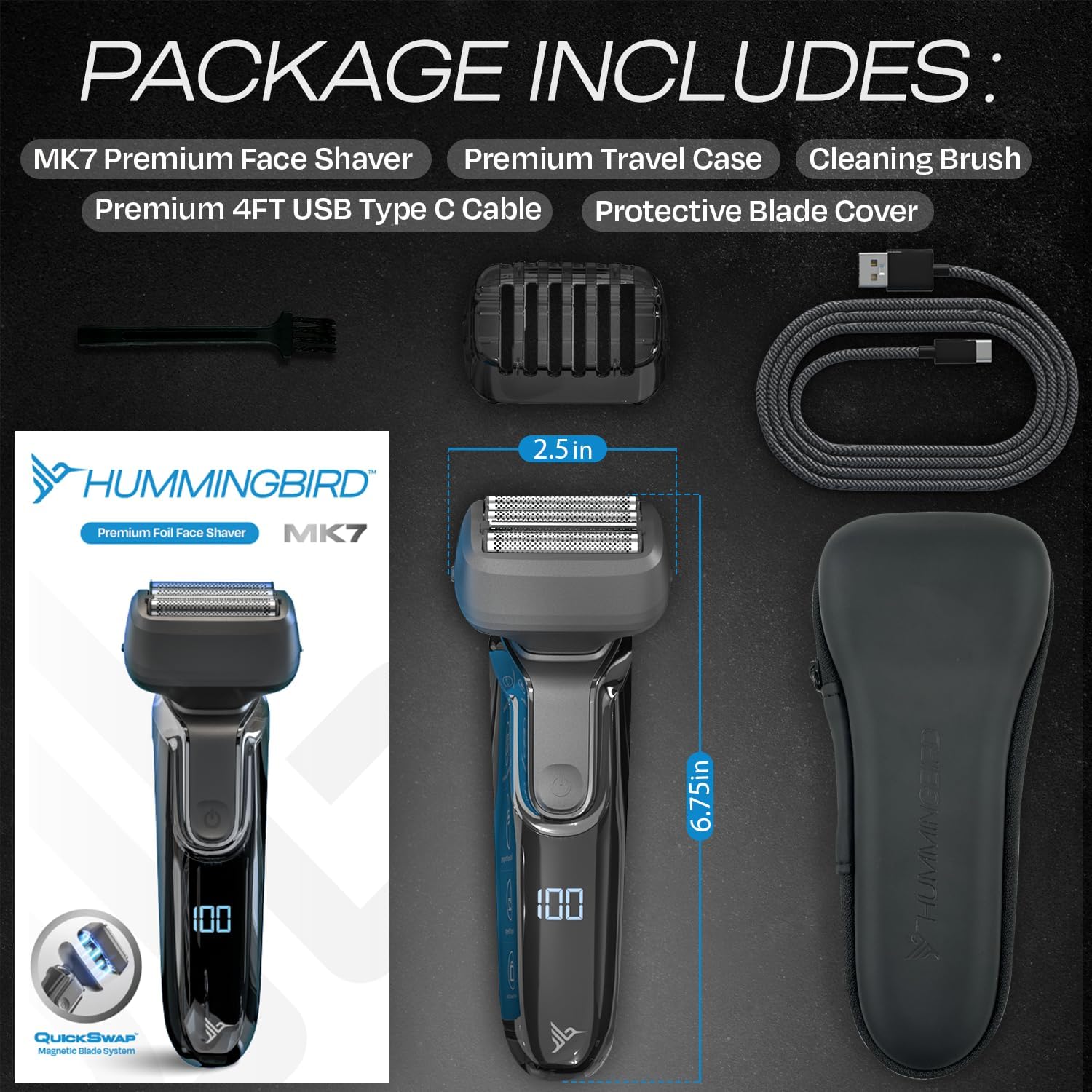
Before first use, fully charge the shaver. Connect the provided USB-C charging cable to the shaver's charging port and plug the other end into a compatible USB power adapter (not included). The LED display will indicate the charging progress. A full charge provides approximately 60 minutes of runtime.
3.2 Attaching/Detaching the Blade Head
The MK7 features a magnetic blade head for easy attachment and detachment.
- To Attach: Align the blade head with the shaver body and allow the magnets to secure it in place. Ensure it clicks firmly.
- To Detach: Gently pull the blade head away from the shaver body.

4. Operating Instructions
4.1 Powering On/Off
Press the power button once to turn the shaver on. Press it again to turn it off.
4.2 Shaving Techniques
The MK7 can be used for both wet and dry shaving.
- Dry Shave: Ensure your face is clean and dry. Shave against the direction of hair growth, holding the shaver at a right angle to your skin.
- Wet Shave: Apply shaving cream, foam, or gel to your face. Shave against the direction of hair growth. The waterproof design allows for use in the shower.
For longer hairs, utilize the integrated long hair leveler before proceeding with the main foils for a closer shave.

4.3 Travel Lock Function
To engage or disengage the travel lock, press and hold the power button for 3 seconds. The LED display will indicate when the lock is active or deactivated.
4.4 LED Battery Display
The LED display shows the current battery percentage, allowing you to monitor the remaining charge and recharge as needed.

5. Maintenance
Regular cleaning and maintenance will prolong the life of your shaver and ensure optimal performance.
5.1 Cleaning the Blade Head
- Turn off the shaver.
- Detach the magnetic blade head from the shaver body.
- Use the provided cleaning brush to remove loose hair from the foils and the inner chamber of the blade head.
- Rinse the blade head thoroughly under running water. The shaver is waterproof, allowing for easy rinsing.
- Allow the blade head to air dry completely before reattaching it to the shaver body or storing.

5.2 Replacing the Blade Head
For optimal shaving performance, it is recommended to replace the blade head periodically, typically every 12-18 months, depending on usage. Replacement blade heads can be purchased from authorized HUMMINGBIRD retailers.
6. Troubleshooting
If you encounter issues with your HUMMINGBIRD MK7 shaver, refer to the following common problems and solutions:
| Problem | Possible Cause | Solution |
|---|---|---|
| Shaver does not turn on. | Battery is depleted. Travel lock is engaged. | Charge the shaver fully. Disengage the travel lock by pressing and holding the power button for 3 seconds. |
| Poor shaving performance / pulling hair. | Blade head is dirty or worn. Hair is too long. | Clean the blade head thoroughly. Consider replacing the blade head if it's old. Trim longer hairs with the leveler before shaving. |
| Shaver stops unexpectedly during use. | Low battery. | Recharge the shaver. |
| Skin irritation after shaving. | Improper technique. Sensitive skin. | Ensure you are shaving against the grain and not applying excessive pressure. Try wet shaving with a suitable shaving product. |
If the problem persists, please contact HUMMINGBIRD customer service for further assistance.
7. Specifications
| Feature | Detail |
|---|---|
| Model Name | MK7 |
| Item Model Number | HBFS-002-BLK |
| Power Source | Battery Powered (USB-C Rechargeable) |
| Battery Type | 1 C battery (included) |
| Runtime | Up to 60 minutes |
| Waterproof | Yes |
| Product Dimensions | 1.75 x 2.5 x 6.75 inches |
| Weight | 6.6 ounces |
| Manufacturer | Hummingbird |
8. Warranty and Support
8.1 Customer Service
For any questions, issues, or support regarding your HUMMINGBIRD MK7 shaver, please contact HUMMINGBIRD customer service. Our dedicated team is available to assist you.
8.2 Return Policy
This product is typically eligible for a refund or replacement within 30 days of purchase. Please refer to your retailer's specific return policy for detailed terms and conditions.
Related documentsMK7


Ask a question about this manual
Ask about setup, troubleshooting, compatibility, parts, safety, or missing instructions. Manuals+ will review the question and use this page’s manual context to help answer it.