
ERAZERL YL-US-XP7-B
ERAZER XP7 AI Language Translator Earbuds User Manual
Comprehensive guide for setup, operation, maintenance, and troubleshooting of your ERAZER XP7 earbuds.
Product Overview
The ERAZER XP7 AI Language Translator Earbuds are designed to provide real-time language translation, high-quality audio, and comfortable wear. Equipped with advanced AI technology, these earbuds facilitate communication across 150 languages, making them ideal for travel, business, and learning.
Key features include an intelligent display screen on the charging case for various functions, balanced and clear sound with composite diaphragms, long battery life, and an unmatched open-ear comfort design.

Image: The ERAZER XP7 earbuds and their smart charging case, showcasing their sleek design.
What's in the Box
Upon unboxing your ERAZER XP7, please ensure all components are present:
- 1 pair of ERAZER XP7 Translation Earbuds
- Eartips (various sizes for optimal fit)
- 1 Charging Case with Intelligent Display Screen
- 1 User Manual
- 1 Type-C Charging Cable

Image: A visual representation of all items included in the ERAZER XP7 product packaging.
Setup Guide
Follow these steps to set up your ERAZER XP7 earbuds for the first time:
1. App Download & Bluetooth Connection
The ERAZER XP7 earbuds require the "EarJoy" application for full functionality, especially for translation features. Scan the QR code provided in your user manual or search for "EarJoy" in your device's app store (iOS or Android). Once downloaded, ensure Bluetooth is enabled on your smartphone. Open the ERAZER XP7 charging case and take out both earbuds. They will automatically enter pairing mode. On your phone's Bluetooth settings, locate "ERAZER XP7" (or similar model name) and tap to connect. Once connected, open the EarJoy app, which will guide you through adding the new device and confirming the connection.

Image: A visual guide demonstrating how to download the app, enable Bluetooth on your phone, and connect to the earbuds.
For a visual demonstration of the app download and Bluetooth connection process, please refer to the video below:
Video: This video segment demonstrates how to download the EarJoy application and connect the ERAZER XP7 earbuds to your smartphone via Bluetooth.
Operating Instructions
Using the Translation Software (EarJoy App)
The core functionality of the ERAZER XP7 earbuds lies within the EarJoy app, offering various translation modes:
- AI Dialogue Mode: Interact with AI in real-time for questions and solutions.
- Free Talk Mode: For natural, continuous conversation translation between two or more people.
- Translation Machine Mode: Ideal for one-on-one conversations where each person speaks their native language and the earbuds translate.
- Headphones+Phone Mode: Allows one person to wear the earbuds while the other speaks into the phone, with translations played through the phone's speaker.

Image: The AI Dialogue Mode interface within the EarJoy app, showing options for intelligent interaction.

Image: An overview of the EarJoy app's main screen, highlighting different translation modes and quick action guides.
For a visual guide on utilizing the translation software, please refer to the video below:
Video: This video segment demonstrates how to navigate and use the various translation modes within the EarJoy application, showcasing real-time translation capabilities.

Image: The earbuds showcasing their ability to provide effortless and instant translation with high accuracy across numerous languages.

Image: Examples of how the ERAZER XP7 earbuds facilitate communication in diverse settings, from casual conversations to academic and business interactions.
Music Playback and Controls
The ERAZER XP7 earbuds also function as high-quality audio headphones. You can control music playback directly from the earbuds or via the intelligent display screen on the charging case.
- Play/Pause: Single-tap on either earbud.
- Volume Adjustment: Double-tap on either earbud.
- Next/Previous Track: Triple-tap on either earbud to switch songs.
- Voice Assistant: Press and hold for 2 seconds to activate your device's voice assistant.
The charging case's touch screen allows for additional controls, including music playback, volume adjustment, and even remote photo taking.

Image: The intelligent display screen of the charging case, illustrating its various control options for music, volume, and camera functions.
For a visual guide on music playback and controls, please refer to the video below:
Video: This video segment demonstrates how to control music playback using the earbud's touch controls and the charging case's intelligent display screen, including play/pause, volume, and track skipping.
Making and Receiving Phone Calls
Manage your calls seamlessly with the ERAZER XP7 earbuds:
- Answer Call: Single-tap on either earbud when a call comes in.
- End Call: Single-tap on either earbud during a call.
- Reject Call: Press and hold either earbud for 2 seconds when a call comes in.
For a visual guide on managing phone calls, please refer to the video below:
Video: This video segment shows how to answer and end phone calls directly from the ERAZER XP7 earbuds using simple touch gestures.
Additional Features
- Anti-Loss Function: The earbuds can emit a sound prompt, and the app can help track their last known location, assisting in finding misplaced earbuds.
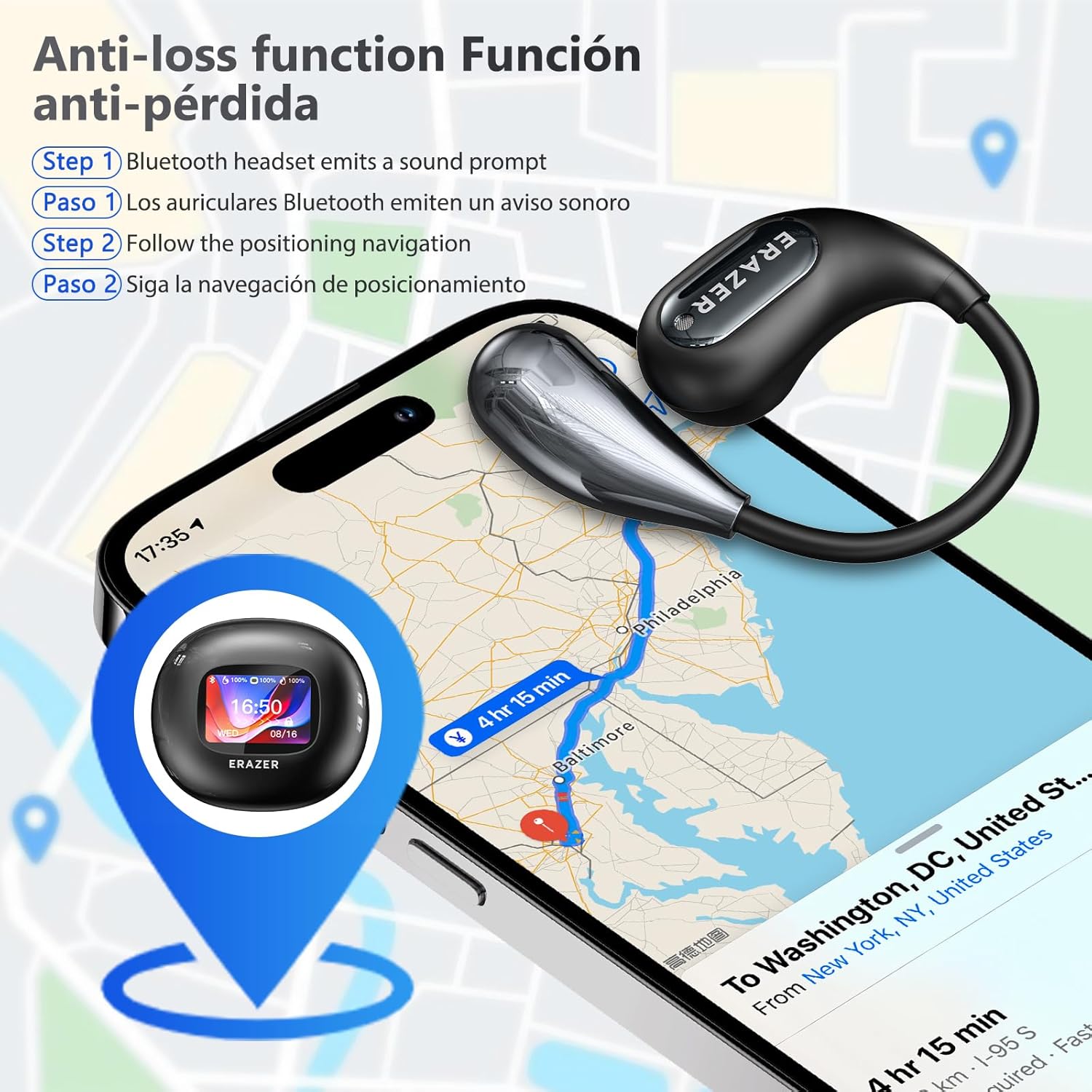
Image: The anti-loss feature, demonstrating how the earbuds can be located via a sound prompt and map navigation.
- Hi-Fi Audio Quality: Featuring composite diaphragms with titanium-coated domes, the earbuds deliver well-balanced sound with symphonic mids, an expansive soundstage, and crystal-clear highs.

Image: An exploded view highlighting the Hi-Fi audio components and a comparison of sound quality before and after noise reduction.
- Long Battery Life: Enjoy up to 6 hours of playtime on a single charge, extended to a total of 50 hours with the charging case. The charging case itself can be fully charged in approximately 1.5 hours.

Image: Features such as comfortable open-ear design, IPX5 waterproofing, and extended battery life are highlighted.
- Unmatched Comfort & Secure Fit: The open-ear design and soft, flexible hooks ensure a comfortable and secure fit for all-day wear, even during high-intensity activities.

Image: The earbuds are shown being worn during exercise, emphasizing their secure and comfortable fit for active use.
- IPX5 Waterproof Rating: Designed to withstand all weather conditions, allowing confident use during outdoor activities.
Maintenance
Proper maintenance ensures the longevity and optimal performance of your ERAZER XP7 earbuds:
- Cleaning: Regularly wipe the earbuds and charging case with a soft, dry, lint-free cloth. For eartips, remove them and clean with a mild soap solution, then rinse and dry thoroughly before reattaching.
- Storage: When not in use, store the earbuds in their charging case to protect them from dust and damage.
- Charging: Use the provided Type-C charging cable. Avoid using damaged cables or chargers.
- Avoid Extreme Conditions: Do not expose the earbuds or charging case to extreme temperatures, humidity, or corrosive liquids. While IPX5 rated, avoid submerging them in water.
Troubleshooting
If you encounter issues with your ERAZER XP7 earbuds, try the following solutions:
| Problem | Possible Cause | Solution |
|---|---|---|
| Earbuds not connecting to phone. | Bluetooth off, earbuds not in pairing mode, interference. | Ensure Bluetooth is on. Place earbuds in case, close, then reopen to re-enter pairing mode. Restart phone. Try connecting in a different location to avoid interference. |
| No sound from earbuds. | Low battery, volume too low, not properly connected. | Charge earbuds. Increase volume on both phone and earbuds. Reconnect Bluetooth. |
| Translation not working or inaccurate. | No internet connection, incorrect language settings, app issue. | Ensure stable internet connection. Verify language settings in EarJoy app. Restart the app. Check for app updates. |
| Charging case screen unresponsive. | Low battery, software glitch. | Charge the case. If unresponsive, try a soft reset (refer to specific instructions in the full manual if available, or contact support). |
If the issue persists, please refer to the full user manual or contact ERAZERL customer support for further assistance.
Specifications
| Feature | Detail |
|---|---|
| Model Number | YL-US-XP7-B |
| Package Dimensions | 5.71 x 3.7 x 2.2 inches |
| Item Weight | 5.3 ounces |
| Batteries | 1 Lithium Ion battery required |
| Manufacturer | ERAZER |
| Translation Support | Up to 150 languages (via EarJoy app) |
| Battery Life (Earbuds) | Up to 6 hours |
| Total Battery Life (with Case) | Up to 50 hours |
| Waterproof Rating | IPX5 |
Warranty and Support
For warranty information and customer support, please refer to the warranty card included in your product packaging or visit the official ERAZERL website. You can also contact their customer service team for technical assistance or inquiries regarding your ERAZER XP7 earbuds.
Manufacturer: ERAZER
Brand: ERAZERL
Ask a question about this manual
Ask about setup, troubleshooting, compatibility, parts, safety, or missing instructions. Manuals+ will review the question and use this page’s manual context to help answer it.