1. Introduction
Thank you for choosing the POGOLAB MK-2 37 Keys Kids Keyboard Piano. This portable electronic keyboard is designed for beginners and young musicians, offering a wide range of sounds, rhythms, and features to inspire musical creativity. Its compact size and versatile power options make it ideal for learning and playing anywhere.

Image 1: The POGOLAB MK-2 37 Keys Kids Keyboard Piano.
2. Package Contents
- POGOLAB MK-2 37 Keys Kids Keyboard Piano
- USB Type-C Power Cable
- Instruction Manual (this document)
Note: 4 AA batteries are required for battery operation and are not included in the package.
3. Product Overview
The POGOLAB MK-2 features a user-friendly control panel and a compact design. Familiarize yourself with the layout:
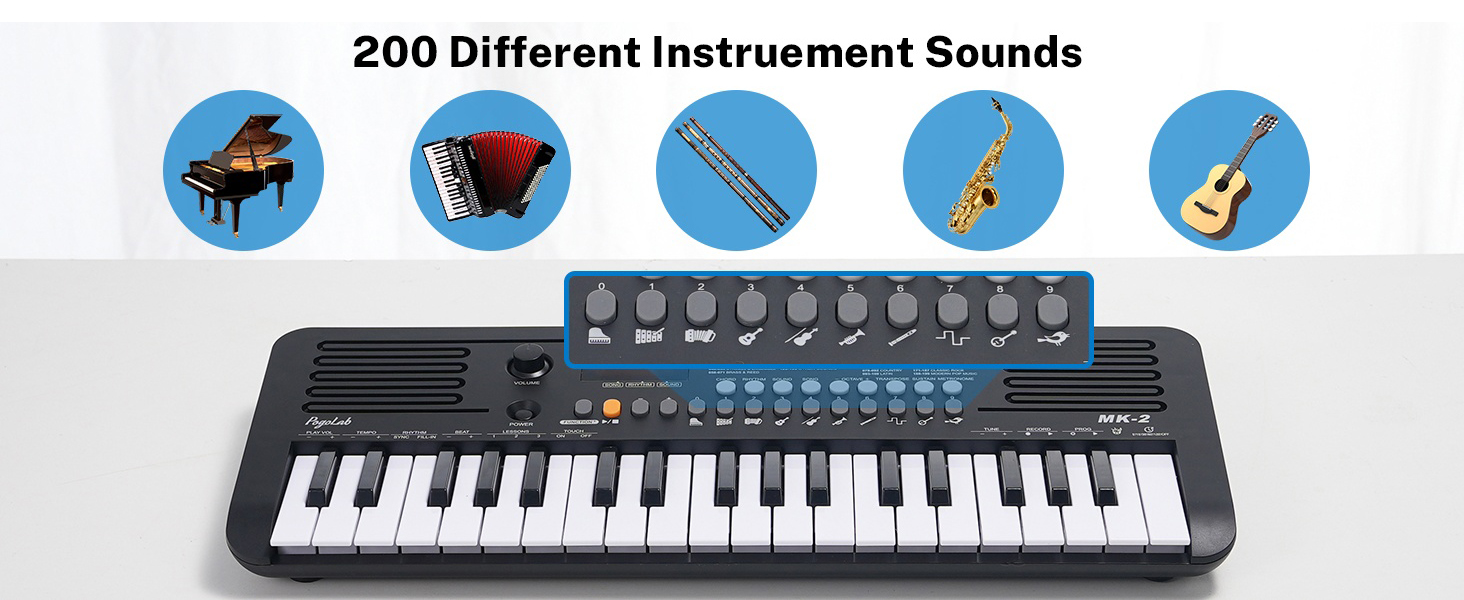
Image 2: Detailed view of the control panel.
- Power Button: Turns the keyboard on/off.
- Volume Knob: Adjusts the master volume.
- LED Display: Shows current settings for songs, rhythms, and sounds.
- Function Buttons: Access various modes and settings (e.g., Chord, Sustain, Metronome, Transpose, Octave).
- Number Buttons (0-9): Used to select specific songs, rhythms, or sounds.
- Speakers: Dual built-in speakers for audio output.
- 37 Mini Keys: Velocity-sensitive keys for musical input.
4. Setup
4.1 Power Supply
The MK-2 keyboard offers two power options:
- USB Power: Connect the provided USB Type-C cable to the keyboard's USB port and to a compatible USB power adapter (not included) or a computer's USB port.
- Battery Power: Insert 4 AA batteries (not included) into the battery compartment located on the underside of the keyboard. Ensure correct polarity.
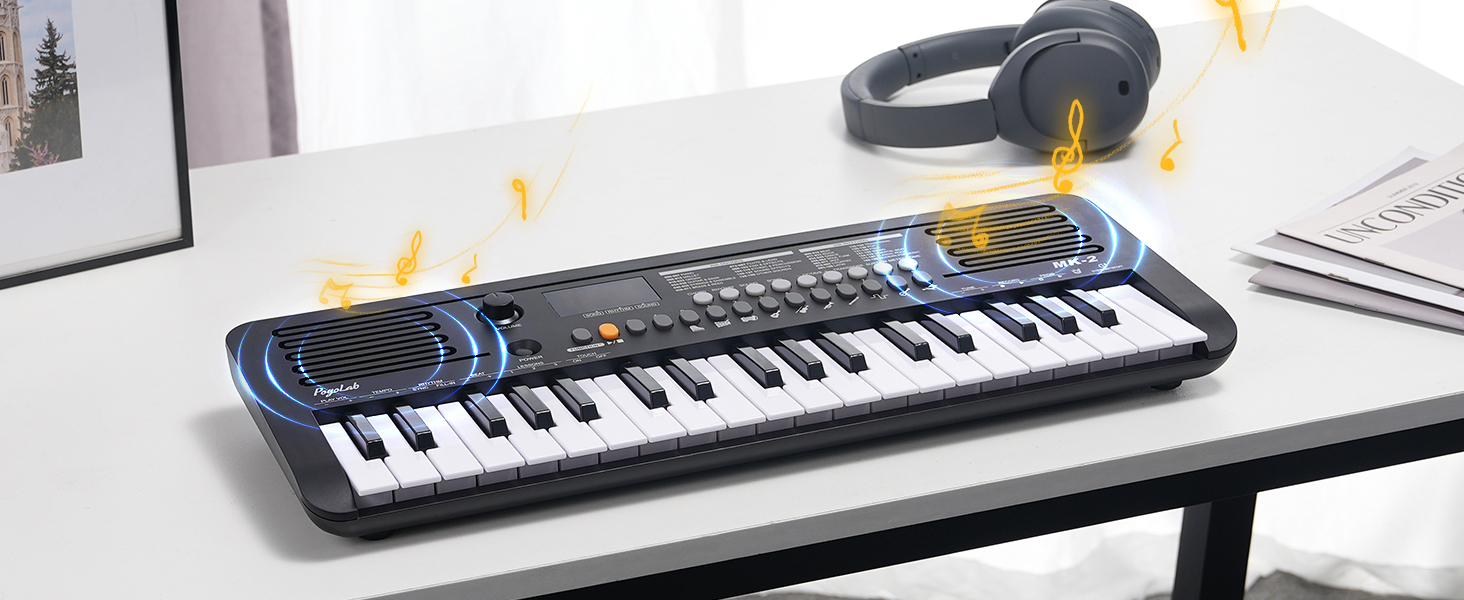
Image 3: Power supply options (USB and battery).
4.2 Initial Power On
Press the POWER button to turn on the keyboard. The LED display will illuminate, indicating the device is ready for use. Adjust the VOLUME knob to your desired listening level.
5. Operating Instructions
5.1 Volume Control
The VOLUME knob on the left side of the control panel allows you to adjust the overall output volume. The keyboard retains the last volume setting when powered off and on.

Image 4: Volume control and LED display.
5.2 Sound, Rhythm, and Song Selection
The MK-2 includes 40 built-in songs, 200 sounds (tones), and 200 rhythms. Use the dedicated SONG, RHYTHM, and SOUND buttons along with the number pad (0-9) to select your desired option. The LED display will show the current selection.

Image 5: Overview of available sounds, rhythms, and songs.
5.3 Transpose and Octave Functions
Expand your musical range beyond the 37 physical keys using the TRANSPOSE and OCTAVE buttons. These functions allow you to shift the pitch of the entire keyboard up or down.

Image 6: Transpose and Octave controls.
5.4 MIDI Functionality
The keyboard features a USB-MIDI transmission function, allowing connection to a computer or mobile device for music production or interactive piano games.
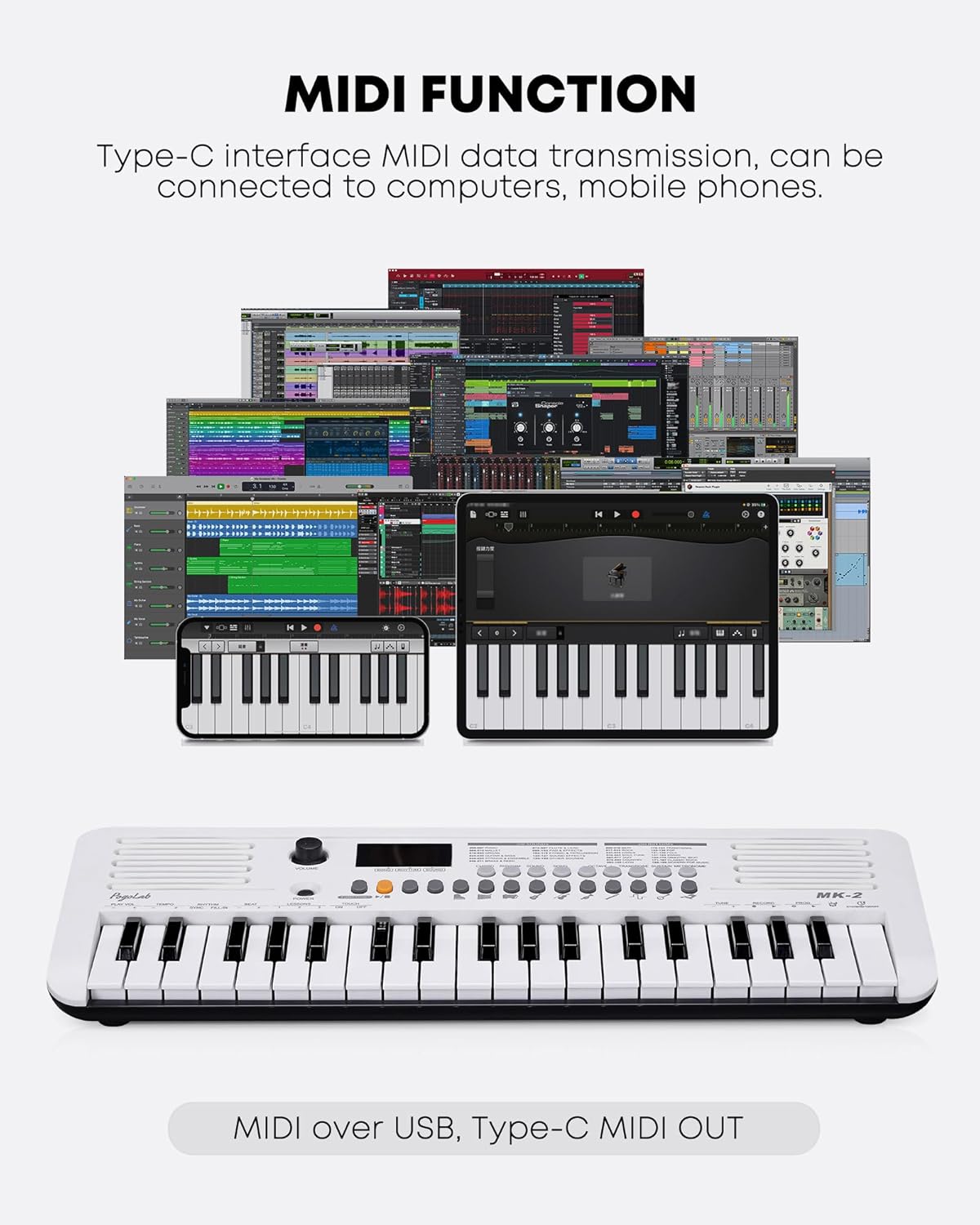
Image 7: MIDI connectivity via USB-C.
5.5 Fingering Exercises (Simulated Weighted Keys)
The MK-2 simulates weighted keys, meaning the intensity of your key press affects the volume produced. This feature is beneficial for beginners to develop proper piano fingering and dynamics.

Image 8: Fingering exercise feature.
5.6 Headphone Jack
A 3.5mm headphone jack is included for private practice sessions, allowing you to enjoy music without disturbing others.

Image 9: Headphone jack for private listening.
5.7 Official Product Videos
Video 1: Overview and demonstration of the POGOLAB MK-2 37 Mini Keys Keyboard Piano.
Video 2: Unboxing, demonstration, and review of the POGOLAB MK-2 37 Mini Keys Keyboard.
6. Maintenance
- Cleaning: Use a soft, dry cloth to clean the keyboard surface. Avoid abrasive cleaners or solvents.
- Storage: Store the keyboard in a cool, dry place away from direct sunlight and extreme temperatures.
- Battery Care: If not using the keyboard for an extended period, remove the batteries to prevent leakage.
7. Troubleshooting
7.1 No Sound
- Ensure the keyboard is powered on.
- Check the volume knob and increase if necessary.
- If using headphones, ensure they are properly connected and test without them.
- If using batteries, check if they are depleted or inserted correctly.
7.2 Keys Not Responding
- Ensure the keyboard is powered on.
- Restart the keyboard by turning it off and on again.
- If the issue persists, contact customer support.
7.3 MIDI Connection Issues
- Ensure the USB-C cable is securely connected to both the keyboard and the computer/device.
- Check the settings on your computer or music software to ensure the MIDI input is recognized and selected.
- Try a different USB port or cable.
8. Specifications
| Feature | Detail |
|---|---|
| Model Name | MK-2 |
| Brand | POGOLAB |
| Number of Keys | 37 |
| Sounds | 200 |
| Rhythms | 200 |
| Songs | 40 |
| Special Features | Built-In Speaker, MIDI Function, Transpose, Octave, Simulated Weighted Keys, LED Display, Headphone Jack |
| Power Source | Battery Powered (4 AA, not included), USB Type-C |
| Connectivity Technology | USB |
| Headphones Jack | 3.5mm Jack |
| Item Weight | 2.84 pounds |
| Package Dimensions | 20.25 x 8.25 x 2.81 inches |
| Body Material | Plastic |
| Color | White |
9. Warranty and Support
For warranty information and customer support, please refer to the product packaging or contact POGOLAB directly through their official channels. Keep your purchase receipt for any warranty claims.


