1. Introduction
This manual provides comprehensive instructions for the safe and efficient operation of your Radioddity DB50 50W UHF VHF Mobile Radio Transceiver. The DB50 is a high-power, multi-band ham radio designed for reliable long-distance communication, featuring a detachable front panel for flexible installation and advanced functionalities like dual-band, dual display, and dual watch. Please read this manual thoroughly before using the device to ensure proper setup and optimal performance.
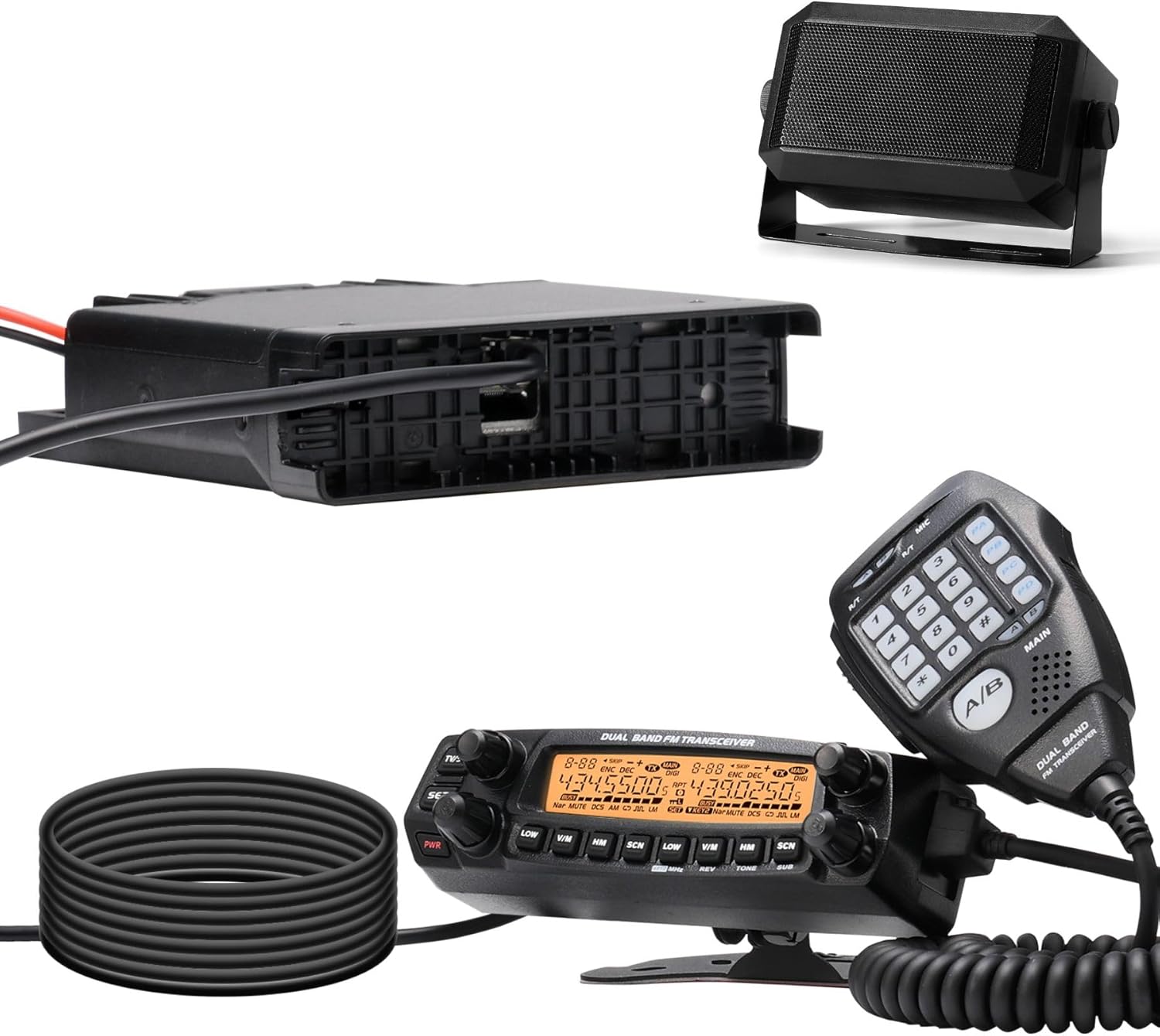
Figure 1.1: Radioddity DB50 Mobile Radio Transceiver and included accessories. This image displays the main radio unit with its display and controls, a hand microphone, an external speaker, and a power cable.
2. Safety Information
Observe the following safety precautions to prevent fire, injury, or damage to the radio.
- Do not operate the radio in explosive atmospheres (e.g., flammable gases, dust particles, metallic powders).
- Do not transmit without an antenna connected.
- Ensure proper power supply voltage (DC 13.8V) to avoid damage.
- Keep the radio away from direct sunlight, excessive heat, and moisture.
- Do not attempt to disassemble or modify the radio. Refer all servicing to qualified technicians.
- Maintain a safe distance from the antenna during transmission to minimize RF exposure.
- This device is not water resistant. Avoid exposure to rain or moisture.
3. Package Contents
Verify that all items are present in your package:
- Radioddity DB50 Mobile Radio Transceiver
- Hand Microphone
- Power Cable
- Mounting Bracket
- Screws and Hardware
- User Manual (this document)
- RS58 Mini Speaker (if included in your specific kit)
- Programming Cable (if included in your specific kit)

Figure 3.1: Main components of the Radioddity DB50 package. This image shows the radio unit, an external speaker, and a coiled cable, representing the typical contents.
4. Product Overview
The Radioddity DB50 is a versatile mobile radio designed for amateur radio enthusiasts. Key features include:
- 50W High Power Output: Ensures extended communication range.
- Detachable Front Panel: Allows flexible installation in vehicles or other setups.
- Dual-Band, Dual Display, Dual Watch: Monitor two frequencies simultaneously.
- 758 Channel Capacity: Ample storage for frequencies and settings.
- Multi-Band Reception & Transmission: Covers a wide range of frequencies.
- Advanced Cooling System: Designed for stable operation during prolonged use.
- Chirp Compatible: Simplifies programming via software.
4.1. High Power Output
The DB50 delivers a robust 50W output power, facilitating clear and reliable communication over significant distances. This is particularly advantageous for users requiring strong signal penetration and extended reach.
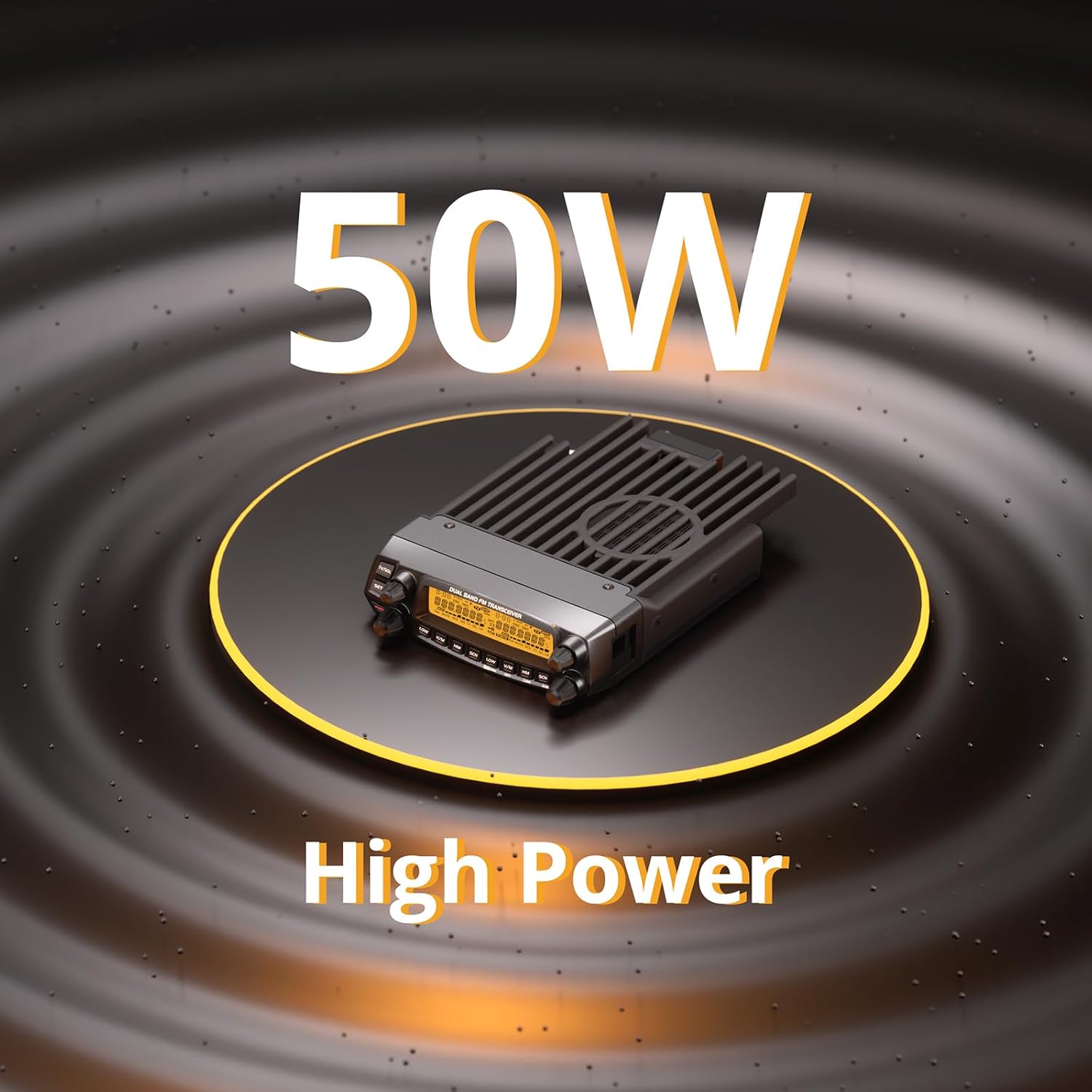
Figure 4.1: Illustration of the DB50's 50W high power capability. The image shows the radio unit with a graphic indicating its high power output.
4.2. Detachable Front Panel
The detachable front panel feature provides installation flexibility. The main radio unit can be discreetly mounted, while the control panel is positioned for easy access and visibility, such as on a dashboard.
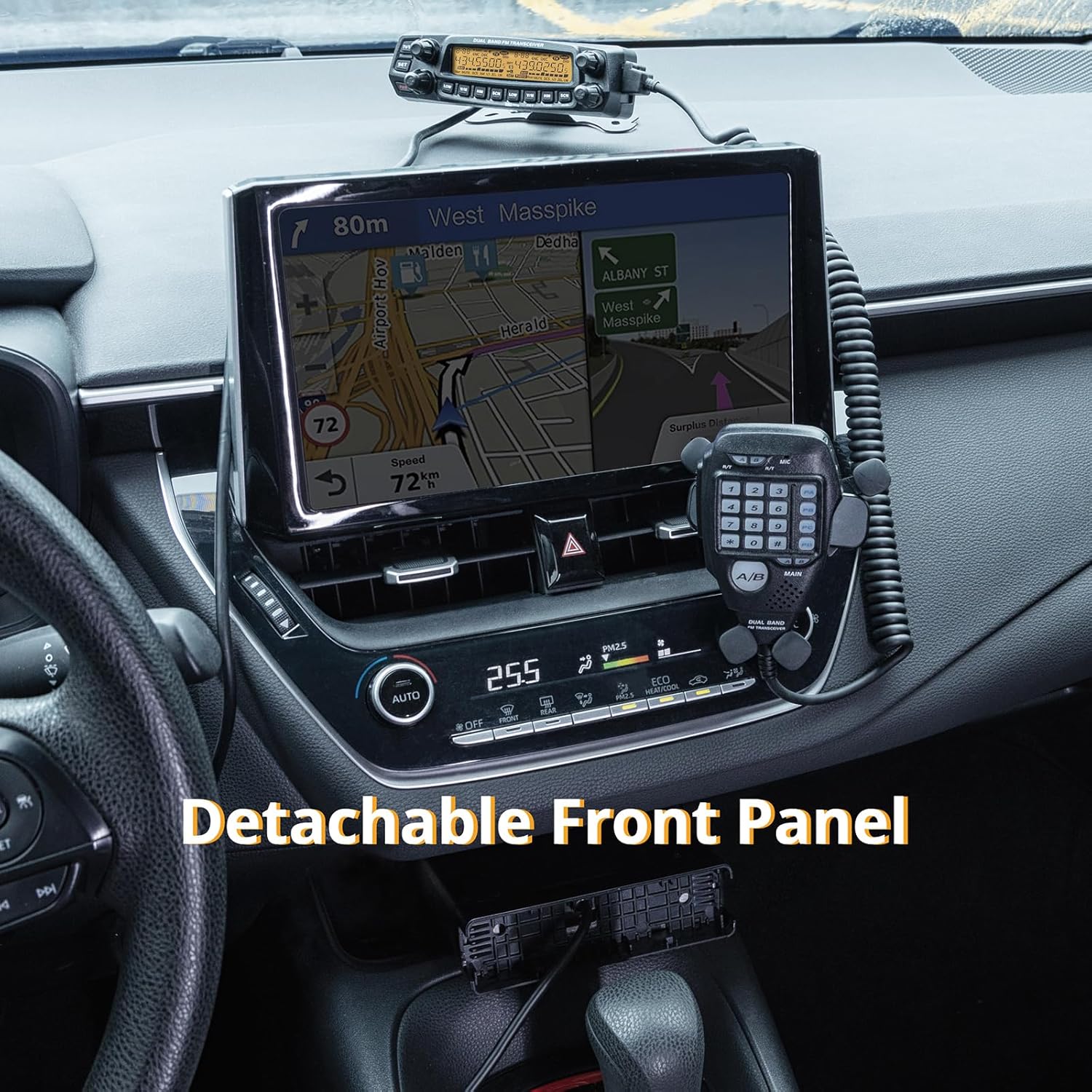
Figure 4.2: The detachable front panel installed in a vehicle. This image demonstrates how the control panel can be separated from the main unit and mounted conveniently on a car's dashboard.
4.3. Dual-Band, Dual Display, Dual Watch
This functionality allows the radio to operate on two different frequency bands simultaneously, displaying both on the screen. The dual watch feature enables monitoring of two channels at once, enhancing operational efficiency.
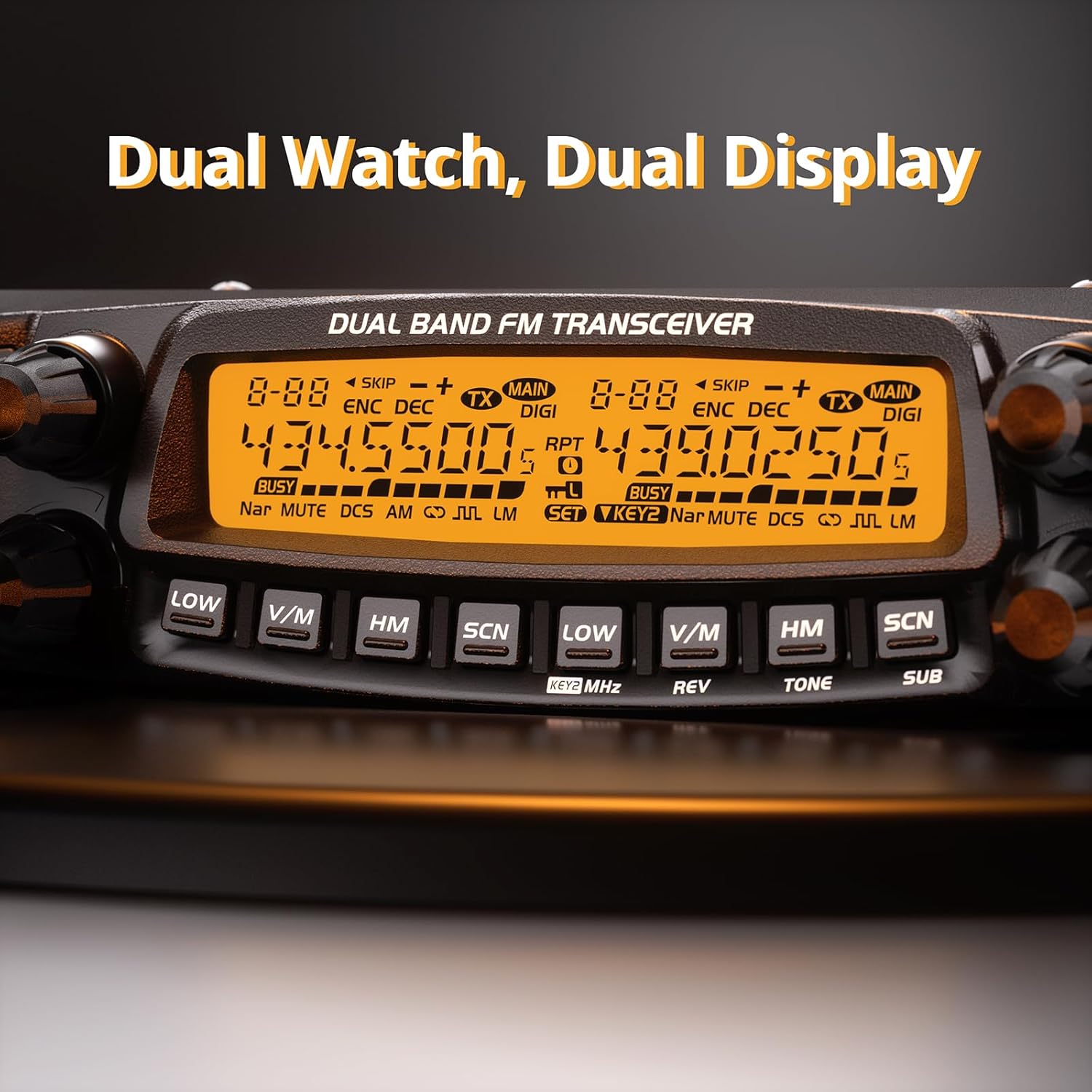
Figure 4.3: Close-up of the DB50's dual display. The screen clearly shows two distinct frequency readouts, illustrating the dual-band and dual watch capabilities.
4.4. Channel Capacity and Frequency Range
With 758 available channels, the DB50 offers extensive options for frequency allocation and management. It supports both VFO (Variable Frequency Oscillator) and Channel modes, allowing for flexible frequency tuning or selection from preset channels.
- Transmission (TX): 136-174MHz, 400-490MHz
- Reception (RX): 108-180MHz, 220-260MHz, 400-523MHz, 350-399.995MHz

Figure 4.4: Multi-band reception and transmission capabilities. This graphic highlights the various frequency ranges supported by the DB50 for both transmitting and receiving.
4.5. Advanced Cooling System
The integrated advanced cooling system helps dissipate heat efficiently, ensuring stable and reliable performance even during extended periods of high-power transmission.
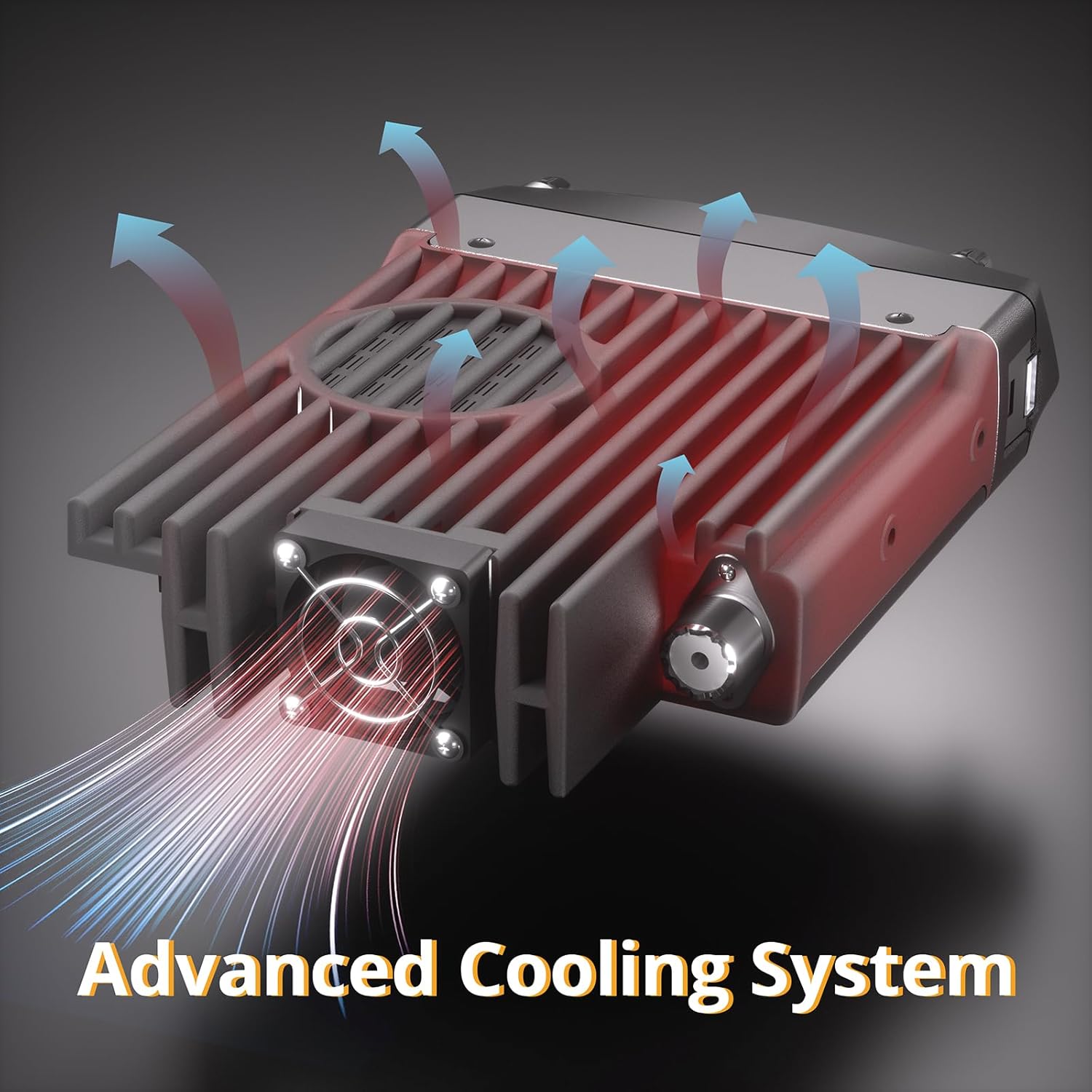
Figure 4.5: Visual representation of the DB50's advanced cooling system. Arrows indicate airflow and heat dissipation from the radio's heatsink and fan.
4.6. RS58 Mini Speaker (Optional)
If included in your kit, the RS58 Mini Speaker provides enhanced audio output for clearer communications.

Figure 4.6: The RS58 Mini Speaker. This image shows the external speaker with its specifications (8Ω, 5W) and its compact design.
5. Setup and Installation
Proper installation is crucial for optimal performance and safety.
5.1. Main Unit Installation
- Choose a secure, well-ventilated location for the main radio unit, away from direct heat sources and moisture.
- Attach the mounting bracket to the desired surface using appropriate screws.
- Secure the main radio unit to the mounting bracket.
- Connect the power cable to the radio and then to a DC 13.8V power source (e.g., vehicle battery). Ensure correct polarity.
- Connect a suitable antenna to the antenna connector on the rear of the radio.
5.2. Detachable Front Panel Installation
The front panel can be separated from the main unit for flexible placement.
- Carefully detach the front panel from the main unit by releasing the locking mechanism.
- Connect the extension cable (if provided) between the main unit and the detached front panel.
- Mount the front panel in a convenient location using its dedicated bracket (e.g., on a dashboard).
- Connect the hand microphone to the front panel.

Figure 5.1: Quick installation steps for the DB50. This image illustrates a 10-step process for assembling and connecting the radio unit, detachable panel, and accessories.
6. Operating Instructions
6.1. Basic Operation
- Power On/Off: Press and hold the power button (usually on the front panel) to turn the radio on or off.
- Volume Control: Adjust the volume knob to a comfortable listening level.
- Frequency Selection: Use the main tuning knob or numerical keypad on the microphone to enter desired frequencies.
- Band Selection: Use the dedicated band buttons to switch between UHF and VHF bands.
- Mode Selection: Select between VFO (Variable Frequency Oscillator) mode for direct frequency input and Channel mode for selecting pre-programmed channels.
6.2. Dual Watch and Dual Display
The DB50 allows you to monitor two different frequencies simultaneously.
- Ensure the radio is in dual display mode (refer to your radio's specific button layout for this function, often labeled A/B or similar).
- Select the desired frequency for the 'A' band.
- Select the desired frequency for the 'B' band.
- The radio will monitor both frequencies, and you can switch the active transmit band as needed.
6.3. Channel Programming
The DB50 can be programmed manually or via computer software.
- Manual Programming: Refer to the detailed instructions in the full user manual for step-by-step manual channel storage and settings configuration (e.g., CTCSS/DCS tones, offset, power level).
- Software Programming (Chirp Compatible): For easier and more extensive programming, connect the radio to a computer using a programming cable. Use the Chirp software (select "DB50" in the Radioddity section) to manage channels, frequencies, and other settings.
7. Maintenance
- Cleaning: Use a soft, dry cloth to clean the radio's exterior. Do not use abrasive cleaners or solvents.
- Connections: Periodically check all cable connections (power, antenna, microphone) for secure fit.
- Antenna: Ensure the antenna is properly mounted and free from damage. A damaged antenna can affect performance and potentially damage the radio.
- Storage: When not in use for extended periods, store the radio in a cool, dry place.
8. Troubleshooting
| Problem | Possible Cause | Solution |
|---|---|---|
| Radio does not power on. | No power supply; incorrect wiring; blown fuse. | Check power cable connection; verify power source (DC 13.8V); inspect fuse in power cable. |
| No audio output. | Volume too low; external speaker disconnected; squelch level too high. | Increase volume; check external speaker connection; adjust squelch level. |
| Cannot transmit or receive. | Antenna not connected; incorrect frequency/channel; power output setting too low. | Connect antenna securely; verify frequency/channel settings; check power output setting. |
| Poor reception quality. | Weak signal; antenna issue; interference. | Relocate for better signal; check antenna for damage or improper installation; identify and mitigate interference sources. |
9. Specifications
| Feature | Detail |
|---|---|
| Model | DB50 |
| Brand | Radioddity |
| Output Power | 50W |
| Frequency Range (TX) | 136-174 MHz (VHF), 400-490 MHz (UHF) |
| Frequency Range (RX) | 108-180 MHz, 220-260 MHz, 400-523 MHz, 350-399.995 MHz |
| Number of Channels | 758 |
| Special Features | Dual Band, Dual Display, Dual Watch, High Channel Capacity, Long Range, Detachable Front Panel |
| Power Supply | DC 13.8V |
| Water Resistance Level | Not Water Resistant |
| FCC ID | 2AN62-DB50 |
10. Warranty and Support
For warranty information, technical support, or service inquiries, please refer to the official Radioddity website or contact their customer service directly. Keep your purchase receipt as proof of purchase.
Radioddity Official Website: www.radioddity.com


