
1. Introduction
Thank you for choosing the Hiwill HiElite A41 4.1 Dolby Atmos Soundbar. This manual provides essential information for setting up, operating, and maintaining your new audio system. Please read it thoroughly before use to ensure optimal performance and safety.
The HiElite A41 system is designed to deliver a powerful and immersive audio experience, featuring Dolby Atmos technology, a wired subwoofer, and two wired front surround speakers for a dynamic 4.1 channel sound configuration.

Image 1.1: The Hiwill HiElite A41 4.1 Dolby Atmos Soundbar system, including the main soundbar unit, wired subwoofer, and two wired front surround speakers, positioned in front of a television.
2. Safety Information
- Read all instructions carefully before operating the device.
- Keep this manual for future reference.
- Do not expose the soundbar to rain, moisture, or extreme temperatures.
- Ensure proper ventilation around the unit to prevent overheating.
- Do not block any ventilation openings.
- Use only attachments/accessories specified by the manufacturer.
- Unplug the apparatus during lightning storms or when unused for long periods.
- Refer all servicing to qualified service personnel.
- This product is not waterproof. Avoid contact with liquids.
3. Package Contents
Please check that all items are included in your package:
- Soundbar Unit
- Wired Subwoofer
- 2 Wired Front Surround Speakers
- Power Adapter
- 3.5mm Stereo Cable
- ARC Cable (HDMI)
- Optical Cable
- Remote Control
- 2 AAA Batteries (for remote control)
- Wall Mounting Kit
- User Manual (this document)
4. Product Overview
4.1 Key Features
- 4.1 Channel Dolby Atmos Sound: Experience immersive, multi-dimensional audio with precise sound localization.
- 300W Peak Power: Delivers powerful and clear audio for movies, music, and games.
- High-Tech Alloy Speakers: Features aluminum-magnesium alloy diaphragms for deeper bass, clearer treble, and precise vocals.
- HXS-Processing ClearVoice: Enhances dialogue clarity and refines sound for an immersive listening experience.
- 5.25-inch Wired Subwoofer: Provides robust, wall-shaking bass.
- 2 Wired Front Surround Speakers: Expands the soundstage for a more enveloping audio environment.
- Adjustable Bass and Treble: Customize your audio preferences.
- Multiple Connectivity Options: HDMI ARC, Optical, 3.5mm Stereo, and Bluetooth.
4.2 Components
The HiElite A41 system consists of a main soundbar, a wired subwoofer, and two wired front surround speakers.

Image 4.1: Illustration of the 4.1 channel Dolby Atmos sound system, demonstrating how sound is projected from the soundbar, subwoofer, and two front surround speakers to create an immersive audio field.
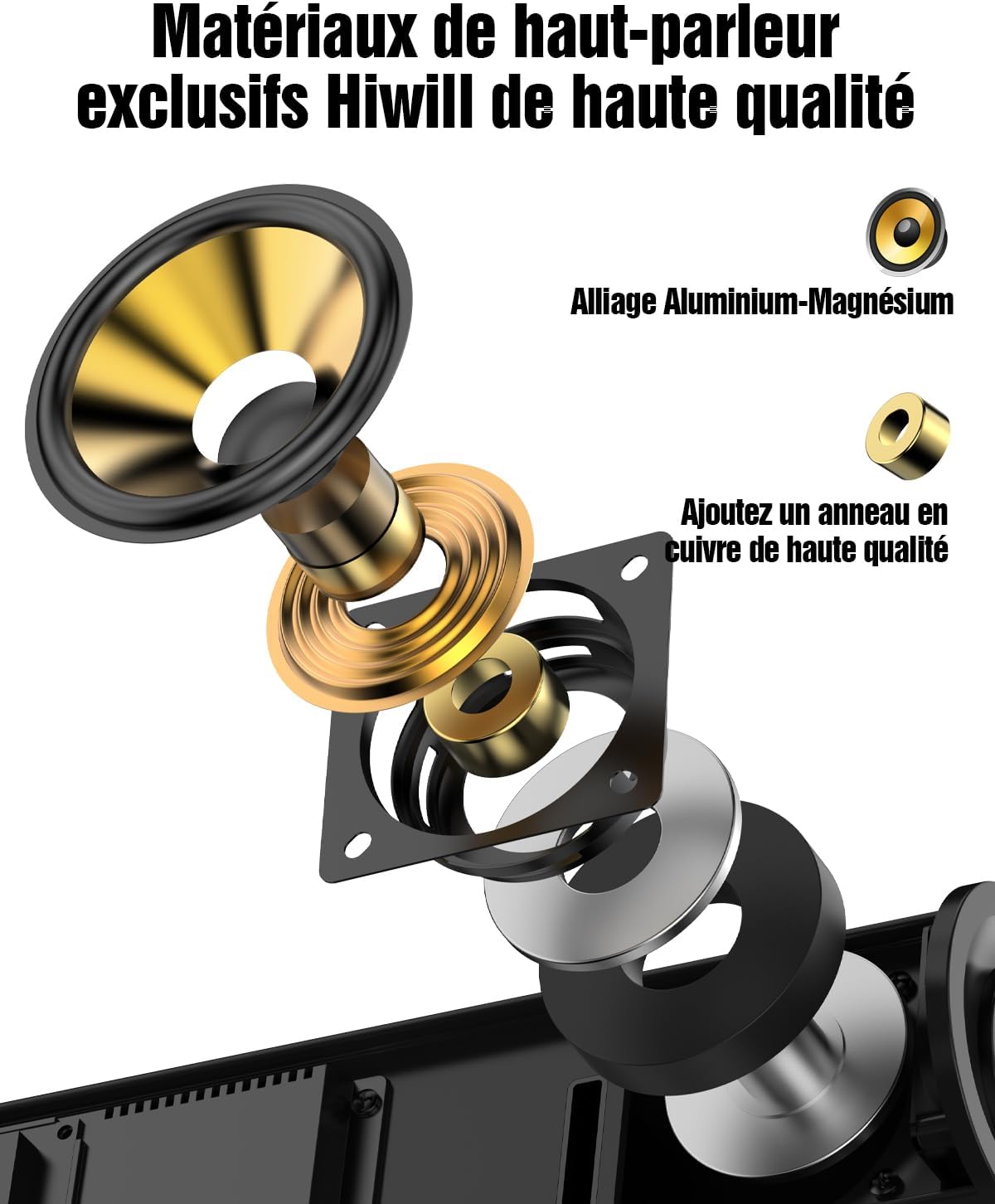
Image 4.2: An exploded diagram showcasing the internal components of a Hiwill speaker, highlighting the aluminum-magnesium alloy diaphragm and a high-quality copper ring for enhanced audio performance.

Image 4.3: An internal view of the 5.25-inch wired subwoofer, illustrating its powerful driver and design optimized for deep bass reproduction.

Image 4.4: A visual representation of the Digital Signal Processor (DSP) chip, emphasizing its role in achieving a frequency response of 45Hz-20KHz, 99% high fidelity, and less than 1% Total Harmonic Distortion (THD).
5. Setup
5.1 Placement
- Soundbar: Place the soundbar centrally below your TV. Ensure it is on a stable, flat surface or mounted securely to the wall.
- Subwoofer: Position the wired subwoofer on the floor, preferably near the soundbar or in a corner for enhanced bass.
- Front Surround Speakers: Connect the two wired front surround speakers to the main soundbar unit. These speakers are designed to be placed on either side of your TV, or mounted on the wall, to expand the front soundstage.

Image 5.1: The two wired front surround speakers are shown mounted on the wall, flanking a television, to create a wider and more immersive sound experience.
5.2 Connections
- Power: Connect the power adapter to the soundbar and then plug it into a wall outlet.
- Subwoofer & Surround Speakers: Connect the wired subwoofer and the two wired front surround speakers to their respective ports on the soundbar.
- TV Connection (Recommended - HDMI ARC): Connect one end of the HDMI ARC cable to the HDMI ARC port on your TV and the other end to the HDMI ARC port on the soundbar. This allows for high-quality audio transmission and TV remote control integration.
- TV Connection (Alternative - Optical): If your TV does not have an HDMI ARC port, connect the optical cable from your TV's optical output to the OPTICAL input on the soundbar.
- Other Devices (3.5mm AUX): For connecting devices with a 3.5mm audio output, use the provided 3.5mm stereo cable.
6. Operating Instructions
6.1 Power On/Off
Press the Power button on the remote control or the soundbar to turn the unit on or off.
6.2 Input Selection
Press the 'Input' button on the remote control to cycle through available input sources: HDMI ARC, Optical, AUX, and Bluetooth.
6.3 Volume Control
Use the 'VOL+' and 'VOL-' buttons on the remote control or the soundbar to adjust the master volume.
6.4 Sound Modes
The soundbar offers optimized sound profiles for different content types:
- NEWS Mode: Enhances vocal clarity for news broadcasts and dialogue-heavy content.
- MOVIE Mode: Provides a dynamic and immersive soundstage for films.
- MUSIC Mode: Optimizes audio for a balanced and rich musical experience.
Press the corresponding button (NEWS, MOVIE, MUSIC) on the remote control to select a sound mode.
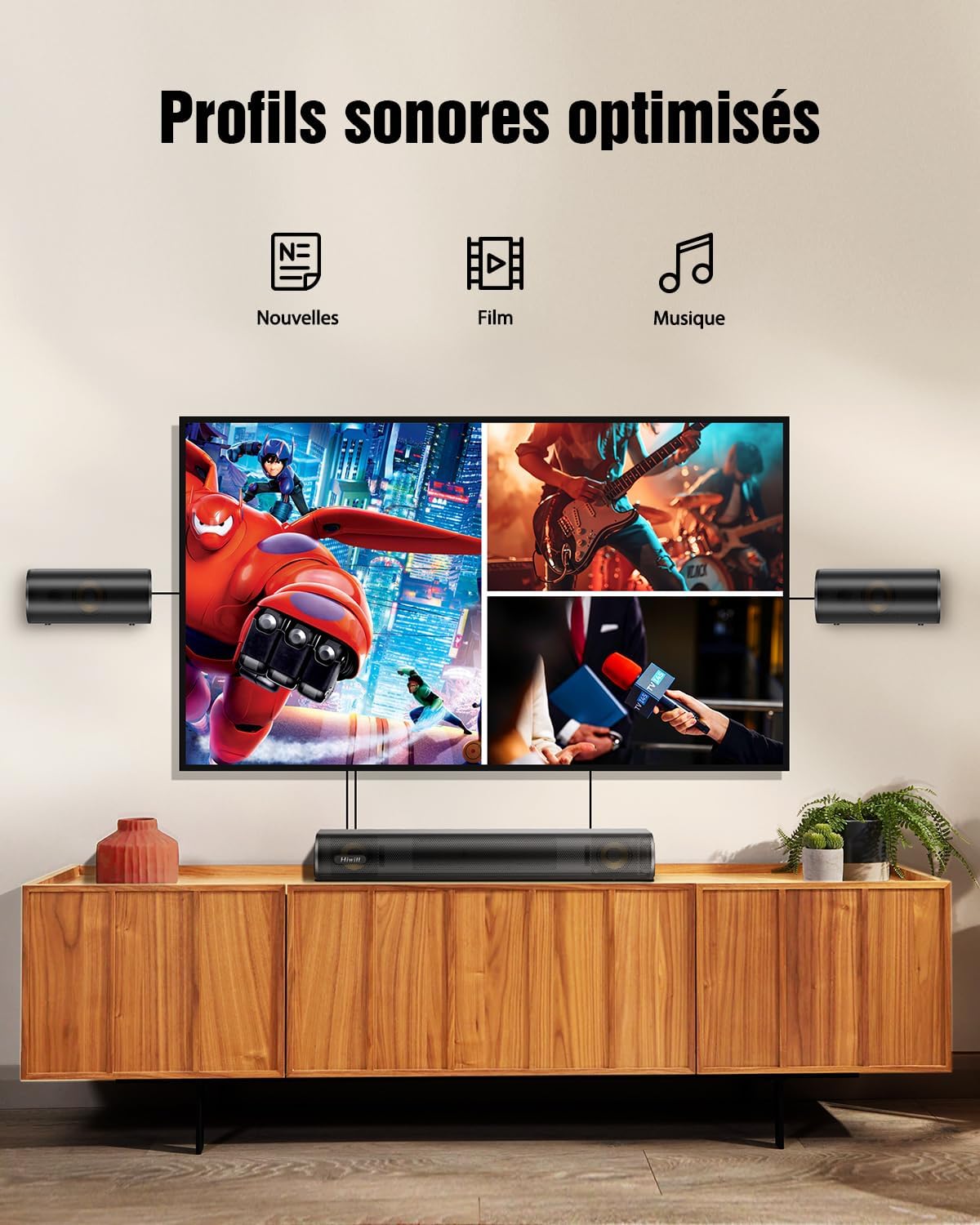
Image 6.1: Visual representation of the three optimized sound profiles: News, Movie, and Music, each tailored for specific audio content.
6.5 Adjusting Bass and Treble
Use the 'BASS+' / 'BASS-' and 'TRE+' / 'TRE-' buttons on the remote control to fine-tune the bass and treble levels according to your preference. The adjustable range is typically from -6 to +6.

Image 6.2: The remote control for the soundbar, highlighting the buttons for adjusting bass and treble levels, allowing users to personalize their audio experience.
6.6 Bluetooth Pairing
- Press the 'Bluetooth' button on the remote control to switch to Bluetooth mode. The LED indicator on the soundbar will flash.
- On your mobile device, enable Bluetooth and search for 'HiElite A41'.
- Select 'HiElite A41' to pair. Once connected, the LED indicator will stop flashing and remain solid.
7. Firmware Update
Hiwill periodically releases firmware updates to improve performance and add new features. It is recommended to keep your soundbar's firmware up to date.
- Expanded surround soundstage
- Clearer dialogues & deeper bass
- Intelligent memory function
- Reduced default volume
- Automatic LED turn-off (30s)
- Softened screen brightness
Please contact Hiwill customer support or visit the official Hiwill website to obtain the latest firmware and detailed update instructions.

Image 7.1: A graphic illustrating the benefits of a firmware upgrade, including an expanded surround soundstage, clearer dialogues, deeper bass, intelligent memory function, reduced default volume, automatic LED turn-off, and softened screen brightness.
8. Maintenance
- Cleaning: Use a soft, dry cloth to clean the surface of the soundbar, subwoofer, and surround speakers. Do not use liquid cleaners or abrasive materials.
- Ventilation: Ensure that the ventilation openings are not blocked by dust or debris.
- Storage: If storing the unit for an extended period, unplug it from the power outlet and store it in a cool, dry place.
9. Troubleshooting
| Problem | Possible Cause | Solution |
|---|---|---|
| No power | Power cable not connected; Power outlet not active | Ensure power cable is securely connected; Try a different power outlet |
| No sound | Incorrect input source; Volume too low; Cables not connected properly | Select the correct input source; Increase volume; Check all audio cables (HDMI ARC, Optical, AUX) |
| Bluetooth pairing failed | Soundbar not in pairing mode; Device too far; Interference | Ensure soundbar is in Bluetooth pairing mode; Move device closer; Turn off other Bluetooth devices |
| Remote control not working | Batteries depleted; Obstruction between remote and soundbar | Replace AAA batteries; Remove any obstructions; Ensure remote is pointed at the soundbar's sensor |
| Distorted sound | Volume too high; Poor audio source quality; Incorrect cable connection | Reduce volume; Try a different audio source; Re-check cable connections |
10. Specifications
| Feature | Detail |
|---|---|
| Model Name | HiElite A41 |
| Brand | Hiwill |
| Speaker Type | Soundbar |
| Surround Sound Channel Configuration | 4.1 |
| Audio Output Mode | Dolby Atmos, 3D Spatial Audio |
| Maximum Speaker Output Power | 300 Watts |
| Frequency Response | 45Hz-20KHz |
| Connectivity Technology | Wired, Bluetooth |
| Wireless Communication Technology | Bluetooth |
| Control Method | Remote Control |
| Compatible Devices | Personal Computer, Television |
| Recommended Uses | For game console, For music player, For computer, For television |
| Product Dimensions (L x W x H) | 41.6 x 11.3 x 6 cm |
| Item Weight | 5 Kilograms |
| Power Source | Electric Cable |
| Special Features | Dolby Atmos enabled, Aluminum-Magnesium alloy diaphragms, 2 front surround speakers, HarmonicX sound processing, Adjustable bass and treble |
| Is Waterproof | No |
| Country of Origin | China |
11. Warranty and Support
11.1 Manufacturer Warranty
The Hiwill HiElite A41 Soundbar comes with a 2-year manufacturer's warranty. This warranty covers defects in materials and workmanship under normal use. Please retain your proof of purchase for warranty claims.
11.2 Customer Support
For technical assistance, troubleshooting, or warranty inquiries, please contact Hiwill Customer Support:
- Website: Visit the official Hiwill website for support resources, FAQs, and contact information.
- Email: Refer to your product packaging or the Hiwill website for the customer support email address.
When contacting support, please have your product model (HiElite A41) and purchase details ready.


