
1. Introduction
Thank you for choosing the Hiwill WoNoble A502 5.2.2 Dolby Atmos Soundbar. This soundbar features an elegant wooden finish and a 5.2.2 channel system with 9 precision speakers, delivering an immersive Dolby Atmos experience. This manual provides essential information for setting up, operating, and maintaining your soundbar to ensure optimal performance and enjoyment.
The A502 soundbar leverages the acoustic benefits of wood for superior sound quality. Its density enhances resonance and enriches low-frequency response for deeper, fuller sound. Wood minimizes distortion, preserving audio clarity at high volumes and ensuring refined, balanced performance across mid and high frequencies. Its sound diffusion capabilities create a vast, immersive soundstage, enhancing spatiality and listener engagement.

Image 1.1: The Hiwill WoNoble A502 soundbar in a living room setup, positioned beneath a television on a wooden media console, showcasing its elegant design.
2. Safety Information
- Read all instructions carefully before use.
- Keep this manual for future reference.
- Do not expose the soundbar to rain, moisture, or extreme temperatures.
- Ensure proper ventilation around the unit.
- Do not block any ventilation openings.
- Use only attachments/accessories specified by the manufacturer.
- Unplug the soundbar during lightning storms or when unused for long periods.
- Refer all servicing to qualified service personnel.
3. Package Contents
Please check that all items are included in your package:
- Hiwill WoNoble A502 Soundbar
- Wired Subwoofer
- Power Adapter
- 3.5mm Stereo Cable
- HDMI ARC Cable
- Optical Cable
- Remote Control
- 2 x AAA Batteries
- Wall Mounting Kit
- User Manual
4. Product Overview and Features
The Hiwill WoNoble A502 soundbar is designed to deliver a premium audio experience with its advanced features:
- 5.2.2 Channel System: Equipped with 9 precision speakers, including two upward-firing speakers for immersive Dolby Atmos.
- Wooden Enclosure: Utilizes the acoustic benefits of wood for enhanced resonance, deeper bass, and minimized distortion, ensuring superior sound clarity.
- Pure Sound Components: Features magnesium-aluminum diaphragms, neodymium magnets, and copper rings for lightweight durability, minimal distortion, and optimized dynamic range, resulting in crisp and detailed high frequencies.
- Dolby Atmos Support: Provides an immersive three-dimensional sound experience with precise, object-based sound localization. (Note: DTS decoding is not supported.)
- Resonance Optimization Architecture: Exclusive technology that optimizes the resonance properties of each speaker and the wooden enclosure for perfect sound wave alignment.
- HarmonicX Sound Processing: Enhances vocal clarity through audio output analysis, delivering realistic and precise sound via the integrated 2x3-inch central speaker.
- Integrated Dual Subwoofers: Two 2.5-inch integrated subwoofers provide improved low-frequency balance and overall sound field uniformity, reducing distortion and enhancing audio detail.

Image 4.1: Exploded view of the soundbar, detailing the placement of its 9 speakers, including upward-firing, side, full-range, and integrated subwoofers, for a powerful 5.2.2 channel audio experience.

Image 4.2: Illustration of the soundbar's wooden construction, highlighting the excellent acoustic properties and stability that contribute to superior sound quality.

Image 4.3: Visual representation of the three-dimensional spatial audio experience provided by Dolby Atmos, showing sound waves enveloping a living room.

Image 4.4: A close-up view of the soundbar's upward-firing speaker, demonstrating its capability for precise vertical sound effects, crucial for Dolby Atmos immersion.

Image 4.5: Diagram illustrating how the soundbar enhances the global horizontal sound effect, creating a wider and more immersive soundstage across the room.
5. Setup
5.1 Placement
- Tabletop Placement: Place the soundbar on a stable, flat surface directly in front of your TV. Ensure there are no obstructions in front of the upward-firing speakers.
- Wall Mounting: Use the provided wall mounting kit to securely attach the soundbar to the wall below your TV. Follow the instructions in the wall mounting guide for proper installation.
5.2 Initial Connection
- Connect the wired subwoofer to the soundbar using the dedicated subwoofer cable.
- Connect the power adapter to the soundbar's DC input and then plug it into a power outlet.
- Choose your preferred audio connection method (HDMI ARC, Optical, or AUX) and connect the soundbar to your TV or other audio source.
- Insert the 2 AAA batteries into the remote control.
- Press the power button on the soundbar or remote control to turn on the unit.
6. Connections
The Hiwill WoNoble A502 soundbar offers multiple connectivity options:
- HDMI eARC: For the best audio quality and control, connect an HDMI eARC cable from the soundbar's HDMI OUT (eARC) port to your TV's HDMI IN (eARC/ARC) port. This allows for high-resolution audio transmission and TV remote control integration.
- Optical: Connect an optical cable from the soundbar's OPTICAL IN port to your TV's optical audio output.
- AUX: Use the 3.5mm stereo cable to connect the soundbar's AUX IN port to the audio output of devices like smartphones, tablets, or MP3 players.
- Bluetooth 5.3: For wireless audio streaming, pair your Bluetooth-enabled device with the soundbar. Select 'Bluetooth' input on the soundbar and search for 'Hiwill A502' on your device.
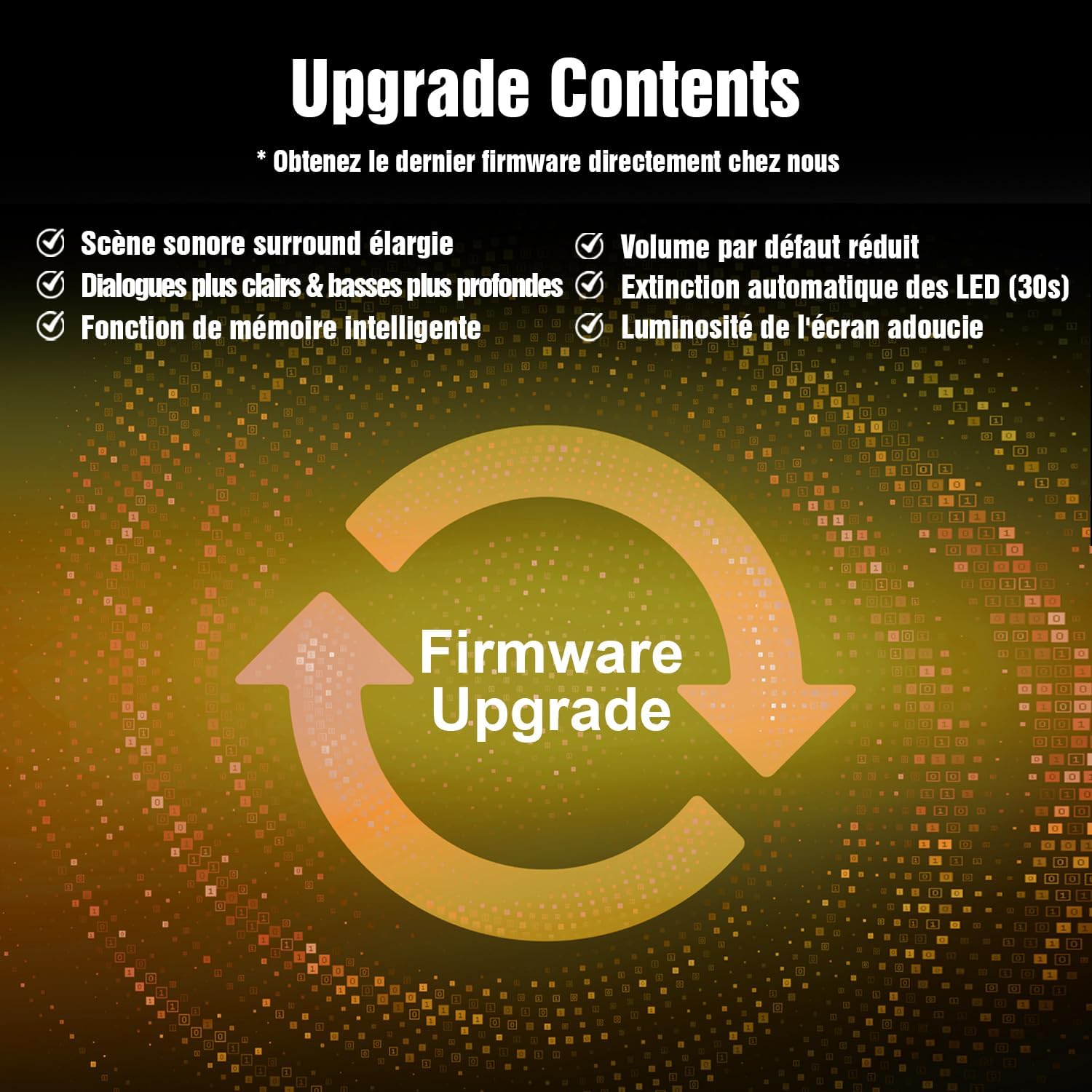
Image 6.1: Rear panel of the Hiwill WoNoble A502 soundbar, illustrating the available connection ports including HDMI eARC, Optical, AUX, and the power input.
7. Operating Instructions
7.1 Power On/Off
Press the Power button on the remote control or the soundbar to turn the unit on or off.
7.2 Input Selection
Press the Input button on the remote control to cycle through available input sources: HDMI eARC, Optical, AUX, and Bluetooth.
7.3 Volume Control
Use the Volume + and Volume - buttons on the remote control to adjust the master volume. Press the Mute button to temporarily silence the sound.
7.4 Sound Modes
Your soundbar may feature various sound modes (e.g., Movie, Music, News, 3D). Refer to the remote control for specific buttons to switch between these modes for an optimized listening experience.
8. Firmware Update
To ensure full functionality and access to the latest features, a firmware update may be required. Please note that the memory function is not supported in some initial batches and requires a firmware update.
8.1 How to Update Firmware
- Contact Hiwill customer support to obtain the latest firmware file.
- Download the firmware file to a USB flash drive (ensure the file is placed directly on the root directory, not in a folder).
- With the soundbar powered off, insert the USB flash drive into the soundbar's USB port (if available, otherwise follow specific instructions from support).
- Follow the on-screen instructions or specific steps provided by Hiwill support to initiate and complete the update process.
- Do not power off the soundbar or remove the USB drive during the update.

Image 8.1: Firmware Upgrade graphic, highlighting improvements such as expanded surround soundstage, clearer dialogues, deeper bass, reduced default volume, automatic LED turn-off, and softened screen brightness.
9. Maintenance
9.1 Cleaning
- Always unplug the soundbar from the power outlet before cleaning.
- Use a soft, dry cloth to wipe the exterior surfaces.
- Do not use liquid cleaners, aerosols, or abrasive cleaning agents, as they may damage the finish.
9.2 Storage
If storing the soundbar for an extended period, unplug it from the power source and store it in a cool, dry place, preferably in its original packaging to protect it from dust and damage.
10. Troubleshooting
If you encounter issues with your soundbar, refer to the following common problems and solutions:
| Problem | Possible Cause | Solution |
|---|---|---|
| No power | Power cable not connected; Power outlet not working | Ensure power cable is securely connected; Try a different power outlet. |
| No sound | Incorrect input selected; Volume too low; Mute activated; Incorrect TV audio settings | Select correct input source; Increase volume; Deactivate mute; Check TV audio output settings (e.g., set to PCM for optical). |
| Bluetooth pairing issues | Soundbar not in pairing mode; Device too far; Interference | Ensure soundbar is in Bluetooth input mode; Move device closer; Avoid other wireless devices. |
| Distorted sound | Volume too high; Poor audio source quality; Loose connections | Reduce volume; Try a different audio source; Check all cable connections. |
| Remote control not working | Batteries depleted; Obstruction between remote and soundbar | Replace batteries; Remove any obstructions; Ensure remote is pointed at the soundbar's sensor. |
If the problem persists, please contact Hiwill customer support for assistance.
11. Specifications
| Feature | Specification |
|---|---|
| Model Number | HiElite A502 |
| Brand | Hiwill |
| Dimensions (L x W x H) | 84 x 12 x 8 cm (33.1 x 4.7 x 3.1 inches) |
| Weight | 5 Kilograms (11 lbs) |
| Speaker Output Power | 400 Watts (Max) |
| Surround Sound Channel Configuration | 5.2.2 |
| Wireless Communication Technology | Bluetooth 5.3 |
| Connectivity Technology | HDMI eARC, Bluetooth 5.3, Optical, AUX |
| Audio Output Mode | Dolby Atmos |
| Frequency Response | 20 KHz (Upper limit, full range implied) |
| Compatible Devices | MP3 Player, Laptop, Smartphone, Tablet, Television |
| Mounting Type | Tabletop or Wall Mount |
| Manufacturer | Hiwill |
| Country of Origin | China |
12. Warranty and Support
12.1 Manufacturer's Warranty
The Hiwill WoNoble A502 Soundbar comes with a 2-year manufacturer's warranty. This warranty covers defects in materials and workmanship under normal use. Please retain your proof of purchase for warranty claims.
12.2 Customer Support
For technical assistance, warranty claims, or any questions regarding your Hiwill WoNoble A502 Soundbar, please contact Hiwill Technologies Inc. customer support. Refer to the contact information provided with your product or visit the official Hiwill website for support details.


