Introduction
This manual provides comprehensive instructions for the setup, operation, and maintenance of your AE86 2-in-1 Tablet/Laptop. This device combines the portability of a tablet with the functionality of a laptop, running on Windows 11 Pro and featuring an Intel Core Processor, 12GB RAM, and 256GB SSD. It comes pre-installed with MS Office 2024, making it ready for productivity right out of the box.
What's in the Box
Upon unboxing your AE86 2-in-1 Tablet/Laptop, please verify that all the following components are included:
- AE86 2-in-1 Tablet/Laptop
- Detachable Keyboard
- Stylus Pen
- Power Adapter
- User Manual (this document)
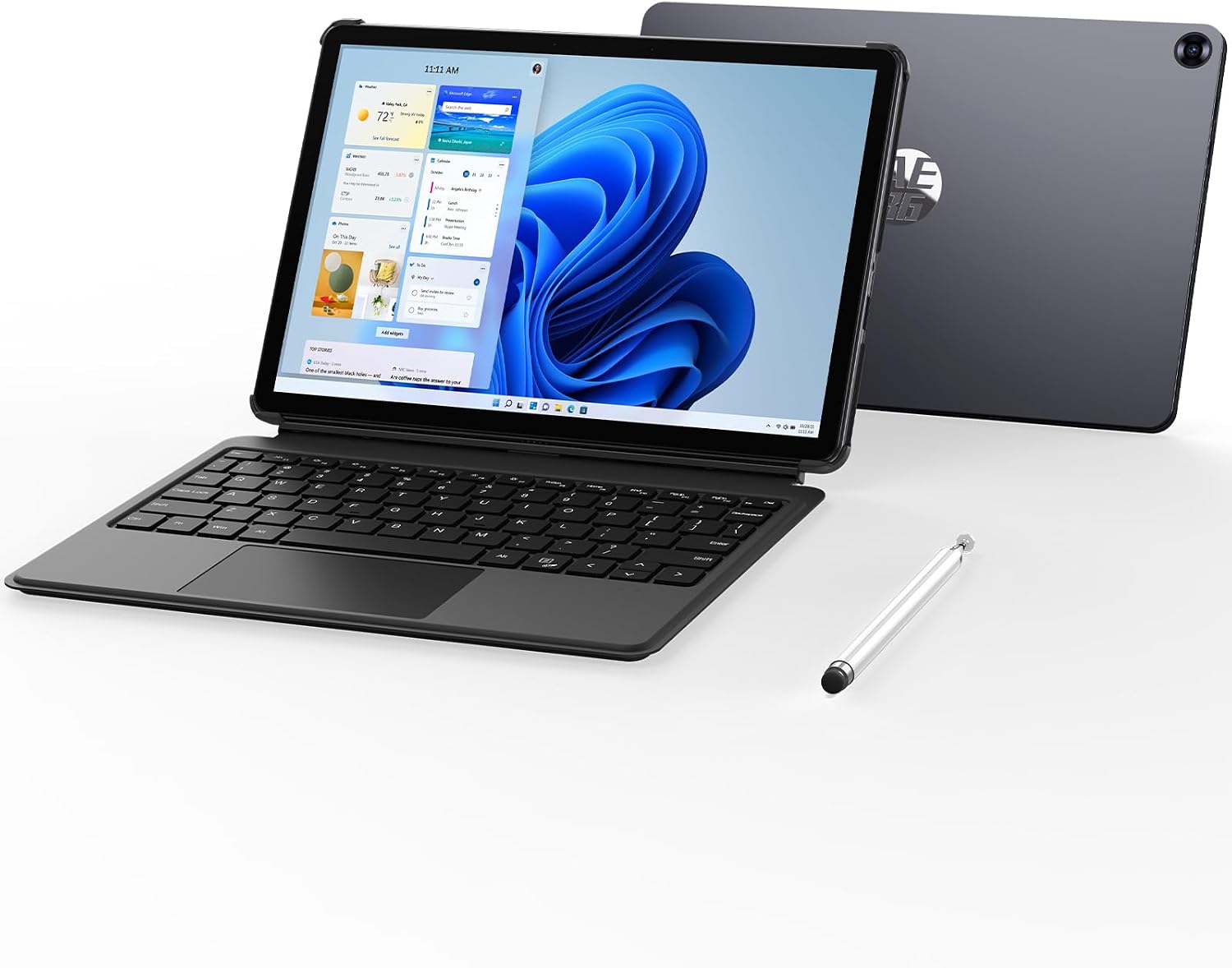
Image: The AE86 2-in-1 Tablet/Laptop shown with its detachable keyboard and stylus pen, illustrating the complete package.
Product Overview
Familiarize yourself with the various components and ports of your AE86 2-in-1 Tablet/Laptop.

Image: Diagram illustrating the various ports and buttons on the AE86 tablet, including USB A 3.0, 3.5mm Audio jack, Power button, Volume button, USB Type C (charge only), USB Type C (full function), and Micro HDMI.
- Power Button: Located on the side, used to power on/off or put the device to sleep.
- Volume Buttons: Adjust audio output levels.
- USB-A 3.0 Port: For connecting standard USB devices.
- USB Type-C Ports: One for charging only, and one full-function port for data transfer, video output, and charging.
- Micro HDMI Port: For connecting to external displays.
- 3.5mm Audio Jack: For headphones or external speakers.
- Front Camera: 1.0 Megapixels, suitable for video calls.
- Rear Camera: 2.0 Megapixels, for capturing photos and videos.
- Pogo Pin Connector: For attaching the detachable keyboard.
Setup
- Initial Charge: Before first use, connect the power adapter to the dedicated USB Type-C charging port on the tablet and plug it into a power outlet. Charge the device fully. The battery indicator will show charging status.
- Attach Keyboard: Align the pogo pins on the tablet with the corresponding connectors on the detachable keyboard. The keyboard will magnetically snap into place.
- Power On: Press and hold the Power Button for a few seconds until the screen lights up.
- Initial Windows Setup: Follow the on-screen prompts to complete the Windows 11 Pro setup, including language selection, network connection, and user account creation.
Operating Instructions
Power Management
- Power On: Press and hold the Power Button.
- Sleep Mode: Briefly press the Power Button. Press again to wake.
- Shut Down: Go to Start Menu > Power > Shut down.
- Restart: Go to Start Menu > Power > Restart.
Using the Keyboard and Trackpad
The detachable keyboard provides a traditional typing experience. The integrated trackpad supports multi-touch gestures for efficient navigation.

Image: Close-up of the AE86 detachable keyboard showing the trackpad and highlighting multi-finger gestures: two-finger click for right-click, four fingers for screenshot, three fingers swipe up for home, three fingers swipe down for back.
- Backlit Keyboard: Press Fn + F1 to toggle the keyboard backlight.
- Trackpad Gestures:
- Two-finger click: Right-click functionality.
- Four-finger click: Take a screenshot.
- Three-finger swipe up: Return to the home page.
- Three-finger swipe down: Go back.
Using the Stylus Pen
The included stylus pen allows for precise input, drawing, and note-taking on the touchscreen.
- Navigation: Tap to select, tap and drag to move items.
- Writing/Drawing: Use compatible applications like Microsoft OneNote or Paint for digital ink input.

Image: A person using the AE86 tablet with the stylus pen, demonstrating its use for creative tasks and note-taking.
Display and Audio
The 10.1-inch display offers a crisp 1280 x 800 resolution for vibrant visuals. Enjoy immersive audio from the premium speakers.

Image: The AE86 tablet displaying content, with icons highlighting its HD Camera, Stereo speakers, WiFi, and Bluetooth 4.2 capabilities, contributing to an immersive audio-visual experience.
Connectivity
Your device supports various wireless and wired connections.

Image: A user interacting with the AE86 tablet, with icons indicating support for Bluetooth 5.0 and dual-band 2.4G/5G Wi-Fi for high-speed wireless connections.
- Wi-Fi: Connect to 2.4GHz or 5GHz wireless networks using 802.11ac standard. Go to Windows Settings > Network & Internet > Wi-Fi.
- Bluetooth 5.0: Pair with Bluetooth-enabled devices such as headphones, speakers, or other peripherals. Go to Windows Settings > Bluetooth & devices.
- USB-C: Use the full-function USB-C port for connecting external drives, hubs, or display adapters.
- Micro HDMI: Connect to an external monitor or TV for extended display.
Camera Usage
The tablet is equipped with a front and rear camera for video calls and capturing moments.

Image: Two scenarios demonstrating camera usage: a person holding the tablet to take a photo with the rear camera (2.0MP) and another person holding it for a video call using the front camera (1.0MP).
- Front Camera (1.0 MP): Ideal for video conferencing and selfies.
- Rear Camera (2.0 MP): For general photography and scanning documents.
- Access the camera through the built-in Camera app in Windows.
Software and Applications
Your AE86 tablet comes with Windows 11 Pro and MS Office 2024 pre-installed.

Image: The AE86 tablet screen showing a Microsoft Excel spreadsheet, with icons for Word, Excel, and PowerPoint indicating pre-installed MS Office 2024 Pro Plus.
- Windows 11 Pro: Explore the features of Windows 11 for enhanced productivity and security.
- MS Office 2024: Utilize Word, Excel, PowerPoint, and other Office applications for your work and study needs.
- Microsoft Store: Download and install additional applications from the Microsoft Store.
Performance and Storage
The AE86 tablet is designed for efficient performance and ample storage.

Image: The AE86 tablet displaying a racing game, with icons highlighting its core specifications: Intel Core m3-8100Y processor (3.4 GHz Turbo Frequency), 12GB Memory (RAM), and 256GB Solid State Disk (SSD).
- Processor: Intel Core m3-8100Y (2 cores, 4 threads, up to 3.40 GHz) for fast data access and processing.
- RAM: 12GB DDR3 RAM ensures smooth multitasking.
- Storage: 256GB SSD provides ample and fast storage for files and applications.
Battery Management
The device is equipped with a 7.6V/3400mAh (25.84Wh) battery for extended use.

Image: An exploded view of the AE86 tablet showing its internal battery, with text indicating 120 hours standby time, 25.84 Wh (7.6V/3400mAh) battery capacity, and approximately 4 hours of usage time.
- Charging: Use the provided power adapter and connect it to the dedicated USB Type-C charging port.
- Battery Life: Expect up to 4 hours of active usage and up to 120 hours of standby time, depending on usage patterns and settings.
- Optimizing Battery: Reduce screen brightness, close unused applications, and disable Wi-Fi/Bluetooth when not in use to extend battery life.
Maintenance
- Cleaning: Use a soft, lint-free cloth to clean the screen and body. For stubborn marks, slightly dampen the cloth with water or a screen cleaner. Avoid harsh chemicals.
- Storage: Store the device in a cool, dry place away from direct sunlight and extreme temperatures.
- Software Updates: Regularly check for and install Windows updates to ensure optimal performance and security. Go to Windows Settings > Windows Update.
- Data Backup: Periodically back up important data to an external drive or cloud storage to prevent data loss.
Troubleshooting
| Problem | Possible Cause | Solution |
|---|---|---|
| Device does not power on. | Low battery; Power button not pressed correctly. | Charge the device for at least 30 minutes. Press and hold the Power button for 5-10 seconds. |
| Keyboard not responding. | Not properly connected; Driver issue. | Ensure the keyboard is securely attached via the pogo pins. Detach and reattach. Restart the tablet. |
| Wi-Fi connection issues. | Router problem; Incorrect password; Driver issue. | Restart your Wi-Fi router. Re-enter the Wi-Fi password. Check Windows network settings. |
| Slow performance. | Too many applications running; Low storage space. | Close unnecessary applications. Free up storage space by deleting old files or uninstalling unused programs. |
| Stylus not working. | Battery low (if applicable); Software issue. | Ensure stylus battery is charged (if applicable). Restart the tablet. Check stylus settings in Windows. |
Specifications
| Feature | Detail |
|---|---|
| Model Name | AE86-10.1 |
| Operating System | Windows 11 Professional |
| Screen Size | 10.1 Inches |
| Screen Resolution | 1280 x 800 Pixels |
| Processor | Intel Core m3-8100Y (3.4 GHz max turbo) |
| RAM | 12 GB DDR3 SDRAM |
| Hard Drive | 256 GB SSD |
| Graphics Coprocessor | Intel UHD Graphics 615 |
| Wireless Type | 802.11ac (Wi-Fi 5), Bluetooth 5.0 |
| USB Ports | 1x USB 3.0, 2x USB Type-C (1x charge only, 1x full function) |
| Video Output | Micro HDMI, USB Type-C (full function) |
| Audio Jack | 3.5mm |
| Front Camera | 1.0 Megapixels |
| Rear Camera | 2.0 Megapixels |
| Battery | 7.6V/3400mAh (25.84Wh) |
| Item Weight | 3.21 pounds (approx. 1.45 kg) |
| Product Dimensions (LxWxH) | 9.66 x 6.46 x 0.39 inches (approx. 24.5 x 16.4 x 1 cm) |
| Color | Gray |
Warranty and Support
For warranty information and technical support, please refer to the official AE86 website or contact their customer service. Keep your purchase receipt as proof of purchase.
For further assistance, you may visit the AE86 Store on Amazon.