
Introduction
This manual provides instructions for the proper installation, use, and maintenance of your Samsung Galaxy S25 Ultra Silicone Case. Designed to protect your device, this case combines a sleek profile with a soft-touch finish and eco-friendly materials.
Product Features
- Trendy Design & Color: Features a slim profile for a comfortable grip and all-round protection.
- Sleek Design with Soft Touch: Up to 35% slimmer with a silicone coating for a soft grip.
- Eco-Friendly: UL Certified, made with a minimum of 50% Recycled PCM PC material.

Image: Front view of the Samsung Galaxy S25 Ultra Silicone Case.

Image: Back view of the Samsung Galaxy S25 Ultra Silicone Case.
Setup and Installation
Follow these steps to properly install your silicone case onto your Samsung Galaxy S25 Ultra:
- Ensure your Samsung Galaxy S25 Ultra is clean and free of dust or debris.
- Hold the case with the camera cutout facing upwards.
- Gently insert the top of your phone into the case, aligning the camera module with the case's cutout.
- Press the remaining edges of the phone into the case until all sides are securely fitted. Ensure all buttons and ports are accessible and aligned with the case's openings.
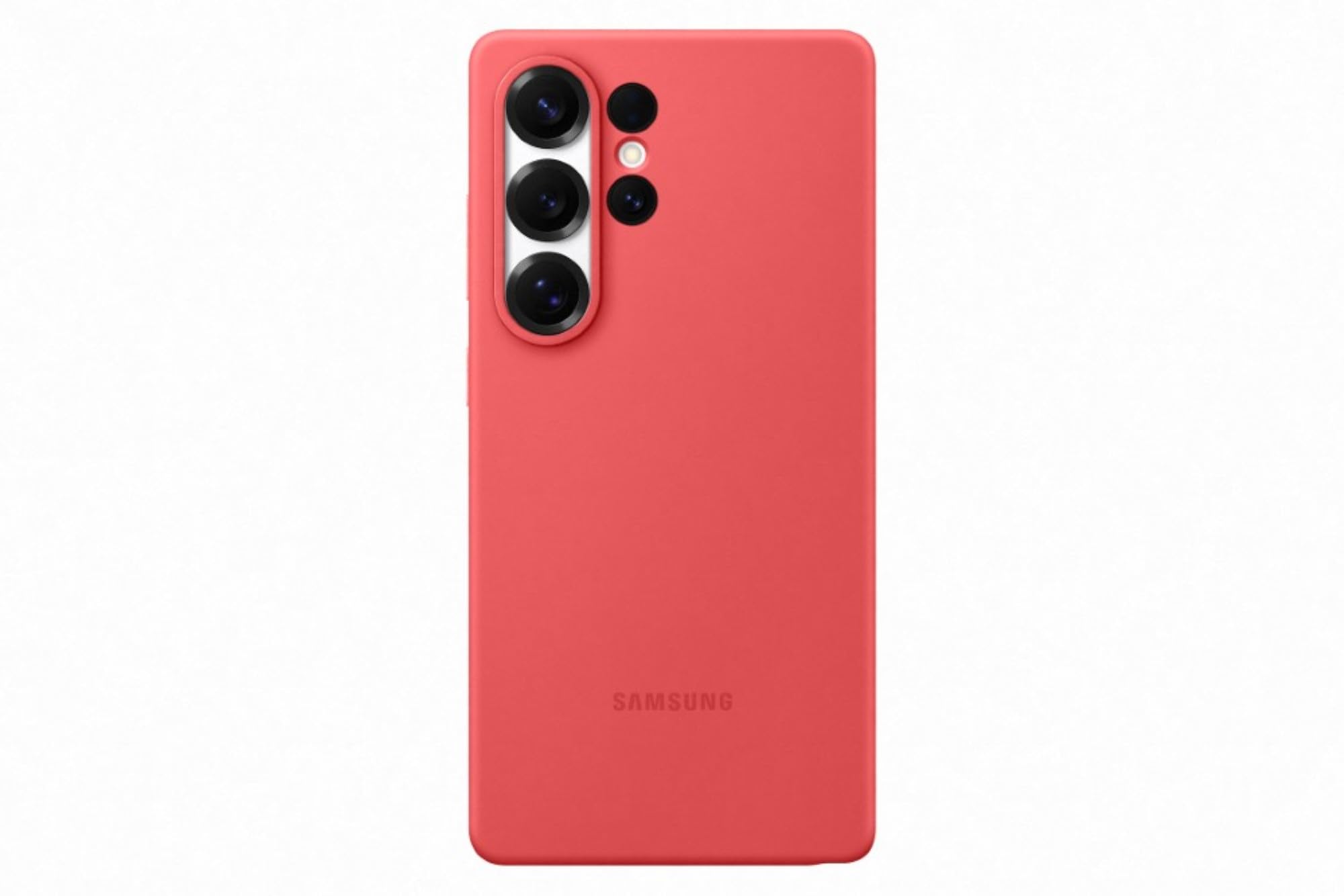
Image: Samsung Galaxy S25 Ultra phone installed in the silicone case (front view).

Image: Samsung Galaxy S25 Ultra phone installed in the silicone case (back view).
Operating (Usage)
Once installed, the Samsung Galaxy S25 Ultra Silicone Case provides continuous protection for your device. All phone functions, including buttons, charging port, and speakers, remain fully accessible. The case is designed for everyday use, offering enhanced grip and protection against minor impacts and scratches.
Maintenance and Care
To keep your silicone case in optimal condition:
- Cleaning: Wipe the case regularly with a soft, damp cloth. For stubborn stains, a mild soap solution can be used. Avoid harsh chemicals or abrasive cleaners.
- Storage: When not in use, store the case in a cool, dry place away from direct sunlight to prevent material degradation.
- Avoid Sharp Objects: Keep the case away from sharp objects that could scratch or puncture the silicone material.
Troubleshooting
If you encounter any issues with your case, consider the following:
- Difficulty Installing/Removing: Ensure the phone is correctly aligned. Apply gentle, even pressure. Do not force the phone into or out of the case.
- Dust/Debris Under Case: Remove the case, clean both the phone and the inside of the case with a soft, lint-free cloth, then re-install.
- Buttons Not Responding: Check that the case is properly seated and not obstructing the phone's buttons. Re-adjust if necessary.
Specifications
| Brand | Samsung |
| Model Number | EF-PS938 |
| Compatible Phone Models | Samsung Galaxy S25 Ultra |
| Material | Polycarbonate (with Silicone coating) |
| Color | Red |
| Item Dimensions (L x W x H) | 8.1 x 1.1 x 16.6 Centimeters |
| Item Weight | 30 Grams |
| Box Contents | 1 Back cover |
Warranty Information
This Samsung Galaxy S25 Ultra Silicone Case comes with a 3 Months Manufacturer Warranty from the date of purchase. Please retain your proof of purchase for any warranty claims. The warranty covers manufacturing defects but does not cover damage caused by misuse, accidents, or normal wear and tear.
Support
For further assistance or inquiries, please contact Samsung customer support:
- Email: support.india@samsung.com
- Telephone (Toll Free): 1800-40-7267864
- Manufacturer: Hochuen Smart Technology Co., Ltd, 4-7/Floor, Building 20, Hualian lndustrial Estate, Huaning Road, Dalang, Longhua District, Shenzhen, China
- Importer: Samsung India Electronics Pvt ltd, 6th Floor, DLF Centre, Sansad Marg, New Delhi - 110001


