
1. Introduction
This manual provides essential information for the installation, operation, and maintenance of your Reobiux 4G LTE Solar Security Camera, model JW-D40-4G. This camera is designed for outdoor surveillance in areas without Wi-Fi or consistent power supply, utilizing 4G cellular connectivity and solar power.
Key Features:
- 4G LTE Connectivity: Operates independently of Wi-Fi, requiring only 4G network coverage.
- Solar Powered: Integrated 10400mAh battery with an efficient solar panel for continuous operation.
- 4MP HD Resolution & 4X Zoom: Delivers clear 4-megapixel video with 4x optical zoom capability.
- 360° Pan/Tilt/Zoom (PTZ): Offers comprehensive coverage with remote control of camera direction.
- PIR Motion Detection: Accurate detection of human and animal movement to minimize false alarms.
- Color Night Vision: Provides clear, full-color video even in low-light conditions up to 30 meters.
- Two-Way Audio: Enables real-time communication through the camera.
- IP66 Weatherproof: Durable design to withstand various outdoor weather conditions.
- Local & Cloud Storage: Supports Micro SD cards up to 128GB and optional cloud storage via the Eseecloud app.
2. Package Contents
Verify that all items are present in the package:
- Reobiux 4G LTE Security Camera
- Solar Panel
- Mounting Bracket
- SIM Card (pre-installed or included)
- Instruction Manual
- Mounting Screws and Tools
3. Setup
3.1 SIM Card Installation
The camera operates using a 4G LTE SIM card. A SIM card may be pre-installed or included. If you wish to use your own SIM card, please contact Reobiux customer support with the device ID for activation.
Note: Ensure the SIM card is correctly inserted into the designated slot. The camera supports 4G LTE networks compatible with providers like AT&T and Telcel.

Image: The Reobiux 4G LTE Solar Security Camera showing the SIM card slot, solar panel connection, and compatibility with 4G networks like AT&T and Telcel.
3.2 App Download and Account Creation
- Download the Eseecloud app from your smartphone's app store (iOS or Android).
- Register for a new account or log in if you already have one.
- Follow the in-app instructions to add your camera. This typically involves scanning a QR code on the camera or manually entering the device ID.
3.3 Camera and Solar Panel Mounting
Select a mounting location that provides optimal solar exposure for the panel and a clear view for the camera. The camera is IP66 rated for outdoor use.
- Attach the mounting bracket to a wall or pole using the provided screws.
- Securely attach the solar panel to the bracket, ensuring it faces direct sunlight for most of the day.
- Mount the camera onto the bracket.
- Connect the solar panel cable to the camera's charging port.

Image: The Reobiux 4G LTE Solar Security Camera and its solar panel mounted on an outdoor wall, illustrating its IP66 weatherproof design in a rainy environment.
3.4 Initial Power On
Once the SIM card is installed and the solar panel is connected, the camera will power on automatically. Allow a few minutes for the camera to connect to the 4G network. The status indicator light on the camera will show its connection status.
4. Operation
4.1 Eseecloud App Interface
The Eseecloud app is your primary interface for controlling and monitoring the camera. Familiarize yourself with the app's layout, including live view, playback, settings, and alert notifications.
4.2 Live View and Playback
- Live View: Open the Eseecloud app and select your camera to view the live feed.
- Playback: Access recorded footage from the app. You can filter by date and time.
4.3 PTZ Control (Pan/Tilt/Zoom)
The camera offers 360° horizontal rotation (pan) and 95° vertical rotation (tilt), along with 4x optical zoom. Use the controls within the Eseecloud app to adjust the camera's viewing angle and zoom level.

Image: The Reobiux 4G LTE Solar Security Camera demonstrating its 360-degree pan and 95-degree tilt rotation, with a smartphone showing the live video feed.
4.4 Two-Way Audio
The camera features a built-in microphone and speaker, enabling two-way communication. Tap the microphone icon in the app to speak, and listen through the speaker.
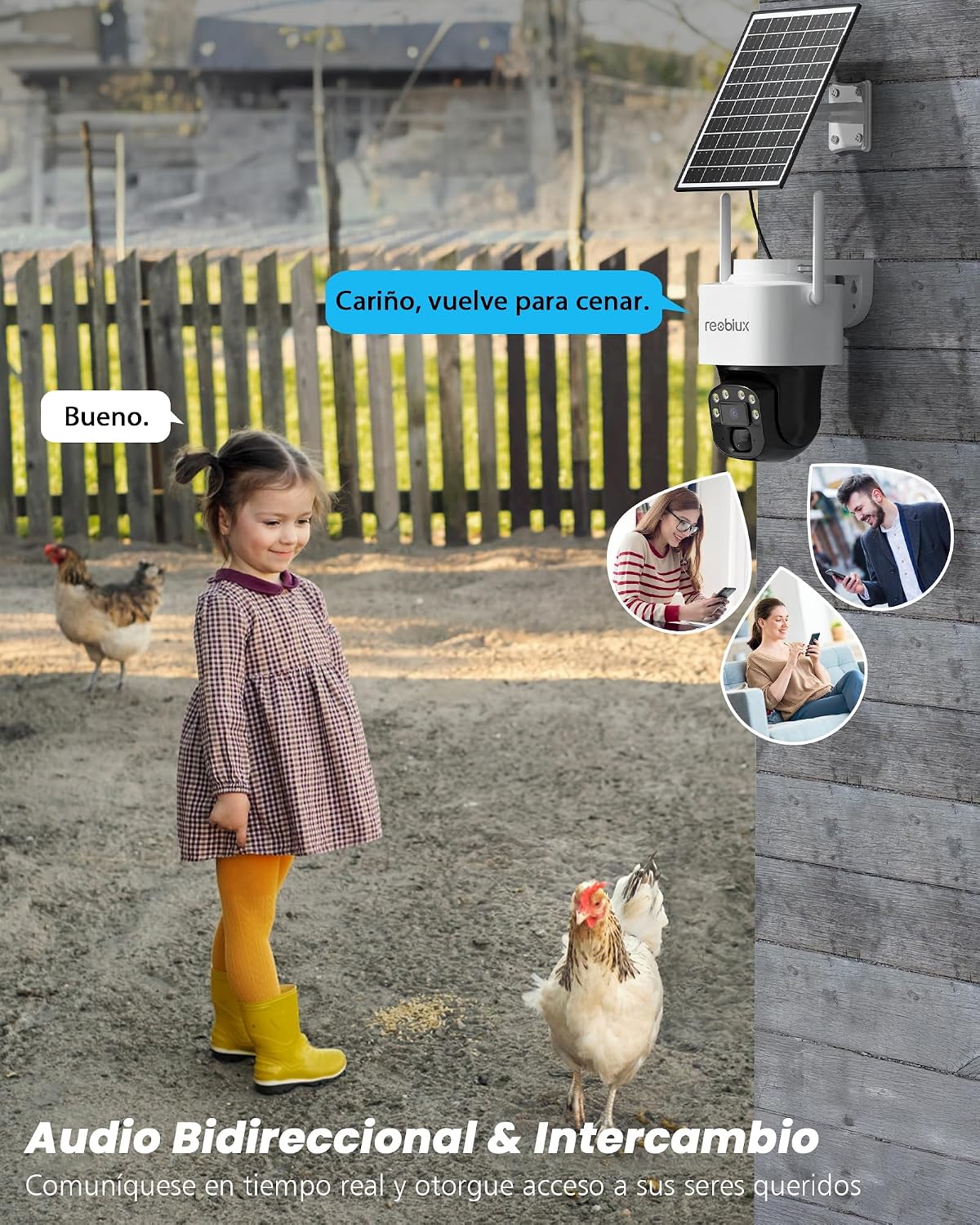
Image: The Reobiux 4G LTE Solar Security Camera facilitating two-way audio, depicted by a child interacting with the camera and speech bubbles indicating communication.
4.5 Motion Detection and Alerts
The camera uses PIR (Passive Infrared) motion detection to identify movement. When motion is detected, the camera can trigger an alarm, send push notifications to your phone, and record video.
- Adjust Sensitivity: In the app settings, you can adjust the PIR detection sensitivity to reduce false alarms.
- Alert Settings: Configure how you receive alerts (push notifications, siren, etc.).

Image: The Reobiux 4G LTE Solar Security Camera detecting an intruder, triggering a siren, and sending an instant notification to a smartphone.
4.6 Night Vision Modes
The camera offers two night vision modes:
- Full-Color Night Vision: Utilizes built-in white LEDs to provide clear, color images in darkness.
- Infrared (IR) Night Vision: Uses infrared LEDs for black and white images in complete darkness, offering a more discreet surveillance option.
You can switch between these modes or set them to automatic in the app settings.

Image: The Reobiux 4G LTE Solar Security Camera showcasing its dual night vision capabilities: full-color mode and infrared (black and white) mode.
4.7 Storage Management
The camera supports two storage options:
- Micro SD Card: Insert a Micro SD card (up to 128GB) into the camera's slot for local storage of recordings.
- Cloud Storage: Optional cloud storage plans are available through the Eseecloud app for secure, remote access to your video history.
5. Maintenance
5.1 Cleaning
Regularly clean the camera lens and solar panel to ensure optimal performance. Use a soft, damp cloth to wipe away dust and debris. Avoid abrasive cleaners that could scratch the surfaces.
5.2 Battery Care
The integrated battery is charged by the solar panel. Ensure the solar panel remains free of obstructions and dirt to maximize charging efficiency. In prolonged periods of low sunlight, the battery life may be reduced.
5.3 Firmware Updates
Periodically check the Eseecloud app for available firmware updates. Keeping your camera's firmware updated ensures optimal performance, security, and access to new features.
6. Troubleshooting
6.1 No 4G Signal / Camera Offline
- Check SIM Card: Ensure the SIM card is correctly inserted and activated with a data plan.
- Network Coverage: Verify that the installation location has adequate 4G LTE network coverage.
- Reboot Camera: Power cycle the camera by turning it off and on.
- Contact Support: If using your own SIM, confirm with Reobiux support that the device ID is registered.
6.2 Motion Detection Issues
- Adjust PIR Sensitivity: Increase or decrease sensitivity in the app settings.
- Clear Obstructions: Ensure no objects are blocking the PIR sensor's field of view.
- Environmental Factors: Extreme temperature changes or direct sunlight can sometimes affect PIR performance.
6.3 Poor Image Quality
- Clean Lens: Wipe the camera lens with a soft cloth.
- Network Strength: A weak 4G signal can affect streaming quality.
- Lighting: Ensure adequate lighting for optimal image clarity, especially at night.
6.4 Audio Problems
- Check Volume: Ensure volume settings are correct on your phone and in the app.
- Microphone/Speaker Obstructions: Verify that the camera's microphone and speaker are not blocked.
- Network Latency: Poor 4G signal can cause audio delays or distortion.
7. Specifications
| Feature | Specification |
|---|---|
| Model Name | JW-D40-4G |
| Brand | Reobiux |
| Connectivity Technology | 4G LTE (Compatible with AT&T, Telcel, etc.) |
| Power Source | Solar Power, 10400mAh Battery |
| Resolution | 4 MP (2560 effective video resolution) |
| Optical Zoom | 4x |
| Field of View | 360° (Pan), 95° (Tilt) |
| Night Vision Range | 30 Meters (Color Night Vision) |
| Weather Resistance | IP66 |
| Storage | Micro SD (up to 128GB), Cloud Storage (optional) |
| Compatible Devices | Smartphone (Eseecloud App) |
| Dimensions | 25.7 x 21.5 x 14.5 cm |
| Weight | 3.37 Pounds |
| Operating Voltage | 3.7 Volts (AC) |
| Wattage | 7.4 Watt-hours |
8. Warranty and Support
8.1 Warranty Information
Reobiux products typically come with a standard manufacturer's warranty. Please refer to the warranty card included in your package or contact Reobiux customer support for specific warranty terms and conditions.
8.2 Customer Support
For any questions, technical assistance, or support needs, please do not hesitate to contact Reobiux customer service. All inquiries are typically answered within 24 business hours.

Image: A graphic representing Reobiux customer support, with a representative ready to assist.
