
1. Introduction
This manual provides detailed instructions for the Fanvace M32 MP3 Player. This device combines a portable music player with the versatility of Android 13 OS, offering access to streaming services, local media playback, and various applications. Please read this manual thoroughly to ensure proper use and optimal performance of your device.
2. Package Contents
Verify that all items are present in the package:
- 1 x Fanvace M32 MP3 Player
- 1 x 128GB SD Card
- 1 x USB C Cable
- 1 x Wired Earphones
- 1 x Screen Protector
- 1 x Protective Case
- 1 x User Manual (this document)

This image displays the complete set of items you should find in your product packaging, including the player itself and all accompanying accessories.
3. Product Overview
The Fanvace M32 is a compact and powerful media player. It features a 4-inch full-touchscreen, an 8-core MTK processor, Android 13 OS, Bluetooth 5.0, and Wi-Fi connectivity.

This image shows the device's sleek design and its vibrant touchscreen interface, highlighting its compact form factor.
Key Features:
- Operating System: Android 13 OS
- Processor: MTK 8-core chip
- Display: 4.02-inch full-touchscreen
- Memory: 3GB RAM + 16GB ROM (internal), 128GB TF card included (expandable up to 1TB)
- Connectivity: Bluetooth 5.0, 2.4GHz & 5GHz WiFi
- Battery: 2000mAh
- Audio: HiFi sound module, supports various formats (MP3, WAV, FLAC, APE, OGG, M4A, AAC, WMA)
- Video: Supports various formats (RM, RMVB, FLV, MP4, DAT, MKV, MPG, MOV, TS)

This diagram visually summarizes the core technical specifications and capabilities of the device.
4. Setup
4.1 Initial Charging
- Connect the provided USB-C cable to the player's charging port.
- Connect the other end of the USB-C cable to a compatible USB power adapter (not included) or a computer's USB port.
- Allow the device to charge fully before first use. A full charge typically takes 3-4 hours.
4.2 Power On/Off
- To Power On: Press and hold the Power button (usually on the side) until the screen lights up.
- To Power Off: Press and hold the Power button, then select "Power off" from the options that appear on the screen.
- To Restart: Press and hold the Power button, then select "Restart" from the options.
4.3 Inserting the SD Card
Your player comes with a 128GB TF (MicroSD) card. The device supports external storage up to 1TB.
- Locate the SD card slot on the side of the player.
- Gently insert the TF card into the slot with the gold contacts facing down until it clicks into place.
- To remove, push the card in slightly until it springs out.
Note: Ensure the SD card is formatted to FAT32 for optimal compatibility.
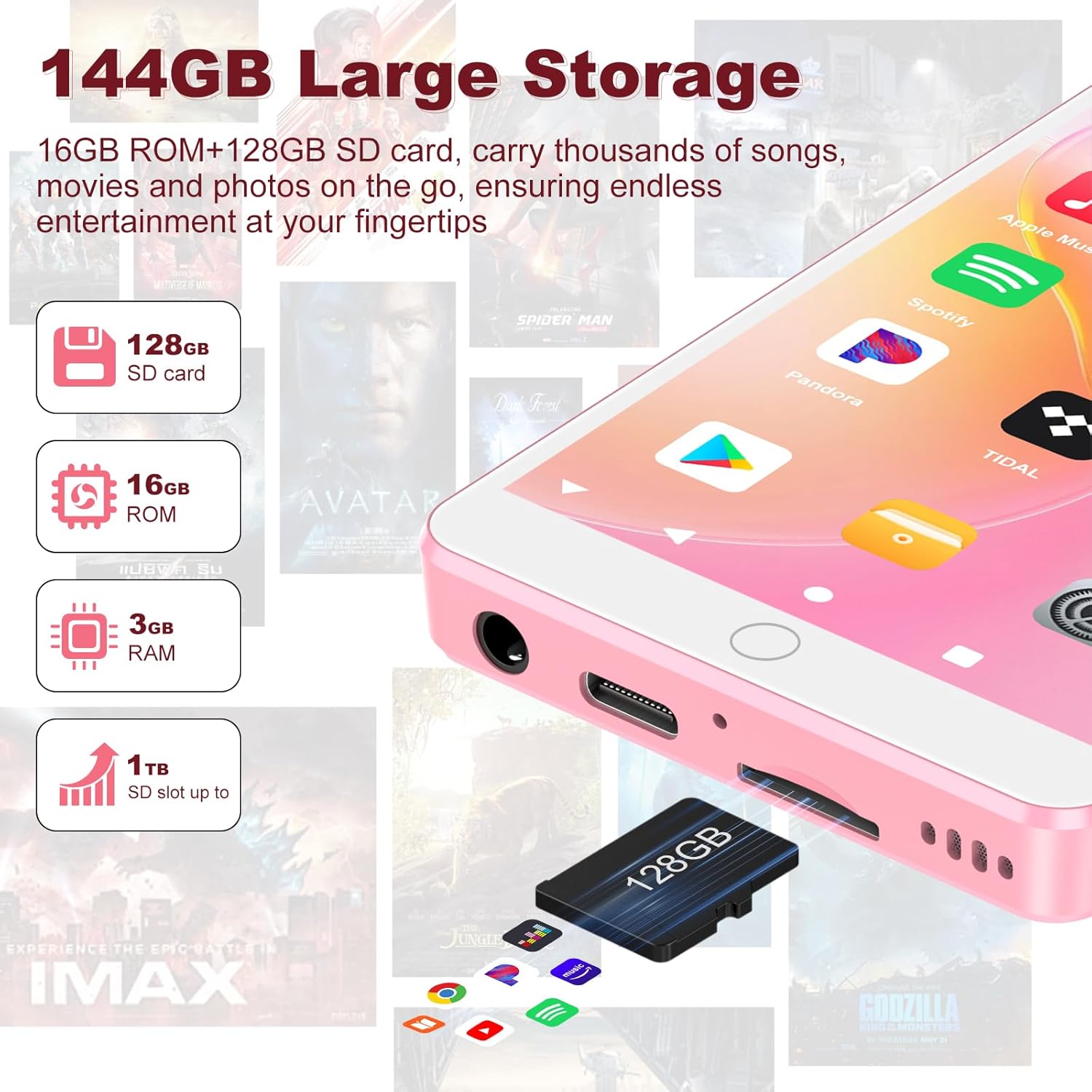
This image demonstrates the process of inserting the included 128GB SD card, highlighting the device's expandable storage capabilities.
4.4 Wi-Fi Connection
Connecting to Wi-Fi enables access to streaming apps, online content, and software updates.
- Go to Settings > Network & internet > Wi-Fi.
- Toggle Wi-Fi On.
- Select your desired Wi-Fi network from the list.
- Enter the password if prompted, then tap Connect.
4.5 Bluetooth Pairing
Pair your player with Bluetooth headphones, speakers, or car systems for wireless audio.
- Go to Settings > Connected devices > Bluetooth.
- Toggle Bluetooth On.
- Put your Bluetooth accessory into pairing mode (refer to your accessory's manual).
- On the player, tap Pair new device and select your accessory from the list.
- Confirm pairing if prompted.
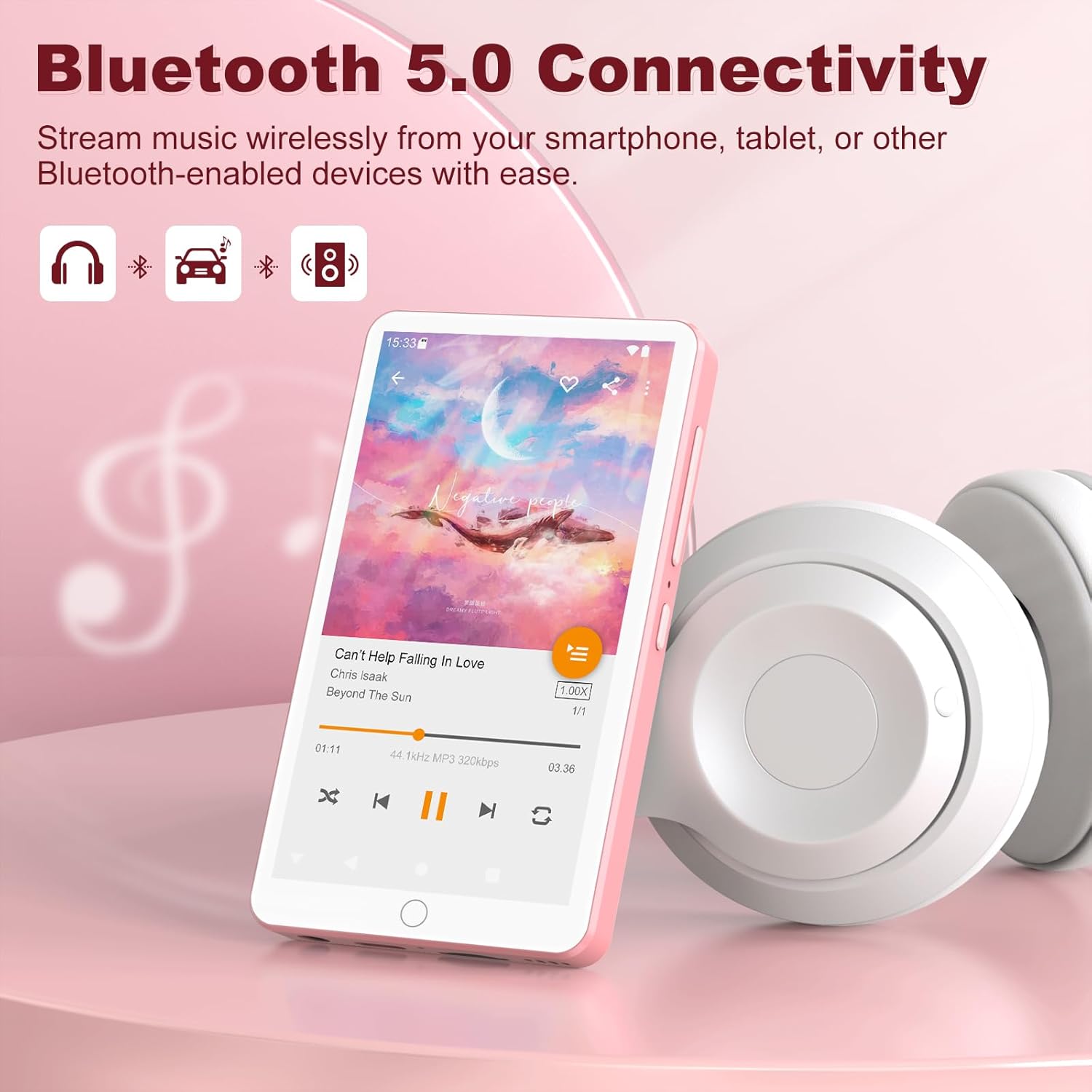
This image demonstrates the versatility of Bluetooth 5.0, allowing the player to connect to various audio devices.
5. Operating Instructions
5.1 Basic Navigation
The Fanvace M32 operates on Android 13, providing a familiar touchscreen interface.
- Tap: Select an item or open an app.
- Swipe: Navigate through screens, menus, or lists.
- Pinch-to-Zoom: Enlarge or reduce content in supported apps (e.g., photos, web pages).
5.2 Music Playback
The player supports both local music files and streaming services.
Local Music Files:
- Transfer music files (MP3, WAV, FLAC, APE, OGG, M4A, AAC, WMA) to the player's internal storage or SD card.
- Open the pre-installed music player app (e.g., "Omnia").
- Browse your music library by artist, album, song, or folder and select a track to play.
Streaming Music Apps:
The device comes pre-installed with popular streaming apps like Spotify, Omnia, Deezer, and Amazon Music.
- Ensure the player is connected to Wi-Fi.
- Open your desired streaming app.
- Log in with your account credentials.
- Browse and play music as you would on any other Android device.

This image illustrates the player's capability to deliver high-fidelity audio from various music formats.
5.3 Video Playback
The 4-inch touchscreen is suitable for video playback, supporting formats such as RM, RMVB, FLV, MP4, DAT, MKV, MPG, MOV, and TS.
- Transfer video files to the player's storage.
- Open a video player app (pre-installed or downloaded from the Play Store).
- Select your video to begin playback.
5.4 App Management (Google Play Store)
The Fanvace M32 has access to the Google Play Store, allowing you to download additional apps.
- Ensure the player is connected to Wi-Fi.
- Open the Play Store app.
- Search for and download desired applications.

This image displays the range of applications that can be installed and used on the device, categorized by function.
5.5 Special Features
- FM Radio: Access local radio stations through the pre-installed FM Radio app. Wired earphones may be required as an antenna.
- Voice Recorder: Use the built-in microphone and Voice Recorder app to capture audio.
- Built-In Speaker: The device includes a speaker for audio playback without headphones.
6. Maintenance
6.1 Battery Care
The player is equipped with a 2000mAh lithium battery. To maximize battery life:
- Avoid extreme temperatures.
- Do not fully discharge the battery regularly.
- Use the provided USB-C cable for charging.
- Unplug the charger once the device is fully charged.

This image provides an overview of the expected battery duration for various usage scenarios.
6.2 Cleaning
Use a soft, lint-free cloth to clean the screen and body of the player. Avoid using harsh chemicals or abrasive materials.
6.3 Software Updates
Periodically check for system updates in Settings > System > System update to ensure your device has the latest features and security patches.
7. Troubleshooting
If you encounter issues with your Fanvace M32 MP3 Player, refer to the following common problems and solutions:
- Device not powering on: Ensure the battery is charged. Connect the player to a charger for at least 15 minutes before attempting to power it on again.
- SD card not recognized: Ensure the SD card is properly inserted. Try re-inserting it. Verify that the SD card is formatted to FAT32. If the issue persists, try a different SD card to rule out a card defect.
- Device overheating: Excessive use, especially with demanding applications or during charging, can cause the device to warm up. If it becomes excessively hot, close background apps, disconnect from charging, and allow it to cool down. Avoid using the device in direct sunlight or hot environments.
- Poor battery life: Adjust screen brightness, close unused background applications, and disable Wi-Fi or Bluetooth when not in use. Ensure no apps are consuming excessive power in the background (check battery usage in Settings).
- Slow performance: Close unnecessary apps running in the background. Clear cache for frequently used apps. Consider performing a factory reset if performance issues persist after backing up your data.
- Cannot connect to Wi-Fi/Bluetooth: Ensure Wi-Fi/Bluetooth is enabled on the device and the network/accessory. Restart the player and try connecting again. For Wi-Fi, verify the password. For Bluetooth, ensure the accessory is in pairing mode.
For more detailed troubleshooting or issues not covered here, please contact customer service online.
8. Specifications
Detailed technical specifications for the Fanvace M32 MP3 Player:
| Feature | Specification |
|---|---|
| Brand | Fanvace |
| Model Name | 144GB MP3 Player with Bluetooth |
| Item Model Number | M32 |
| Operating System | Android 13 |
| Processor | MTK 8-core |
| Screen Size | 4.02 Inches |
| Memory Storage Capacity | 144 GB (16GB ROM + 128GB TF card) |
| Expandable Storage | Up to 1TB via Micro SD |
| RAM | 3GB |
| Connectivity Technology | Bluetooth 5.0, USB, Wi-Fi (2.4GHz & 5GHz) |
| Special Features | Built-In Speaker, FM Radio, Touch Screen, Video Playback, Voice Recorder |
| Compatible Devices | Headphone, Personal Computer, Smartphone, Speaker |
| Media Type | Micro SD |
| Battery | 1 Lithium Ion battery (2000mAh) |
| Item Weight | 7 ounces |
| Package Dimensions | 5.83 x 5.75 x 0.83 inches |
| Date First Available | January 7, 2025 |
9. Warranty and Support
Fanvace is committed to providing excellent customer service.
- Customer Service: We offer 12 hours of customer service support.
- Contact: If you encounter any problems during your use of the Fanvace M32 MP3 Player, please contact our customer service team. We aim to resolve issues within 12 hours.
For further assistance, you may also refer to the product page on Amazon: Fanvace M32 Product Page