1. Introduction
Thank you for choosing the Auxoliev Knee Massager. This device is designed to provide targeted heat and vibration to the knee area, aiding in muscle relaxation and temporary relief from discomfort. Please read this manual thoroughly before use to ensure safe and effective operation.

Image 1: Auxoliev Knee Massager in use. This image illustrates the device applied to a knee, with a visual representation of heat penetrating the joint.
2. Safety Information
Important Safety Instructions:
- Read all instructions before using this appliance.
- Do not use this device if you have any medical conditions that may be aggravated by heat or massage, such as severe circulatory disorders, skin conditions, or acute inflammation. Consult a physician before use if you have concerns.
- Do not use on open wounds, swollen areas, or areas with skin irritation.
- Keep out of reach of children.
- Do not immerse the device in water or other liquids.
- Unplug the device from the power source when not in use and before cleaning.
- Do not operate if the device or power cord is damaged.
- The device has an automatic shut-off feature after 25 minutes. Do not override this feature.
- If you experience any discomfort or adverse reactions, discontinue use immediately.
- Statements regarding dietary supplements have not been evaluated by the FDA and are not intended to diagnose, treat, cure, or prevent any disease or health condition. This device is not a medical device and should not replace professional medical advice.
3. Product Overview
3.1 Package Contents
- 1 x Auxoliev Wireless Knee Massager
- 1 x User's Manual
- 1 x USB Charging Cable

Image 2: Package contents. This image displays the knee massager, user manual, and USB charging cable included in the box.
3.2 Device Features
- Cordless Design: For portable and convenient use.
- Heat Therapy: 3 adjustable heating levels.
- Vibration Massage: 3 vibration modes.
- LED Screen: Intuitive touch display for easy operation.
- Adjustable Straps: Ensures a secure and comfortable fit for various knee sizes.
- Automatic Timer: Shuts off after 25 minutes of continuous use.

Image 3: LED Control Panel. This image highlights the touch display with controls for power, heat, and vibration settings.
4. Setup
4.1 Charging the Device
- Before first use, fully charge the knee massager.
- Connect the provided USB charging cable to the charging port on the device.
- Plug the other end of the USB cable into a compatible USB power adapter (not included) or a computer USB port.
- The LED indicator will show charging status. Once fully charged, the indicator will change (refer to device for specific indicator behavior).
4.2 Wearing the Massager
- Place the massager on your knee, ensuring the internal pads are positioned comfortably around the kneecap.
- Secure the device using the adjustable straps. Ensure the straps are snug but not overly tight, allowing for comfortable movement and proper circulation.
- The device can also be used on shoulders or arms if desired, adjusting the straps for a secure fit.

Image 4: Proper placement of the knee massager. This image shows a person wearing the device on their knee.
5. Operating Instructions
5.1 Power On/Off
- To power on, press and hold the power button on the LED screen until the display illuminates.
- To power off, press and hold the power button again until the display turns off.
5.2 Adjusting Heat Levels
- After powering on, press the heat button (often indicated by a flame icon) to cycle through the 3 heating levels: Low, Medium, and High.
- The current heat level will be displayed on the LED screen.
- Approximate temperatures: Low (104°F/40°C), Medium (113°F/45°C), High (122°F/50°C).
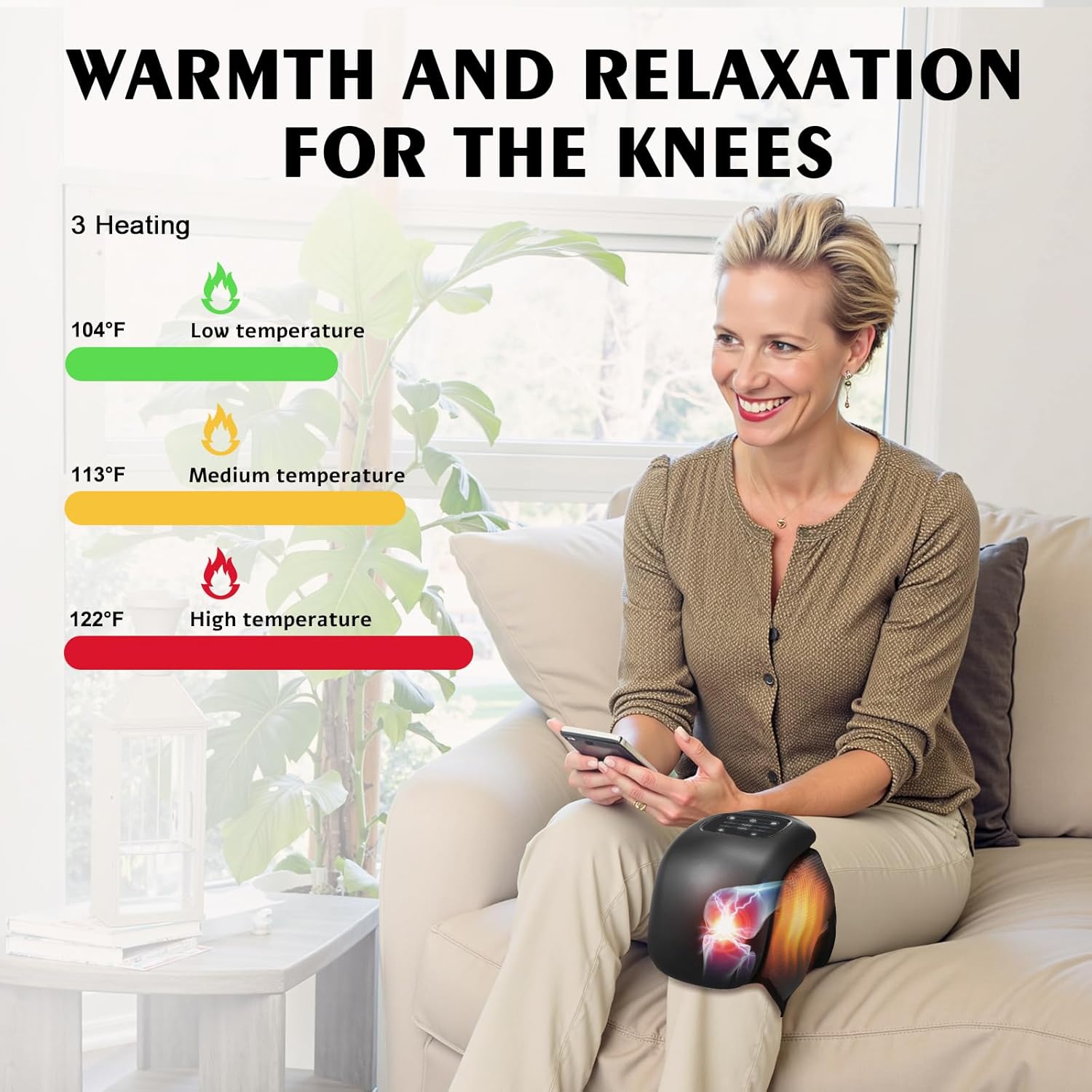
Image 5: Heat level settings. This image illustrates the three available heat settings and their corresponding temperatures.
5.3 Adjusting Vibration Modes
- Press the vibration button (often indicated by a wave icon) to cycle through the 3 vibration modes: Auto, Low, and High.
- The selected vibration mode will be displayed on the LED screen.
5.4 Automatic Timer
The device is equipped with an automatic timer and will shut off after approximately 25 minutes of continuous operation. This is a safety feature to prevent overuse. You can restart the device if further use is desired.
6. Maintenance
6.1 Cleaning
- Ensure the device is powered off and unplugged before cleaning.
- Wipe the exterior of the massager with a soft, slightly damp cloth.
- Do not use abrasive cleaners, solvents, or harsh chemicals.
- Do not immerse the device in water.
6.2 Storage
- Store the device in a cool, dry place, away from direct sunlight and extreme temperatures.
- Keep the device away from sharp objects that could damage the surface or internal components.
7. Troubleshooting
| Problem | Possible Cause | Solution |
|---|---|---|
| Device does not turn on. | Battery is low or depleted. | Charge the device fully using the provided USB cable. |
| No heat or weak heat. | Heat setting is too low or device is not properly positioned. | Increase the heat level. Ensure the device is in direct contact with the skin (if comfortable) or thin clothing. Allow a few minutes for the heat to build up. |
| No vibration or weak vibration. | Vibration mode is off or set to low. | Select a higher vibration mode. |
| Device automatically shuts off. | Automatic 25-minute timer activated. | This is normal operation. Restart the device if further use is desired. |
8. Specifications
- Model Number: AST-649
- Product Dimensions: 5 x 3 x 3 inches
- Item Weight: 1.58 Pounds
- Power Source: Battery Powered
- Material: Acrylonitrile Butadiene Styrene
- Manufacturer: Auxoliev
9. Warranty and Support
For warranty information or technical support, please contact Auxoliev customer service through the retailer where the product was purchased or visit the official Auxoliev website. Please retain your proof of purchase for warranty claims.
Contact Information:
- Brand: Auxoliev
- Seller: Auxoliev Care
- Online Store: Auxoliev Store on Amazon