1. Introduction
Thank you for choosing the NEEWER 85mm Telephoto Lens (Model LS-59). This lens is designed to enhance your smartphone photography by providing 2.5X optical magnification, allowing you to capture distant subjects with clarity and detail. Its high-definition optical glass and robust construction ensure reliable performance for various photographic needs.
This manual provides essential information for the proper setup, operation, and maintenance of your telephoto lens. Please read it thoroughly before use to ensure optimal performance and longevity of the product.
2. What's in the Box
Verify that all items listed below are included in your package:
- 1 x NEEWER 85mm Telephoto Phone Lens
- 1 x Lens Hood
- 1 x Front Cap
- 1 x Rear Cap
- 1 x Cleaning Cloth
- 1 x Storage Case

3. Setup
The NEEWER 85mm Telephoto Lens is designed for use with smartphone cages or cases that feature a 17mm threaded lens mount. Ensure your phone accessory has this specific thread type for proper attachment.
3.1 Attaching the Lens to Your Phone Case/Cage
- Ensure your smartphone is securely placed within a compatible phone cage or case equipped with a 17mm threaded lens mount.
- Align the 17mm thread of the telephoto lens with the corresponding mount on your phone case/cage.
- Gently screw the lens onto the mount in a clockwise direction until it is firmly secured. Avoid overtightening.
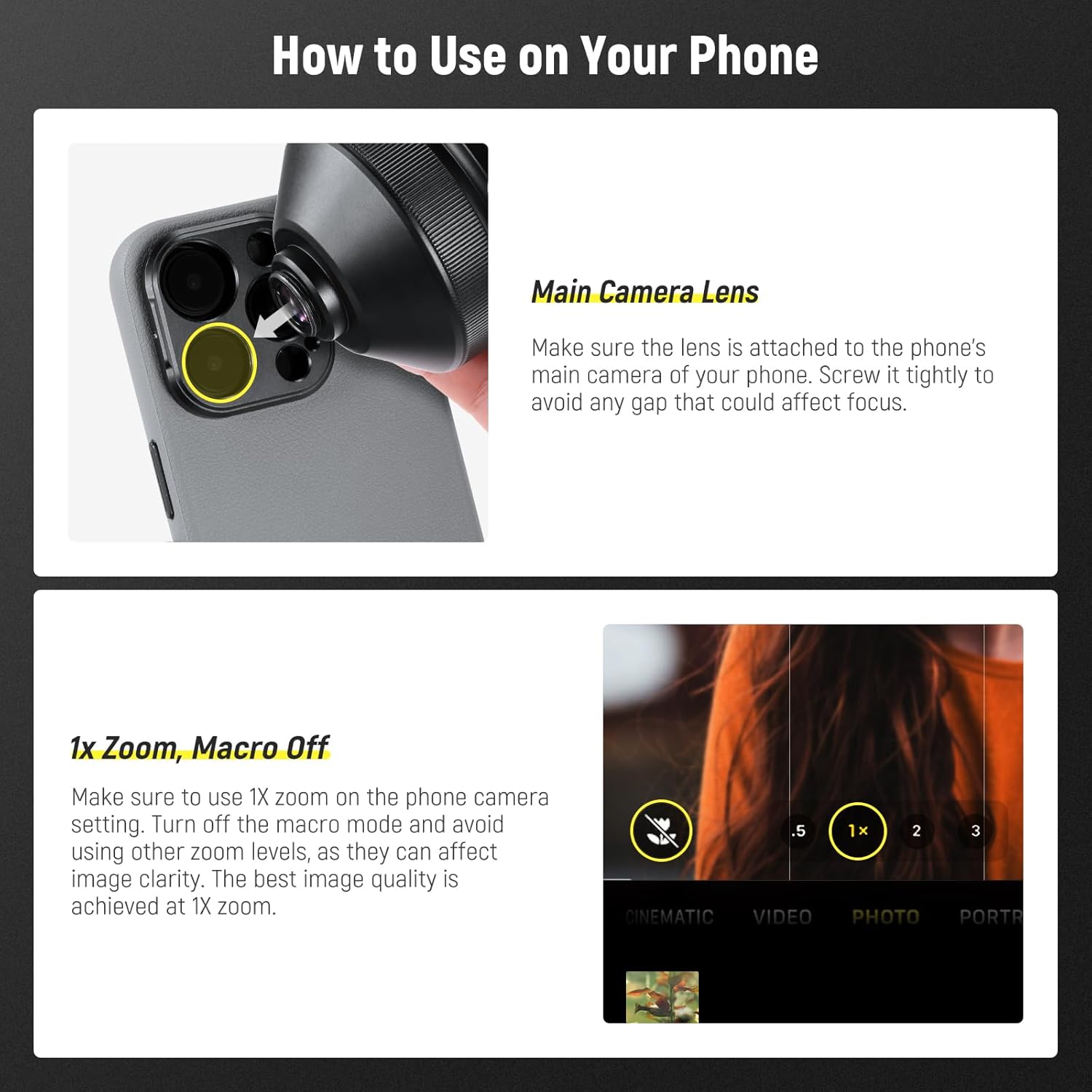
- Verify that the lens is centered over your phone's main camera lens. A secure and gap-free attachment is crucial for optimal focus and image quality.

3.2 Video Guide: Unboxing and Attachment
4. Operating Instructions
The NEEWER 85mm Telephoto Lens provides 2.5X magnification, ideal for capturing detailed shots of distant subjects, portraits, wildlife, and landscapes.
4.1 General Usage Tips
- Camera Settings: For best results, use your phone's camera at 1X zoom and ensure any macro mode is turned off. Using other zoom levels may affect image clarity.
- Focus Enhancement: For Samsung Galaxy S24/S25 Ultra, turn off focus enhancement for optimal performance.
- Stability: Due to the weight of the lens (12.4 ounces / 319g), it is recommended to use a tripod for enhanced stability, especially for critical shots.

4.2 Optical Quality
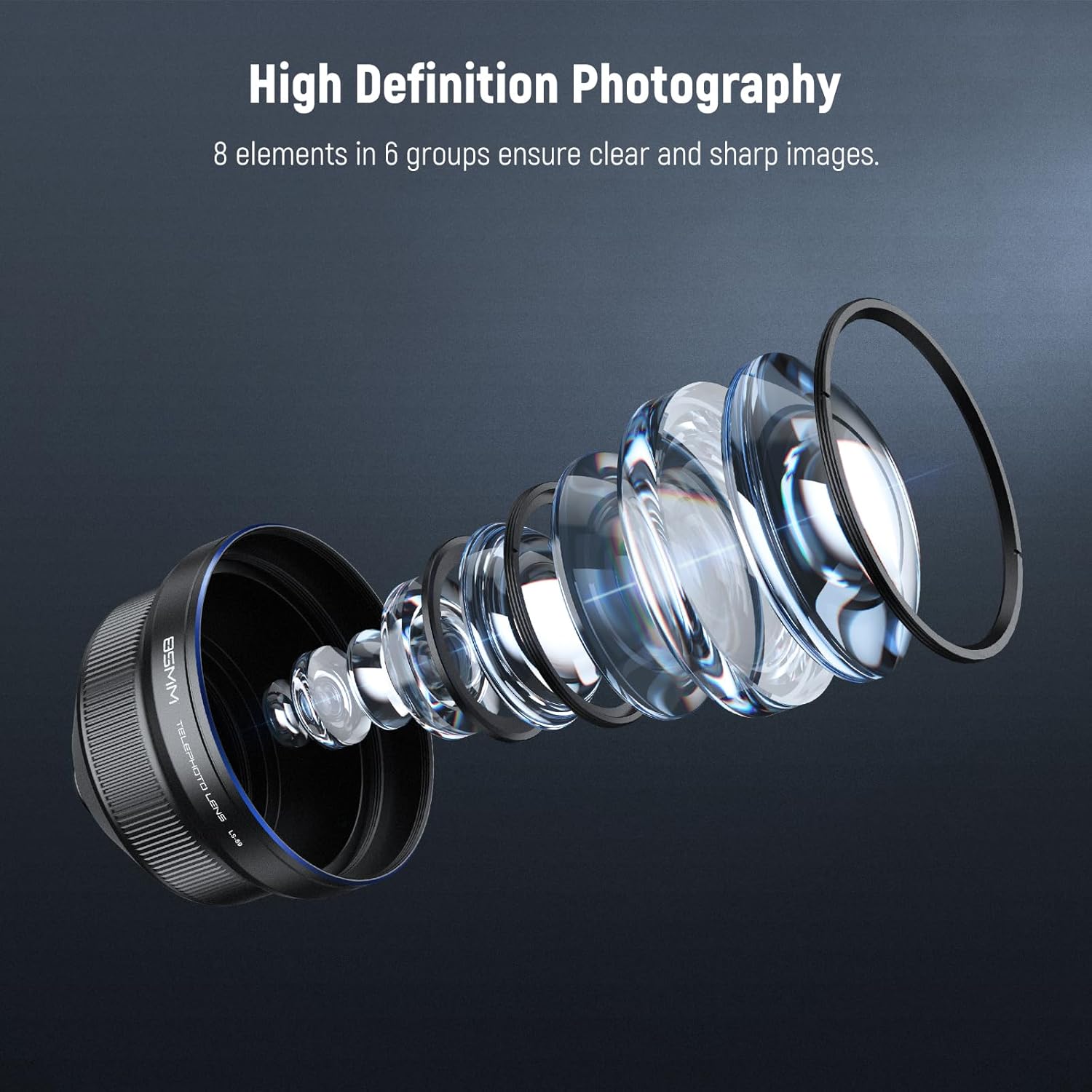
The lens features 8 elements in 6 multi-coated groups, utilizing high-definition optical glass to ensure clear, sharp, and color-accurate images.

4.3 Using the Lens Hood
The included lens hood helps to reduce glare, improve image quality by preventing stray light from entering the lens, and offers additional physical protection for the front element.

4.4 Attaching Filters
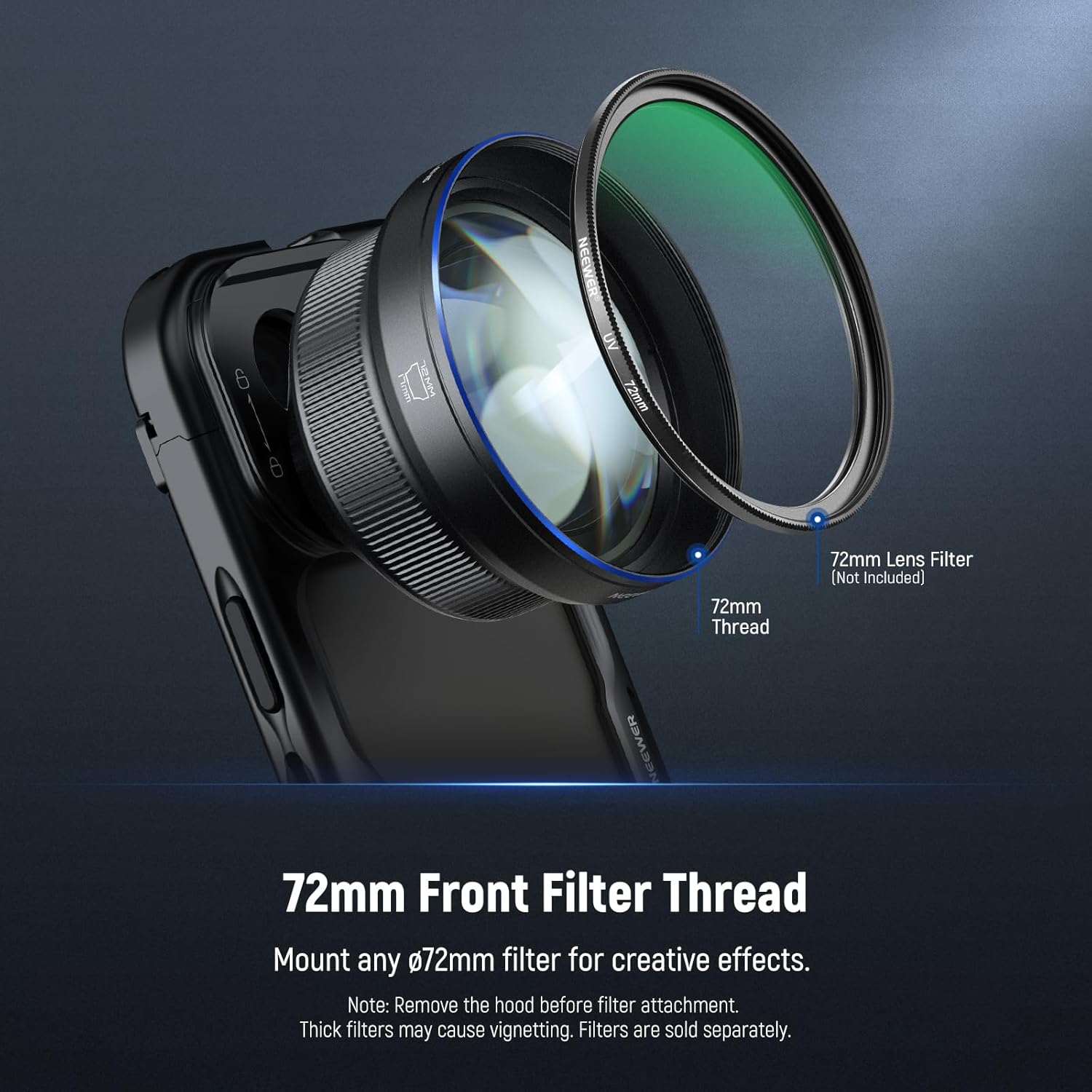
The lens features a standard 72mm front thread, allowing you to attach various filters (e.g., ND, CPL, UV) for creative effects and professional shooting. Filters are sold separately.
- Note: Always remove the lens hood before attaching any filters.
- Caution: Thick filters may cause vignetting (darkening at the corners of the image).
4.5 Video Guide: Lens Rig in Use
5. Maintenance
Proper care and maintenance will extend the life and performance of your NEEWER 85mm Telephoto Lens.
5.1 Cleaning the Lens
- Use the provided cleaning cloth or a soft, lint-free microfiber cloth to gently wipe the lens surfaces.
- For stubborn smudges or fingerprints, use a specialized lens cleaning solution applied to the cloth, not directly to the lens.
- Avoid using abrasive materials or harsh chemicals, as these can damage the lens coatings.
5.2 Storage
- When not in use, always attach the front and rear lens caps to protect the optical elements from dust and scratches.
- Store the lens in its included storage case to provide additional protection during transport and storage.
- Keep the lens in a cool, dry place, away from direct sunlight and extreme temperatures.
6. Troubleshooting
If you encounter issues with your NEEWER 85mm Telephoto Lens, refer to the following common problems and solutions:
| Problem | Possible Cause | Solution |
|---|---|---|
| Inability to focus properly | Lens not securely attached; phone camera not set to 1X zoom; macro mode enabled; focus enhancement enabled (Samsung). | Ensure the lens is tightly screwed onto the 17mm mount. Set your phone camera to 1X zoom and disable macro mode. For Samsung devices, disable focus enhancement. |
| Camera view includes the lens (vignetting) | Lens not perfectly aligned with the phone's camera; using thick filters. | Re-attach the lens, ensuring it is centered and tightly secured. If using filters, ensure they are not excessively thick. |
| Poor image clarity or sharpness | Lens surface is dirty; lens not securely attached; phone camera not set to 1X zoom; camera shake. | Clean the lens surfaces with the provided cloth. Ensure the lens is securely attached. Use 1X zoom on your phone camera. Consider using a tripod for stability. |
7. Specifications
| Feature | Detail |
|---|---|
| Model Number | 10105748 (LS-59) |
| Magnification | 2.5X |
| Focal Length | 85mm |
| Lens Type | Telephoto |
| Optical Design | 8 elements in 6 groups |
| Front Filter Thread | M72 x 0.75 (72mm) |
| Compatible Mountings | 17mm Thread (T Mount) |
| Material | Black anodized aircraft-grade aluminum alloy body |
| Product Dimensions | 3.35 x 0.67 x 0.67 inches |
| Item Weight | 12.4 ounces |
8. Warranty and Support
NEEWER products are manufactured to high-quality standards. For information regarding warranty coverage, technical support, or service inquiries, please refer to the official NEEWER website or contact their customer service directly. Keep your purchase receipt as proof of purchase for warranty claims.
Online Support: Visit the official NEEWER website for FAQs, product registration, and contact information.