
1. Introduction
This manual provides detailed instructions for the setup, operation, and maintenance of your ULTIMEA Poseidon D80 7.1CH Dolby Atmos Surround Sound System. Please read this manual thoroughly before using the product to ensure proper functionality and safety.
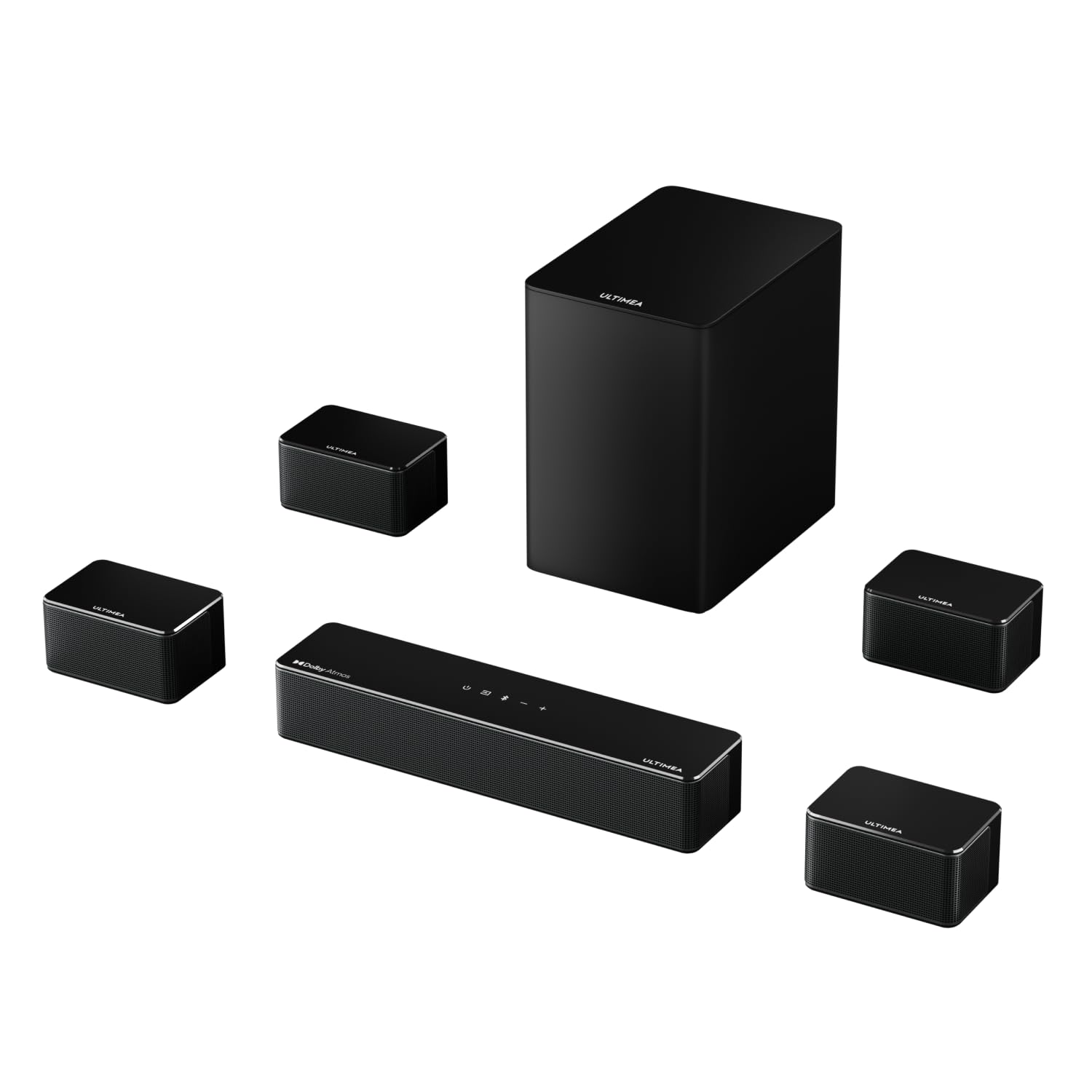
Figure 1.1: Complete ULTIMEA Poseidon D80 7.1CH Surround Sound System setup.
2. What's in the Box
Carefully unpack all components and ensure all items are present:
- Soundbar
- Subwoofer
- 4x Wired Surround Speakers
- Power Adaptor
- Subwoofer Power Cable
- Stereo 3.5mm to RCA Audio Cable
- Stereo RCA to RCA Cable (20 feet)
- HDMI Cable
- Digital Optical Cable
- Wall Mounted Kit
- Wall Bracket
- Mounting Screws
- Remote Control (Batteries are not included)
- User Manual (this document)
Video 2.1: ULTIMEA Poseidon D80 Surround Sound System Unboxing. This video demonstrates the unboxing process and shows the contents of the package.
3. Product Overview
3.1 Soundbar
The soundbar serves as the central unit of the system, housing multiple speakers and control interfaces. It features touch-sensitive buttons on the top panel for basic operations.

Figure 3.1: Front view of the ULTIMEA Poseidon D80 soundbar.

Figure 3.2: Top panel of the ULTIMEA Poseidon D80 soundbar with touch controls.
3.2 Wireless Subwoofer
The 6.5-inch wireless subwoofer provides deep bass, enhancing the overall audio experience. It connects wirelessly to the soundbar for flexible placement.

Figure 3.3: ULTIMEA Poseidon D80 6.5-inch wireless subwoofer.
Video 3.1: Bass Boost with BASSMX Technology. This video highlights the enhanced bass capabilities of the subwoofer.
3.3 Wired Surround Speakers
The system includes four wired surround speakers to create an immersive 7.1 channel sound experience. Two speakers are for the front and two for the rear, expanding the soundstage.

Figure 3.4: Four wired surround speakers for the ULTIMEA Poseidon D80 system.
Video 3.2: 4 Surround Speakers for front and rear. This video demonstrates the placement and effect of the surround speakers.
4. Setup
4.1 Speaker Placement
Optimal speaker placement is crucial for achieving the best surround sound experience. Position the soundbar centrally below your TV. Place the wireless subwoofer in a corner or near a wall for enhanced bass. The four wired surround speakers should be distributed around your listening area: two at the front (left and right of the TV) and two at the rear (left and right of the main listening position).

Figure 4.1: Recommended speaker placement for the 7.1CH system.
4.2 Connections
The soundbar offers various connectivity options:
- HDMI eARC: For high-quality audio and control with compatible TVs. Connect the HDMI cable from the soundbar's HDMI eARC port to your TV's HDMI eARC port.
- HDMI IN: For connecting external devices like game consoles or Blu-ray players.
- Optical: For digital audio connection with TVs or other devices.
- AUX: For analog audio connection using the 3.5mm to RCA cable.
- USB: For media playback from USB storage devices.
- Surround Speaker Ports: Connect the wired surround speakers to the corresponding ports on the soundbar and subwoofer using the provided RCA cables.

Figure 4.2: Soundbar rear panel connections.

Figure 4.3: Subwoofer rear panel connections.
5. Operating Instructions
5.1 Power On/Off
Press the power button on the soundbar's top panel or the remote control to turn the system on or off. Ensure the subwoofer is also powered on.
5.2 Input Selection
Use the 'Source' button on the remote or the soundbar's top panel to cycle through available input sources (HDMI eARC, HDMI IN, Optical, AUX, Bluetooth, USB).
5.3 Volume Control
Adjust the master volume using the '+' and '-' buttons on the remote or soundbar. Individual speaker levels can be fine-tuned via the ULTIMEA App.
5.4 Sound Modes and Equalizer Settings
The Poseidon D80 offers 6 tailored EQ modes and 121 EQ presets to optimize your audio experience:
- EQ Modes: Movie, Music, Voice, Sport, Game, Night. Select the mode that best suits your content.
- 10-band Equalizer: Customize specific frequency ranges for personalized sound.
- 121 Preset EQ Matrices: Explore various sound styles including Bass, Rock, Pop, and Classical.
5.5 ULTIMEA App Control
Download the ULTIMEA App for comprehensive control over your sound system, including OTA updates, EQ adjustments, and source selection.
Video 5.1: Smart App Control at Your Fingertips. This video demonstrates the features and ease of use of the ULTIMEA mobile application.
5.6 Remote Control
The included remote control provides access to all essential functions, including power, volume, input selection, and sound modes.

Figure 5.1: ULTIMEA Poseidon D80 remote control.
6. Advanced Features
6.1 Dolby Atmos
Experience immersive 3D sound with Dolby Atmos technology. Sound is dynamically adapted and placed around you, creating a full 360° soundscape.
Video 6.1: Dolby Atmos Advanced Decoding Technology. This video explains how Dolby Atmos creates a three-dimensional sound experience.
6.2 SurroundX and 360° Aural Spatial Tech
These innovative audio technologies, combined with the 4 surround speakers, ensure sound envelops you from all directions, providing a truly immersive experience regardless of your seating position.
7. Maintenance
To ensure the longevity and optimal performance of your sound system, follow these maintenance guidelines:
- Cleaning: Use a soft, dry cloth to clean the surfaces of the soundbar, subwoofer, and speakers. Avoid using liquid cleaners or abrasive materials.
- Ventilation: Ensure proper ventilation around all components to prevent overheating. Do not block any ventilation openings.
- Power: Disconnect the power adapter from the wall outlet if the system will not be used for an extended period.
8. Troubleshooting
If you encounter issues with your ULTIMEA Poseidon D80 system, refer to the following common problems and solutions:
| Problem | Possible Cause | Solution |
|---|---|---|
| No Sound | Incorrect input source selected, cables not connected properly, volume too low. | Verify input source, check all cable connections, increase volume. |
| No Power | Power cable not connected, power outlet not working. | Ensure power cables are securely connected to the soundbar, subwoofer, and wall outlet. Test the outlet with another device. |
| Bluetooth Pairing Issues | Device not in pairing mode, too far from soundbar, interference. | Ensure the soundbar is in Bluetooth pairing mode. Move your device closer. Minimize interference from other wireless devices. |
| Distorted Audio | Volume too high, incorrect EQ settings, poor source quality. | Reduce volume. Adjust EQ settings via the app or remote. Check the audio source quality. |
9. Specifications
| Feature | Detail |
|---|---|
| Brand | ULTIMEA |
| Model Number | U2620 |
| Model Name | Poseidon D80 |
| Speaker Maximum Output Power | 460 Watts |
| Number of Audio Channels | 7.1 |
| Connectivity Technology | Bluetooth, Auxiliary, Optical, HDMI eARC |
| Audio Output Mode | Surround |
| Subwoofer Diameter | 6.5 Inches |
| Subwoofer Connectivity | Wireless |
| Additional Features | Dolby Enabled (Dolby Atmos) |
| Control Method | Remote, ULTIMEA App |
| Mounting Type | Wall Mount |
| Item Dimensions (D x W x H) | 15.75"D x 3.54"W x 2.76"H |
| Item Weight | 9.16 Kilograms |
10. Warranty and Support
The ULTIMEA Poseidon D80 comes with an extended warranty. For detailed warranty information or technical support, please refer to the official ULTIMEA website or contact customer service. ULTIMEA offers 24/7 expert assistance and live chat support.
For further assistance, visit the ULTIMEA Store on Amazon.


