
1. Introduction
This manual provides detailed instructions for the LIGE TX2-F Smart Watch. Please read this manual thoroughly before using your device to ensure proper operation and to maximize its features. The LIGE TX2-F is a rugged smartwatch designed for active lifestyles, featuring a large AMOLED display, extensive health monitoring, and multiple sports modes.

Figure 1.1: LIGE TX2-F Smart Watch
2. What's in the Box
Upon opening your LIGE TX2-F Smart Watch package, you should find the following items:
- 1 x LIGE TX2-F Smart Watch
- 1 x Steel Strap
- 1 x Silicone Strap
- 1 x Wristband Extension Accessories and Tools
- 1 x Charger
- 1 x User Manual

Figure 2.1: Package Contents
3. Setup
3.1 Charging the Smart Watch
Before initial use, fully charge your LIGE TX2-F Smart Watch. The 730mAh battery typically takes about 3 hours to fully charge. Use the provided magnetic charger, ensuring the pins align correctly with the charging contacts on the back of the watch.
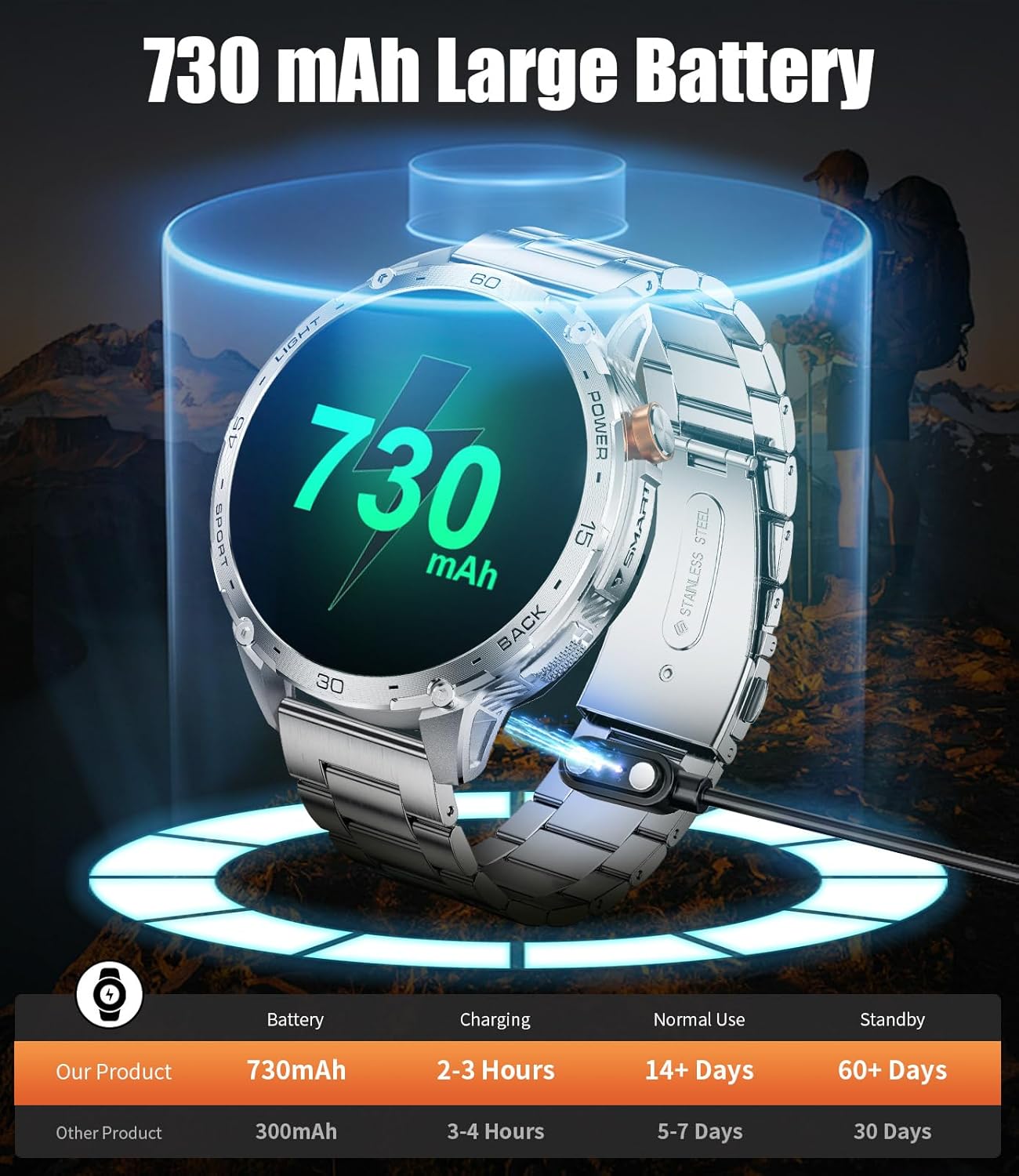
Figure 3.1: Charging the Device
3.2 App Download and Pairing
To unlock the full potential of your LIGE TX2-F Smart Watch, download the "FitCloudPro" app from your smartphone's App Store (iOS) or Google Play Store (Android). Follow these steps to pair your watch:
- Download the "FitCloudPro" App.
- Turn on your phone's Bluetooth.
- Open the "FitCloudPro" App and click on "Add New Device". Search for "TX2".
- Click "Pair" in the pop-up window of the watch and the App.
- Click "Push notifications" to get notifications.

Figure 3.2: Connecting to the App
3.3 Strap Installation
The LIGE TX2-F comes with both a steel strap and a silicone strap, allowing you to customize its look. Use the provided tools to attach or detach the straps by aligning the spring bars with the lug holes on the watch body.
Video 3.1: Unboxing and Strap Installation Guide. This video demonstrates the unboxing process and how to install the watch straps, including both the silicone and steel options.
4. Operating Instructions
4.1 Display and Interface
The LIGE TX2-F features a vibrant 1.75-inch AMOLED large screen, offering clear and bright content display. You can choose from over 150 digital watch faces via the app to personalize your device. The screen brightness is adjustable for optimal viewing in various conditions.

Figure 4.1: 1.75-inch AMOLED Display

Figure 4.2: Personalized Watch Faces
Video 4.1: TX2 1.75'' AMOLED HD Large Screen Smart Watch Features. This video highlights the large AMOLED display and various interface elements of the smartwatch.
4.2 LED Flashlight
The LIGE TX2-F includes a built-in LED flashlight on the side, providing illumination for over 2 hours. This feature is useful for night walks, outdoor exploration, or emergency situations.

Figure 4.3: Built-in LED Flashlight
Video 4.2: LIGE TX2 1.75'' Big Screen Smart Watch with LED Flashlight. This video demonstrates the functionality of the integrated LED flashlight.
4.3 Bluetooth Calls & Message Notifications
With Bluetooth 5.0 connectivity, the LIGE TX2-F allows you to make and receive phone calls directly from your wrist using its built-in microphone and speaker. You will also receive mobile notifications for messages and app alerts, accompanied by a vibration motor.

Figure 4.4: Bluetooth Calling and Notifications
4.4 Health Monitoring
The LIGE TX2-F is equipped with advanced sensor chips for 24/7 health monitoring. It can track your heart rate, blood oxygen levels, and sleep patterns (deep sleep, light sleep). All monitoring data is for reference only and should not be used for medical purposes.
- Heart Rate: Continuous monitoring of your heart rate.
- Blood Oxygen: Measures your blood oxygen saturation (SpO2).
- Sleep Monitoring: Tracks sleep duration and quality.

Figure 4.5: Blood Oxygen Monitoring

Figure 4.6: Heart Rate Monitoring
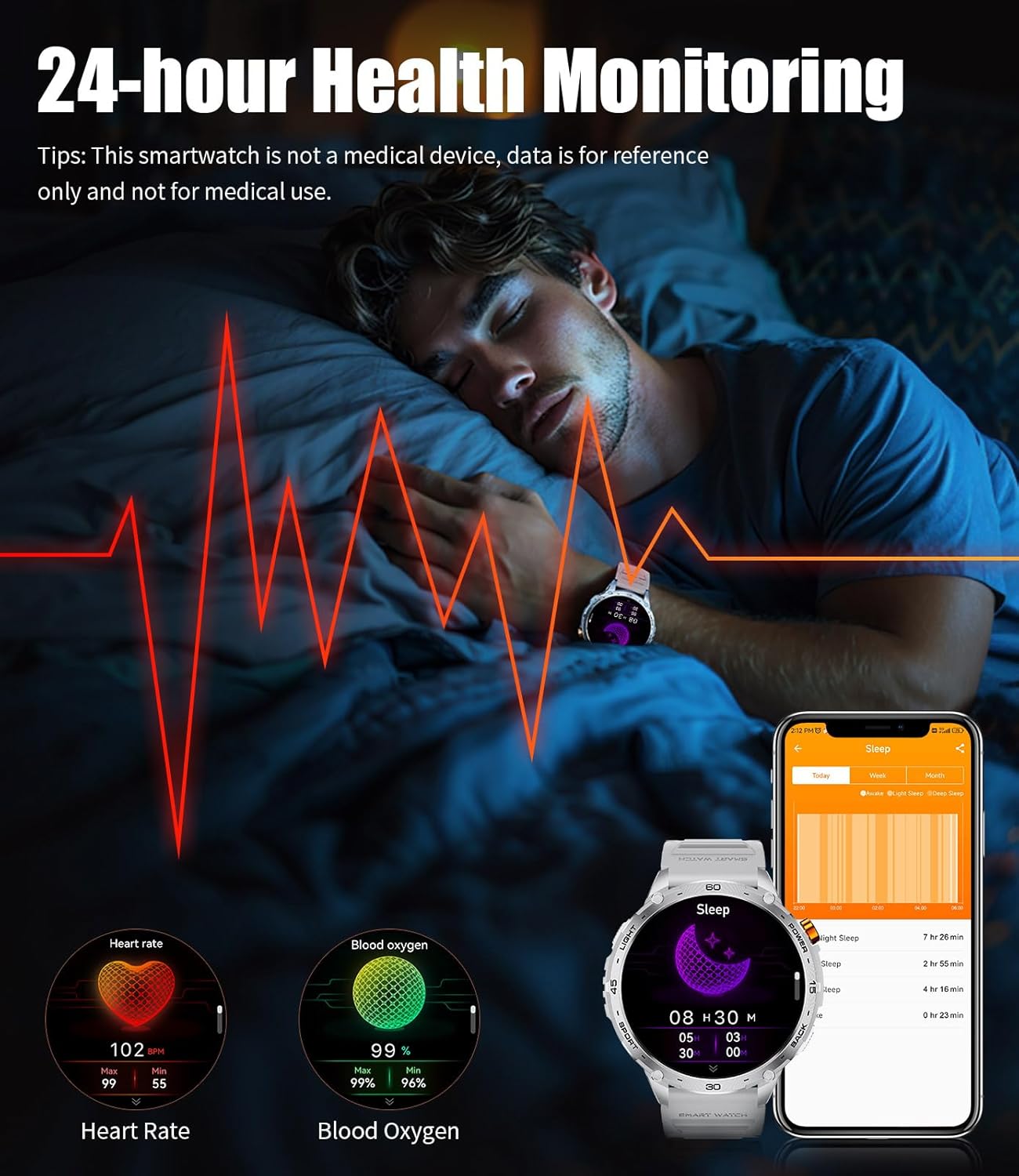
Figure 4.7: Sleep Monitoring
4.5 Sports Modes
The smartwatch supports over 100 sports modes, allowing you to track various indoor and outdoor activities. It records detailed exercise data, including calories burned, distance covered, and steps taken, helping you monitor your fitness progress.

Figure 4.8: 100+ Sports Modes
4.6 Multifunctional Assistant
The LIGE TX2-F serves as a versatile daily assistant with features such as weather forecasts, voice assistant, alarm clock, timer, music control, camera control, sedentary reminders, and drinking water reminders. It also supports multilingual switching and phone search functions.

Figure 4.9: Multifunction Menu
5. Maintenance
5.1 Waterproof Rating
The LIGE TX2-F Smart Watch has a 5ATM waterproof rating, meaning it can withstand pressures equivalent to a depth of 50 meters. This makes it suitable for swimming and other water activities, but it is not recommended for hot showers, saunas, or diving.

Figure 5.1: 5ATM Waterproof
Video 5.1: TX2 Rugged Smart Watch with Military Grade Quality. This video demonstrates the durability and water resistance of the smartwatch.
5.2 Cleaning and Care
To maintain your watch's appearance and functionality, regularly clean the watch body and straps with a soft, damp cloth. Avoid using harsh chemicals or abrasive materials. Ensure the charging contacts are clean and dry before charging.
5.3 Battery Life Optimization
The 730mAh battery provides over 15 days of typical use and over 50 days of standby time. To optimize battery life, adjust screen brightness, limit frequent notifications, and disable features you don't regularly use.

Figure 5.2: Extended Battery Life
6. Troubleshooting
If you encounter any issues with your LIGE TX2-F Smart Watch, please try the following common troubleshooting steps:
- Watch not turning on: Ensure the watch is fully charged.
- Cannot pair with phone: Check if Bluetooth is enabled on your phone and the watch. Ensure the app is updated and try restarting both devices.
- Inaccurate health data: Ensure the watch is worn snugly on your wrist. Note that data is for reference only.
- Notifications not received: Check app permissions on your phone to ensure notifications are enabled for FitCloudPro.
For persistent issues, please refer to the Warranty & Support section for contact information.
7. Specifications
| Feature | Specification |
|---|---|
| Model Number | TX2-F |
| Screen Size | 1.75 Inches AMOLED |
| Battery Capacity | 730 mAh |
| Waterproof Rating | 5ATM |
| Connectivity | Bluetooth 5.0 |
| Operating System | AsteroidOS |
| Compatible Devices | Android 4.4+ / iOS 8.0+ |
| Item Weight | 3.17 ounces |
| Manufacturer | LIGE |
8. Warranty & Support
LIGE is committed to providing excellent products and services. Your LIGE TX2-F Smart Watch comes with the following support:
- 2-Year Guarantee: Covers manufacturing defects for two years from the date of purchase.
- 6-Month Returns Service: For returns within six months of purchase.
- 24-Hour Online Service: Dedicated customer service team available to assist with any questions or issues.
If you have any questions or require assistance, please contact the LIGE Customer Service Team directly. You can find contact details on the official LIGE website or through your purchase platform.

Figure 8.1: LIGE Customer Service


