
BAOFENG UV-5RM Plus GPS
Contents
BAOFENG UV-5RM PLUS GPS Ham Radio Handheld User Manual
Model: UV-5RM Plus GPS | Brand: BAOFENG
Introduction
Thank you for choosing the BAOFENG UV-5RM PLUS GPS Ham Radio Handheld. This advanced two-way radio is designed for reliable long-range communication, featuring a 10W power output, multi-band reception including Airband, FM, and NOAA, and integrated GPS functionality. This manual provides detailed instructions for setup, operation, maintenance, and troubleshooting to ensure optimal performance and user safety.
Safety Information
- Battery Safety: Use only the specified 2500mAh Li-ion battery. Do not disassemble, puncture, or expose the battery to extreme temperatures or fire. Charge only with the provided Type-C cable and adapter.
- Antenna Care: Do not touch the antenna during transmission. Ensure the antenna is securely attached before operation.
- Water Resistance: This radio is not water resistant. Avoid exposure to rain, splashes, or submersion.
- Hearing Protection: Prolonged exposure to loud volumes may cause hearing damage. Adjust volume to a comfortable level.
- Interference: Be aware of potential interference with other electronic devices, especially medical devices.
- FCC Compliance: This device complies with FCC regulations. Any unauthorized modifications may void the user's authority to operate the equipment. FCC ID: 2AJGM-5RHPRO.
Package Contents
Verify that all items are present in your package:
- 1 x UV-5RM PLUS GPS Radio
- 1 x 2500mAh Li-ion Battery
- 1 x Speaker Mic
- 1 x Programming Cable
- 1 x Headset
- 1 x Belt Clip
- 1 x Wrist Strap
- 1 x Type-C Charging Cable
- 1 x Adapter
- 1 x User Manual (this document)
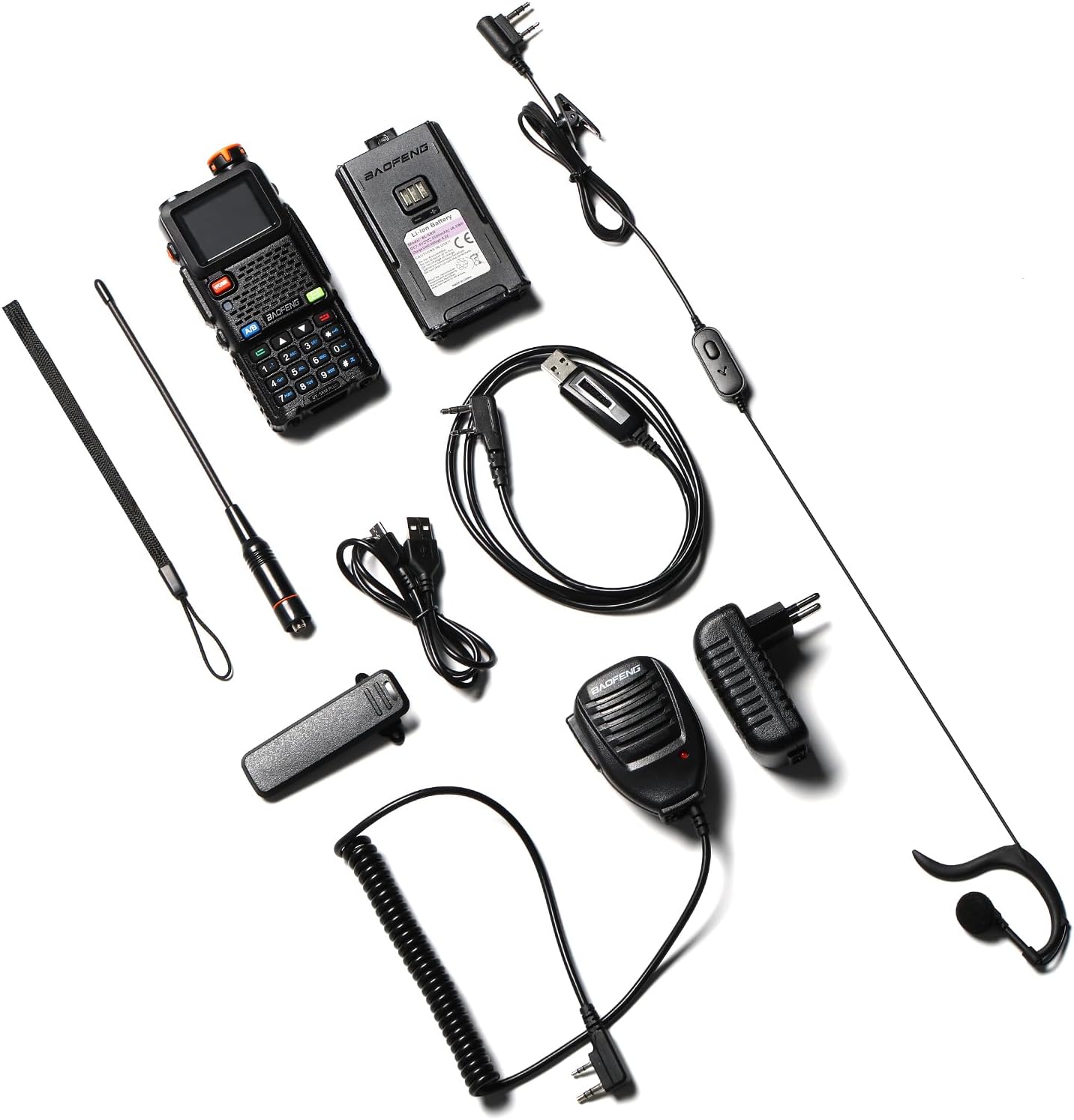
Image: All components included in the BAOFENG UV-5RM PLUS GPS package, including the radio, battery, speaker mic, programming cable, headset, belt clip, wrist strap, Type-C charging cable, and adapter.
Product Overview
The UV-5RM PLUS GPS features an enhanced design for improved usability and performance.

Image: Front view of the BAOFENG UV-5RM PLUS GPS radio, showcasing its 1.77-inch color display, full keypad, and main controls.
Key Features:
- 1.77" Color Display: A larger, vibrant screen for improved readability.
- Customizable Side Keys: Two programmable side keys for quick access to frequently used functions.
- GPS Functionality: Integrated GPS for location tracking, sharing, and requesting.
- Multi-Band Receiver: Expanded frequency coverage including Airband, FM, and NOAA bands.
- 10W Power Output: High power for long-range communication.
- 2500mAh Battery with Type-C Charging: Long-lasting power and convenient recharging.
- 640 Channels, 10 Zones: Extensive channel capacity for organized communication.
- One-Key Frequency Copy: Simplifies frequency programming.

Image: Visual comparison highlighting the enhanced display and physical dimensions of the UV-5RM PLUS GPS compared to a classic UV-5R model.
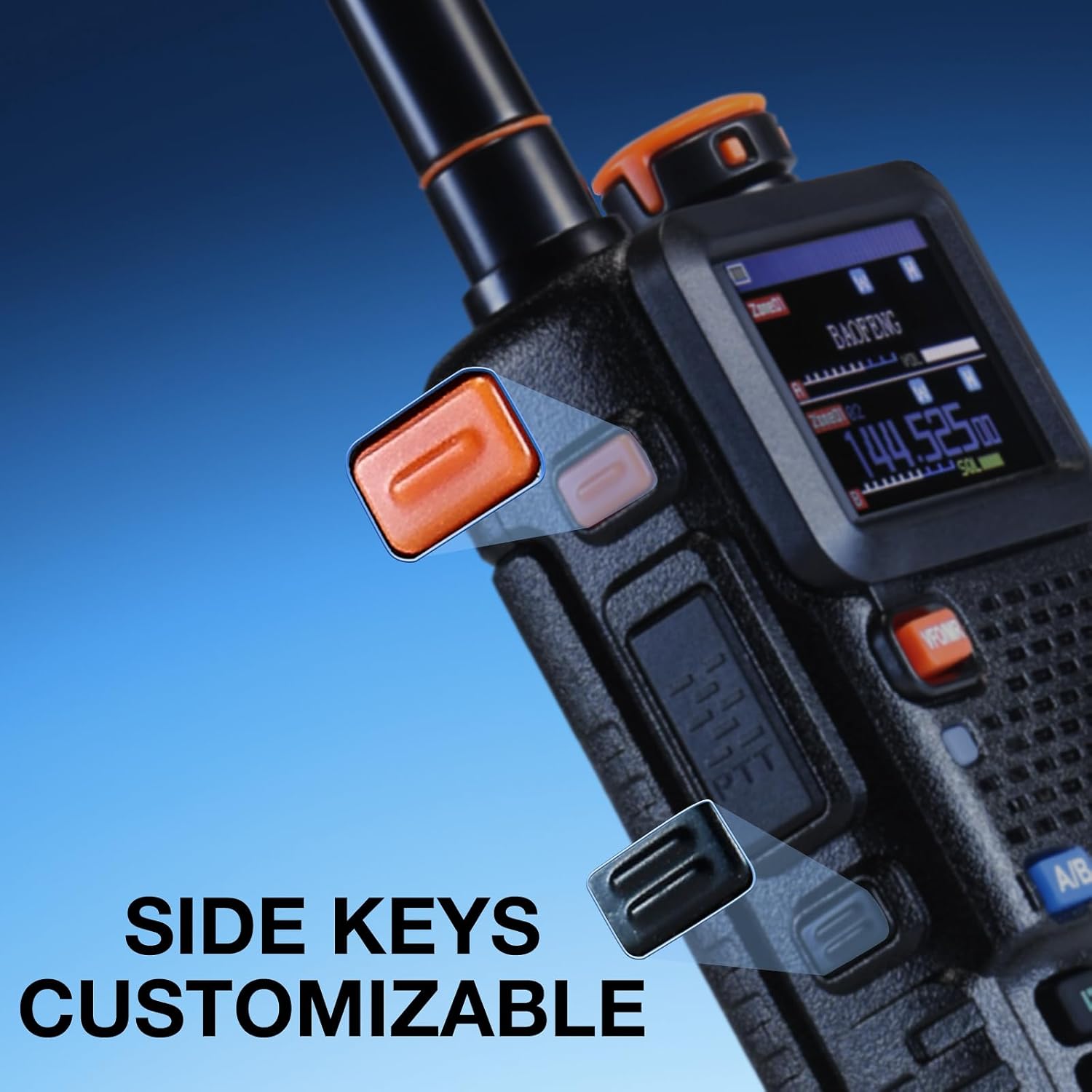
Image: Close-up view of the two customizable side keys on the radio, indicating their ergonomic placement for easy access.
Setup
1. Battery Installation & Charging
- Align the 2500mAh Li-ion battery with the battery compartment on the back of the radio.
- Slide the battery upwards until it clicks securely into place.
- To charge, connect the provided Type-C charging cable to the port on the battery and the other end to the adapter. Plug the adapter into a standard wall outlet. The charging indicator will show the charging status.
- The radio can also be charged via a power bank, car charger, or laptop using the Type-C cable.

Image: Illustration demonstrating the versatility of Type-C charging, allowing the radio to be charged via wall adapter, power bank, car, or laptop.
2. Antenna Attachment
- Screw the antenna clockwise onto the connector at the top of the radio until it is finger-tight. Do not overtighten.
3. Speaker Mic & Headset Connection
- Open the rubber cover on the side of the radio to reveal the accessory ports.
- Insert the plugs of the speaker mic or headset firmly into the corresponding ports.
4. Programming the Radio
The UV-5RM PLUS GPS can be programmed using the included programming cable and compatible software. Refer to the software's instructions for detailed programming steps. The official software can be downloaded from baofengradio.com under the Support section for UV-5RM PLUS GPS.
Operating Instructions
1. Power On/Off & Volume Control
- To power on, rotate the power/volume knob clockwise until you hear a click.
- Continue rotating the knob clockwise to increase volume, and counter-clockwise to decrease.
- To power off, rotate the knob counter-clockwise until it clicks.
2. Channel & Frequency Selection
The radio supports 640 channels across 10 customizable zones.

Image: The radio's display illustrating the organization of 640 channels within 10 zones, designed for efficient group communication.
- VFO Mode (Frequency Mode): Press the VFO/MR button to switch to VFO mode. Use the keypad to directly input frequencies or the UP/DOWN arrow keys to adjust.
- MR Mode (Memory/Channel Mode): Press the VFO/MR button to switch to MR mode. Use the UP/DOWN arrow keys or the keypad to select stored channels.
- A/B Switch: Use the A/B button to toggle between the upper (A) and lower (B) frequency displays.
3. Transmitting & Receiving
- To transmit, press and hold the Push-to-Talk (PTT) button on the side of the radio or speaker mic. Speak clearly into the microphone.
- Release the PTT button to receive.
- Ensure your TX/RX frequency and CTCSS/DCS settings are correct for successful communication.
4. GPS Functionality
The integrated GPS allows for location sharing and tracking, enhancing safety during outdoor activities.

Image: Two hikers in a mountainous setting, demonstrating the GPS navigation feature of the radio for checking, requesting, and sharing locations with team members.
- Accessing GPS: Go to Menu → GNSS.
- Turn on GNSS: Enable the GNSS function.
- Time Zone: Select the correct Time Zone.
- GPS Info: Navigate to GPS Info to view detailed data (longitude, latitude, altitude).
- Share/Request Position: Turn on "Share position" and "Request Position" to exchange location data with other compatible UV-5RM PLUS GPS radios. Ensure all radios are on the same frequency and CTCSS/DCS.
5. Airband, FM, and NOAA Reception
The radio supports reception on various bands beyond standard UHF/VHF.

Image: The radio displayed with a stylized airplane graphic, emphasizing its Airband receiver functionality for monitoring aviation communications.
- Airband (AM): Tune to frequencies in the 108-136MHz range for aviation communications.
- FM Radio: Tune to frequencies in the 76-108MHz range for FM broadcast radio.
- NOAA Weather: Access NOAA weather alerts for critical weather information.
6. One-Key Frequency Copy
This feature allows for quick copying of frequencies from another radio.
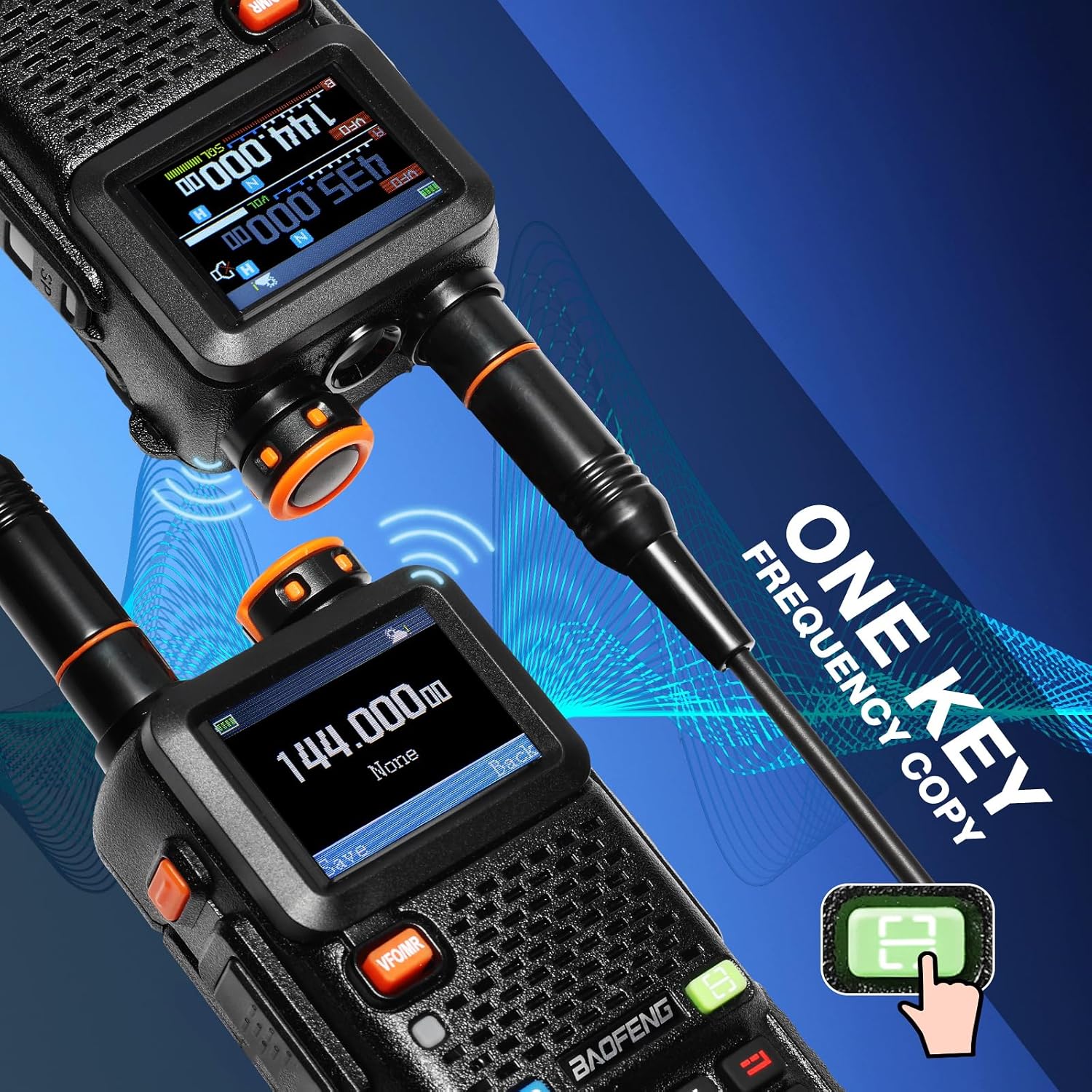
Image: Two radios shown side-by-side, illustrating the one-key frequency copy feature, where one radio's frequency can be quickly transferred to another.
- Refer to the radio's menu for the specific 'Frequency Copy' function. This feature simplifies setting up multiple radios to the same frequency.
7. Scanning Functions
- Zone Scanning: Scans through channels within a selected zone.
- Frequency Scanning: Scans through a range of frequencies.
- CTCSS/DCS Scanning: Scans for CTCSS/DCS tones/codes on a frequency.
Maintenance
- Cleaning: Use a soft, damp cloth to clean the radio's exterior. Do not use harsh chemicals or abrasive cleaners.
- Battery Care: To prolong battery life, avoid fully discharging the battery frequently. Store the radio and battery in a cool, dry place when not in use for extended periods.
- Antenna: Periodically check the antenna connection for tightness.
- Storage: Store the radio in a dry, dust-free environment away from direct sunlight and extreme temperatures.
Troubleshooting
| Problem | Possible Cause | Solution |
|---|---|---|
| Cannot transmit or receive | Incorrect TX/RX frequency or CTCSS/DCS settings; antenna issue; out of range. | Verify frequency and CTCSS/DCS. Check antenna connection. Move closer to the other radio or repeater. |
| Cannot program the radio / Radio does not respond to CPS | Programming cable not securely plugged in; incorrect COM port selected; driver issue; incompatible software. | Ensure cable is fully inserted. Select correct COM port in software. Install/update USB drivers. Use official BAOFENG programming software. |
| GPS not working | GNSS not enabled; incorrect time zone; no contacts programmed; not sharing position. | Ensure GNSS is ON in menu. Set correct Time Zone. Program contacts in CPS. Turn on Share position and Request Position in GNSS menu. Ensure other radios are compatible and on same frequency. |
| Poor audio quality | Weak signal; microphone too far; squelch level too high. | Adjust squelch level. Speak closer to the microphone. Improve signal strength. |
Specifications
| Feature | Detail |
|---|---|
| Model Number | UV-5RM Plus GPS |
| Item Weight | 1.5 pounds |
| Product Dimensions | 5.91 x 1.97 x 3.94 inches |
| Color | Black |
| Number of Channels | 640 |
| Frequency Range (RX) | UHF, VHF, 1.25M, FM, AM (Airband), NOAA |
| Frequency Range (TX) | UHF, VHF |
| Talking Range Maximum | 5 Mile |
| Voltage | 3.7 Volts (DC) |
| Water Resistance Level | Not Water Resistant |
| Special Features | Digital Display, Dual Band, Rechargeable, Side Keys Customizable, Voice Operated Transmission |
Warranty and Support
The BAOFENG UV-5RM PLUS GPS Ham Radio Handheld comes with an 18 Months Warranty and Lifetime Support.
For any issues, suggestions, or to access support, please visit the official BAOFENG website at baofengradio.com or contact their official support channels.
Documents and downloads
Ask a question about this manual
Ask about setup, troubleshooting, compatibility, parts, safety, or missing instructions. Manuals+ will review the question and use this page’s manual context to help answer it.