
Introduction
Welcome to your new Radiomaster Pocket Crush ExpressLRS Radio Controller. This manual provides essential information for setting up, operating, and maintaining your device. Please read this guide thoroughly before use to ensure optimal performance and safety.

Front view of the Radiomaster Pocket Crush ExpressLRS Radio Controller, showcasing its compact design and control layout.
Key Features
- Compact, affordable, and available in multiple colors.
- Ideal for beginners and seasoned pilots seeking a compact solution.
- Built-in LED lights to visualize switch inputs.
- Backlit LCD Screen offering a balance of size and functionality.
- External Module Bay compatible with RadioMaster Nano-size modules and TBS Nano Crossfire/Nano Tracer.
- Features X5 Hall effect gimbals as standard for smooth centering and precise response, upgradable to AG01 NANO CNC Hall effect gimbals.
- Portable and lightweight design with removable stick ends and foldable antenna.
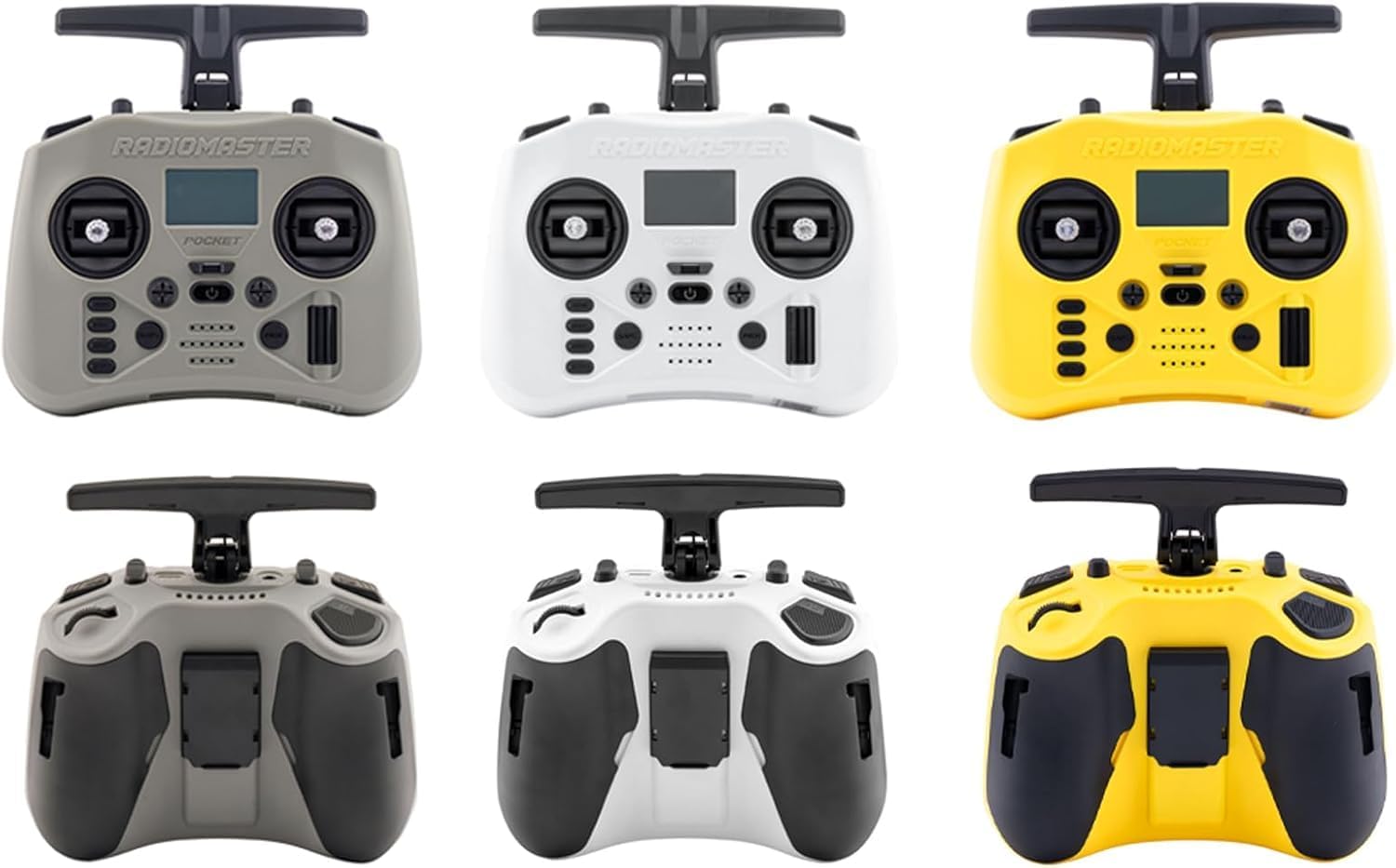
A display of Radiomaster Pocket Crush radio controllers in different color options, including grey, white, and yellow.

A collection of Radiomaster Pocket Crush radio controllers in hot pink, mint green, and cherry red, highlighting the color variety.
This video provides a visual overview of the Radiomaster Pocket Crush radio controller, demonstrating its compact size, Hall gimbals, removable stick ends, foldable antenna, backlit LCD screen, trim buttons, 18650 battery compatibility, built-in LED lights, and various color options.
Setup
1. Battery Installation
The Radiomaster Pocket Crush requires two 18650 batteries (not included). Follow these steps for proper installation:
- Open the battery compartment on the back of the controller.
- Insert the batteries according to the polarity indicators (+/-) inside the compartment.
- Close the battery compartment securely.

An internal view of the Radiomaster Pocket Crush, showing the compartments for two 18650 batteries.
2. Initial Power On
To power on your controller:
- Press and hold the power button (located centrally below the screen) until the LCD screen illuminates.
- The controller will boot up, displaying the main interface.

A detailed image of the controller's backlit LCD screen, displaying operational information.
3. Antenna and Stick Ends
Prepare your controller for use:
- Unfold the antenna to its upright position for optimal signal transmission.
- Attach the removable stick ends to the gimbals if they are not already installed.

An image illustrating key features such as removable stick ends, a foldable antenna, Hall-effect gimbals, and the physical dimensions of the controller.
Operating Instructions
Gimbal Control
The X5 Hall effect gimbals provide smooth and precise control for your RC model. Move the sticks to control pitch, roll, yaw, and throttle, depending on your model's configuration.
Trim Buttons
Use the trim buttons located around the power button to fine-tune your model's flight characteristics. These allow for minor adjustments to ensure stable flight.
Navigation and Menu
The backlit LCD screen and navigation buttons (RTN, PAGE<, PAGE>, SYS, MDL) allow you to access and configure various settings within the EdgeTX operating system. Refer to the EdgeTX documentation for detailed menu navigation and parameter adjustments.
External Module Bay
The external Nano module bay is compatible with RadioMaster Nano-size modules and TBS Nano Crossfire/Nano Tracer for expanded functionality and protocol support. Ensure any external modules are correctly installed and configured in the system settings.

The rear view of the Radiomaster Pocket Crush, showing an external Nano module connected to its dedicated bay.
Maintenance
Cleaning
To maintain the appearance and functionality of your controller:
- Wipe the controller with a soft, dry cloth.
- Avoid using harsh chemicals, abrasive cleaners, or solvents, as these can damage the plastic and electronic components.
Storage
Proper storage helps prolong the life of your device:
- Store the controller in a cool, dry place, away from direct sunlight and extreme temperatures.
- Remove batteries if storing for extended periods to prevent leakage and damage.
- The removable stick ends and foldable antenna facilitate compact storage, making it easy to transport.
Troubleshooting
Controller Not Powering On
- Ensure batteries are correctly installed and fully charged.
- Double-check battery polarity (+/-).
- If using rechargeable batteries, confirm they are properly charged using a compatible charger.
No Signal to Model
- Verify that the antenna is unfolded and properly positioned for optimal signal reception.
- Confirm that the controller and receiver are correctly bound. Refer to your model's receiver manual for binding procedures.
- Check the internal RF options and external module settings within the EdgeTX system to ensure the correct protocol is selected.
Inaccurate Control Response
- Calibrate the gimbals through the EdgeTX system settings. This ensures the controller accurately registers stick movements.
- Adjust trim settings as needed to correct any minor deviations in flight.
- Inspect gimbals for any physical obstructions or damage.
Specifications
| Feature | Detail |
|---|---|
| Product Dimensions | 5 x 4 x 3 inches |
| Weight | Approximately 288 grams (unfolded size) |
| Operating System | EdgeTX |
| Control Channels | Maximum 16 (receiver dependent) |
| Display | 128*64 Monochrome LCD |
| Battery | 2pcs 18650 batteries (not included) |
| Charging | Built-in USB-C QC3 Charging |
| Upgradable Firmware | Via USB or the included SD card |
| Gimbal Type | Hall-effect |
| Module Bay | Nano Size (Compatible with RadioMaster Nano-size modules, TBS Nano Crossfire / Nano Tracer) |
| Internal RF Options | ELRS 2.4GHz |
| RF Power | ELRS: 250mW Max (24dBm) |
| Operating Voltage | 6.6-8.4V DC |
| Connectivity Technology | USB |
| Manufacturer Recommended Age | 15 years and up |
Package Contents
The Radiomaster Pocket Crush ExpressLRS Radio Controller package includes the following items:
- 1 x Pocket Crush Radio Controller
- 1 x Custom Carry Pouch
- 1 x Screen Protector
- 4 x Low Tension Springs
- 1 x USB-C Cable
- 1 x Sticker Sheet
- 1 x Quick Start Guide (Manual)

An image displaying all items included in the product package: the controller, custom carry pouch, screen protector, low tension springs, USB-C cable, sticker sheet, and manual.
Warranty and Support
For detailed warranty information, technical support, and further assistance, please refer to the official Radiomaster website or contact your authorized retailer. Keep your purchase receipt as proof of purchase for warranty claims.
Manufacturer: Xiangtat


