
1. Introduction
Thank you for choosing the CalExotics Optimum Series Ultimate Waterproof Smart Pump. This device is designed to provide a customizable experience with advanced features for user convenience. This manual provides essential information for the safe and effective use, maintenance, and care of your product. Please read these instructions thoroughly before first use and retain for future reference.
2. Important Safety Information
WARNING: This product is intended for adult use as a non-medical pleasure device only. It is not for medical use. Discontinue use in the event of any medical condition or pain. Consult a healthcare professional if you have any concerns or pre-existing medical conditions. Do not use if the device appears damaged. Keep out of reach of children.
- Always inspect the device for any damage before each use.
- Ensure the charging port is completely dry before connecting the magnetic charging cord.
- Do not attempt to disassemble or modify the device, as this will void the warranty and may cause malfunction or injury.
- Clean the device thoroughly before and after each use as instructed in the maintenance section.
3. Package Contents
Your CalExotics Optimum Series Ultimate Waterproof Smart Pump package should include:
- 1 x Optimum Series Ultimate Waterproof Smart Pump
- 1 x Removable Silicone Donut
- 1 x USB Magnetic Charging Cord
- 1 x User Manual (this document)
4. Product Overview
The CalExotics Optimum Series Ultimate Waterproof Smart Pump features a sleek design with a clear cylinder and an intuitive digital display. It is equipped with 10 modes of programmable smart technology, allowing for customizable exercise modes. The device is fully waterproof (IPX7 submersible) for versatile use.

Figure 1: Front view of the CalExotics Optimum Series Ultimate Waterproof Smart Pump, showing the clear cylinder and blue control head.

Figure 2: The Smart Pump partially submerged in water, illustrating its waterproof design and suitability for use in wet environments.

Figure 3: Packaging of the Smart Pump, highlighting key features such as the digital indicator, battery life, manual mode, smart mode, incremental measurements, and waterproof rating.
Control Panel Features:
- Digital Pressure Indicator: Displays current pressure in KPA.
- Battery Life Indicator: Shows remaining battery charge.
- Manual Mode Indicator: Illuminates when in manual operation.
- Smart Mode Indicator: Illuminates when in smart mode.
- Smart Mode Setting Indicator: Shows current smart mode settings.
- Power Button: Turns the device ON/OFF.
- Smart Mode Button (AI): Activates and adjusts smart modes.
- Programmable Memory Button: Saves and recalls preferred settings.
- Air Release Button: Releases pressure from the cylinder.
5. Charging the Device
The CalExotics Smart Pump is USB rechargeable. Before first use, fully charge the device.
- Ensure the device is completely dry before charging.
- Connect the magnetic charging cord to the charging port on the device.
- Plug the USB end of the cord into a compatible USB power source (e.g., computer, USB wall adapter).
- The LED light on the device will flash while charging.
- The LED light will glow solid when fully charged.
- A complete charge takes approximately 2.5 hours.
- Fully charged, the device provides approximately 160 minutes of use on high speed and 180 minutes on low speed.
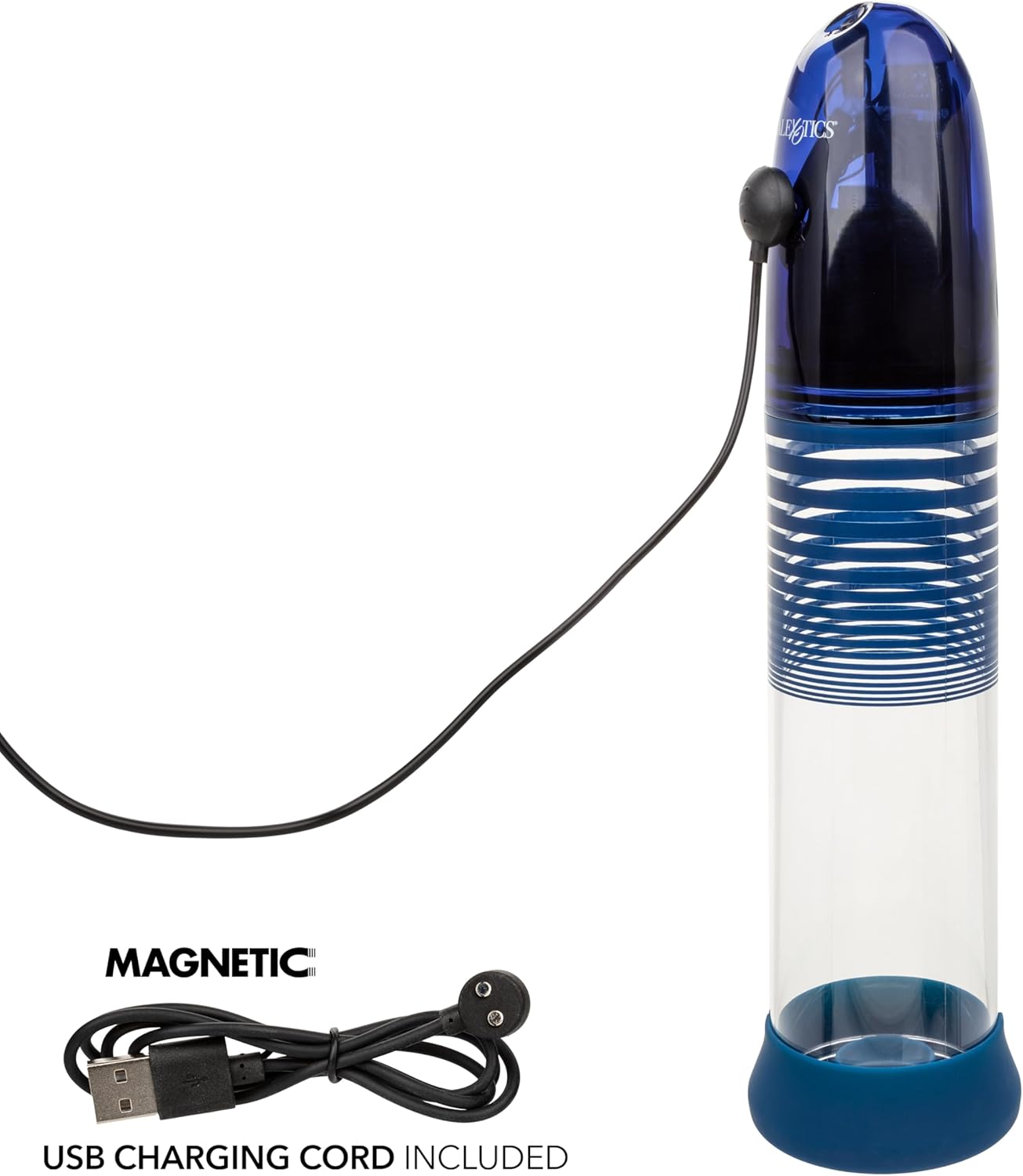
Figure 4: The Smart Pump connected to a laptop via its magnetic USB charging cable, illustrating the charging process.
6. Operating Instructions
The Smart Pump can be used in or out of water. It features both Manual and Smart Modes.
6.1. Powering On/Off and Travel Lock
- To turn the device ON/OFF, press and hold the top Power button for 3 seconds.
- The device features a security travel lock. To activate or deactivate, press and hold the Power button for 3 seconds.
6.2. Manual Mode Operation
In Manual Mode, you have full control over the suction and release.
- Ensure the device is powered on.
- Press the top Power button once to START/STOP suction.
- To incrementally release pressure, tap the bottom Air Release button.
- To release all pressure, press and hold the bottom Air Release button.
- When using underwater, expose the top outlet to the water surface to speed up air release.
Video 1: Demonstrates the operation of the CalExotics Optimum Series Ultimate Waterproof Smart Pump, including manual and smart modes, and button functions. This video is provided by the seller, CalExotics.
6.3. Smart Mode Operation
Smart Mode offers automated suction and release cycles for a consistent experience.
- Ensure the device is powered on.
- Press the top Power button once to START/STOP suction.
- Once the desired pressure is reached, press the left Smart Mode (AI) button to enter Smart Mode.
- In Smart Mode, the device will automatically suction to the set maximum level, then immediately release. This cycle repeats for 20 minutes.
- To set your desired hold time (0 to 9 minutes) within Smart Mode, press the left Smart Mode (AI) button.
- To save your settings, press and hold the right Programmable Memory button until the "OK" icon illuminates.
- To return to your stored Smart Mode, press the left Smart Mode (AI) button once.
- To clear saved settings, press and hold the right Programmable Memory button until the "OK" icon disappears.
- To release air and exit Smart Mode, tap or hold the bottom Air Release button.
7. Cleaning and Maintenance
Proper cleaning and maintenance are crucial for hygiene and extending the product's lifespan.
- The device disassembles for easy cleaning. Carefully separate the components.
- Wash all parts with warm water and a mild, toy-safe soap.
- Rinse thoroughly to remove all soap residue.
- Allow all components to air dry completely before reassembling or storing.
- Do not use harsh chemicals, alcohol-based cleaners, or abrasive materials, as these may damage the product.
8. Storage
Store the device in a clean, dry place away from direct sunlight and extreme temperatures. Keep it away from other materials that might cause damage or discoloration.
9. Troubleshooting
If you encounter issues with your Smart Pump, please refer to the following common solutions:
- Device not turning on: Ensure the device is fully charged. Press and hold the Power button for 3 seconds to turn on.
- No suction or weak suction: Check that all components are correctly assembled and the silicone donut forms a tight seal. Ensure the battery is charged.
- Difficulty releasing pressure: Tap the Air Release button for incremental release, or press and hold for full release. If underwater, ensure the top outlet is exposed to the water surface.
- Display not working: Ensure the device is charged and powered on. If the issue persists, contact customer support.
For further assistance, please contact CalExotics customer support.
10. Specifications
| Product Dimensions | 13 x 3.5 x 3.5 inches |
| Weight | 1.34 Pounds |
| Model Number | SE-1035-65-3 |
| Material | Acrylonitrile Butadiene Styrene (ABS), PS, Silicone |
| Color | Blue |
| Waterproof Rating | IPX7 Submersible |
| Charging Time | Approx. 2.5 hours |
| Operating Time | 160 minutes (high speed), 180 minutes (low speed) |
11. Warranty and Support
The CalExotics Optimum Series Ultimate Waterproof Smart Pump is backed by a one-year limited manufacturer warranty. This warranty covers defects in materials and workmanship under normal use. For warranty claims, technical support, or any questions regarding your product, please contact CalExotics customer service directly. Please retain your proof of purchase.
Contact information for CalExotics can typically be found on their official website or product packaging.


