
1. Product Overview
The Otamatone Melody Cinnamoroll is a special edition electronic musical toy, part of the Hello Kitty and Friends collection. It features a unique eighth note-shaped body with an adorable Cinnamoroll design. This miniature synthesizer is designed for ease of use, allowing users to play pre-programmed songs or create their own melodies. It is a portable and collectible item, suitable for various age groups.
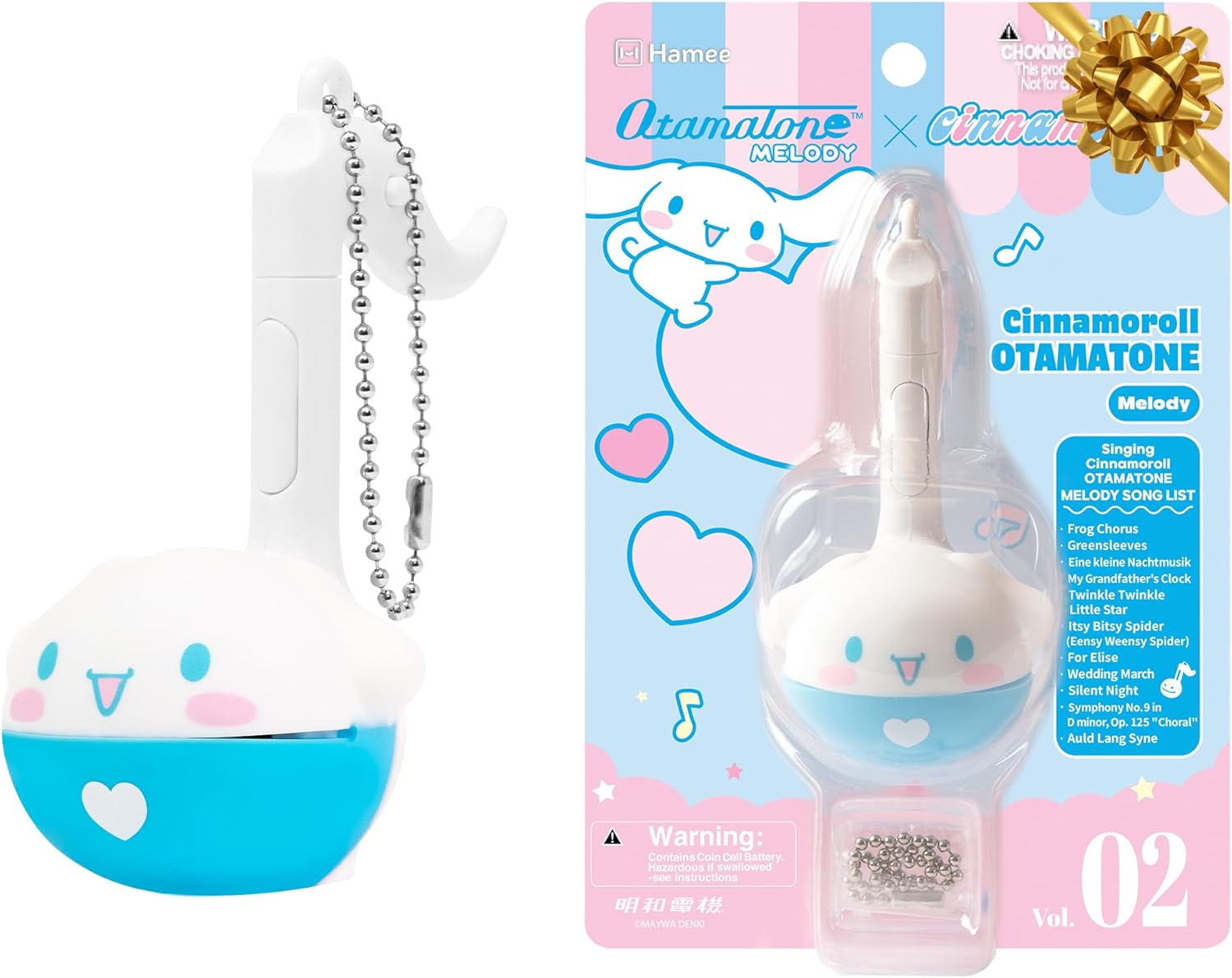
Image 1.1: The Otamatone Melody Cinnamoroll electronic musical toy.

Image 1.2: General description of the Otamatone musical toy concept.
2. What's in the Box
- 1 x Otamatone Melody Cinnamoroll Unit
- 1 x English Instruction Manual (this document)
- 1 x CR2032 Button Battery (pre-installed or included)
- 1 x Keychain Attachment

Image 2.1: Packaging of the Otamatone Melody Cinnamoroll, detailing included components.
3. Setup
3.1 Battery Installation
The Otamatone Melody Cinnamoroll requires 1 Nonstandard Battery (CR2032 button battery). The battery may be pre-installed. If not, or if replacement is needed:
- Locate the battery compartment on the back of the Otamatone.
- Use a small screwdriver (not included) to open the battery cover.
- Insert the CR2032 button battery, ensuring correct polarity (+/-).
- Replace the battery cover and secure it with the screw.
Safety Information: For external use only. Keep batteries out of reach of small children. If swallowed, seek immediate medical attention.

Image 3.1: Rear view of the Otamatone Melody, showing the battery compartment location.
4. Operating Instructions
4.1 Controls
The Otamatone Melody Cinnamoroll features three main control buttons:
- Song Demo/Octave Change Button (1): Press to hear a demonstration of the currently selected song. Long press for two seconds to switch between low, medium, and high octaves.
- Song Selection Button (2): Press to advance to the next pre-programmed song.
- Play Button (3): Press this button to play notes in time with the selected song. Squeeze the "cheeks" of the Otamatone's head to open its mouth and produce a "wah" sound, adding expression to your music.

Image 4.1: Diagram illustrating the control buttons and their functions.
4.2 How to Play
There are two primary ways to play your Otamatone Melody:
- Demo Play Mode: Press the Song Demo button (1) to hear a preview of the selected song.
- Free Play Mode: Select a song using the Song Selection Button (2). Then, press the Play Button (3) to play along with the rhythm of the song. Squeeze the Otamatone's cheeks to open its mouth and add a "wah" effect to the notes.
Experiment with different octave settings by long-pressing the Song Demo button (1) to find your preferred pitch.
4.3 Pre-programmed Songs
The Otamatone Melody Cinnamoroll comes with the following pre-programmed songs:
- Frog Chorus
- Greensleeves
- Eine Kleine Nachtmusik
- My Grandfather's Clock
- Twinkle, Twinkle Little Star
- Itsy Bitsy Spider
- Für Elise
- Wedding March
- Silent Night
- Symphony #9 in D minor, Op. 125, "Choral"
- Auld Lang Syne
Video 4.2: An overview demonstrating the Otamatone Melody musical toy's features and sound. This video illustrates basic operation and sound production.
Video 4.3: A detailed overview of the Otamatone Hello Kitty and Friends Melody series, showcasing its design and functionality. This video highlights the various character designs and how to interact with the toy.
5. Maintenance
5.1 Cleaning
To clean your Otamatone Melody Cinnamoroll, gently wipe the surface with a soft, dry cloth. Avoid using abrasive cleaners, solvents, or excessive moisture, as these can damage the electronic components and finish.
5.2 Storage
Store the Otamatone in a cool, dry place away from direct sunlight and extreme temperatures. If storing for an extended period, it is recommended to remove the battery to prevent leakage.
6. Troubleshooting
- No Sound:
- Ensure the battery is correctly installed and not depleted. Replace if necessary.
- Check if the power switch (if present, usually integrated with the stem) is in the "ON" position.
- Distorted Sound:
- The battery may be low. Replace the battery.
- Ensure the mouth is being squeezed properly for the desired effect.
- Buttons Unresponsive:
- Check battery level.
- Ensure no debris is obstructing the buttons.
If issues persist, refer to the manufacturer's website or contact customer support for further assistance.
7. Specifications
| Product Dimensions | 7 x 5 x 3 inches |
| Item Weight | 2.39 ounces |
| Manufacturer Recommended Age | 6 years and up |
| Batteries | 1 Nonstandard Battery (CR2032) required |
| Model | Melody Cinnamoroll |
| Brand | Otamatone |
8. Warranty and Support
Specific warranty details are not provided in the product information. For warranty claims, technical support, or further inquiries, please contact the manufacturer, Otamatone, or the seller, Hamee, directly through their official channels. Keep your proof of purchase for any warranty-related requests.
You can visit the Otamatone Store on Amazon for more information and contact options.