1. Introduction
Thank you for choosing the PEJE 1.39” Smart Watch. This device is designed to enhance your daily life with advanced features such as GPS tracking, Bluetooth calling, comprehensive health monitoring (SpO2, Heart Rate, Sleep), and a wide array of sport modes. This manual provides detailed instructions to help you set up, operate, and maintain your smartwatch, ensuring optimal performance and longevity.

Figure 1: Overview of the PEJE Smart Watch.
2. Setup Guide
2.1 Initial Charging
Before first use, fully charge your PEJE Smart Watch. The built-in 300mAh battery can be fully charged in approximately 2 hours.
2.2 App Installation and Pairing
To unlock the full potential of your smartwatch, download and install the companion "JEPE" app on your smartphone. The app is compatible with both iOS and Android devices.
- Activate Bluetooth: Ensure Bluetooth is enabled on both your mobile phone and the smartwatch.
- Download App: Open Google Play Store (for Android) or App Store (for iOS), search for "PEJE" application, and download it.
- Connect Device: Open the PEJE application, tap on "Add device", then "Select Device", locate "G01C" in the list, and connect.
- Set Language: Once connected, navigate to "Others" in the app settings and select "Language" to set your preferred language.

Figure 2: Step-by-step guide for app installation and device pairing.
3. Operating Your Smart Watch
3.1 Basic Navigation
The PEJE Smart Watch features a 1.39" HD full touch color screen for intuitive navigation. Swipe left, right, up, or down to access different functions and menus. Use the physical buttons on the side for quick access to specific features like power on/off, back, or sport modes.
3.2 Bluetooth Calling and Notifications
With its built-in microphone and speaker, the smartwatch allows you to make and answer calls directly from your wrist when connected to your phone via Bluetooth. It also supports notifications from various social media applications such as Facebook, WhatsApp, Instagram, and Twitter, ensuring you stay connected.

Figure 3: Bluetooth calling feature in action.
3.3 Intelligent Assistant Features
The smartwatch integrates several intelligent assistant functions for convenience:
- Voice Assistant: Interact with your device using voice commands.
- Music Control: Manage music playback on your smartphone directly from the watch.
- Camera Shutter: Use your watch as a remote control for your phone's camera.
- Weather Condition: Get real-time weather updates.
- Find Phone: Locate your misplaced smartphone by triggering an alarm from your watch.
- Water Clock: Receive reminders to drink water throughout the day.
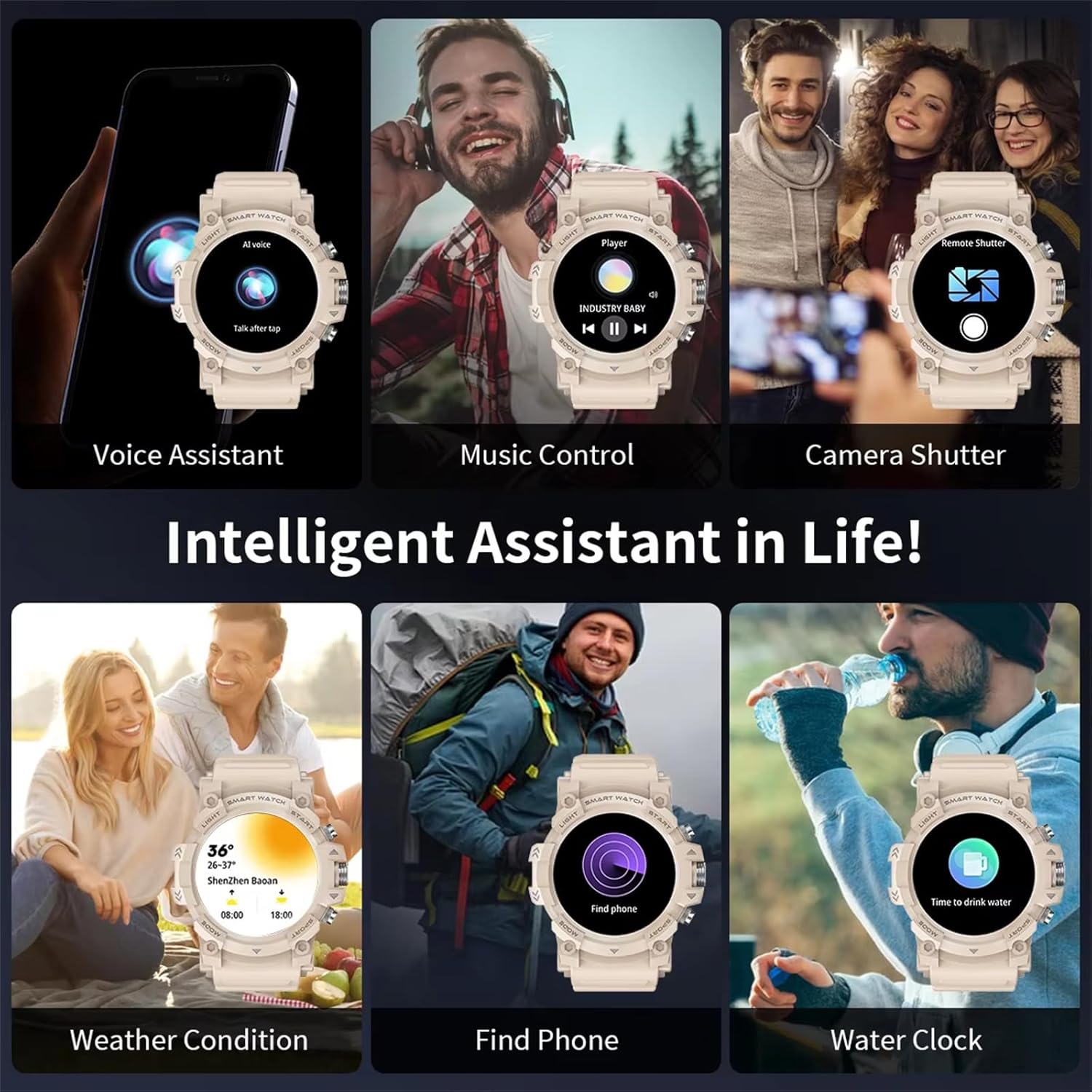
Figure 4: Overview of intelligent assistant functions.
3.4 Muslim and Arabic Features
The PEJE Smart Watch includes specialized features for Muslim users, such as prayer time alarms, automatic notifications for Fajr, Sunrise, Zuhr, Asr, Maghreb, and Isha, Adhan reminders, and a display of the 99 names of Allah. It also supports the Arabic language.

Figure 5: Muslim features interface within the app.
4. Key Features
4.1 Advanced GPS and Satellite Positioning
Equipped with a built-in GPS and a 4-satellite positioning system (BDS, GPS, GLONASS, GALILEO), the PEJE Smart Watch ensures fast and accurate location tracking within 8-45 seconds. It precisely tracks your distance, speed, and route during outdoor activities, providing detailed sports trajectories.

Figure 6: GPS sports trajectory tracking.

Figure 7: Four Satellite Positioning Systems for enhanced accuracy.
4.2 Extensive Sport Modes
With over 123 sport modes, this smartwatch is your ideal fitness companion. It monitors critical data such as workout heart rate, distance traveled, and movement speed, helping you track and improve your athletic performance across various activities.

Figure 8: Multiple sports modes available on the watch.
4.3 Health Monitoring
The PEJE Smart Watch provides comprehensive health monitoring, including SpO2 (blood oxygen), heart rate, and sleep tracking. It helps you stay informed about your well-being with continuous data collection.
- 24-hour Heart Rate Monitoring: Continuously tracks your heart rate throughout the day.
- 24-hour Blood Pressure Monitoring: Provides continuous blood pressure readings.

Figure 9: Heart Rate and Blood Pressure Monitoring.
4.4 IP67 Waterproof Rating
The fitness tracker is IP67 waterproof and sweat-resistant, allowing you to wear it on rainy days or when washing hands without concern. However, it is not recommended for use in hot water or seawater.

Figure 10: IP67 Waterproof and Sweat Resistant design.
5. Maintenance
5.1 Cleaning Your Smart Watch
Regularly clean your smartwatch to ensure hygiene and proper function. Use a soft, lint-free cloth to wipe the screen and strap. For stubborn dirt, slightly dampen the cloth with water. Avoid using harsh chemicals or abrasive materials.
5.2 Battery Care
To maximize battery life, avoid extreme temperatures. Charge the watch using the provided charging cable. The watch can last up to 3-5 days with typical use and approximately 30 days on standby after a full charge.
6. Troubleshooting
6.1 Connection Issues
- Watch not connecting to phone: Ensure Bluetooth is enabled on both devices. Restart both the watch and your phone. Re-pair the device through the PEJE app.
- Notifications not appearing: Check app permissions on your phone to ensure the PEJE app has access to notifications. Verify notification settings within the PEJE app.
6.2 Display and Performance
- Screen unresponsive: Try restarting the watch. Ensure the screen is clean and dry.
- Inaccurate health data: Ensure the watch is worn snugly on your wrist, not too tight or too loose. Clean the sensors on the back of the watch.
6.3 Battery Drain
- Battery draining quickly: Reduce screen brightness. Limit continuous heart rate monitoring or GPS usage if not needed. Ensure background app refresh is managed.
7. Specifications
| Feature | Detail |
|---|---|
| Model | G01C |
| Display | 1.39" HD Color Screen (466*466 resolution) |
| Battery Capacity | 300mAh |
| Battery Life | 3-5 days (typical use), 30 days (standby) |
| Charging Time | Approx. 2 hours |
| Waterproof Rating | IP67 |
| Connectivity | Bluetooth |
| Positioning System | Built-in GPS, BDS, GLONASS, GALILEO |
| Operating System | AsteroidOS |
| Memory Storage | 128 MB |
| Package Dimensions | 10.8 x 9.1 x 6.9 cm |
| Weight | 140 g |
8. Warranty and Support
8.1 Warranty Information
Your PEJE Smart Watch may be eligible for extended warranty options. For example, a 2-Year Extended Warranty by Salama Care is available. Please refer to your purchase documentation or contact your retailer for specific warranty terms and conditions.
8.2 Customer Support
For technical assistance, troubleshooting, or any inquiries regarding your PEJE Smart Watch, please contact the seller, PEJE-Store, through the Amazon platform or refer to their official support channels.
Seller: PEJE-Store

