Introduction
This manual provides comprehensive instructions for the AULCMEET CRMC-A920JBEZ replacement AC remote control. This remote is designed to be compatible with various Sharp Split Type Room AC Air Conditioners, offering a direct replacement without complex setup procedures. Please read this manual carefully to ensure proper use and maintenance of your remote control.
Setup
Battery Installation
The remote control requires two (2) AAA batteries for operation. Follow these steps to install the batteries:
- Locate the battery compartment cover on the back of the remote control.
- Slide the cover downwards or press the latch (if present) to open the compartment.
- Insert two AAA batteries, ensuring the positive (+) and negative (-) terminals align correctly with the markings inside the compartment.
- Slide the battery compartment cover back into place until it clicks securely.
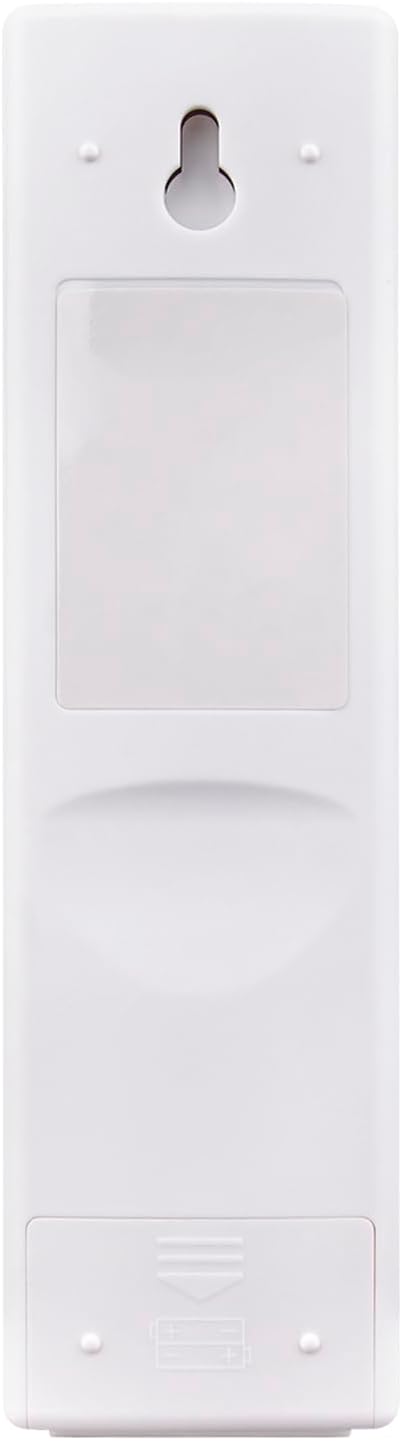
Image: Back of the remote control with the battery compartment open for battery insertion.
Initial Use
This remote control is designed to work immediately out of the package with compatible Sharp AC units. No programming or setup is required. Simply install the batteries, point the remote towards your air conditioner, and begin operation.
Operating Instructions
The AULCMEET CRMC-A920JBEZ remote control features various buttons for controlling your Sharp AC unit. Refer to the image below for button layout and descriptions.

Image: Front view of the remote control displaying all operational buttons and the LCD screen.
Basic Functions
- COOL: Activates cooling mode.
- DRY: Activates dehumidification mode.
- HEAT: Activates heating mode.
- STOP: Turns the air conditioner unit off.
- TEMP. (Up/Down Arrows): Adjusts the desired temperature setting.
- FAN: Cycles through fan speed settings (e.g., Auto, Low, Medium, High).
- TIMER: Sets or cancels the on/off timer for the unit.
- SET/C: Used for confirming settings or changing between Celsius/Fahrenheit (if applicable).
- CLEAN: Activates the self-cleaning function (if supported by the AC unit).
- MY AREA: Directs airflow to a specific area (if supported by the AC unit).
- Ion: Activates the ionizer function (if supported by the AC unit).
- RESET: Resets the remote control settings.
- DISPLAY: Toggles the display information on the remote or AC unit.
Operating Range
The remote control operates effectively within a maximum range of 33 feet (approximately 10 meters) from the air conditioner unit. Ensure there are no obstructions between the remote and the AC unit's infrared receiver for optimal performance.
Maintenance
Battery Replacement
Replace batteries when the remote control's display becomes dim or when the remote no longer responds to button presses. Always replace both batteries simultaneously with new AAA batteries. Do not mix old and new batteries, or different types of batteries.
Cleaning
To clean the remote control, wipe it gently with a soft, dry cloth. Do not use liquid cleaners, abrasive cleaners, or chemical solvents, as these can damage the remote's surface or internal components.
Storage
If the remote control will not be used for an extended period, remove the batteries to prevent leakage and potential damage to the device.
Troubleshooting
- Remote not responding:
- Check if the batteries are inserted correctly with the correct polarity.
- Replace old batteries with new AAA batteries.
- Ensure there are no obstructions between the remote and the AC unit.
- Verify that the remote is within the operating range (up to 33 feet).
- Incorrect functions:
- Ensure the remote control model CRMC-A920JBEZ is compatible with your specific Sharp AC unit model.
- Try resetting the remote by removing and reinserting the batteries.
- Display issues:
- If the display is dim or blank, replace the batteries.
Specifications
| Feature | Detail |
|---|---|
| Brand | AULCMEET |
| Model Number | CRMC-A920JBEZ |
| Compatible Devices | Air Conditioner (Sharp Split Type Room AC) |
| Connectivity Technology | Infrared |
| Controller Type | Button Control |
| Button Quantity | 30 |
| Maximum Range | 33 Feet (10 meters) |
| Power Source | 2 x AAA Batteries (not included) |
| Item Weight | 1.9 Ounces |
| Item Dimensions (L x W x H) | 5"L x 1"W x 0.5"H (12.7 cm x 2.54 cm x 1.27 cm) |
| Color | White |
| Special Feature | Ergonomic |
Warranty Information
This AULCMEET remote control comes with a 1-year warranty from the date of purchase. This warranty covers manufacturing defects under normal use. Please retain your proof of purchase for warranty claims. The warranty does not cover damage caused by misuse, accidents, unauthorized repairs, or battery leakage.
Support
If you encounter any issues that cannot be resolved using the troubleshooting guide, or if you have further questions regarding your AULCMEET CRMC-A920JBEZ remote control, please contact the manufacturer or your retailer for assistance. Provide your model number (CRMC-A920JBEZ) and a detailed description of the problem when seeking support.


