
1. Introduction
This manual provides detailed instructions for the setup, operation, and maintenance of your VOCA CP130 Amplified Big Button Phone. Designed with senior users in mind, this telephone offers enhanced features for individuals with hearing and visual impairments, ensuring clear communication and ease of use.

Figure 1.1: Main view of the VOCA CP130 Amplified Big Button Phone.
2. Product Features
- Senior Friendly Design: Hearing aid compatible with 3 large photo buttons and Caller ID Display.
- Photo Dial Buttons & Caller Display: Three programmable photo keys for one-touch dialing to important contacts. Large display shows Phonebook, Caller ID, and other settings.
- LED Light Bar Notification: Visual alerts for incoming and missed calls via an LED light bar.
- Big Buttons: Large, easy-to-read buttons simplify number recognition and dialing.
- Loud Ringer & Adjustable Speaker Volume: Extra loud ringer up to 90 dB and adjustable call volume with a boost function up to 40 dB.
- Multi-language Support: User-friendly settings allow easy language switching.

Figure 2.1: Key features of the VOCA CP130 phone, including photo speed dial, caller ID, and the incoming call LED flashing light bar.
3. Package Contents
Verify that all items are present in the package:
- 1 x Telephone Base
- 1 x Handset
- 1 x Handset Cord
- 1 x Telephone Line Cord
- 1 x User Manual (printed)
Video 3.1: Unboxing and overview of the VOCA Big Button Phone for Seniors, showing all included components and initial setup steps.
4. Setup and Installation
Follow these steps to set up your VOCA CP130 phone:
- Connect Handset: Plug one end of the coiled handset cord into the handset and the other end into the handset jack on the left side of the telephone base.
- Connect Telephone Line: Plug one end of the telephone line cord into the TEL.LINE jack on the back of the telephone base. Plug the other end into your wall telephone jack.
- Power Source: The phone is powered by the telephone line; no external batteries or AC adapter are required for basic operation.
- Placement: The phone can be placed on a desk or mounted on a wall. For wall mounting, adjust the handset hook tab on the base to secure the handset when hung vertically.
Video 4.1: Visual guide for connecting the handset and telephone line cords to the VOCA Big Button Phone base.
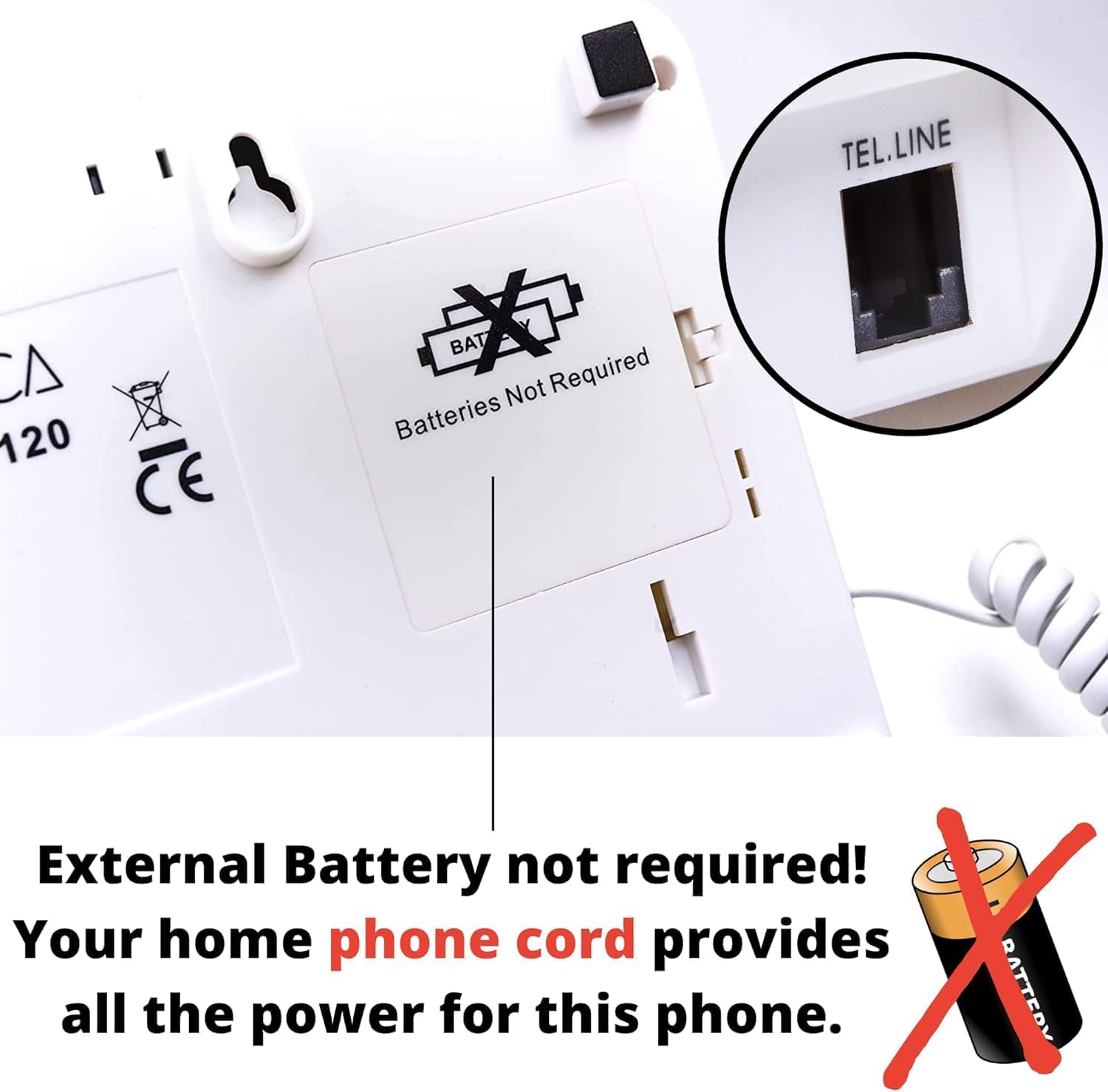
Figure 4.1: Rear view of the phone, indicating the TEL.LINE port and confirming that no external batteries are required.
For a more detailed setup guide, please refer to the comprehensive user manual available online: VOCA CP130 User Manual
5. Operating Instructions
5.1 Making a Call
- Standard Dialing: Lift the handset or press the SPEAKER button. Dial the desired number using the large numeric keypad.
- Photo Speed Dial: Lift the handset or press SPEAKER. Press the desired photo button (M1-M9) to automatically dial the pre-programmed number.
- Redial: Press the REDIAL button to redial the last number called.
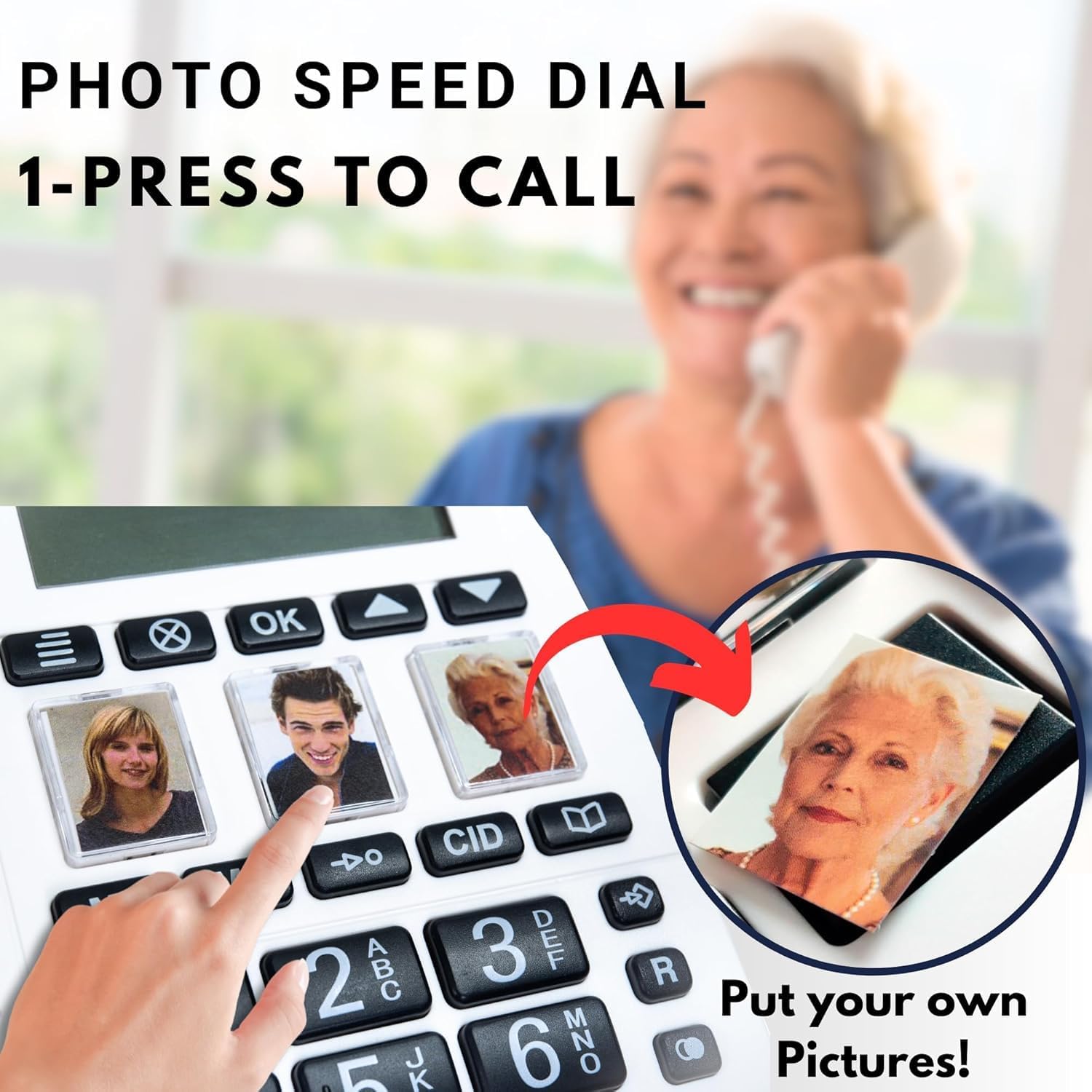
Figure 5.1: Demonstrating the use of photo speed dial buttons for quick and easy calling.
5.2 Receiving a Call
- When the phone rings, lift the handset or press the SPEAKER button to answer.
- The LED light bar will flash during an incoming call, providing a visual alert.
5.3 Volume Control
- Handset Volume: Adjust the slider on the side of the handset for desired listening volume.
- Speaker Volume: Use the slider on the side of the phone base labeled "SPEAKER VOLUME" to adjust the speakerphone volume.
- Ringer Volume: Use the slider on the side of the phone base labeled "RINGER" to adjust the ringer volume (Off/Low/High).
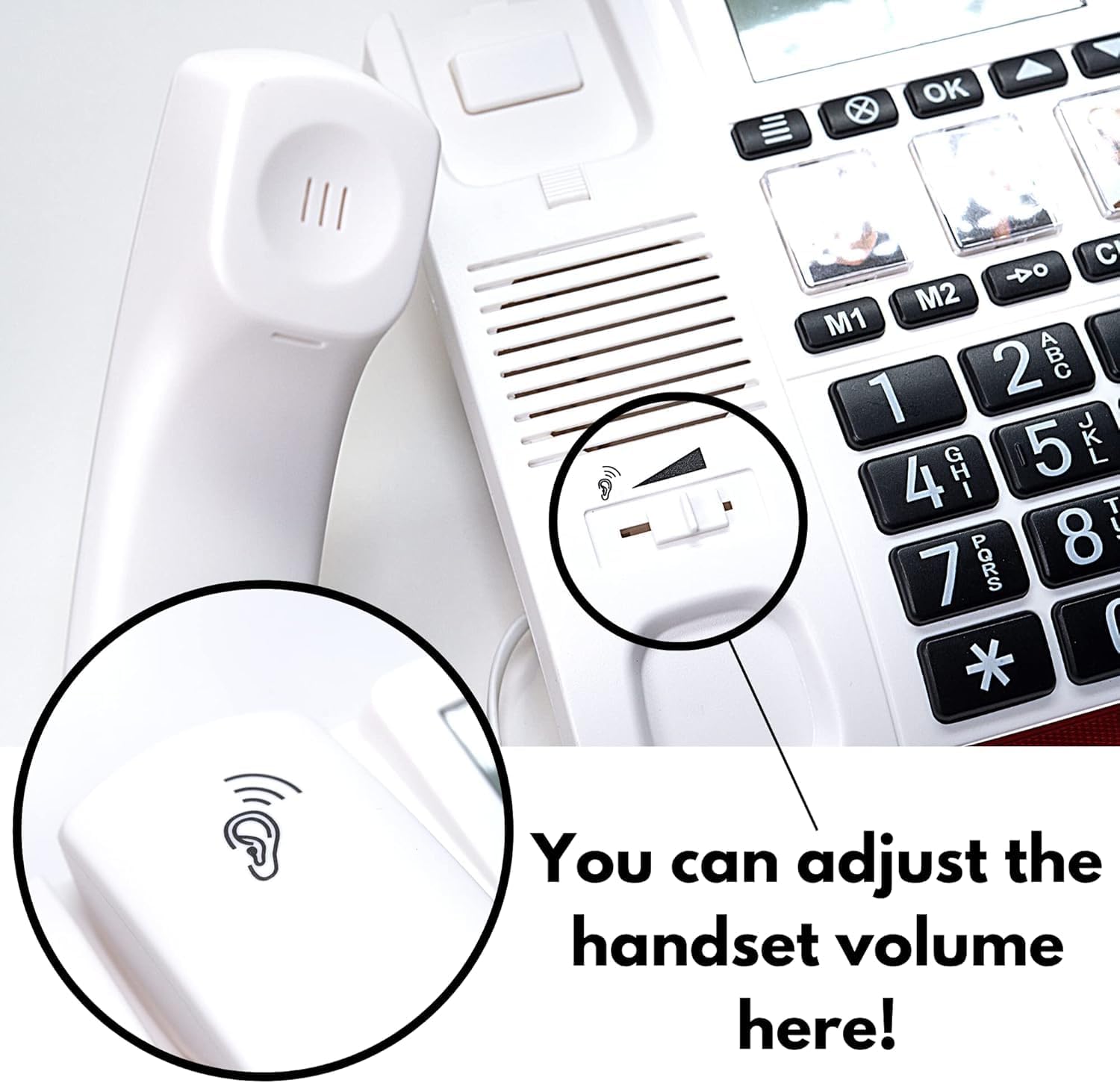
Figure 5.2: Handset volume control for personalized listening comfort.

Figure 5.3: Side controls for Hand-Free Mode Volume, Pitch/Frequency Adjustment, and Ringtone Volume.
5.4 Missed Call Notification
To clear the Missed Call LED Light Notification, press the CID button to review previous caller numbers. Use the Up & Down buttons to scroll through missed calls.
6. Maintenance
- Clean the phone's surface with a soft, damp cloth. Avoid abrasive cleaners or solvents.
- Keep the phone away from excessive heat, direct sunlight, and moisture.
- Ensure cords are not tangled or pinched to prevent damage.
7. Troubleshooting
- No Dial Tone:
- Check that the telephone line cord is securely plugged into both the phone base and the wall jack.
- Ensure the handset cord is properly connected.
- Test with another phone or line to confirm the issue is with the phone or the telephone line.
- Poor Sound Quality:
- Adjust the handset and speaker volumes using the respective controls.
- Ensure the handset is held correctly to your ear.
- Check for any interference from other electronic devices.
- Photo Buttons Not Working:
- Ensure numbers are correctly programmed into the photo memory slots. Refer to the full user manual for programming instructions.
8. Specifications
| Brand | VOCA |
| Model Number | CP130 |
| Telephone Type | Corded |
| Material | Plastic |
| Power Source | AC adapter (line powered) |
| Batteries Required | No |
| Item Dimensions (L x W x H) | 22 x 19 x 10 cm |
| Item Weight | 1.01 kg |
| Compatible Devices | PSTN, VoIP |
| Caller Identification | Yes |
| Multiline Operation | Single-Line Operation |
9. Warranty and Support
The VOCA CP130 Amplified Big Button Phone comes with a One-Year Warranty from the date of purchase.
If you encounter any issues or have questions regarding your product, please contact VOCA customer support for assistance. Contact information can typically be found on the product packaging or the official VOCA website.