1. Introduction
This manual provides comprehensive instructions for the safe and efficient operation of your BAOFENG BF-888S two-way radio. Please read this manual thoroughly before using the device to ensure proper function and to prevent damage. The BAOFENG BF-888S is a portable FRS radio designed for reliable communication. FCC ID: 2AJGM-BF888S.
2. Package Contents
Verify that all items listed below are included in your package:
- 4 x BAOFENG BF-888S Walkie Talkies
- 4 x 1500mAh Li-ion Batteries
- 4 x Charging Bases
- 4 x Earpieces
- 4 x Belt Clips
- 4 x Hand Straps
- 2 x User Manuals

Figure 2.1: Included components of the BAOFENG BF-888S package.
3. Product Overview and Controls
Familiarize yourself with the various parts and controls of your BAOFENG BF-888S radio.

Figure 3.1: BAOFENG BF-888S Button Layout.
- Antenna: For transmitting and receiving signals.
- Channel Switch: Rotary knob to select channels 1-16.
- Power Switch/Volume Control: Rotary knob to turn the radio on/off and adjust volume.
- LED Indicator: Green when receiving, Red when transmitting.
- PTT (Push-to-Talk) Button: Press and hold to transmit, release to receive.
- MONI (Monitor) Button: Press to temporarily disable squelch and listen for weak signals.
- Function Button: Can be programmed for various functions (e.g., Emergency Alarm).
- Flashlight Button: Press to activate the built-in LED flashlight.
- SP/MIC Jacks (K Port): Port for connecting earpieces, microphones, or programming cables.
- Speaker: Outputs received audio.
- MIC: Microphone for transmitting your voice.
- USB-C Charging Port: Direct charging port for the battery.

Figure 3.2: Detailed view of BAOFENG BF-888S controls.
4. Setup
4.1 Battery Installation
- Ensure the radio is powered off.
- Align the battery pack with the grooves on the back of the radio.
- Slide the battery pack upwards until it clicks into place.
- To remove, push the battery release latch (if present) and slide the battery downwards.
4.2 Charging the Battery
The BAOFENG BF-888S offers two charging methods: via the charging base or directly via the USB-C port on the battery.
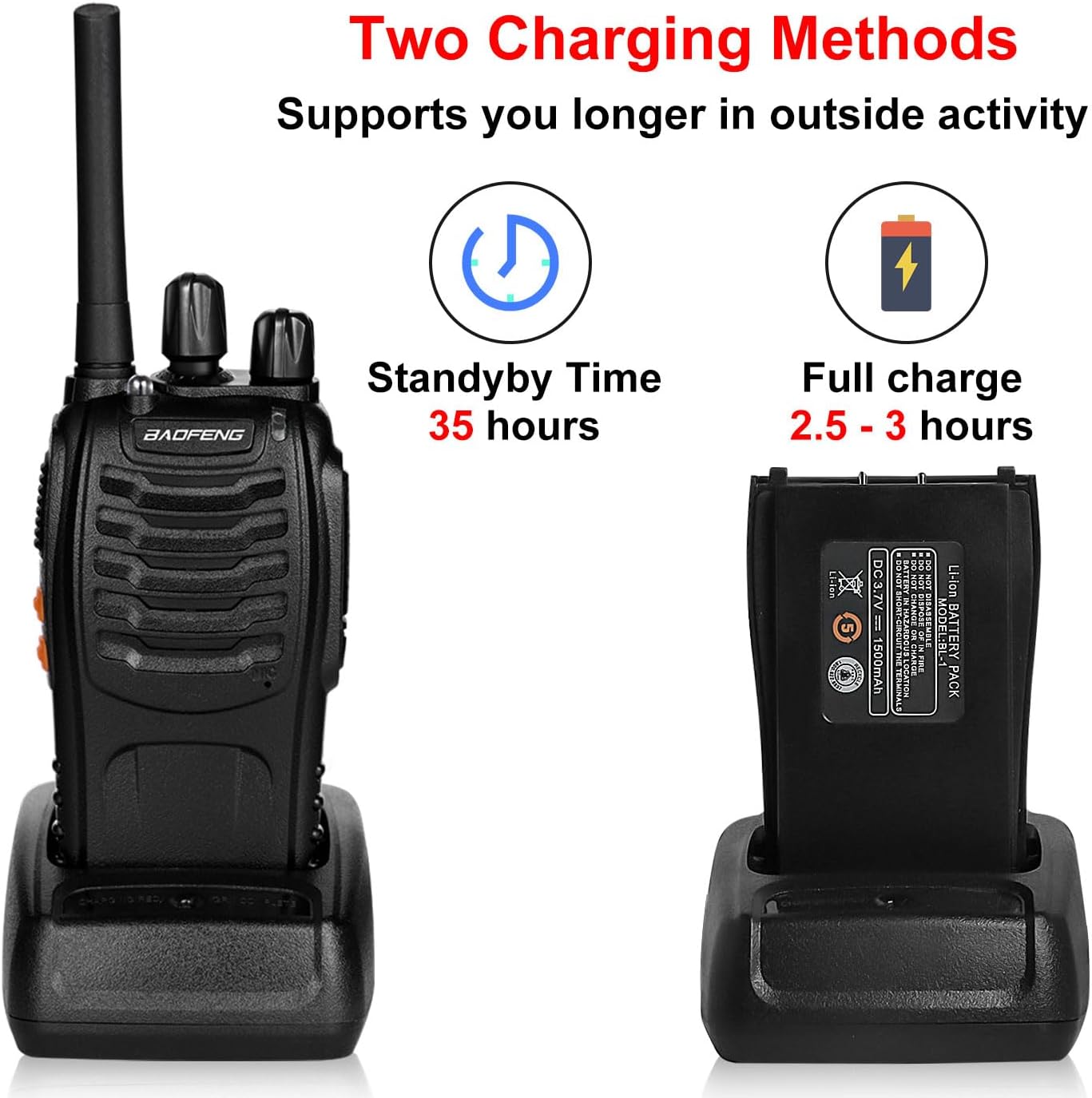
Figure 4.1: Two Charging Methods.
Using the Charging Base:
- Connect the AC adapter to the charging base and plug it into a power outlet.
- Place the radio (with battery installed) into the charging base. Ensure proper contact.
- The LED indicator on the charging base will show charging status (typically red for charging, green for fully charged).
- A full charge takes approximately 3-4 hours.
Using the USB-C Port:
- Locate the USB-C port on the side of the battery pack.
- Connect a standard USB-C cable to the port and to a compatible USB power source (e.g., wall adapter, power bank, car charger, laptop).
- The LED indicator on the radio will show charging status.

Figure 4.2: USB-C Charging Options.
4.3 Attaching Accessories
- Belt Clip: Attach the belt clip to the back of the radio using the provided screws.
- Hand Strap: Thread the hand strap through the loop on the top or side of the radio.
- Earpiece: Plug the earpiece into the K-port (SP/MIC jacks) on the side of the radio.
5. Operating Instructions
5.1 Power On/Off and Volume Adjustment
Rotate the Power Switch/Volume Control knob clockwise to turn the radio on. Continue rotating clockwise to increase the volume. Rotate counter-clockwise to decrease volume and turn the radio off.
5.2 Channel Selection
Rotate the Channel Switch knob to select one of the 16 available channels. Ensure all radios intended for communication are set to the same channel.
5.3 Transmitting and Receiving
- To Transmit: Press and hold the PTT (Push-to-Talk) button. Speak clearly into the microphone (MIC) located on the front of the radio. The LED indicator will glow red.
- To Receive: Release the PTT button. The LED indicator will glow green when a signal is being received.
5.4 Monitor Function (MONI)
Press and hold the MONI button to temporarily disable the squelch function. This allows you to listen to weak signals or monitor a channel without an active transmission. Release the button to re-enable squelch.
5.5 Flashlight Operation
Press the dedicated Flashlight button on the side of the radio to turn the LED flashlight on or off.
5.6 Advanced Features (Programmable)
The BAOFENG BF-888S includes several advanced features that may require programming via a computer and specific software (not included). These features include:
- VOX (Voice Operated Transmit): Allows hands-free transmission when voice is detected.
- DCS/CTCSS Privacy Codes: Digital Coded Squelch (DCS) and Continuous Tone-Coded Squelch System (CTCSS) help filter out unwanted conversations on the same channel.
- Emergency Alarm: Activates an audible alarm.
- Squelch Control: Adjusts the level at which background noise is suppressed.
- Power-Saving Mode: Conserves battery life during periods of inactivity.
- Low-Battery Alert: Provides an audible or visual indication when the battery is low.
Refer to the detailed programming guide (if available from the manufacturer) for instructions on customizing these settings.
6. Maintenance
6.1 Battery Care
- Do not short-circuit the battery terminals.
- Do not expose the battery to fire or extreme heat.
- Charge the battery fully before initial use.
- If the radio will not be used for an extended period, remove the battery and store it in a cool, dry place.
6.2 Cleaning the Device
- Wipe the radio's surface with a soft, damp cloth.
- Do not use harsh chemicals or abrasive cleaners.
- Ensure the radio is dry before use or charging.
6.3 Storage
Store the radio in a cool, dry environment, away from direct sunlight and extreme temperatures. Keep it away from dust and moisture.
7. Troubleshooting
| Problem | Possible Cause | Solution |
|---|---|---|
| No power | Battery low or not installed correctly. | Charge the battery or re-install it properly. |
| Cannot transmit or receive | Incorrect channel selected; out of range; battery low. | Ensure radios are on the same channel. Move closer to the other radio. Charge the battery. |
| Poor audio quality | Volume too low/high; out of range; interference. | Adjust volume. Move closer. Check for sources of interference. |
| Radio continuously transmits | PTT button stuck; VOX activated unintentionally. | Check PTT button. If VOX is enabled, ensure no continuous sound is activating it. |
8. Specifications
| Feature | Detail |
|---|---|
| Model Number | BF-888S |
| Brand | BAOFENG |
| Number of Channels | 16 |
| Frequency Range | UHF |
| Talking Range Maximum | 3 Miles (varies by environment) |
| Battery Type | 1500mAh Li-ion (included) |
| Charging Time | 3-4 hours |
| Voltage | 3.7 Volts |
| Water Resistance Level | Water Resistant |
| Special Features | VOX, Noise Reduction, Emergency Alarm, Flashlight |
| Item Weight | Approximately 3.05 pounds (for the 4-pack) |
9. Warranty Information
The BAOFENG BF-888S radios typically come with a 1-year manufacturer's warranty. For specific details regarding warranty coverage, terms, and conditions, please refer to the documentation provided with your purchase or contact the seller directly.
10. Technical Support
Should you encounter any issues or require technical assistance with your BAOFENG BF-888S walkie-talkie, please contact the seller through the platform where you made your purchase. For Amazon customers, follow these steps:
- Go to 'Orders'.
- Select 'Get help' for your specific order.
- Click 'other'.
- Send a message to the 'seller' with your question.
The manufacturer and seller are committed to providing professional technical support to resolve any problems you may experience.


