
1. Important Safety Information
Please read all instructions carefully before using the Socool K200 Portable Waist Fan. Keep this manual for future reference.
- Battery Safety: This product contains a P76 lithium battery. Do not attempt to disassemble, puncture, or expose the battery to extreme temperatures or fire. Do not sell standalone lithium batteries with the product.
- Water Exposure: Avoid exposing the fan to water or excessive moisture. This product is not waterproof.
- Cleaning: Disconnect the fan from any power source before cleaning. Use a dry, soft cloth. Do not use liquid cleaners.
- Children: Keep out of reach of small children. Ensure proper supervision if used by children.
- Ventilation: Do not block the air intake or outlet during operation to prevent overheating.
2. Package Contents
Verify that all items are included in your package:
- 1 x Socool K200 Portable Waist Fan
- 1 x USB-C Charging Cable
- 1 x Adjustable Neck Strap
- 1 x User Manual (this document)
3. Product Overview
The Socool K200 Portable Waist Fan is a versatile 5-in-1 device designed for personal cooling in various environments. It integrates functions as a waist clip fan, desk table fan, handheld fan, neck fan, and an emergency power bank with an LED light.
Key Features:
- 5-in-1 Multifunctionality: Can be clipped onto clothing, worn around the neck, used handheld, or placed on a desk.
- Long-Lasting Battery: Equipped with a 14500mAh rechargeable battery, providing up to 67 hours of cooling at low speed.
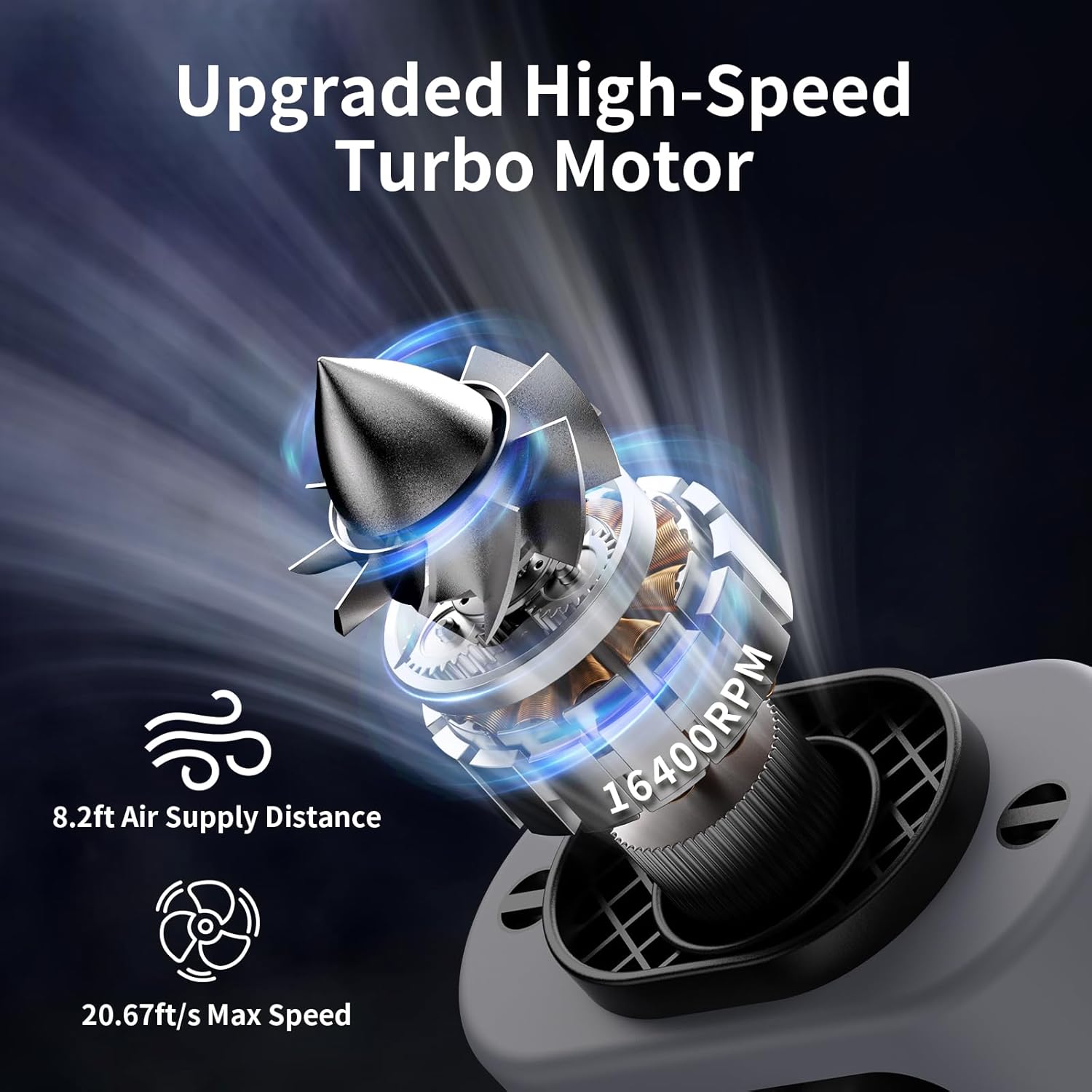
- Powerful Airflow: Features a high-speed turbo motor with 5 adjustable wind speeds, including a "Storm Wind" mode, reaching up to 14600 RPM.
- 360° Rotating Belt Clip: Allows for versatile airflow direction (upwards, downwards, sideways) when clipped to a belt. Includes a separate shirt clip to prevent obstruction.
- Emergency LED Light & Power Bank: Built-in flashlight with SOS function and a USB-A output port to charge other devices.
- Durable Design: Comes with a high-quality protective silicone cover for enhanced durability.


4. Setup
4.1 Initial Charging
Before first use, fully charge the fan. Connect the provided USB-C cable to the fan's Type-C input port (located under the weather-proof flap) and plug the other end into a compatible USB power adapter (not included) or a computer USB port. The display will show the charging percentage. A full charge takes approximately 6.5 hours.

4.2 Attaching the Neck Strap
To use as a neck fan, attach the adjustable neck strap to the designated loops on the top of the fan. Ensure it is securely fastened before wearing.
4.3 Using the Belt Clip and Kickstand
The fan features a 360° rotating belt clip for attaching to your belt or waistband. A separate fixed clip is available to prevent your shirt from obstructing airflow. The integrated kickstand allows for desktop use.

5. Operating Instructions
5.1 Power On/Off and Fan Speed Adjustment
The fan has independent buttons for fan speed, flashlight, and storm wind mode.
- To Power On/Off Fan: Long press the fan button (middle button with fan icon) to turn the fan on or off.
- To Adjust Fan Speed: Once on, short press the fan button to cycle through 4 regular speed levels (1-4).
- To Activate Storm Wind: Short press the storm wind button (rightmost button with spiral icon) to activate the highest "Storm Wind" speed. Press again to return to regular fan speeds.


5.2 Using the LED Emergency Flashlight
- To Turn On/Off Light: Long press the light button (leftmost button with sun icon) to turn the LED flashlight on or off.
- To Activate SOS Mode: While the light is on, short press the light button to switch to SOS flashing mode. Short press again to return to steady light or long press to turn off.
5.3 Using as a Power Bank
Open the weather-proof flap on the side of the fan. Connect your device's USB-A charging cable to the USB-A output port on the fan. The fan's internal battery will then charge your connected device.
5.4 Wearing and Placement Options
- Waist Clip: Clip the fan onto your belt or pants. Use the 360° rotating clip to direct airflow as needed. The smaller fixed clip helps keep your shirt clear of the fan's intake.
- Neck Fan: Attach the adjustable neck strap and wear the fan around your neck for hands-free cooling.
- Desktop Fan: Utilize the integrated kickstand to prop the fan up on any flat surface for stationary cooling.
- Handheld Fan: Simply hold the fan in your hand for direct cooling.

6. Maintenance
- Cleaning: Regularly wipe the exterior of the fan with a dry, soft cloth. Ensure the fan is powered off and disconnected from any power source before cleaning. Do not use abrasive cleaners or immerse the fan in water.
- Storage: Store the fan in a cool, dry place away from direct sunlight and extreme temperatures when not in use.
- Battery Care: To prolong battery life, avoid fully discharging the battery frequently. Recharge the fan regularly, even if not in constant use.
7. Troubleshooting
- Fan not turning on:
- Ensure the battery is charged. Connect to a power source and try again.
- Long press the fan button for 3 seconds to power on.
- Weak airflow:
- Check the current speed setting and increase if necessary.
- Ensure the air intake and outlet are not obstructed.
- Charge the battery if the power level is low.
- LED light not working:
- Long press the light button for 3 seconds to activate.
- Check battery level.
- Device not charging from power bank function:
- Ensure your device's charging cable is correctly inserted into the USB-A output port.
- Verify the fan has sufficient battery charge.
- Ensure your device is compatible with 5V-2A USB charging.
8. Specifications
| Feature | Detail |
|---|---|
| Brand | Socool fan |
| Model Name | K200 Portable Waist Fan |
| Color | K200 Gray |
| Power Source | Battery Powered |
| Battery Capacity | 14500mAh (P76 battery included) |
| Working Time (Min Speed) | Up to 67 hours |
| Charging Time | Approx. 6.5 hours |
| Max Speed | 14600 RPM |
| Air Flow Capacity | 20.5 Cubic Feet Per Minute |
| Air Supply Distance | 8.2 ft |
| Number of Power Levels | 5 (4-Speed & Storm Wind) |
| Noise Level | 36 dB |
| Product Dimensions | 5.7"D x 2.48"W x 3.74"H |
| Item Weight | 14.6 ounces (approx. 380 grams) |
| USB Output | 5V-2A |
| Type-C Input | 5V-2A |
| Special Features | Emergency LED Light & Power Supply, 360° Rotating Belt Clip, Portable & Lightweight |
9. Warranty and Support
For warranty information or technical support, please refer to the product packaging or contact Socool fan customer service directly. Keep your purchase receipt for any warranty claims.
Visit the official Socool fan store for more products and support: Socool fan Store
