
1. Introduction
This manual provides detailed instructions for the operation and maintenance of your BAOFENG AR-5RM Ham Radio. Please read this manual thoroughly before using the device to ensure proper function and safety. The AR-5RM is a versatile two-way radio designed for reliable communication, featuring long-range capabilities, NOAA weather reception, DTMF, and convenient USB-C charging.
2. Package Contents
Verify that all items are present in your package:
- 2 x BAOFENG AR-5RM Radios
- 2 x 3800mAh Batteries
- 2 x 21cm Antennas
- 2 x 38cm Antennas
- 2 x USB Type-C Charging Cables
- 2 x Base Chargers
- 2 x Earpieces
- 2 x Belt Clips
- 2 x Mini Antennas
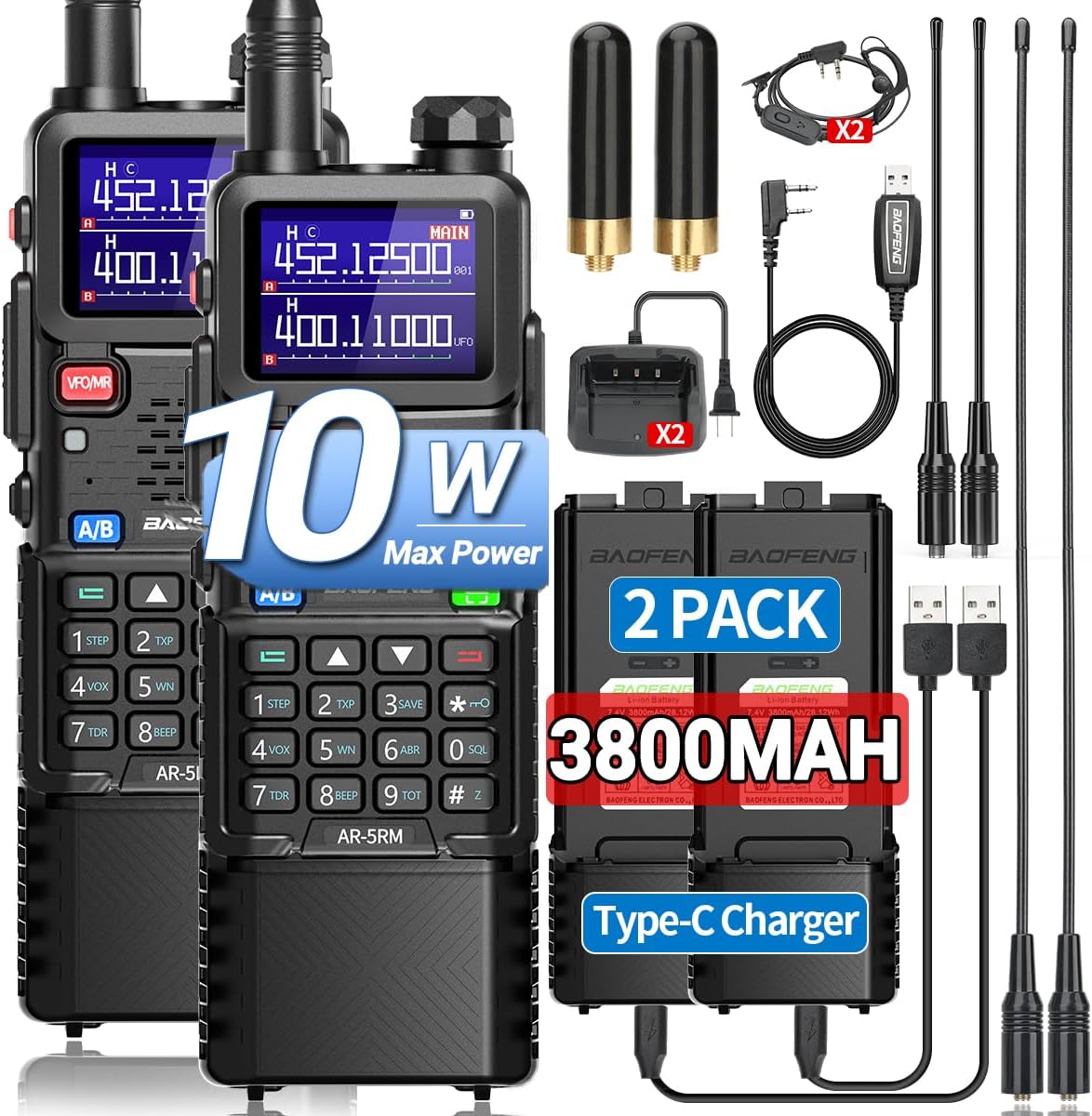
Figure 2.1: Overview of the BAOFENG AR-5RM radio and included accessories.
3. Product Overview
The BAOFENG AR-5RM features a robust design with a clear display and intuitive controls. Key features include multi-band reception, 999 channels, VOX function, built-in flashlight, and NOAA weather alerts.
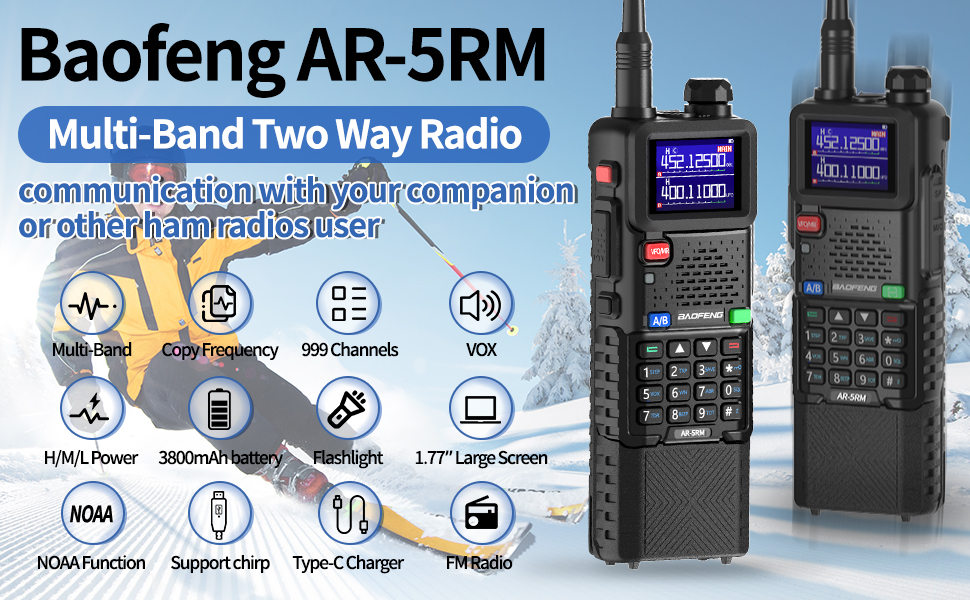
Figure 3.1: Key features and capabilities of the BAOFENG AR-5RM radio.
3.1. Controls and Display
The radio features a 1.77-inch large screen for clear information display. The keypad allows for direct frequency input and function access. Buttons include PTT (Push-to-Talk), VFO/MR (Frequency/Channel Mode), A/B (Band Switch), and various numeric and function keys.
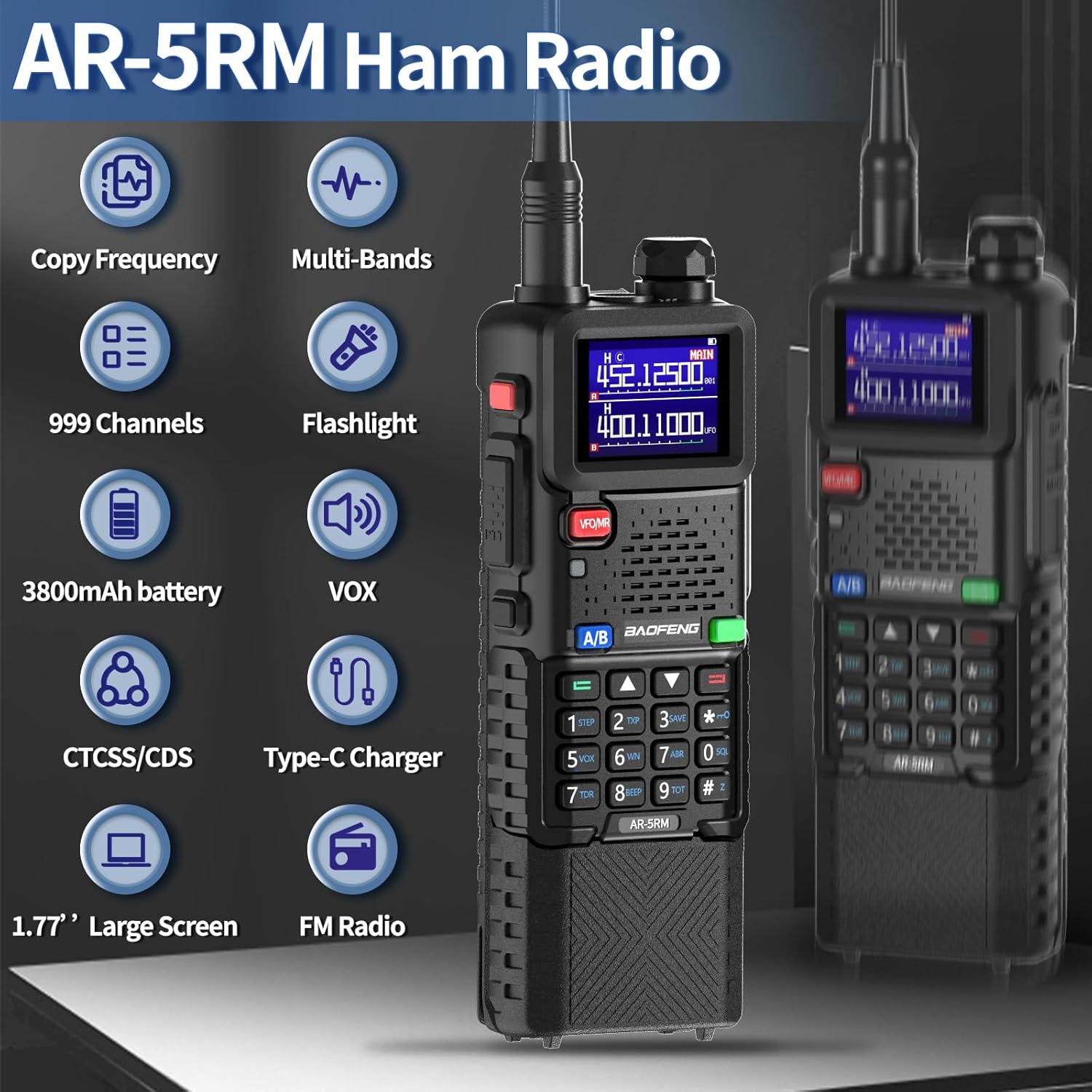
Figure 3.2: Front view of the AR-5RM radio, detailing its controls.
4. Setup
4.1. Battery Installation
- Align the 3800mAh battery with the battery compartment on the back of the radio.
- Slide the battery into place until it clicks securely.
- To remove, press the release latch (if present) and slide the battery downwards.
4.2. Antenna Attachment
- Select the desired antenna (21cm or 38cm) based on your communication needs.
- Screw the antenna clockwise onto the connector at the top of the radio until it is finger-tight. Do not overtighten.
4.3. Initial Charging
Before first use, fully charge the battery. The AR-5RM supports two charging methods:
- Base Charger: Place the radio with the battery installed into the charging cradle. Connect the base charger to a power outlet.
- USB Type-C Direct Charging: Connect the USB Type-C cable directly to the port on the back of the battery and to a USB power source (e.g., power bank, car charger, laptop).
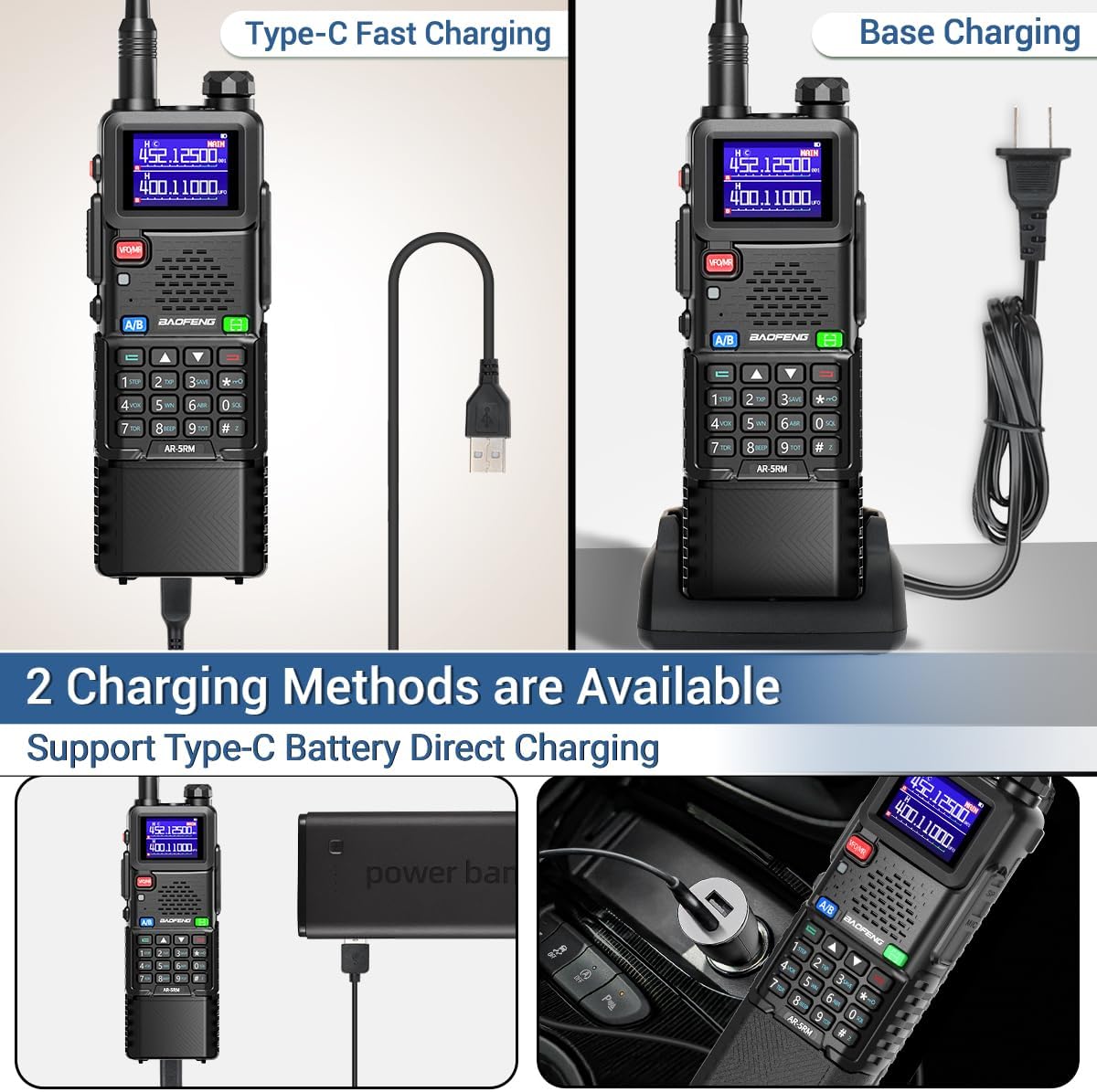
Figure 4.1: Available charging methods for the AR-5RM radio.
5. Operating Instructions
5.1. Power On/Off
Rotate the power/volume knob clockwise to turn on the radio. Continue rotating to adjust the volume. Rotate counter-clockwise until it clicks to turn off.
5.2. Mode Selection (VFO/MR)
- Press the VFO/MR button to switch between Frequency Mode (VFO) and Channel Mode (MR).
- In VFO mode, you can manually input frequencies.
- In MR mode, you can select pre-programmed channels.
5.3. Transmitting and Receiving
- To transmit, press and hold the PTT button on the side of the radio and speak into the microphone.
- Release the PTT button to receive.
5.4. VOX Function (Voice Operated Transmit)
The VOX function allows hands-free operation. When enabled, the radio will automatically transmit when it detects your voice.
- Access the menu to enable/disable VOX and adjust its sensitivity level.
5.5. FM Radio Function
The AR-5RM includes an FM radio receiver (68-108MHz) for entertainment.
- Press the FM button (or corresponding menu option) to activate the FM radio.
- Use the arrow keys to scan for stations.
5.6. NOAA Weather Radio
The radio can receive NOAA weather alerts, providing critical information during severe weather conditions.
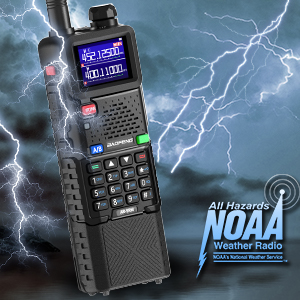
Figure 5.1: The AR-5RM's NOAA Weather Radio feature.
5.7. Wireless Frequency Copy
This feature allows you to quickly copy the frequency of another radio without computer programming.
- Step 1: On the AR-5RM, enter the frequency copy mode (refer to the radio's menu or specific key combination). The radio will act as a receiver. Press and hold the designated key (e.g., a specific function key), and the screen will display "SEARCH".
- Step 2: Press and hold the PTT button on the other walkie-talkie for transmission. The AR-5RM will display the receiving frequency, including CTCSS or DCS values if present.
- Step 3: Press the designated key (e.g., "SAVE" or a numeric key) to save the searched frequency and CTCSS/DCS to a channel. During frequency search, you can press a key (e.g., "MENU") to switch between VHF and UHF bands.

Figure 5.2: Wireless frequency copy procedure.
6. Advanced Features
6.1. Multi-Band Reception
The AR-5RM supports a wide range of frequencies for both transmission and reception, including VHF, UHF, AM, and FM bands. This allows for versatile communication and monitoring capabilities.
- Frequency (TX): VHF/12.5M/UHF
- Frequency (RX): FM:68-108MHz, AM:108-136MHz, 136-174MHz, 220-260MHz, 350-390MHz, 400-520MHz
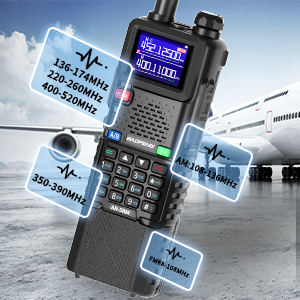
Figure 6.1: Multi-band reception capabilities of the AR-5RM.
6.2. Tri-Power Output (H/M/L)
The radio offers adjustable power output levels (High, Middle, Low) to optimize battery life and communication range.
- Select a higher power setting for maximum range.
- Use lower power settings for shorter distances to conserve battery.

Figure 6.2: Tri-Power output settings.
6.3. Chirp Programming Support
The AR-5RM is compatible with Chirp programming software, allowing for advanced customization and channel management via a computer.
- Connect the radio to your computer using a compatible programming cable.
- Use Chirp software to program channels, frequencies, and other settings.

Figure 6.3: Chirp programming interface for the AR-5RM.
7. Maintenance
7.1. Cleaning
- Wipe the radio's surface with a soft, damp cloth.
- Do not use harsh chemicals or abrasive cleaners.
- Ensure the radio is dry before use or charging.
7.2. Battery Care
- Avoid fully discharging the battery frequently.
- Store the battery in a cool, dry place when not in use for extended periods.
- Do not expose the battery to extreme temperatures.
8. Troubleshooting
| Problem | Possible Cause | Solution |
|---|---|---|
| Radio does not power on. | Battery is not installed correctly or is discharged. | Ensure battery is securely installed. Charge the battery fully. |
| Cannot transmit or receive. | Incorrect frequency/channel, antenna not attached, low battery. | Verify frequency/channel settings. Check antenna connection. Charge battery. |
| Poor audio quality. | Weak signal, incorrect squelch setting, damaged earpiece/microphone. | Move closer to the other radio. Adjust squelch level. Test with another earpiece/microphone. |
| Battery drains quickly. | High power transmission, frequent use, aging battery. | Use lower power settings when possible. Reduce transmission time. Consider replacing the battery if it's old. |
9. Specifications
| Feature | Detail |
|---|---|
| Model Number | AR-5RM |
| Brand | BAOFENG |
| Number of Channels | 999 |
| Frequency Range (TX) | VHF/12.5M/UHF |
| Frequency Range (RX) | FM:68-108MHz, AM:108-136MHz, 136-174MHz, 220-260MHz, 350-390MHz, 400-520MHz |
| Talking Range Maximum | 5 Mile |
| Battery Capacity | 3800mAh (12V batteries required, included) |
| Charging Type | USB Type-C, Base Charger |
| Special Features | Copy Frequency, Long Range, NOAA Weather Receiver, DTMF, VOX, Flashlight, 1.77" Large Screen, Chirp Support |
| Item Weight | 3.12 pounds (package weight) |
| Package Dimensions | 9.13 x 8.07 x 4.29 inches |
| Water Resistance Level | Not Water Resistant |
10. Warranty and Support
The product information indicates "Warranty: NO". For technical support or further assistance, please refer to the seller's contact information or the official BAOFENG website. Ensure to keep your purchase receipt for any potential support inquiries.
For additional resources and community support regarding BAOFENG radios and Chirp programming, consider visiting online forums and user groups dedicated to amateur radio.