
UGREEN W712
Contents
UGREEN Qi2 15W 3-in-1 Wireless Charger User Manual
Model: W712 | Brand: UGREEN
1. Introduction
This manual provides detailed instructions for the safe and efficient use of your UGREEN Qi2 15W 3-in-1 Wireless Charger (Model W712). This device is designed to simultaneously charge your compatible iPhone, Apple Watch, and AirPods.

Image 1.1: The UGREEN Qi2 15W 3-in-1 Wireless Charger (Model W712) shown with its accompanying power adapter and USB-C cable.
Key features include:
- 3-in-1 Charging: Simultaneously charges iPhone, Apple Watch, and AirPods.
- Qi2 15W Fast Charging: Provides up to 15W wireless charging for compatible iPhones (iPhone 12-17 series).
- Magnetic Alignment: Ensures optimal charging efficiency for iPhones.
- Foldable Design: Compact and portable for travel.
- Adjustable Viewing Angle: Offers up to 70° adjustment for comfortable viewing.
2. Package Contents
Verify that all items listed below are present in your package:
- 1 × UGREEN Qi2 15W 3-in-1 Wireless Charger
- 1 × 45W USB-C Power Adapter
- 1 × 3FT USB-C to USB-C Charging Cable
- 1 × User Manual
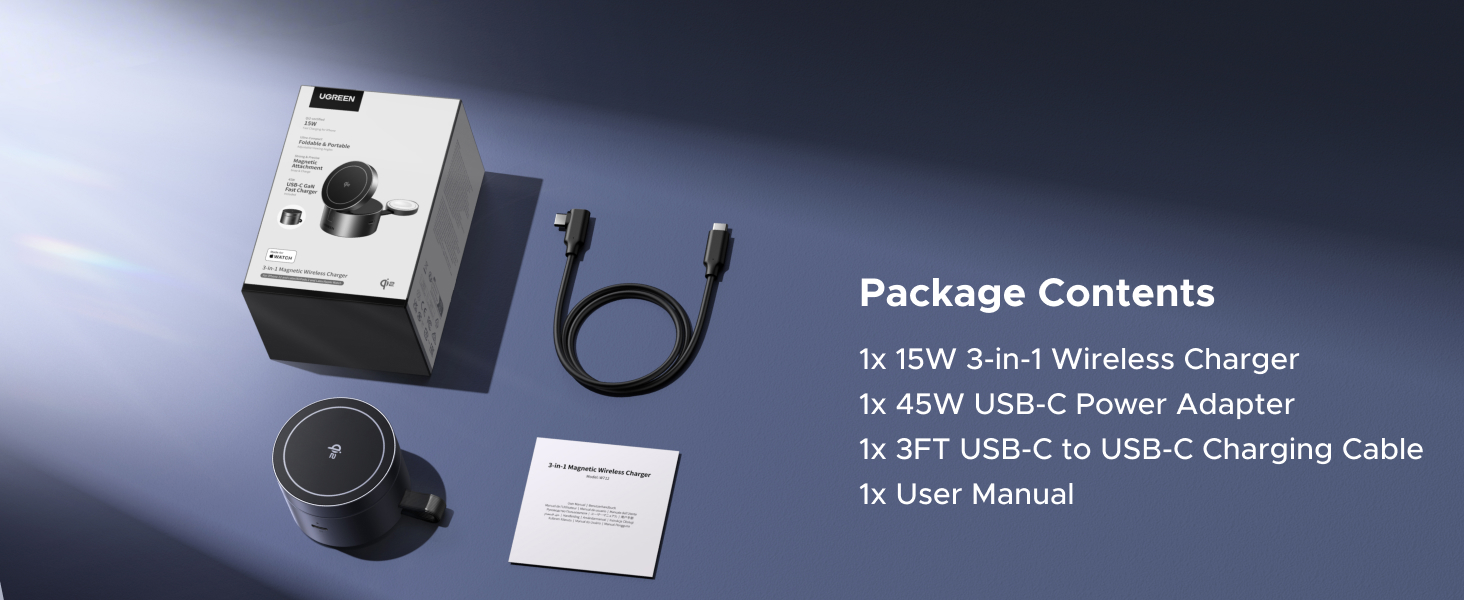
Image 2.1: Illustration of the package contents, including the charger, power adapter, USB-C cable, and user manual.
3. Setup Instructions
- Connect the Power Adapter: Insert the USB-C charging cable into the "IN" port on the wireless charger.
- Connect to Power Source: Plug the other end of the USB-C cable into the provided 45W USB-C Power Adapter.
- Plug into Wall Outlet: Connect the power adapter to a standard wall outlet.
- Prepare the Charger: Unfold the charger to your desired angle (up to 70°) for optimal device placement.
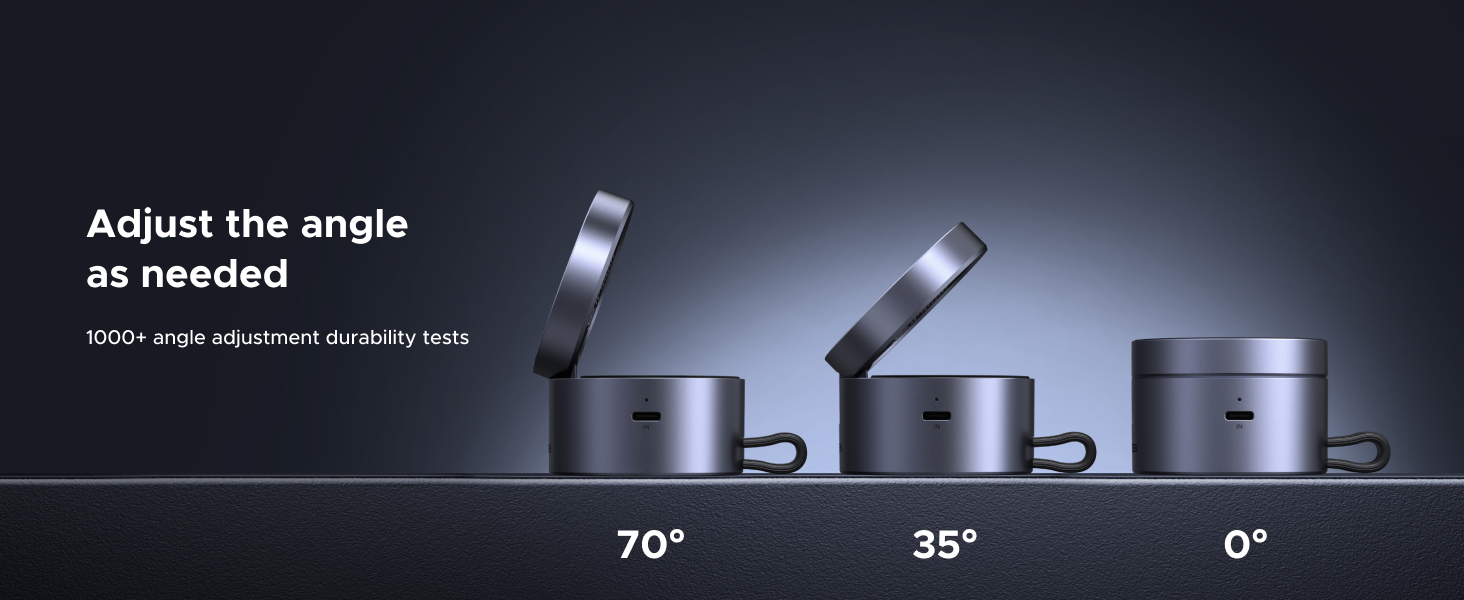
Image 3.1: The charger can be adjusted to various angles, including 0°, 35°, and 70°, to suit user preference.
4. Operating Instructions
The UGREEN Qi2 15W 3-in-1 Wireless Charger allows for simultaneous charging of up to three compatible devices.
4.1 Charging an iPhone
- Ensure the charger is powered on.
- Place your MagSafe-compatible iPhone (iPhone 12 series or newer) onto the magnetic charging pad. The iPhone will automatically align and begin charging at up to 15W.
- The adjustable stand allows for both vertical and horizontal viewing while charging.
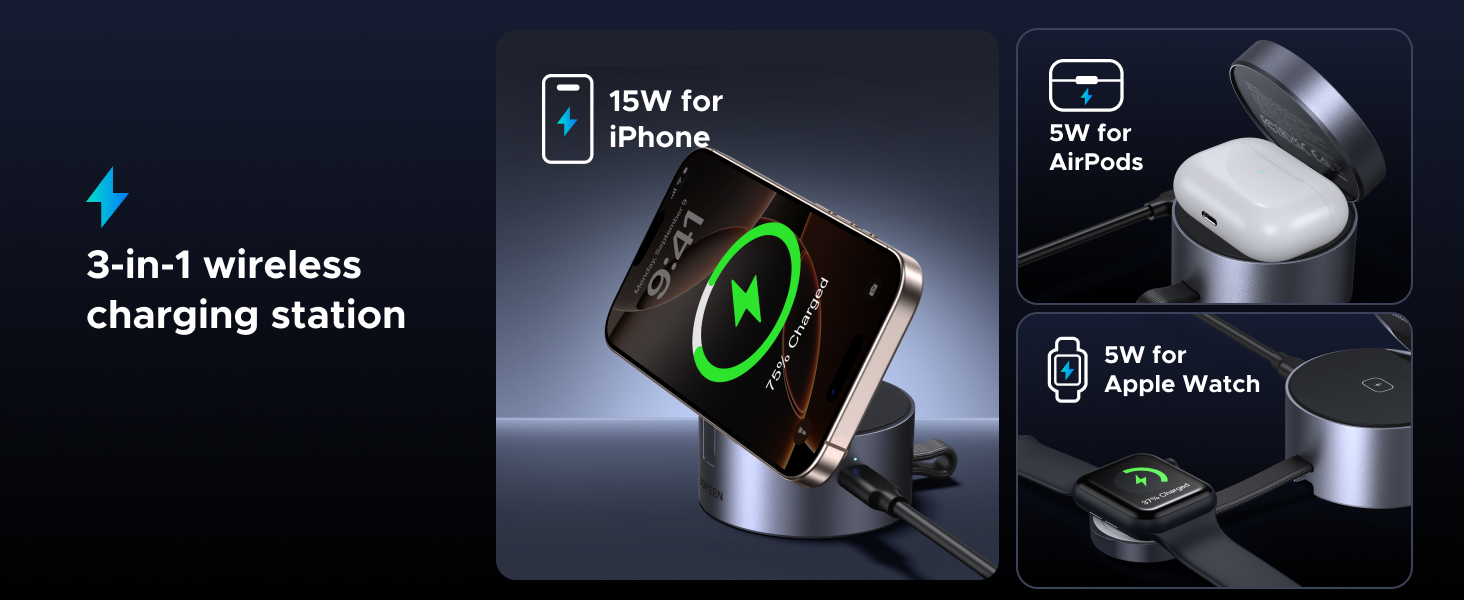
Image 4.1: The charger provides 15W for iPhone, 5W for AirPods, and 5W for Apple Watch simultaneously.
4.2 Charging an Apple Watch
- Locate the dedicated Apple Watch charging area on the charger.
- Place your Apple Watch onto the charging module. The watch will magnetically snap into place and begin charging at up to 5W.
4.3 Charging AirPods
- Place your AirPods charging case (with wireless charging capability) onto the designated charging spot on the base of the charger.
- The AirPods will begin charging at up to 5W.
Note: For optimal charging performance, ensure devices are properly centered on their respective charging areas.
5. Compatible Devices
This charger is compatible with the following devices:
- iPhones: iPhone 17/17 Air/17 Pro/17 Pro Max, iPhone 16/16 Plus/16 Pro/16 Pro Max, iPhone 15/15 Plus/15 Pro/15 Pro Max, iPhone 14/14 Plus/14 Pro/14 Pro Max, iPhone 13/13 Mini/13 Pro/13 Pro Max, iPhone 12/12 Mini/12 Pro/12 Pro Max.
- Apple Watch: Apple Watch Series Ultra/8/7/6/5/4/3/2/SE.
- AirPods: AirPods 2, AirPods 3rd Gen, AirPods Pro 2nd Gen, AirPods Pro. (Not compatible with AirPods model A1602 released in 2017 and model A2897 released in 2022.)
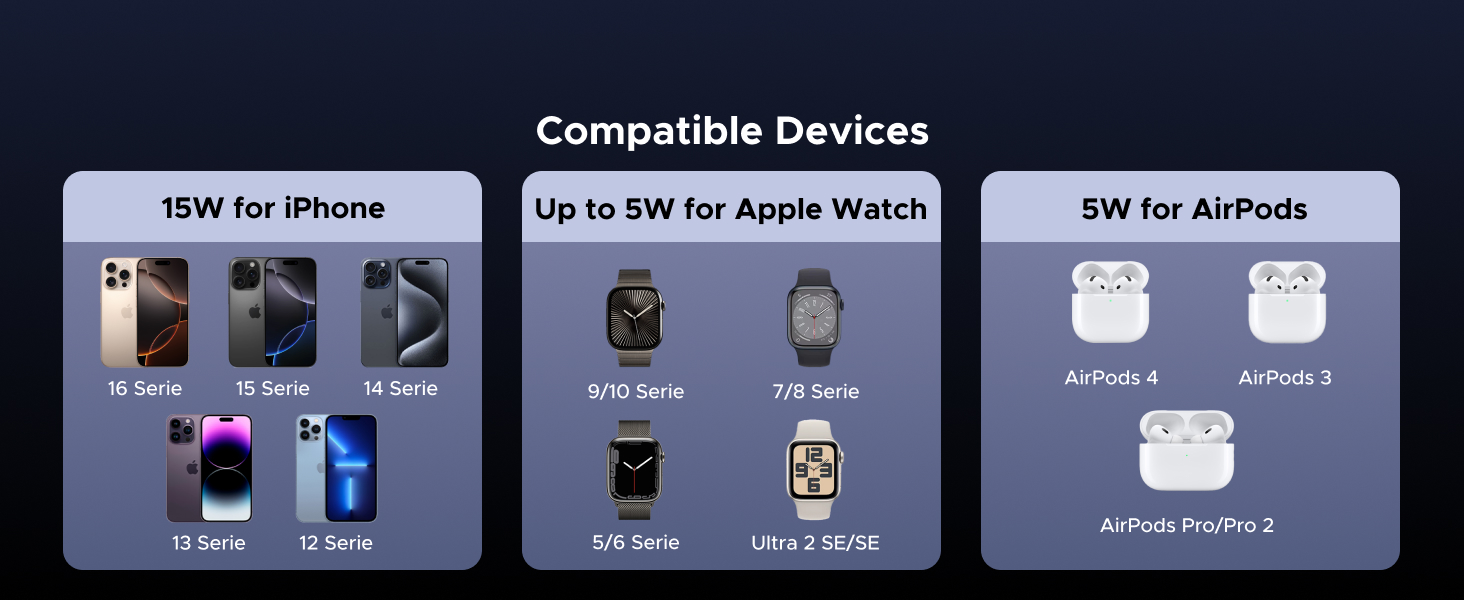
Image 5.1: Visual representation of compatible iPhone series, Apple Watch series, and AirPods models.
6. Maintenance
To ensure the longevity and optimal performance of your wireless charger, follow these maintenance guidelines:
- Cleaning: Disconnect the charger from the power source before cleaning. Use a soft, dry cloth to wipe the surface. Do not use liquid cleaners or abrasive materials.
- Storage: When not in use, store the charger in a cool, dry place. The foldable design allows for compact storage.
- Avoid Damage: Do not drop, disassemble, or expose the charger to extreme temperatures or moisture.
7. Troubleshooting
If you encounter issues with your UGREEN Qi2 15W 3-in-1 Wireless Charger, refer to the following common problems and solutions:
| Problem | Possible Cause | Solution |
|---|---|---|
| Device not charging |
|
|
| Slow charging |
|
|
| Charger overheating |
|
|
8. Specifications
| Feature | Detail |
|---|---|
| Model Number | W712 |
| Input Voltage | 12 Volts (AC) |
| Total Wattage | 25 watts (Max Output) |
| iPhone Output | Up to 15W (Qi2 compatible) |
| Apple Watch Output | Up to 5W |
| AirPods Output | Up to 5W |
| Connectivity Technology | Wireless |
| Product Dimensions | 2.36 x 2.36 x 1.57 inches |
| Item Weight | 1.12 pounds |
| Color | Grey |
| Special Feature | 3-in-1, Foldable, Adjustable Angle |
9. Safety Information
Please read and follow these safety instructions to prevent damage to the device or injury to yourself:
- Do not expose the charger to water, moisture, or high humidity.
- Avoid placing metal objects, magnetic cards, or other foreign materials between the charging pad and your device, as this may interfere with charging or cause overheating.
- Do not disassemble, modify, or repair the device yourself. Contact authorized service personnel for assistance.
- Keep the charger away from heat sources, direct sunlight, and flammable materials.
- Ensure proper ventilation around the charger during use.
- This device is not a toy. Keep out of reach of children.
10. Warranty and Support
For warranty information and customer support, please refer to the official UGREEN website or contact their customer service directly. The product typically comes with a standard manufacturer's warranty. Please retain your proof of purchase for warranty claims.
For further assistance, you may visit the UGREEN Store: UGREEN Official Store
Ask a question about this manual
Ask about setup, troubleshooting, compatibility, parts, safety, or missing instructions. Manuals+ will review the question and use this page’s manual context to help answer it.