
1. Product Overview
The Foxtop Radio-Controlled Digital and Analog Wall Clock combines traditional analog time display with a modern digital LCD screen. It features automatic time synchronization via the DCF77 signal, ensuring precise timekeeping without manual adjustments for daylight saving changes. The clock operates silently, making it suitable for various environments.
- Automatic Time Synchronization: Receives DCF77 radio signal for accurate time.
- Dual Display: Analog hands for hours, minutes, and seconds, plus a digital LCD for additional information.
- Multifunction LCD: Displays temperature (°C/°F), date, and day of the week in 6 selectable languages.
- Silent Movement: Non-ticking mechanism ensures a quiet environment.
- Modern Design: Features a durable plastic frame and tempered glass lens.
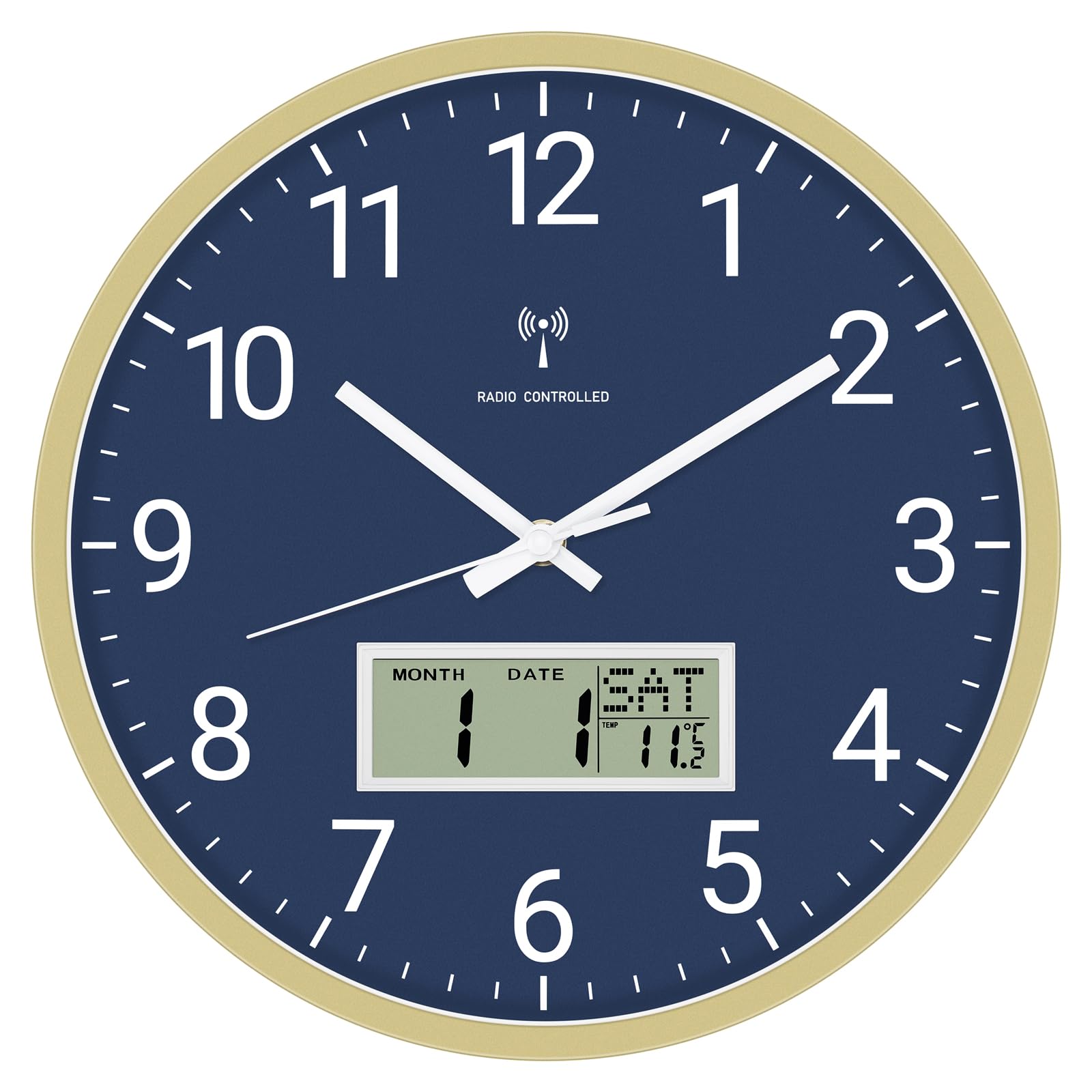
Image 1.1: Front view of the Foxtop Radio-Controlled Digital and Analog Wall Clock.
2. Setup Instructions
2.1 Battery Installation
- Locate the battery compartment on the back of the clock.
- Insert 2 x AA batteries (included) according to the polarity markings (+/-).
- Close the battery compartment cover securely.
2.2 Initial Synchronization
After battery installation, the clock hands will automatically move to the 12 o'clock position. The clock will then begin searching for the DCF77 radio signal. This process can take 3 to 15 minutes. Once the signal is received, the clock will automatically set to the correct time, date, and day of the week.
- For optimal signal reception, place the clock near a window and away from electronic devices that may cause interference.
- Avoid placing the clock in basements or areas with thick concrete walls.
2.3 Mounting the Clock
The clock can be mounted on a wall using the integrated hook or placed on a flat surface.
- Wall Mounting: Use a suitable screw or nail (not included) in your desired wall location. Hang the clock securely using the hanging slot on the back.
- Table Placement: Ensure the clock is placed on a stable, flat surface to prevent it from falling.

Image 2.1: Side profile of the clock, illustrating its depth for mounting considerations.
3. Operating Instructions
3.1 Reading the Analog Display
The large analog hands clearly indicate the current hour, minute, and second. The silent sweep movement ensures no distracting ticking sound.
3.2 Understanding the LCD Display
The integrated LCD screen provides additional information:
- Temperature: Displays the ambient temperature in either Celsius (°C) or Fahrenheit (°F).
- Date: Shows the current month and day.
- Day of the Week: Displays the current day of the week. This can be set to one of 6 languages.

Image 3.1: Detailed view of the LCD display, highlighting temperature and date information.
3.3 Switching Temperature Units (°C/°F)
To switch between Celsius (°C) and Fahrenheit (°F) temperature display, locate the small button or switch on the back of the clock, usually near the LCD display. Press or toggle it to change the unit.
3.4 Setting Day of the Week Language
The day of the week display supports 6 languages. Refer to the specific buttons on the back of the clock for language selection. Typically, a dedicated 'Language' button or a combination of buttons will allow you to cycle through the available options.

Image 3.2: Close-up of the LCD display showing date and day of the week.
4. Maintenance
4.1 Battery Replacement
When the clock hands stop moving or the LCD display fades, it is time to replace the batteries. Use 2 new AA batteries. Follow the battery installation steps in Section 2.1.
4.2 Cleaning
To clean the clock, use a soft, dry cloth. For stubborn marks, a slightly damp cloth can be used, followed by a dry cloth. Do not use abrasive cleaners, solvents, or chemical sprays, as these can damage the clock's finish or internal components.
4.3 Environmental Considerations
This clock is designed for indoor use. Avoid exposing it to direct sunlight, extreme temperatures, high humidity, or dusty environments, which can affect its performance and lifespan.
5. Troubleshooting
- Clock not setting time automatically:
Ensure the clock is placed in an area with good radio signal reception, away from electronic interference. Try repositioning the clock, especially near a window. Allow up to 24 hours for the clock to receive the signal, particularly in areas with weaker reception. Check that batteries are correctly installed and not depleted. - Incorrect time displayed:
If the clock has not synchronized, or if the time is incorrect after synchronization, try removing the batteries for a few minutes and then reinserting them. This will initiate a new synchronization attempt. - LCD display not working or faded:
Replace the batteries with new ones. If the issue persists, ensure the battery contacts are clean and free from corrosion. - Day of the week changes at an unusual time (e.g., 8:45 AM):
This can sometimes occur if the clock's internal calendar synchronization is slightly off or if there was an interruption during initial setup. Try performing a full reset by removing the batteries for several minutes, then reinserting them to force a complete re-synchronization with the DCF77 signal. Ensure the clock has a strong signal during this process. - Analog hands are stuck or not moving:
Check battery levels and replace if necessary. If the issue continues, there might be an obstruction or a mechanical fault. Do not attempt to force the hands.
6. Specifications
| Feature | Detail |
|---|---|
| Product Dimensions | 30 x 3.81 x 30 cm (Diameter x Depth) |
| Weight | 800 grams |
| Brand | Foxtop |
| Model Number | B0DSB8VJGP |
| Color | Blue |
| Display Type | Analog and Digital (LCD) |
| Special Features | Radio-controlled, Silent movement, Temperature display, Date display, Day of week display |
| Power Source | Battery Powered (2 x AA, included) |
| Shape | Round |
| Material | Plastic frame, Glass lens |
| Mounting Type | Wall Mount |
| Indoor/Outdoor Use | Indoor |

Image 6.1: Clock dimensions, showing 30 cm / 12 inches diameter.
7. Warranty and Support
7.1 Product Warranty
This Foxtop Radio-Controlled Digital and Analog Wall Clock comes with a 2-year warranty from the date of purchase. This warranty covers manufacturing defects and material faults under normal use. It does not cover damage caused by misuse, accidents, unauthorized modifications, or normal wear and tear.
7.2 Customer Support
For any questions, technical assistance, or warranty claims, please contact Foxtop customer service. You can typically find contact information on the product packaging or through the retailer where you purchased the clock. Please have your model number (B0DSB8VJGP) and proof of purchase ready when contacting support.