Introduction
The SIXIN GU10 Smart Matter LED Spot Light Bulb is a versatile and energy-efficient lighting solution designed for modern smart homes. Compatible with all Matter platforms, this smart bulb allows seamless integration and control through various ecosystems such as Apple HomeKit, Amazon Alexa, Google Home, and Samsung SmartThings. It offers a wide range of features including color changing (RGB), adjustable white light (2700K-6500K), dimming capabilities, and smart control via app or voice commands.
This manual provides detailed instructions for setting up, operating, and maintaining your smart light bulbs to ensure optimal performance and longevity.
Safety Information
- Always ensure the power is turned off at the main switch before installing or removing the bulb.
- This product is designed for indoor use only. Do not expose to water or high humidity.
- Do not use the smart bulbs on a dimmer switch. The bulb's dimming functionality is controlled via the app or voice commands. Using an external dimmer may damage the bulb.
- Do not disassemble or modify the bulb. This will void the warranty and may cause damage or injury.
- Keep out of reach of children.
- Ensure the bulb is securely fitted into a GU10 base.
Package Contents
Please check the package contents upon opening to ensure all items are present and undamaged.
- GU10 Smart Matter LED Spot Light Bulbs (Quantity: 5 or 10, depending on pack purchased)
- Instruction Manual (this document)
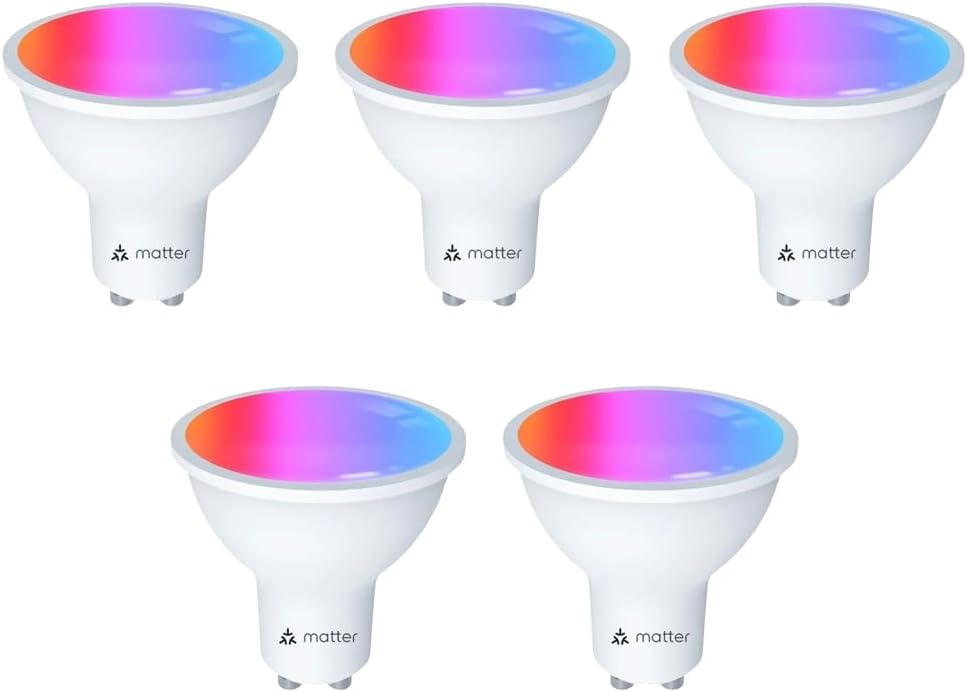
Image: A pack of five GU10 Smart Matter LED Spot Light Bulbs, showcasing their compact design and Matter compatibility.
Setup
1. Installation
- Ensure the power supply to the light fixture is turned off.
- Carefully insert the GU10 smart bulb into the GU10 socket.
- Turn on the power supply to the light fixture. The bulb should light up.
2. Pairing with Matter-Certified Apps
The GU10 smart bulb is compatible with all Matter platforms, allowing you to control it using your preferred smart home app (e.g., Apple Home, Amazon Alexa, Google Home, Samsung SmartThings, or Smart Life App).
- Ensure your Matter-compatible hub (e.g., HomePod mini, Echo device, Google Nest Hub) is set up and connected to your home Wi-Fi network.
- Open your chosen Matter-certified smart home app (e.g., Apple Home, Alexa, Google Home, Smart Life).
- Follow the app's instructions to add a new device. Look for an option like "Add Accessory" or "Add Device".
- When prompted, scan the Matter QR code located on the bulb itself or on the packaging. If scanning is not possible, you may be able to enter a numerical pairing code.
- Once the bulb is detected, follow the on-screen prompts to complete the pairing process, which may include assigning the bulb to a room or group.

Image: A single GU10 Smart Matter LED Bulb, highlighting its compatibility with major smart home ecosystems.

Image: Demonstrates the Matter smart control interface across different applications, showing how to adjust brightness and color.
Note: Matter allows for smooth local area network (LAN) control, meaning your devices can still communicate even if your internet connection is temporarily offline, provided your Matter hub is operational.
Operating Instructions
1. Voice Control
Once paired with your smart home assistant (Apple HomePod/Siri, Amazon Alexa, Google Assistant, Samsung Bixby), you can control the bulb using voice commands.
- "Siri, turn on the bedroom light."
- "Alexa, dim the light to 50%."
- "Hey Google, change the light color to blue."

Image: A bedroom setting illustrating how voice commands can be used with smart speakers to control the light bulb's functions.
2. Brightness and Color Adjustment
Use your Matter-certified app to adjust the bulb's brightness and color settings.
- Brightness: Adjust from 1% to 100% to suit your needs.
- White Light: Change the color temperature from warm white (2700K) to cool white (6500K).
- RGB Colors: Access 16 million colors to create various ambiances.

Image: A mobile app screen showing controls for adjusting the color temperature and brightness of the smart bulb, with a visual representation of the light output.
3. Scene Modes and Music Rhythm
The app provides various preset scene modes and a music rhythm function to enhance your lighting experience.
- Scene Modes: Choose from 8 custom scene modes such as reading, relaxation, party, automatic color ambiance, etc., suitable for different applications like kitchen, living room, or cafe.
- Music Rhythm: The bulb can change color according to the music detected by your device's microphone, adding a dynamic element to gatherings or entertainment.
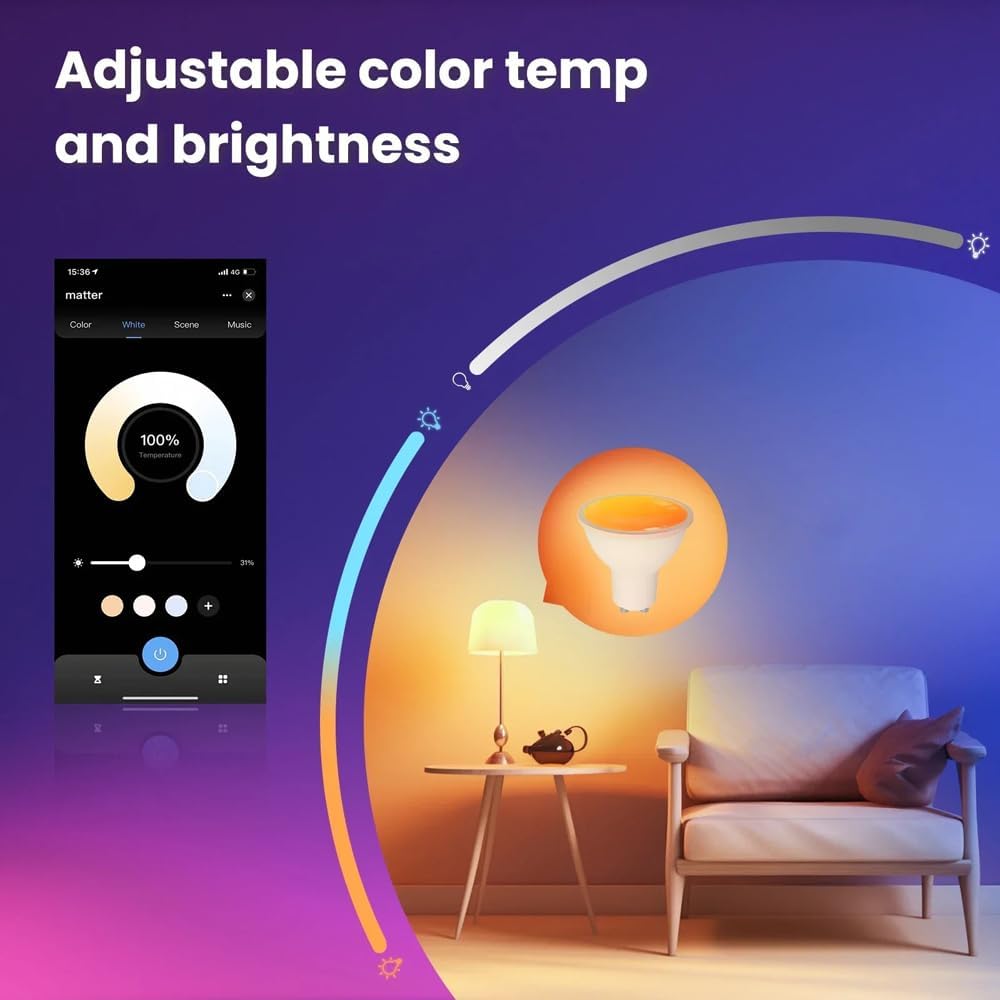
Image: An app interface displaying different light modes (e.g., Night, Read, Work, Leisure) and how they can be applied to various room settings, including outdoor and indoor scenes.
4. Timer Schedule & Group Control
Automate your lighting and control multiple bulbs simultaneously.
- Timer Schedule: Set timers to automatically turn lights on or off at specific times, ideal for daily routines or security.
- Group Control: Create groups within the app to control two or more smart bulbs simultaneously, simplifying management of multiple lights in a room or area.

Image: A bedroom scene demonstrating timing automation features, including setting schedules, countdowns, and modes like "Leave Mode" and "Wake-up Mode" for automated lighting.
Maintenance
- Ensure the bulb is cool and the power is off before cleaning.
- Wipe the bulb with a soft, dry cloth. Do not use liquid cleaners or abrasive materials.
- Regularly check for firmware updates through your smart home app to ensure optimal performance and security.
Troubleshooting
Bulb Not Responding / Offline
- Check Power: Ensure the light fixture has power and the wall switch is ON.
- Wi-Fi Connection: Verify your home Wi-Fi network is active and stable. The bulb requires a 2.4GHz Wi-Fi connection.
- Router Proximity: Ensure the bulb is within range of your Wi-Fi router or Matter hub.
- Re-pair: If the issue persists, try re-pairing the bulb with your app by following the setup instructions.
"No Disturb from Power Cut" Feature
This feature allows the bulb to remember its last state after a power outage. If the power is turned on after a power failure, the lamp will not be disturbed. If the lamp is suddenly turned on, it needs to be switched on and off twice within 5 seconds to return to normal operation.
You can enable or disable this "Do Not Disturb" mode within your smart home app settings for the bulb.
Voice Control Not Working
- Ensure your smart assistant device (e.g., Alexa, Google Home) is online and properly linked to your smart home app.
- Verify the bulb's name in the app matches what you are saying.
- Check the internet connection of your smart assistant device.
Specifications
| Parameter | Value |
|---|---|
| Rated Voltage | 85-265V/AC @50/60Hz |
| Rated Power | 5W |
| Incandescent Equivalent Wattage | 50W |
| Color Temperature | 2700K-6500K + RGB |
| Luminous Flux | 400lm |
| CRI (Color Rendering Index) | Ra>90 |
| Beam Angle | 110° |
| Lamp Head | GU10 |
| Dimensions (H x W) | 54mm x 50mm |
| Lifespan | 25,000 hours |
| Connectivity | Matter, Wi-Fi (2.4GHz) |
| Model Number | SX-NH-TD5-RCW-GU10 |

Image: Illustrates the energy efficiency of the LED bulb, showing that one 4.7W LED bulb provides the same 400lm brightness as five 27W incandescent bulbs, saving significant energy.
Warranty and Support
SIXIN GU10 Smart Matter LED Spot Light Bulbs are designed for durability with an estimated lifespan of 25,000 hours, offering significant energy savings compared to traditional halogen bulbs.
For any issues, questions, or support needs, please do not hesitate to contact our customer service team. We are committed to providing prompt assistance and will reply to your email within 12 hours.
Please refer to your purchase documentation for specific warranty terms and contact information.


