
miubaao Pro 2.2L
miubaao Pro 2.2L Portable Electric Dehumidifier User Manual
Model: Pro 2.2L | Brand: miubaao
Introduction
Thank you for choosing the miubaao Pro 2.2L Dehumidifier. This manual provides essential information for the safe and efficient operation of your new appliance. Please read it thoroughly before use and retain it for future reference.
Important Safety Instructions
- Ensure the dehumidifier is placed on a stable, horizontal surface to prevent leaks.
- Do not block the air inlet or outlet. Maintain adequate clearance around the unit for proper airflow.
- Use only the provided power adapter. Check for any damage to the power cord or plug before each use.
- Do not operate the unit in extremely cold environments (below 0°C) without the defrost function active, or in temperatures below 15°C for optimal performance.
- Keep the appliance away from water and other liquids. Do not immerse the unit in water.
- Unplug the dehumidifier before cleaning or performing any maintenance.
- This appliance is not intended for use by persons (including children) with reduced physical, sensory or mental capabilities, or lack of experience and knowledge, unless they have been given supervision or instruction concerning use of the appliance by a person responsible for their safety.
Product Overview
The miubaao Pro 2.2L Dehumidifier is designed to reduce humidity in small to medium-sized spaces, up to 25 m² (270 sq ft). It features a 2.2-liter water tank, smart touch controls, and quiet operation.
Key Features:
- Effective Dehumidification: Ideal for rooms up to 25 m² (270 sq ft).
- Smart Touch Control Panel: Easy operation with LED display.
- Ultra-Quiet Operation: Less than 30dB in Night Mode.
- Timer Function: 2, 4, 6, 8, 10, or 12-hour settings.
- Automatic Shut-off: Activates when the water tank is full, with a red indicator light.
- Automatic Defrost Function: Protects the unit in low temperatures.
- 7-Color LED Light: For ambient lighting.
- Portable Design: Lightweight (1.8 kg) with an integrated handle.
- Energy Efficient: Maximum power consumption of 22.5W.
Components:
- Dehumidifier Unit
- 2.2L Water Tank
- Power Adapter (1.2m cable)
- User Manual

Figure 1: Front view of the miubaao Pro 2.2L Dehumidifier, showing the control panel and air intake grille.

Figure 2: Detailed view of the smart touch control panel with LED display, indicating timer, silent mode, colored lights, power, automatic defrost, and full tank warning.

Figure 3: An exploded view illustrating the internal components and high-performance drying technology of the dehumidifier.
Setup
- Unpacking: Carefully remove the dehumidifier from its packaging. Retain packaging materials for future storage or transport.
- Placement: Place the unit on a flat, stable, and horizontal surface. Ensure there is at least 10 cm (4 inches) of space around all sides for proper air circulation. Avoid placing it in direct sunlight or near heat sources.
- Power Connection: Connect the power adapter to the dehumidifier's power input, then plug the adapter into a suitable electrical outlet.
- Initial Check: Ensure the water tank is correctly inserted and empty before first use.

Figure 4: Examples of suitable placement for the dehumidifier in a wardrobe, living room, and bathroom, highlighting its versatility.
Operating Instructions
Control Panel Functions:
- Power Button (⏻): Press once to turn the unit ON or OFF.
- Timer Button (⏱): Press to cycle through timer settings: 2H, 4H, 6H, 8H, 10H, 12H. The unit will automatically shut off after the selected duration.
- Night Mode Button (☽): Activates a quieter operation mode and dims the LED lights for undisturbed sleep.
- LED Light Button (💡): Cycles through 7 different LED colors or turns the light off.
- Defrost Indicator (❄): Illuminates when the automatic defrost function is active. The unit will temporarily stop dehumidifying to melt any ice buildup.
- Full Tank Indicator (💧): A red light will illuminate, and the unit will automatically shut off when the water tank is full.
General Operation:
- Press the Power button to start the dehumidifier. The LED display will show the current humidity level.
- Select your desired operating mode (e.g., Night Mode) or set a timer using the respective buttons.
- For optimal performance, ensure the room temperature is above 15°C (59°F) and humidity is above 40%.
- The unit will continuously collect moisture until the tank is full or the timer expires.
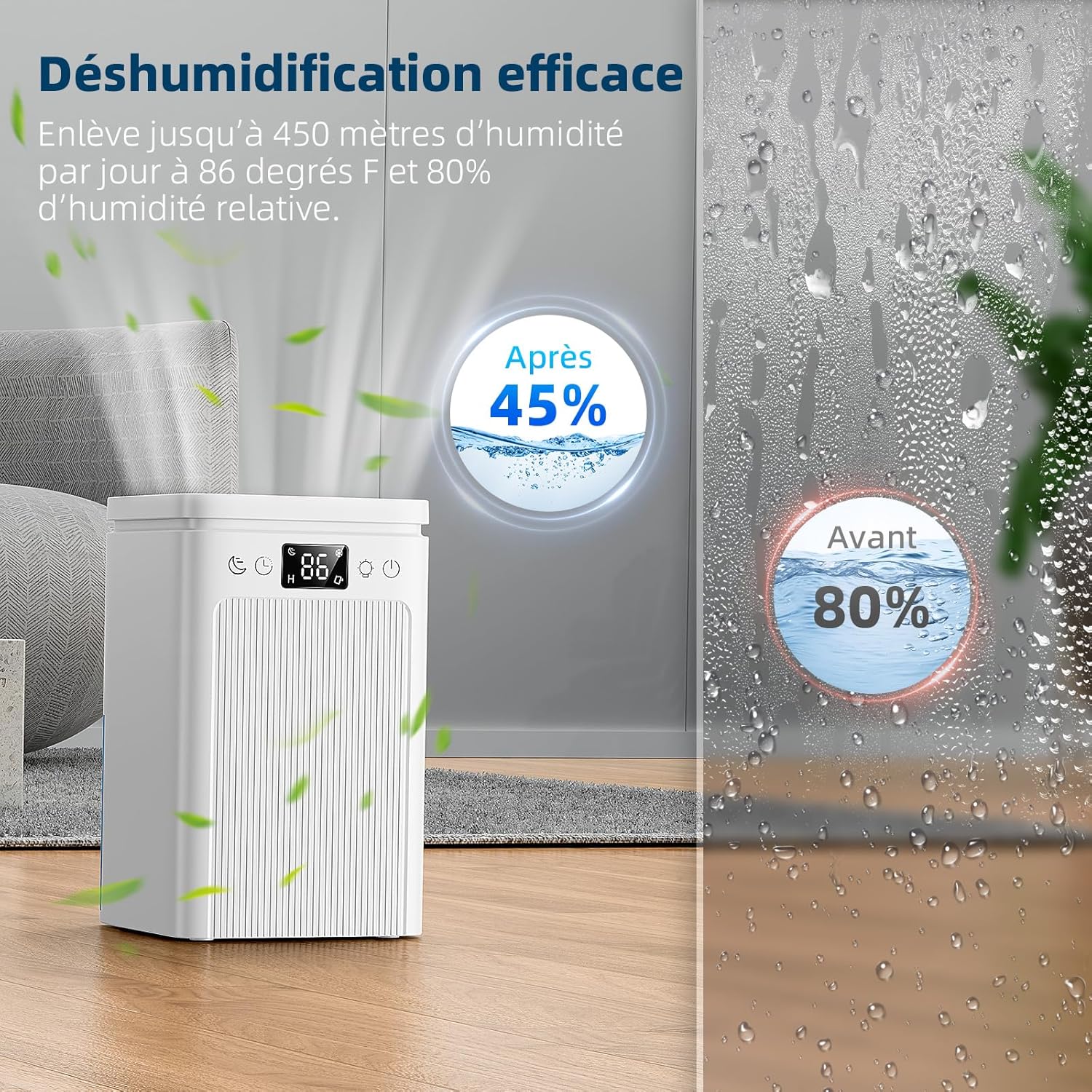
Figure 5: Illustration showing the dehumidifier's effectiveness in reducing humidity from 80% to 45% in a room.

Figure 6: The automatic defrost function icon, indicating the unit's ability to prevent ice buildup in low temperatures.
Maintenance
Emptying the Water Tank:
When the water tank is full, the dehumidifier will automatically shut off, and the red Full Tank Indicator light will illuminate.
- Turn off the dehumidifier and unplug it from the power outlet.
- Carefully pull out the water tank from the back of the unit.
- Remove the tank cover and pour out the collected water.
- Replace the tank cover and slide the empty water tank back into the dehumidifier until it clicks into place.
- Plug in the unit and turn it on to resume operation.

Figure 7: The dehumidifier showing a full water tank with the red LED indicator, signifying automatic shut-off for safety.

Figure 8: Step-by-step visual guide on how to remove, empty, and reinsert the water tank.
Cleaning:
- Exterior: Wipe the exterior of the unit with a soft, damp cloth. Do not use abrasive cleaners or solvents.
- Water Tank: Clean the water tank regularly with mild soap and water to prevent mold and mildew growth. Rinse thoroughly.
- Air Inlet/Outlet: Periodically check and clean any dust or debris from the air inlet and outlet grilles using a soft brush or vacuum cleaner.
Troubleshooting
| Problem | Possible Cause | Solution |
|---|---|---|
| Unit does not turn on. | No power supply; Power adapter not connected; Water tank full. | Check power outlet and connections; Ensure adapter is securely plugged in; Empty water tank and reinsert. |
| No water collected or low dehumidification. | Room temperature too low (below 15°C); Humidity too low (below 40%); Air inlets/outlets blocked; Unit too small for the space. | Operate in recommended temperature/humidity range; Clear any obstructions; Consider using in a smaller area. |
| Unit is noisy. | Unit not on a flat surface; Fan obstruction. | Place on a stable, flat surface; Check for and remove any obstructions from the fan. Use Night Mode for quieter operation. |
| Water leaks from the unit. | Water tank not properly inserted; Unit not on a horizontal surface. | Ensure water tank is correctly seated; Place the unit on a flat, horizontal surface. |
Specifications
| Brand | miubaao |
| Model | Pro 2.2L |
| Dimensions (L x W x H) | 17 x 17 x 27.8 cm (6.7 x 6.7 x 10.9 inches) |
| Weight | 1.96 kg (4.32 lbs) |
| Water Tank Capacity | 2200 ml (2.2 Liters) |
| Material | Acrylonitrile Butadiene Styrene (ABS) |
| Power Consumption | Max 22.5 W |
| Recommended Coverage Area | Up to 25 m² (270 sq ft) |
| Operating Temperature Range | 15°C - 40°C (59°F - 104°F) |
| Operating Humidity Range | 50% - 90% RH |
| Special Features | Anti-mold, Silent Operation, 7-Color LED, Automatic Shut-off, 2-12 Hour Timer, Automatic Defrost |
Warranty and Support
For information regarding warranty coverage or technical support, please refer to the contact details provided with your purchase or visit the official miubaao website. Please have your model number (Pro 2.2L) and purchase date available when contacting support.
Ask a question about this manual
Ask about setup, troubleshooting, compatibility, parts, safety, or missing instructions. Manuals+ will review the question and use this page’s manual context to help answer it.