
REEOOH 13.3 Inch 3D Digital Skin Analyzer Detector
REEOOH 13.3 Inch 3D Digital AI Smart Facial Skin Analyzer Detector Instruction Manual
Model: 13.3 Inch 3D Digital Skin Analyzer Detector
1. Introduction
This manual provides detailed instructions for the safe and effective operation of your REEOOH 13.3 Inch 3D Digital AI Smart Facial Skin Analyzer Detector. This device is designed to provide comprehensive analysis of facial skin conditions using advanced imaging and AI technology. Please read this manual thoroughly before initial use and retain it for future reference.
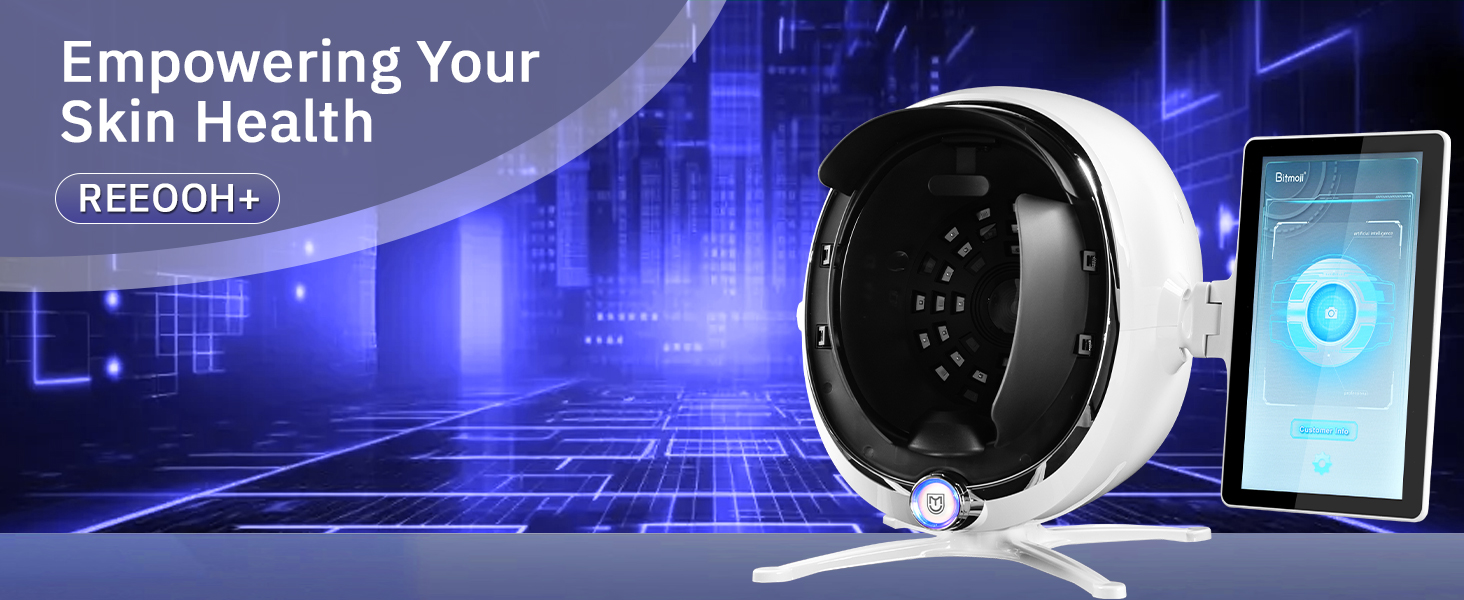
Image 1.1: The REEOOH AI Smart Facial Skin Analyzer Detector, illustrating its purpose in empowering skin health.
2. Safety Information
To ensure safe operation and prevent damage to the device or injury to users, observe the following precautions:
- Do not expose the device to water or excessive moisture.
- Use only the provided power adapter.
- Keep the device away from direct sunlight and heat sources.
- Do not attempt to disassemble or repair the device yourself. Contact qualified service personnel for assistance.
- Ensure the device is placed on a stable, flat surface during operation.
- Avoid direct eye contact with the light sources during operation.
3. Product Overview
The REEOOH Skin Analyzer Detector features a 13.3-inch high-definition screen and a 38-megapixel camera for detailed skin imaging. It utilizes 8 spectral analysis modes to assess various skin parameters.
3.1 Components
- Main Unit (Spherical analysis chamber)
- 13.3-inch HD Display Screen
- Power Adapter
- User Manual (this document)

Image 3.1: Front view of the REEOOH Skin Analyzer Detector, showing the main unit and attached display screen.

Image 3.2: Various angles of the REEOOH Skin Analyzer Detector, highlighting its design and integrated display.
4. Setup
Follow these steps for initial setup of your device:
- Unpack the Device: Carefully remove all components from the packaging.
- Position the Device: Place the main unit on a stable, flat surface at a comfortable height for use.
- Connect Power: Connect the power adapter to the device's power input port and then plug it into a standard electrical outlet.
- Power On: Press the power button, usually located on the main unit or display, to turn on the device.
- Initial Configuration: Follow the on-screen prompts to select your preferred language and set up basic system parameters.

Image 4.1: The REEOOH Skin Analyzer Detector positioned on a table, ready for use in a professional or home environment.
5. Operating Instructions
This section guides you through the process of performing a skin analysis.
5.1 Preparing for Analysis
- Ensure the user's face is clean and free of makeup or heavy creams.
- Instruct the user to remove any accessories that might obstruct the face (e.g., glasses, large earrings).
- Ensure adequate lighting in the room, avoiding direct harsh light on the device or user's face.
5.2 Performing a Scan
- Start Analysis: On the display screen, select the 'Start Analysis' or 'Scan' option.
- Position Face: Guide the user to place their face comfortably into the analysis chamber, ensuring their forehead, cheeks, and chin are properly aligned with the internal guides.
- Initiate Scan: Once the face is correctly positioned, press the 'Capture' or 'Scan' button on the screen. The device will emit various light spectra to capture images.
- Wait for Processing: The device will process the captured images using its AI algorithms. This may take a few moments.
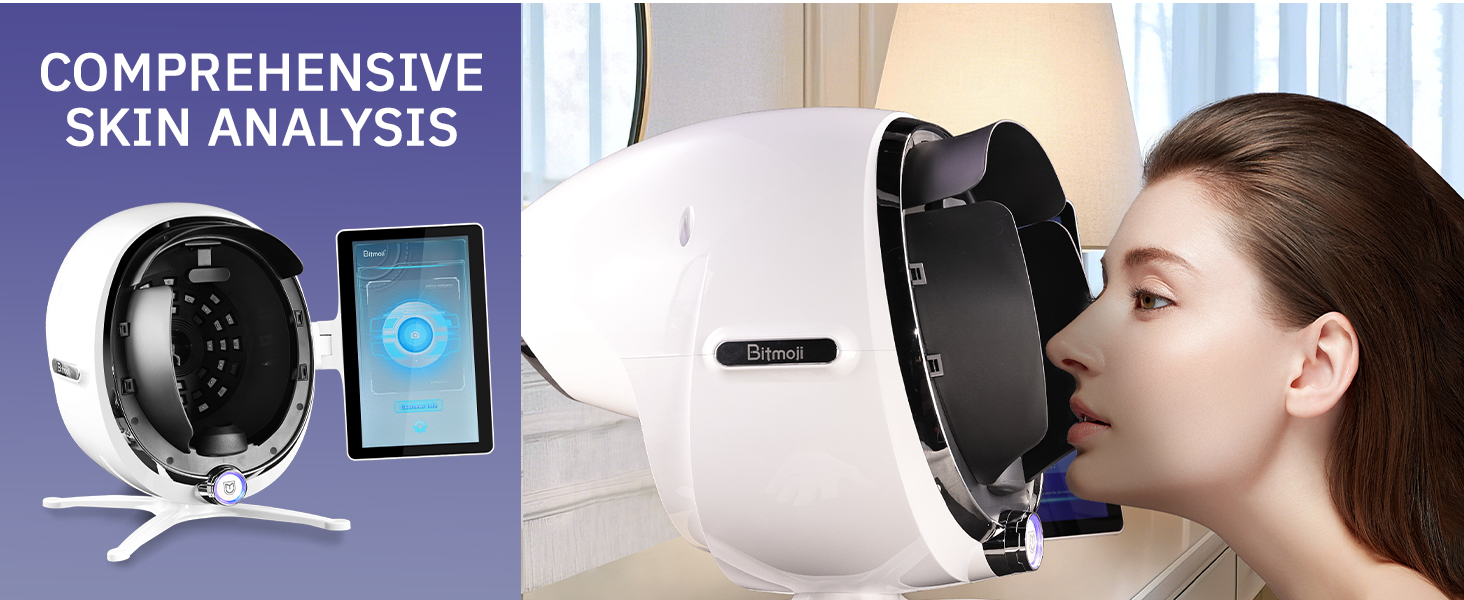
Image 5.1: A user engaging with the REEOOH Skin Analyzer Detector, demonstrating the facial positioning for a comprehensive skin analysis.
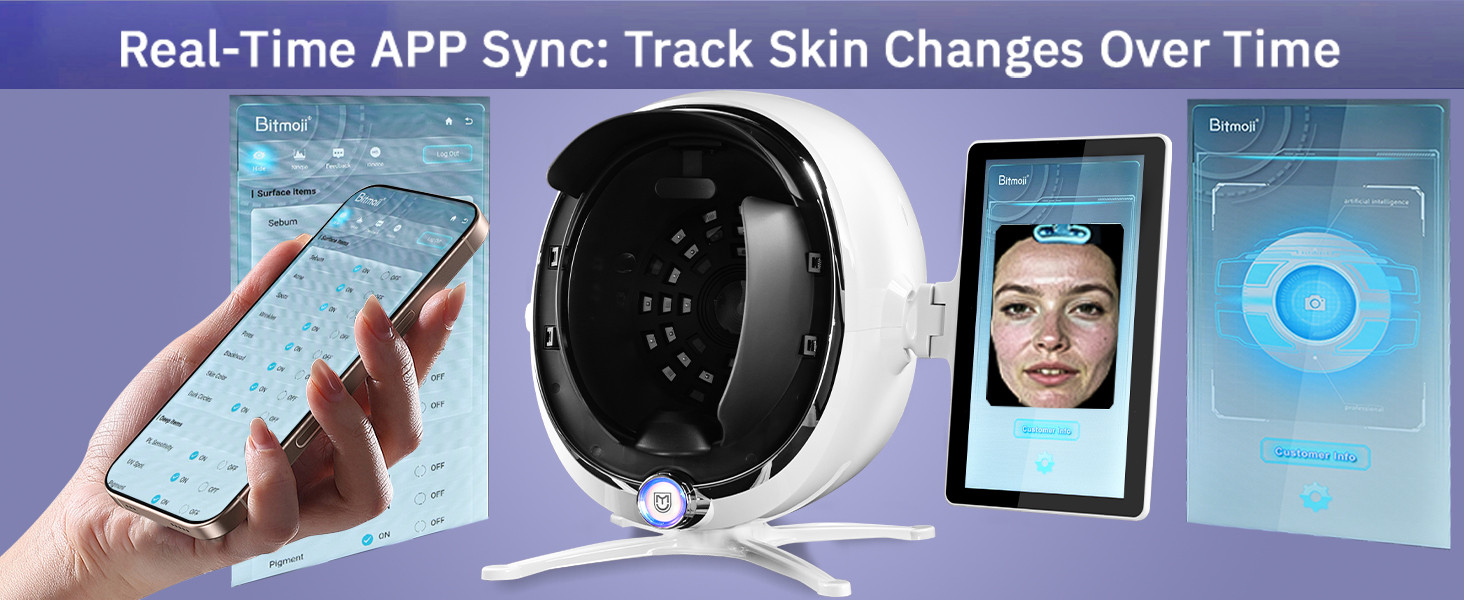
Image 5.2: The REEOOH Skin Analyzer Detector demonstrating real-time app synchronization with a smartphone, allowing for tracking skin changes over time.
6. Understanding Analysis Results
After the scan, the device will display a detailed report of the user's skin condition. The 8 spectral analysis modes provide insights into various aspects of skin health.
6.1 Interpreting the Report
- Surface Items: These typically include visible concerns like sebum, acne, spots, wrinkles, pores, blackheads, skin color uniformity, and dark circles.
- Deep Items: These often cover underlying conditions such as UV spots, pigmentation, moisture levels, and oil distribution.
- The report will often provide a score or grading for each parameter, along with visual representations.

Image 6.1: The device's screen showing various skin analysis parameters like sebum, acne, wrinkles, and pores, along with a connected mobile app interface.

Image 6.2: Visual representation of skin indicators such as wrinkles, irregularities, pores, UV spots, roughness, moisture, and oil, which the device analyzes.
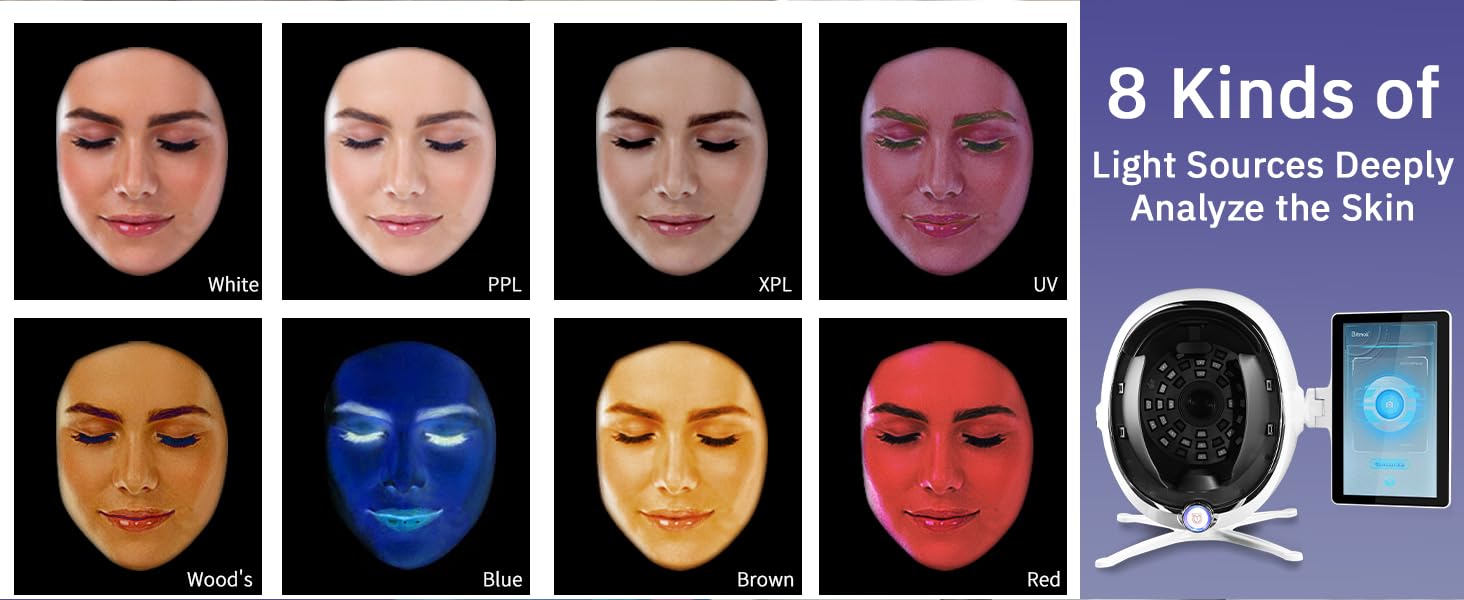
Image 6.3: Illustration of the 8 distinct light sources (White, PPL, XPL, UV, Wood's, Blue, Brown, Red) employed by the device for in-depth skin analysis.
7. Maintenance
Proper maintenance ensures the longevity and accuracy of your device.
- Cleaning the Screen: Use a soft, lint-free cloth slightly dampened with a screen cleaner to wipe the display. Avoid abrasive materials.
- Cleaning the Analysis Chamber: Gently wipe the interior of the analysis chamber with a soft, dry cloth after each use to remove any residue. Do not use liquid cleaners directly inside the chamber.
- Storage: When not in use, store the device in a cool, dry place, away from direct sunlight and dust.
- Power Off: Always power off the device correctly before unplugging it.
8. Troubleshooting
Refer to the table below for common issues and their solutions.
| Problem | Possible Cause | Solution |
|---|---|---|
| Device does not power on. | Power cable not connected; Power outlet faulty. | Check power cable connection; Try a different outlet. |
| Screen is blank or frozen. | Software error; Loose display cable. | Restart the device; If issue persists, contact support. |
| Inaccurate analysis results. | Improper facial positioning; Dirty camera lens. | Ensure correct facial alignment; Clean the camera lens. |
| App synchronization issues. | Bluetooth/Wi-Fi disconnected; App not updated. | Check wireless connections; Update the mobile application. |
9. Specifications
Technical specifications for the REEOOH 13.3 Inch 3D Digital AI Smart Facial Skin Analyzer Detector.
- Display Size: 13.3 inches
- Camera Resolution: 38 Megapixels
- Spectral Analysis Modes: 8
- Connectivity: Wi-Fi, Bluetooth (for app synchronization)
- Power Input: AC 100-240V, 50/60Hz
- Dimensions: Approximately 13.3 x 13.3 x 17.3 inches (main unit with display)
- Weight: Approximately 24.1 Pounds
- Supported Languages: 15 languages

Image 9.1: The REEOOH Skin Analyzer Detector with key dimensions indicated, providing a visual reference for its size.
10. Warranty and Support
For warranty information and technical support, please refer to the warranty card included with your product or visit the official REEOOH website. Keep your purchase receipt as proof of purchase for any warranty claims.
- Customer Service: Refer to the contact information provided on the product packaging or official website.
- Online Resources: Check the REEOOH website for FAQs, software updates, and additional support materials.
Ask a question about this manual
Ask about setup, troubleshooting, compatibility, parts, safety, or missing instructions. Manuals+ will review the question and use this page’s manual context to help answer it.