
Introduction
This user manual provides essential information for the safe and efficient operation, maintenance, and storage of your Generic 20V 8 Ah Lithium-Ion Battery, Model 2108C-B. Please read this manual thoroughly before first use and retain it for future reference. Proper use ensures optimal performance and extends the battery's lifespan.
Safety Information
- Always use the battery with compatible 20V tools and chargers.
- Do not expose the battery to water, moisture, or extreme temperatures.
- Avoid dropping or subjecting the battery to severe impacts.
- Do not attempt to disassemble, open, or service the battery pack.
- Keep the battery away from children and pets.
- Dispose of batteries responsibly according to local regulations.
Product Overview
The Generic 20V 8 Ah Lithium-Ion Battery is designed to provide extended runtime and consistent power for high-demand 20V power tools. Key features include:
- 8 Ah Capacity: Provides significant runtime for demanding applications.
- Easy-View Fuel Gauge: Allows for quick monitoring of the remaining charge level.
- Lithium-Ion Technology: Offers consistent power output and a long cycle life.
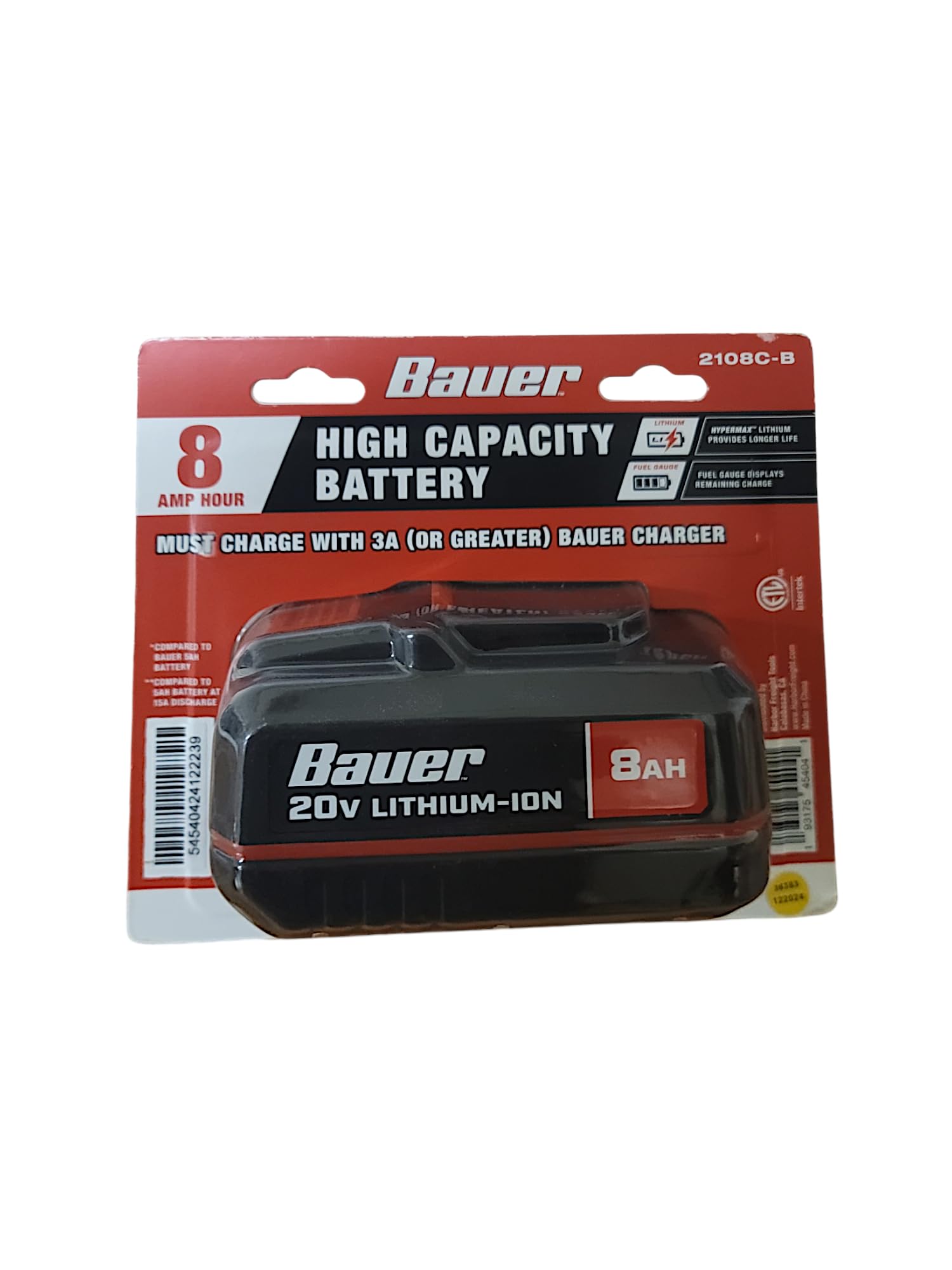
Figure 1: Generic 20V 8 Ah Lithium-Ion Battery. Note the integrated fuel gauge for charge status.
Setup
Initial Charging
- Ensure the battery is fully charged before its first use.
- Insert the battery into a compatible 20V lithium-ion battery charger.
- Connect the charger to a standard power outlet.
- Monitor the charger's indicator lights for charging status. Charging is complete when the indicator shows a full charge.
- Once fully charged, remove the battery from the charger.
Installing the Battery
- Align the battery with the battery port on your compatible 20V power tool.
- Slide the battery into the tool until it clicks securely into place. Ensure it is firmly seated to prevent accidental dislodgement during operation.
- To remove, press the battery release latch (if present on your tool) and slide the battery out.
Operating
Checking Battery Charge
The battery features an easy-view fuel gauge. Press the button on the battery pack to illuminate the LED indicators, showing the approximate remaining charge:
- 3 LEDs: 67-100% charge
- 2 LEDs: 34-66% charge
- 1 LED: 1-33% charge (recharge soon)
- No LEDs: Battery is discharged or faulty.
General Use Guidelines
- Always ensure the battery is fully charged for optimal performance.
- Avoid completely draining the battery, as this can reduce its overall lifespan.
- If the tool's performance decreases, recharge the battery.
- Do not force the battery into a tool or charger if it does not fit easily.
Maintenance
Cleaning
- Keep the battery contacts clean and free of debris. Use a dry cloth to wipe them if necessary.
- Do not use solvents or harsh chemicals to clean the battery.
Storage
- Store the battery in a cool, dry place, away from direct sunlight and extreme temperatures.
- For long-term storage, charge the battery to approximately 50-70% capacity. Avoid storing fully charged or completely discharged batteries for extended periods.
- Remove the battery from the tool when not in use for extended periods.
Troubleshooting
| Problem | Possible Cause | Solution |
|---|---|---|
| Battery does not charge. | Charger not plugged in; faulty charger; battery too hot/cold; faulty battery. | Check charger connection; try a different charger; allow battery to reach room temperature; contact support if battery is faulty. |
| Tool does not operate with battery. | Battery not fully charged; battery not properly seated; tool malfunction; faulty battery. | Charge battery fully; ensure battery is clicked into place; test with another battery (if available); contact tool manufacturer or support. |
| Reduced runtime. | Battery not fully charged; battery nearing end of life; extreme operating conditions. | Ensure full charge; consider battery replacement if old; operate within recommended temperature ranges. |
Specifications
| Feature | Detail |
|---|---|
| Model Number | 2108C-B |
| Voltage | 20 Volts |
| Battery Capacity | 8 Amp Hours (8 Ah) |
| Battery Cell Composition | Lithium Ion |
| Item Weight | 2.5 Pounds (approx.) |
| Manufacturer | HFT |
| Manufacturer Part Number | 58993 |
Warranty Information
This product is covered by a 3-Year Manufacturer Warranty. This warranty covers defects in materials and workmanship under normal use. It does not cover damage resulting from misuse, abuse, unauthorized modification, or normal wear and tear. Please retain your proof of purchase for warranty claims.
For specific warranty terms and conditions, please refer to the documentation provided with your purchase or contact the manufacturer directly.
Support
If you encounter any issues not covered in the troubleshooting section or require further assistance, please contact your retailer or the manufacturer's customer support. When contacting support, please have your product model number (2108C-B) and proof of purchase readily available.
Manufacturer: HFT
Model Number: 2108C-B
