1. Introduction
Thank you for choosing the Hikiddo 24V 9Ah 4WD 2-Seater Electric Ride-On Truck. This manual provides essential information for the safe assembly, operation, and maintenance of your new electric vehicle. Please read it thoroughly before use and retain it for future reference.
Important Safety Information
To ensure the safety of the user and others, please adhere to the following guidelines:
- This product is certified by ASTM F963 CPSIA, ensuring reliability.
- Always supervise children during operation.
- Ensure the adjustable seat belt is securely fastened before each use.
- Operate the vehicle on flat, dry surfaces away from traffic, pools, or steep inclines.
- Do not exceed the maximum load capacity of 88 lbs.
- Regularly inspect the vehicle for any damage or loose parts before use.
2. Product Overview
The Hikiddo 24V 9Ah 4WD 2-Seater Electric Ride-On Truck is designed for children aged 3 years and up, offering an engaging driving experience with advanced features.
Key Features
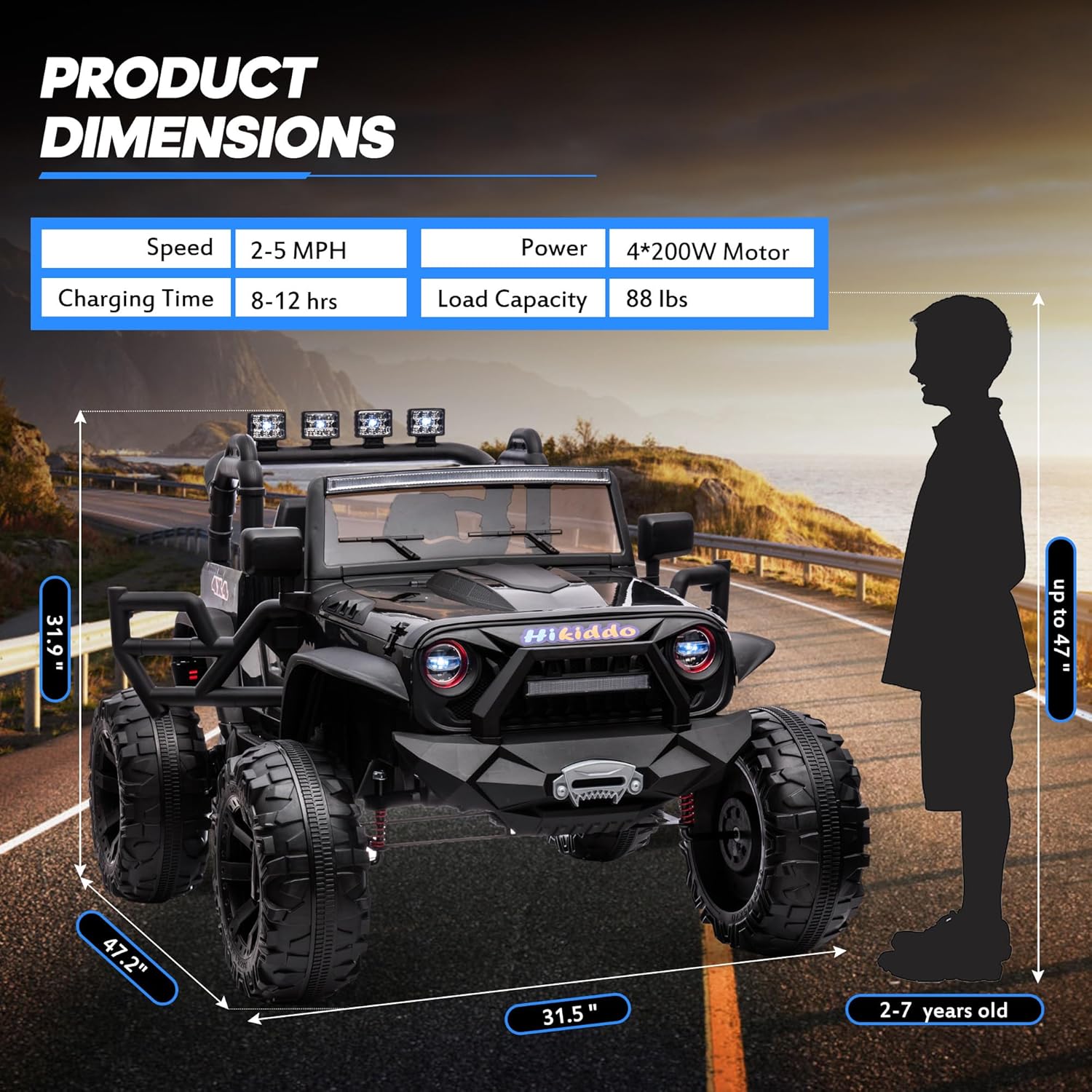
- Powerful Performance: Equipped with 4x200W motors and a 24V 9Ah rechargeable battery, providing 90-120 minutes of run time on a full charge.
- Bright LED Lights: Features headlights, taillights, and four LED searchlights for enhanced visibility and realism.
- Bluetooth Connectivity: Integrated USB/Bluetooth/MP3 player allows for music playback during rides.
- Parental Remote Control: A 2.4 GHz remote control enables parents to guide the vehicle, ensuring safety and shared enjoyment.
- Comfort and Safety: Includes an extra-wide seat with an adjustable seat belt and spring suspension for a comfortable and secure ride.
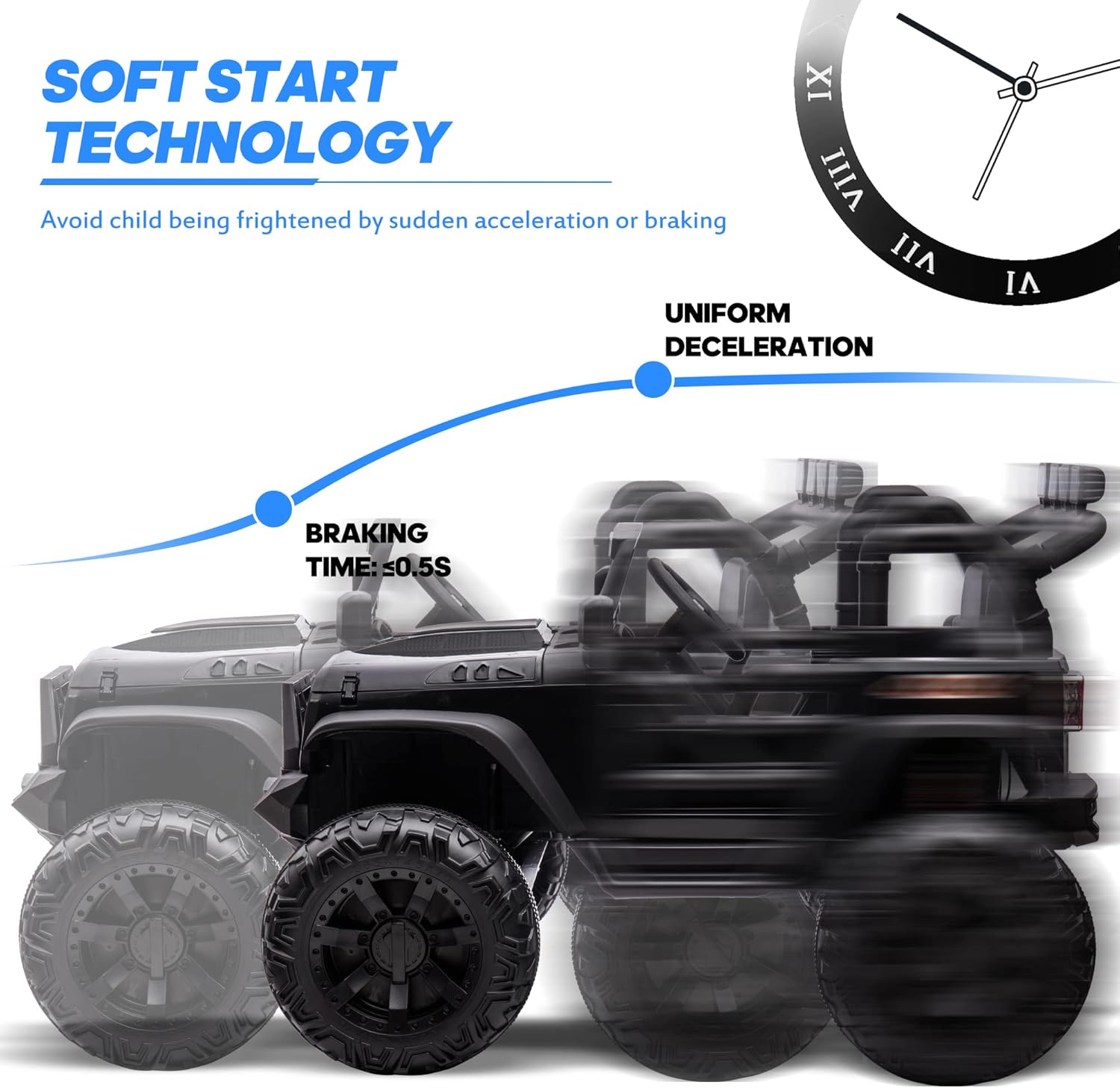
- Soft Start Technology: Designed with uniform deceleration and a braking time of approximately 0.5 seconds to prevent sudden movements.

3. Setup
3.1 Assembly
The vehicle requires assembly prior to first use. Please refer to the separate assembly instructions provided in the product packaging for detailed step-by-step guidance. Ensure all components are securely fastened according to the instructions.
3.2 Initial Battery Charging
Before the first use, fully charge the 24V 9Ah battery for 8-12 hours. Subsequent charges should also be 8-12 hours. Do not overcharge the battery.
- Locate the charging port on the vehicle.
- Connect the charger to the charging port and then plug it into a standard wall outlet.
- The charging indicator light on the charger will typically change color to indicate a full charge.
4. Operating Instructions
4.1 Powering On/Off
- To power on the vehicle, press the power button located on the dashboard.
- To power off, press and hold the power button until the vehicle shuts down.
4.2 Driving Controls
- Foot Pedal: Press the foot pedal to accelerate. Release the pedal to brake.
- Direction Switch: Use the forward/reverse switch to select the desired driving direction.
- Speed Selection: The vehicle may have multiple speed settings. Use the speed selector button on the dashboard to choose between low, medium, or high speeds.
4.3 Remote Control Operation
The 2.4 GHz parental remote control allows an adult to operate the vehicle. This is particularly useful for younger children or for guiding the vehicle in specific situations.
- Ensure the remote control is paired with the vehicle (refer to remote control pairing instructions in the separate manual).
- Use the directional buttons on the remote to control forward, reverse, left, and right movements.
- The remote control can also override manual controls for safety.

4.4 Multimedia Functions
The vehicle is equipped with a multimedia dashboard for entertainment.
- Bluetooth: Activate Bluetooth mode on the dashboard and pair with your mobile device to play music.
- USB/MP3: Insert a USB drive with MP3 files into the USB port or connect an MP3 player via the auxiliary input.
- Adjust volume using the dedicated buttons on the dashboard.

4.5 Lighting System
The vehicle features functional lights for realism and visibility.
- Headlights and taillights activate automatically when the vehicle is powered on or can be controlled via a switch on the dashboard.
- The four LED searchlights can be turned on/off independently for added effect.

5. Maintenance
5.1 Battery Care
- Charge the battery fully after each use.
- If storing the vehicle for an extended period, charge the battery at least once a month to prolong its lifespan.
- Do not allow the battery to completely discharge.
- Only use the charger provided by Hikiddo.
5.2 Cleaning
- Wipe the vehicle with a soft, damp cloth.
- Do not use abrasive cleaners or solvents.
- Avoid spraying water directly onto electrical components.
5.3 Storage
- Store the vehicle in a dry, cool place, away from direct sunlight and moisture.
- Protect the vehicle from extreme temperatures.
6. Troubleshooting
This section addresses common issues you might encounter with your Hikiddo electric ride-on truck.
| Problem | Possible Cause | Solution |
|---|---|---|
| Vehicle does not move | Low battery; Loose wire connection; Blown fuse; Motor issue | Charge battery; Check all connections; Replace fuse; Contact customer support |
| Remote control not working | Batteries in remote are dead; Remote not paired; Interference | Replace remote batteries; Re-pair remote (refer to manual); Move to an area with less interference |
| Lights not working | Loose wire; Damaged LED; Switch off | Check connections; Ensure light switch is on; Contact customer support |
| Vehicle moves slowly | Low battery; Overload; Operating on uneven terrain | Charge battery; Reduce load; Operate on flat surfaces |
7. Specifications
| Feature | Detail |
|---|---|
| Model | 24V 9Ah Ride-On Truck |
| Brand | Hikiddo |
| Motors | 4 x 200W |
| Battery | 24V 9Ah Rechargeable |
| Run Time | 90-120 minutes (approx.) |
| Charging Time | 8-12 hours |
| Speed Range | 2-5 MPH |
| Load Capacity | 88 lbs |
| Product Dimensions | 48.5 x 34.7 x 31.5 inches |
| Recommended Age | 3 years and up |
| Safety Certification | ASTM F963 CPSIA |
8. Warranty and Customer Support
Hikiddo products are manufactured to high-quality standards. For information regarding warranty coverage, please refer to the warranty card included with your purchase or visit the official Hikiddo website.
If you encounter any issues or have questions not covered in this manual, please contact Hikiddo customer support for assistance. Our dedicated team is available to help with troubleshooting, parts replacement, and general inquiries.
Manufacturer: Hikiddo
For the most up-to-date support information, please visit the Hikiddo Store on Amazon.


