
1. Introduction
This instruction manual provides detailed guidance for the safe and effective use of your TESSAN Wireless Remote Control Outlet Plug Kit. This kit allows you to remotely control electrical appliances and lighting fixtures with ease, enhancing convenience in your home or office environment.
The TESSAN Wireless Remote Control Outlet system is designed for simplicity and efficiency, featuring a plug-and-play setup and a robust RF signal for reliable operation.

Figure 1: The TESSAN Remote Control Outlet system is designed for ease of use by individuals of all ages and physical abilities, simplifying control of household devices.
2. Package Contents
Please verify that all items listed below are included in your package:
- 2 x TESSAN Wireless Remote Control Outlets (Numbered 1 and 2)
- 1 x TESSAN Remote Control (with corresponding buttons for Outlets 1 and 2)
- 1 x 12V Battery (for the remote control)
- 1 x Magnetic Plate (for remote mounting)

Figure 2: Contents of the TESSAN Remote Control Outlet Kit, including two outlets and one remote control.
3. Specifications
| Feature | Specification |
|---|---|
| Operation Mode | ON-OFF |
| Current Rating | 15 Amps |
| Operating Voltage | 125 Volts |
| Contact Type | Normally Closed |
| Connector Type | Plug In |
| Item Dimensions (L x W x H) | 2.36 x 2.2 x 1.18 inches |
| Wattage | 1875 watts (Max) |
| Control Method | Remote (RF) |
| Remote Range | Up to 100 feet (through walls and doors) |
| Remote Battery Type | 12V 23A Alkaline (included) |
| Certifications | CE, CSA, NEMA, UL, cUL, cULus |

Figure 3: The compact design of the TESSAN outlet ensures it does not obstruct adjacent wall sockets.
4. Setup Instructions
The TESSAN Remote Control Outlet Kit is designed for a simple plug-and-play experience. No complex pairing is required.
- Insert Remote Battery: Open the battery compartment on the back of the remote control and insert the provided 12V 23A battery, ensuring correct polarity.
- Plug in the Outlet: Insert one of the TESSAN remote control outlets into a standard 125V AC wall socket. The outlet is designed to be compact and should not block other receptacles.
- Connect Your Appliance: Plug the appliance or light fixture you wish to control into the TESSAN remote control outlet. Ensure the appliance's power switch is in the 'ON' position if it has one, so it can be controlled by the remote.
- Verify Operation: Press the corresponding 'ON' or 'OFF' button on the remote control for the numbered outlet you just plugged in. The appliance should respond immediately.
Video 1: A brief demonstration of setting up and using the TESSAN Remote Control Outlet Plug, showing the plug-and-play functionality and remote operation.
5. Operating Instructions
Once set up, operating your TESSAN Remote Control Outlets is straightforward:
- Remote Control: Each button pair on the remote corresponds to a numbered outlet. Press the 'ON' button to power on the connected appliance and the 'OFF' button to power it off.
- Manual Control: Each outlet also features a manual ON/OFF button on its side. This allows you to control the connected appliance directly at the outlet if the remote is not available. A green indicator light on the outlet confirms its power status.
- RF Range: The remote control operates using an RF (Radio Frequency) signal, providing a range of up to 100 feet. This signal can pass through walls and doors, allowing you to control devices from different rooms.
- Magnetic Remote: The remote control has a magnetic back. Use the included magnetic plate to attach the remote to any convenient surface, such as a refrigerator or wall, to prevent misplacement.

Figure 4: The TESSAN remote offers a 100-foot range, allowing control of devices across rooms.
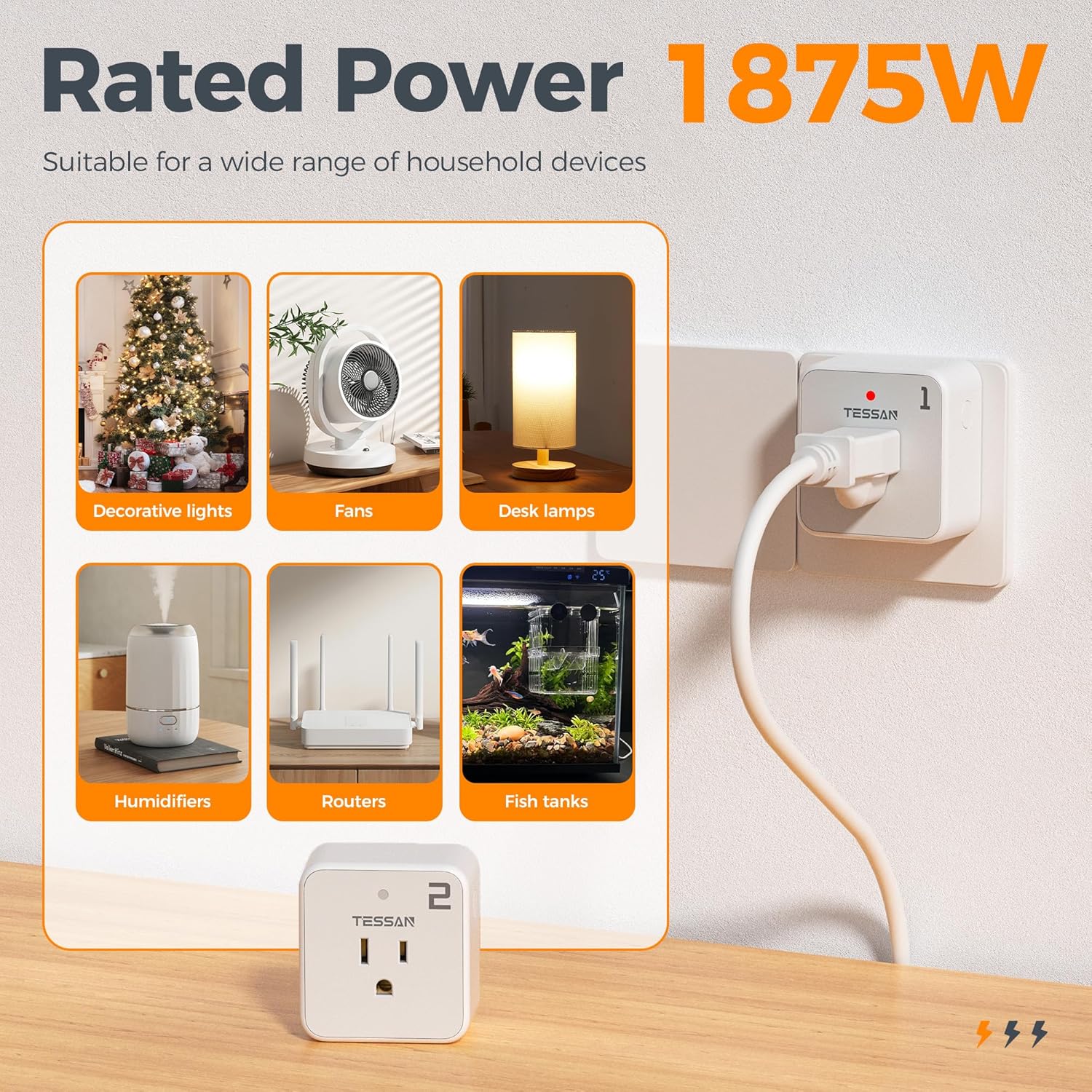
Figure 5: The outlets are suitable for a wide range of devices with a maximum power rating of 1875W.

Figure 6: The remote's magnetic feature allows for convenient storage on various surfaces.
6. Maintenance
- Cleaning: Wipe the outlets and remote control with a dry, soft cloth. Do not use liquid cleaners or abrasive materials.
- Battery Replacement: If the remote control's range decreases or it stops responding, replace the 12V 23A battery. Ensure proper disposal of old batteries according to local regulations.
- Storage: Store the remote control and outlets in a cool, dry place when not in use for extended periods.
7. Troubleshooting
- Appliance Not Responding:
- Ensure the TESSAN outlet is securely plugged into the wall socket.
- Check if the appliance connected to the outlet is powered on (if it has its own switch).
- Verify the remote control battery is correctly inserted and has sufficient power.
- Confirm you are pressing the correct ON/OFF button for the corresponding numbered outlet.
- Reduced Remote Range:
- Replace the remote control battery.
- Ensure there are no major obstructions (e.g., large metal objects, thick concrete walls) between the remote and the outlet that could interfere with the RF signal.
- Outlet Indicator Light Not On:
- Check the wall socket with another device to ensure it is receiving power.
- Press the manual ON/OFF button on the side of the TESSAN outlet.
8. Important Safety Information
- For indoor use only. Do not expose to rain or moisture.
- Do not exceed the maximum load of 15A / 1875W. Overloading may cause overheating and fire.
- Do not disassemble or modify the device.
- Keep out of reach of children.
- Ensure the device is fully inserted into the wall socket.
- Unplug the device from the wall socket when not in use for extended periods or during electrical storms.
9. Warranty and Support
For warranty inquiries or technical support, please contact the seller, Tessan Direct, through your purchase platform. Please have your model number (TS-WRC01-US) and purchase details available for faster service.