
SINGTRONIC BT-1500DSP + KTV-15.6UHD
SINGTRONIC BT-1500DSP + KTV-15.6UHD Professional Karaoke System Instruction Manual
Model: BT-1500DSP + KTV-15.6UHD | Brand: SINGTRONIC
Introduction
Welcome to the user manual for your new SINGTRONIC 1500W All-in-One Professional Karaoke System. This system, featuring the BT-1500DSP speaker and KTV-15.6UHD touchscreen player, is designed to deliver a comprehensive and enjoyable karaoke experience. This manual provides essential information for setup, operation, maintenance, and troubleshooting to ensure optimal performance and longevity of your device.
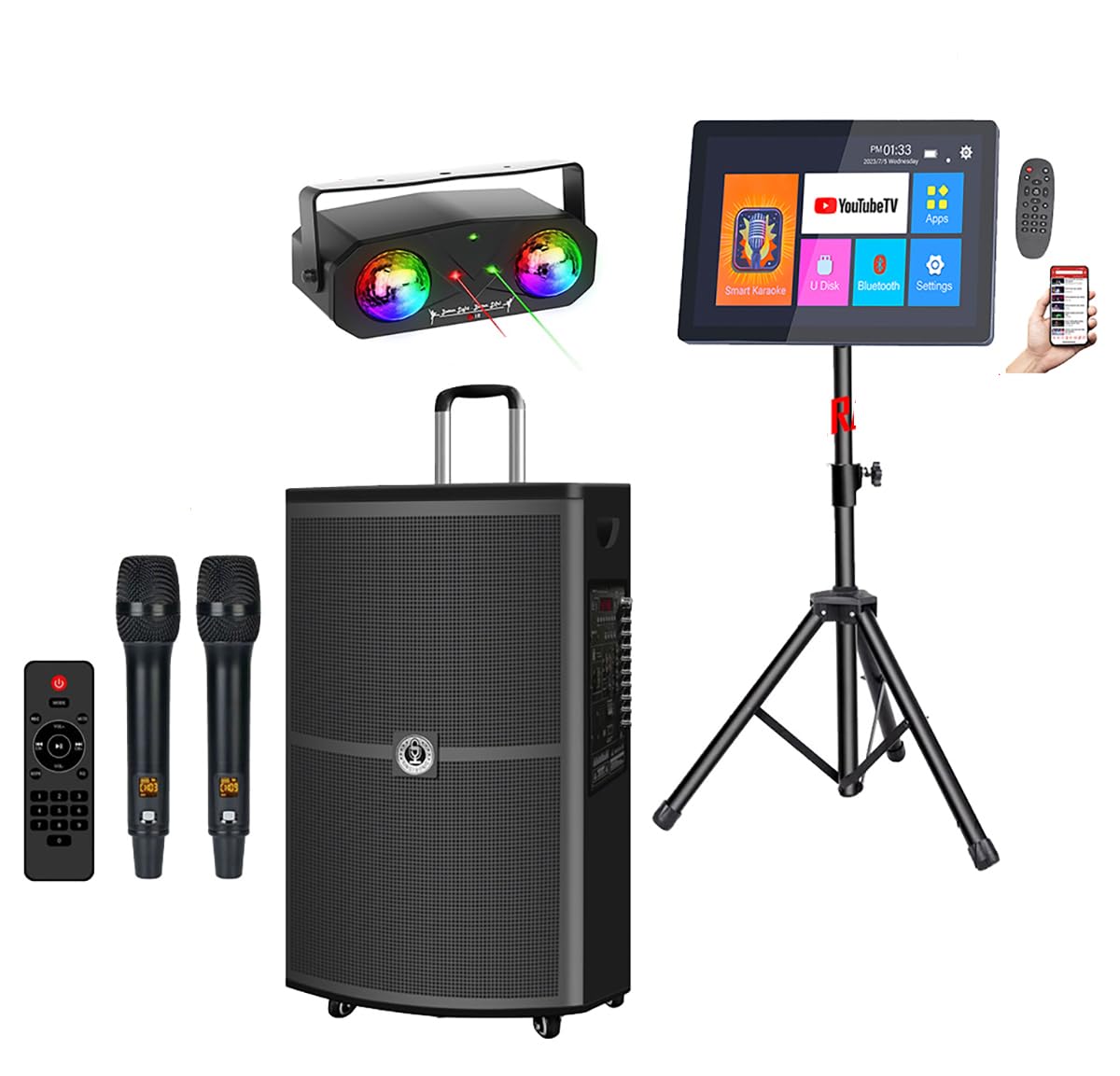
Figure 1: The SINGTRONIC 1500W All-in-One Professional Karaoke System.
What's in the Box
Please ensure all items listed below are included in your package:
- SINGTRONIC BT-1500DSP Professional 1500W All-in-One Karaoke Speaker
- 2 x Anti-feedback Wireless Microphones
- SINGTRONIC KTV-15.6UHD Professional 5TB Hard Drive Tablet Karaoke Player
- SINGTRONIC SP-99Pro Professional Heavy Duty Tripod Speaker Stand (Pair)
- Pre-installed: Smart Karaoke Apk, YouTube Unlimited Songs
- Power Adapter
- Remote Control
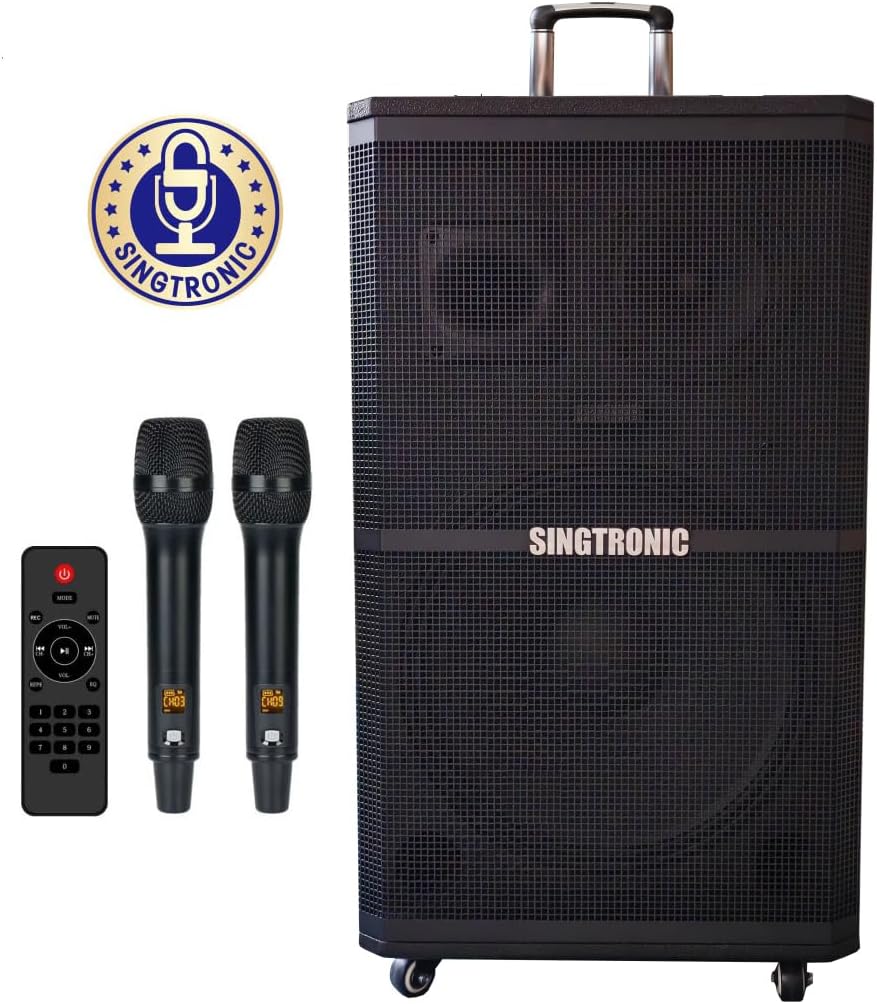
Figure 2: Overview of the SINGTRONIC All-in-One DSP Professional Party Karaoke System components.
Setup
Follow these steps to set up your karaoke system:
- Unpacking and Placement: Carefully remove all components from the packaging. Place the main speaker unit on a stable, flat surface or mount it on the provided speaker stands. Ensure adequate ventilation around the unit.
- Power Connection: Connect the power adapter to the DC15V IN port on the control panel and plug it into a standard electrical outlet.
- Microphone Setup: The system includes two wireless microphones. To use them, ensure they are charged (via USB-C at the bottom) and power them on using the power button on each microphone. They will automatically connect to the system.
- External Display Connection (Optional): If you wish to display lyrics on a larger screen, connect your TV or external monitor to the system using an HDMI cable (HDMI port on the control panel) or an Optical cable (Optical input on the control panel). Adjust your TV's sound output settings to 'Optical' or 'Audio Out' and ensure 'Digital Output Audio Format' is set to 'PCM'.
- Speaker Stand Assembly (Optional): Assemble the tripod speaker stands according to the manufacturer's instructions. Place the speaker on the stand for optimal sound projection.
Video 1: Official guide on setting up your Singtronic Karaoke System. This video demonstrates connecting microphones, speakers, and external devices like a TV using optical cables.
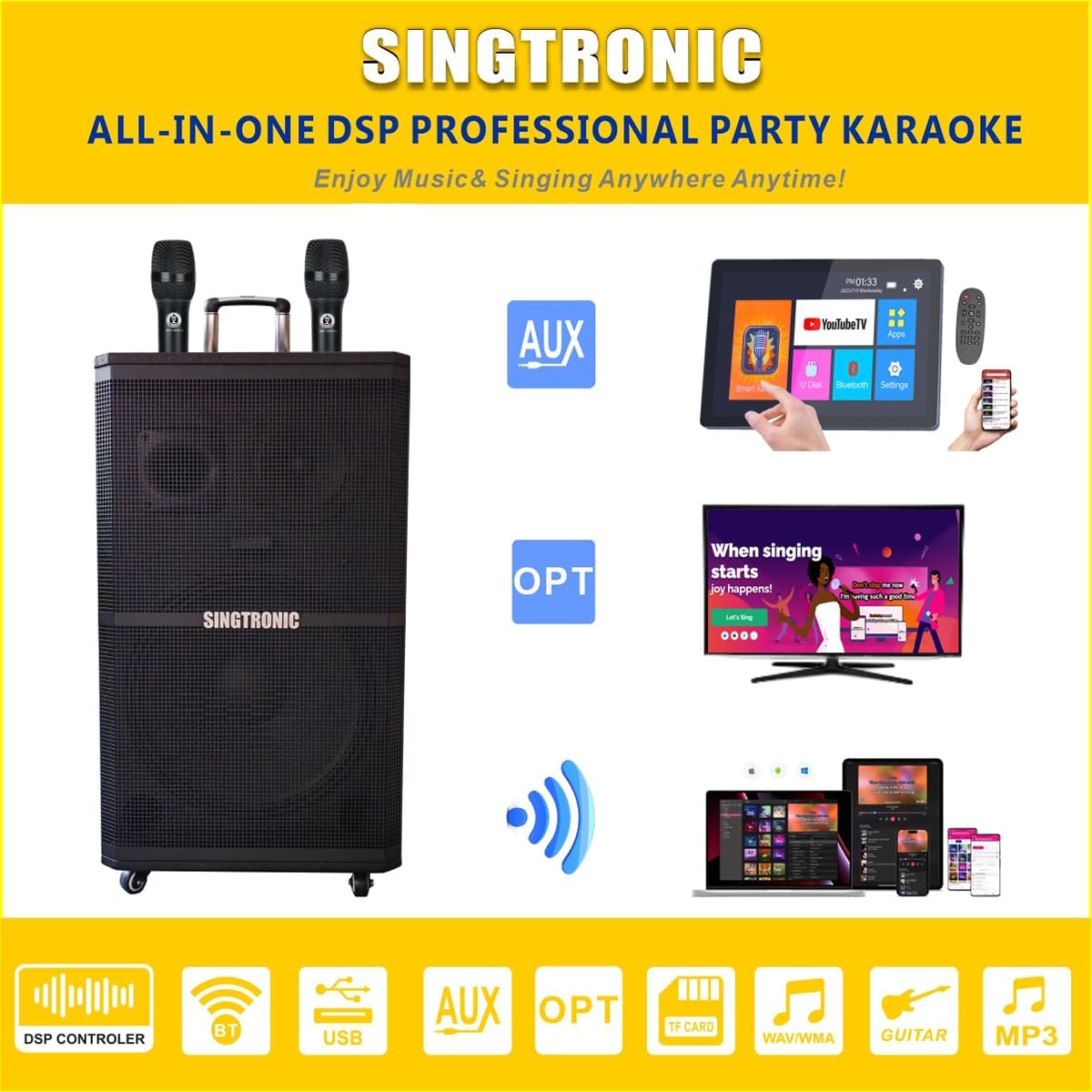
Figure 3: Rear view of the control panel, highlighting various input and output ports including HDMI and Optical.
Operating Instructions
Powering On/Off
Locate the red POWER switch on the control panel. Flip it to the 'ON' position to power on the system. Flip to 'OFF' to power down.
Touchscreen Interface (KTV-15.6UHD)
The 15.6-inch UHD touchscreen player provides access to various functions:
- Pre-loaded Songs: Access 50,000 pre-loaded karaoke songs directly from the player.
- YouTube: Stream unlimited karaoke songs and content via the integrated YouTube app.
- Bluetooth: Connect your smartphone or tablet wirelessly to stream music.
- Other Apps: The system comes with pre-installed apps like Smart Karaoke Apk and allows for additional app downloads.

Figure 4: The 15.6-inch UHD touchscreen interface showing various applications.
Control Panel (BT-1500DSP)
The top control panel offers extensive audio customization:
- Microphone Controls: Adjust MIC.BASS, MIC.TREBLE, ECHO, and MIC.DELAY for personalized vocal effects.
- Music Controls: Adjust BASS and TREBLE for the overall music output.
- Master Volume: Control the main volume of the system.
- Sound Effects: Utilize built-in features like Reverb, Delay, FBX, EQ, X-Bass, and Vocal On/Off.
- Voice Changer & Key Pitch Control: Experiment with different vocal styles and adjust the song's key.
- LED Lights: Activate and cycle through various LED light patterns for an enhanced party atmosphere.
- Sound Buttons: Trigger applause, laughter, cheering, or booing sound effects.

Figure 5: Close-up of the top control panel with various knobs and buttons for audio adjustment.
Wireless Microphones
The two metallic wireless microphones feature anti-feedback technology for clear vocals. They are rechargeable via USB-C and offer volume control directly on the mic.

Figure 6: A detailed view of one of the wireless microphones.
Portability
The system is designed for easy transport with built-in handles on both sides, a retractable roller bar, and wheels with brakes for stability.
Voice Recording
Utilize the voice recording function to capture your performances directly to a USB device.
Maintenance
- Cleaning: Use a soft, dry cloth to clean the exterior surfaces. Avoid liquid cleaners or abrasive materials.
- Storage: Store the system in a cool, dry place away from direct sunlight and extreme temperatures when not in use.
- Battery Care: For optimal battery life, fully charge the system and microphones before extended storage.
Troubleshooting
- No Power: Ensure the power adapter is securely connected to both the system and a working electrical outlet. Check the power switch position.
- No Sound from Microphones: Verify microphones are powered on and charged. Check microphone volume settings on the control panel.
- No Sound from Speaker: Check the master volume knob. Ensure the correct input source is selected on the touchscreen. If using an external device, verify its audio output settings.
- Distorted Sound: Lower the volume of the microphones or music. Adjust bass and treble settings. Ensure microphones are not too close to the speaker to prevent feedback.
- Bluetooth Connection Issues: Ensure Bluetooth is enabled on your external device and the system. Try unpairing and re-pairing the device.
Specifications
- Max Output: 1500W
- Speaker Configuration: 15" Super-bass Woofer + 6.5" Midrange + 3" High Frequency Tweeters
- Built-in Effects: Reverb, Delay, Echo, FBX, EQ, X-Bass, Vocal On/Off
- Recording: Sing Karaoke and Record by USB
- Player: 15.6" Tablet with 5TB storage, includes 50,000 pre-loaded songs & unlimited YouTube streaming
- Microphones: 2 x Anti-feedback Wireless Microphones
- Connectivity: Bluetooth, HDMI, Optical, Coax, RCA Input and RCA Output
- Vocal Features: Built-in Key Pitch Control & Voice Changer
- Power: Operates by Rechargeable Battery & AC Plug In
- Item Weight: 100 pounds
- Product Dimensions: 17 x 17 x 32 inches
- Color: Black

Figure 7: Close-up view of the speaker's woofer, midrange, and tweeter components.
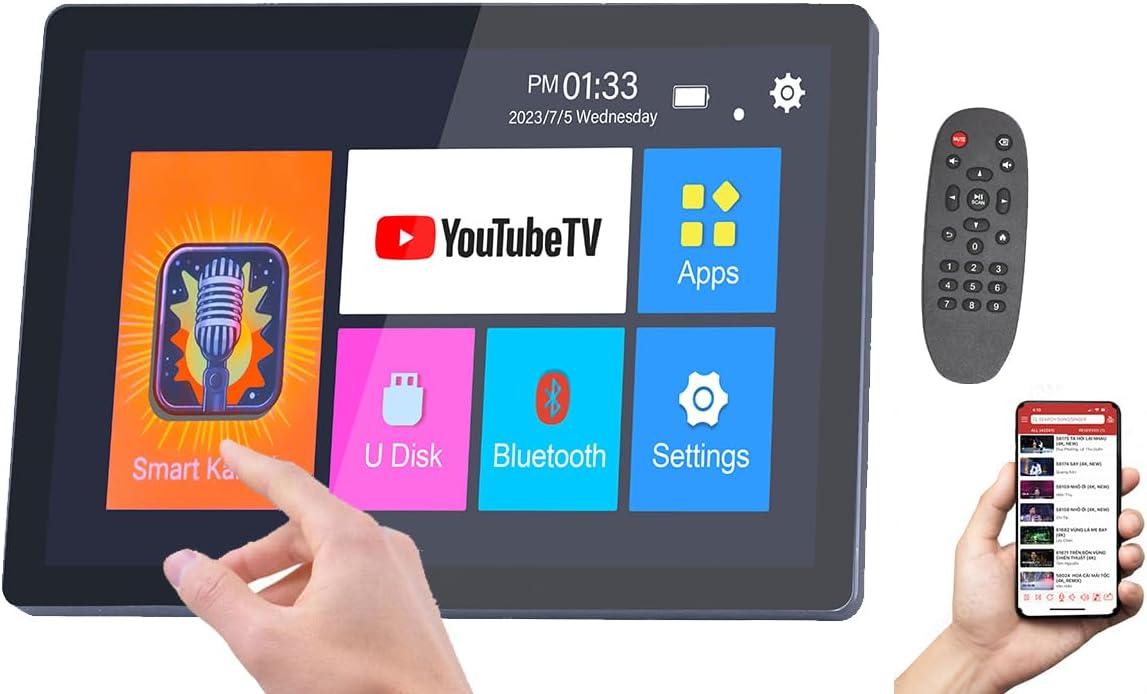
Figure 8: Dimensions of the 15.6-inch touchscreen player.
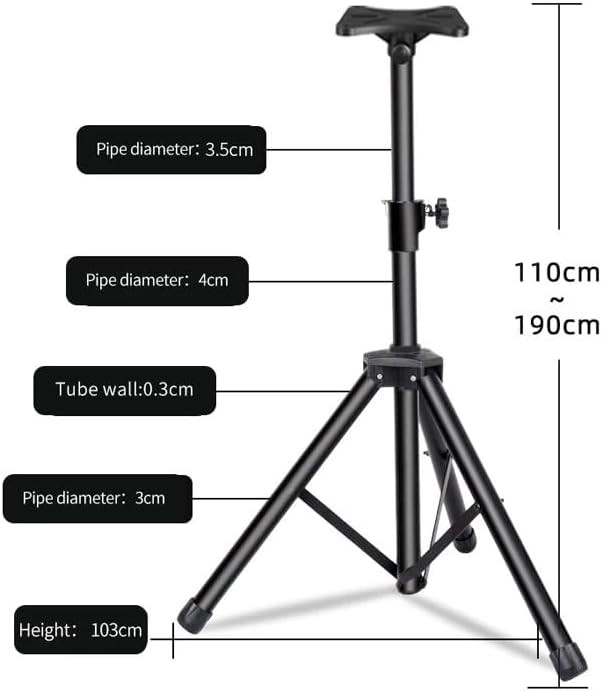
Figure 9: The included heavy-duty tripod speaker stand.
Warranty and Support
For warranty information and technical support, please refer to the documentation included with your product or visit the official SINGTRONIC website. You may also contact customer service through your retailer.
Ask a question about this manual
Ask about setup, troubleshooting, compatibility, parts, safety, or missing instructions. Manuals+ will review the question and use this page’s manual context to help answer it.