
Introduction
The LifePro Pacer Mini Pro Treadmill is a compact and versatile walking pad designed for light exercise and fitness in both home and office environments. Its adjustable incline and variable speed settings allow for a customized workout experience, helping you stay active throughout your day. This manual provides essential information for the safe and effective use, setup, operation, and maintenance of your Pacer Mini Pro Treadmill.
Important Safety Information
Please read and understand all instructions before operating the treadmill. Failure to follow these instructions may result in injury or damage to the product.
- Always place the treadmill on a flat, stable surface.
- Keep children and pets away from the treadmill during operation.
- Do not use the treadmill if it is damaged or malfunctioning.
- Consult a physician before starting any new exercise program.
- Ensure the power cord is not pinched or damaged.
- Do not attempt to service the treadmill yourself. Contact customer support for assistance.
Package Contents
Verify that all components are present in the package:
- LifePro Pacer Mini Pro Treadmill Unit
- Remote Control
- Power Cord
- Lubricant
- Adjustable Handlebar
- Tablet Holder
Setup
Follow these steps to set up your LifePro Pacer Mini Pro Treadmill:
- Unpacking: Carefully remove the treadmill and all components from the packaging.
- Placement: Choose a flat, stable surface for the treadmill. Ensure there is adequate space around the unit for safe operation.
- Handlebar and Feet Assembly: While the main unit comes pre-assembled, minimal assembly is required. Attach the adjustable handlebar and the incline feet as instructed in the included quick start guide. Ensure all screws are tightened securely.
- Initial Lubrication: The treadmill may come with some initial lubrication. Refer to the maintenance section for instructions on how to check and apply lubricant if needed before first use.
- Power Connection: Connect the power cord to the treadmill and then to a grounded electrical outlet.

Operating Instructions
Operating your Pacer Mini Pro Treadmill is straightforward:
- Power On: Plug in the treadmill and press the power button on the unit or the remote control. The LED display will illuminate.
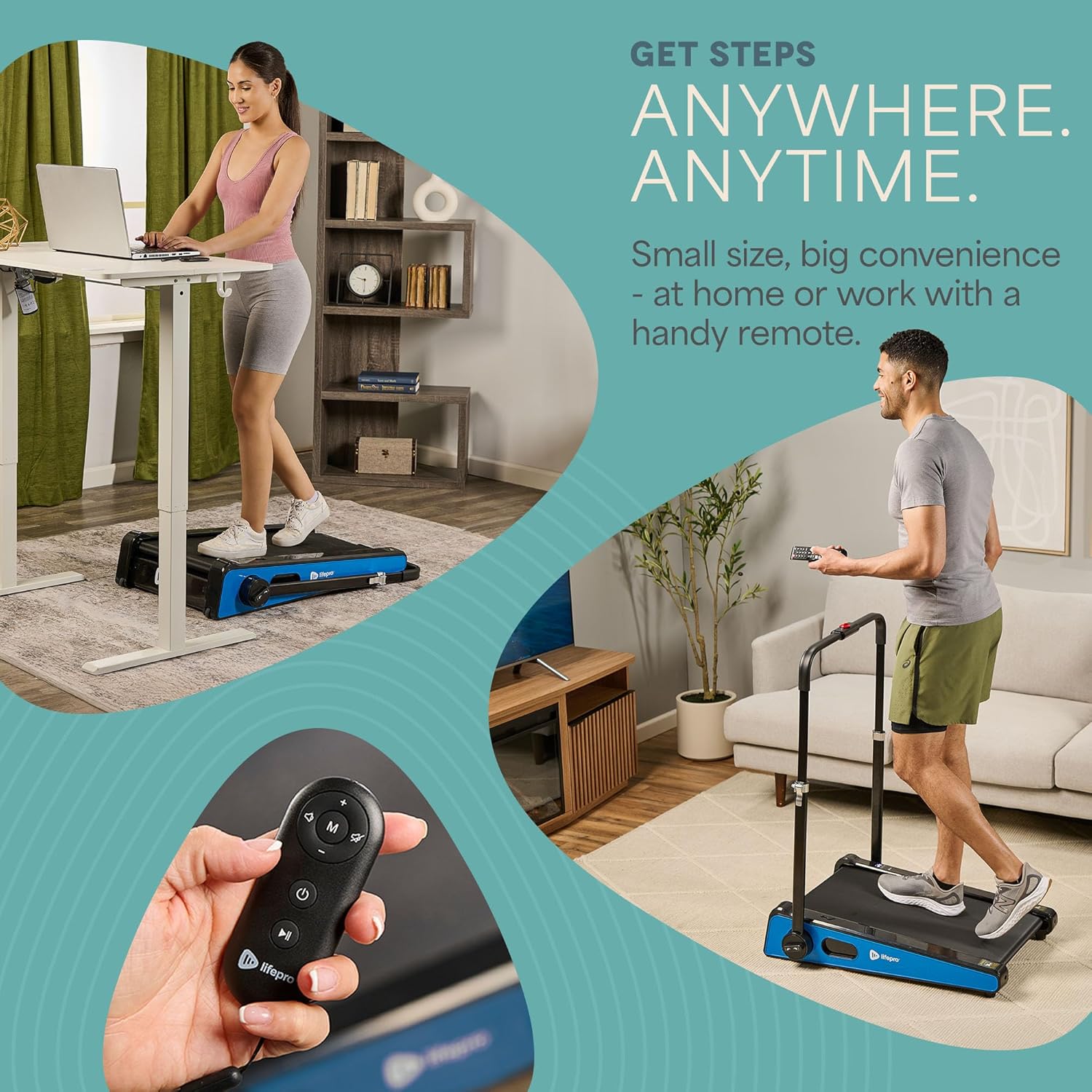
- Adjusting Speed: Use the remote control to increase or decrease the walking speed. The maximum speed is 3 MPH. The current speed will be shown on the LED display.
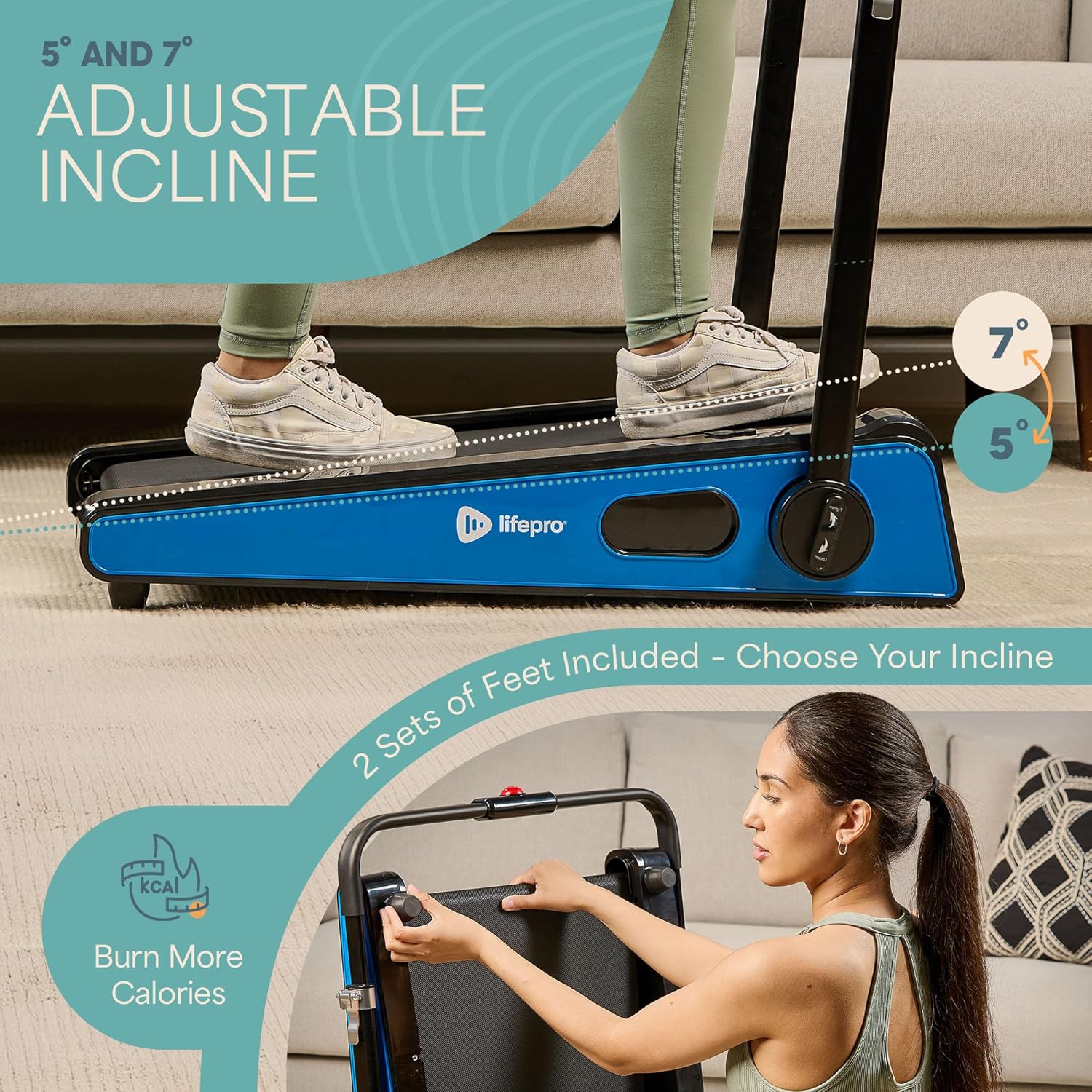
- Adjusting Incline: The treadmill offers adjustable incline settings of 5 or 7 degrees. To change the incline, manually adjust the feet at the rear of the treadmill. Refer to the setup section and product diagrams for visual guidance.
- Monitoring Your Workout: The LED display shows important workout metrics such as speed, calories burned, and distance covered. This helps you track your progress and stay motivated.
- Power Off: To stop your workout, press the stop button on the remote control or the unit. For complete power off, unplug the treadmill from the power outlet.

Maintenance
Regular maintenance ensures the longevity and optimal performance of your treadmill:
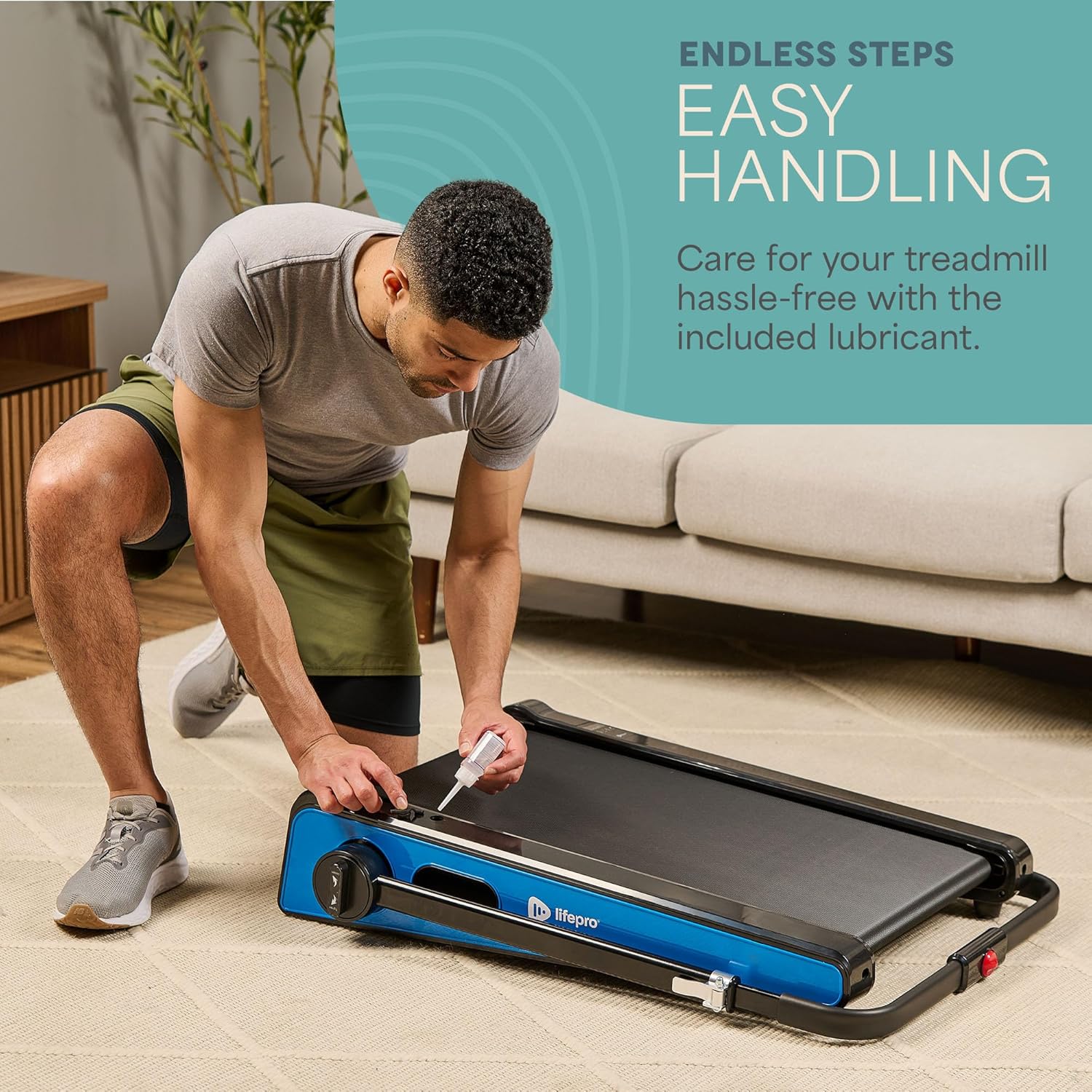
- Lubrication: The walking belt requires periodic lubrication to reduce friction and wear. A dedicated slot on the upper left side of the treadmill allows for easy injection of the provided lubricant. Lubricate as needed, typically every few months depending on usage.
- Cleaning: Wipe down the treadmill surface with a damp cloth after each use to remove sweat and dust. Do not use abrasive cleaners.
- Storage: The Pacer Mini Pro is designed for compact storage. It can be easily stored under a couch, desk, or in a closet thanks to its small footprint and built-in wheels for portability.
Troubleshooting
If you encounter any issues with your treadmill, refer to the following common solutions:
- Treadmill not powering on: Ensure the power cord is securely plugged into both the treadmill and a working electrical outlet. Check the power switch on the unit.
- Belt slipping or uneven: The walking belt may require adjustment or lubrication. Refer to the maintenance section for lubrication instructions. For belt tension adjustment, consult the detailed manual or contact customer support.
- Unusual noises: Stop using the treadmill immediately and inspect for any loose parts or obstructions. If the noise persists, contact customer support.
For issues not covered here, please contact LifePro customer support for assistance.
Specifications
| Brand | LifePro |
| Model Number | LP-PCRMP-BLU-VC |
| Color | Blue with Handlebar |
| Product Dimensions (D x W x H) | 83.1 cm x 63.5 cm x 104.1 cm |
| Item Weight | 53.9 pounds |
| Material | Stainless Steel |
| Maximum Speed | 3 MPH |
| Adjustable Incline | 5 or 7 degrees |
| Special Feature | Compact Design |
| Recommended Uses | Light exercise, walking, home and office use |
| Target Audience | Adult |
| Maximum Horsepower | 1.75 HP |
| Display Type | LED |
| Power Source | Corded Electric |
| Connectivity Technology | Ethernet |
| Counter Type | Digital |
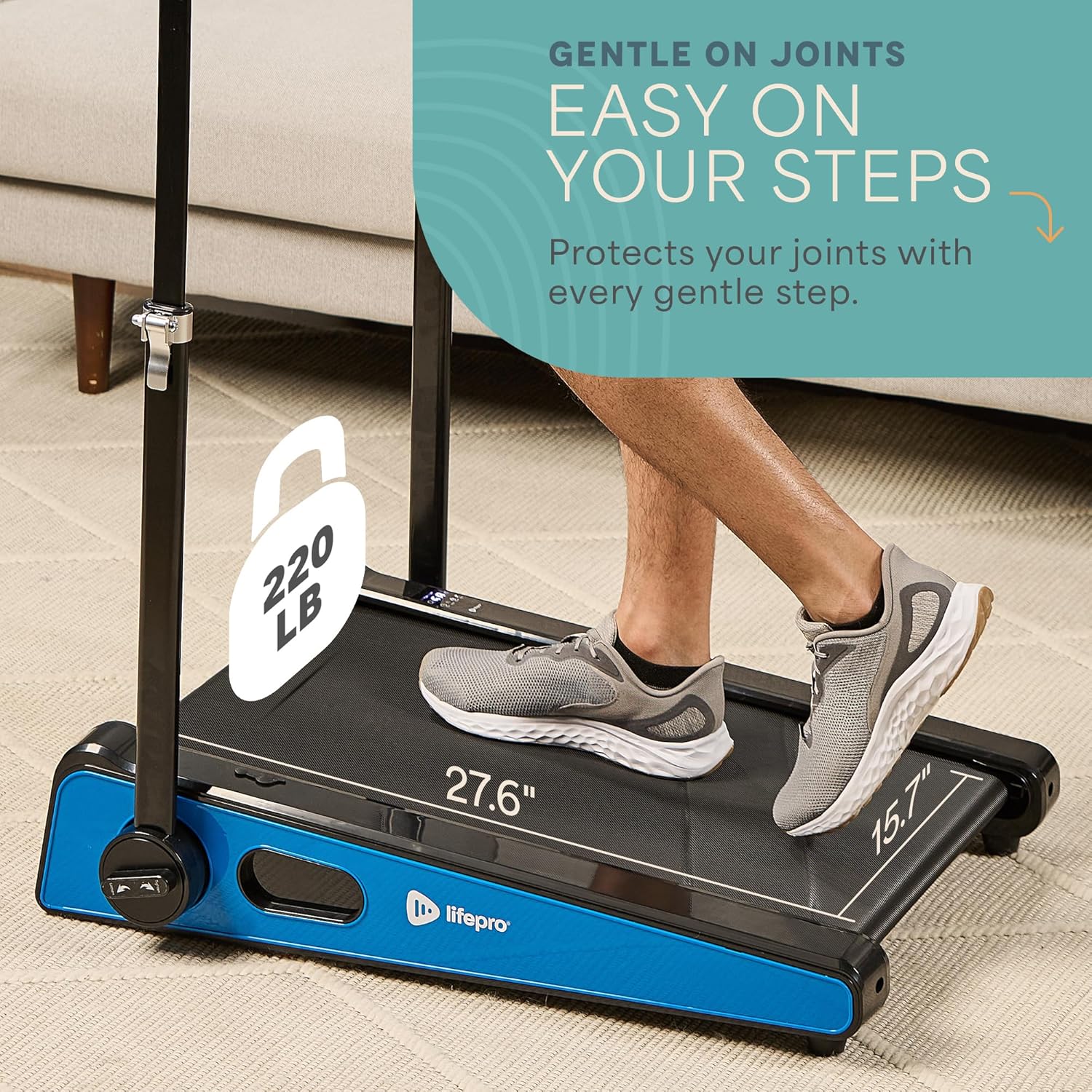
| Maximum Weight Recommendation | 220 pounds |
| Number of Programs | 1 |
| Running Surface Length | 40 inches |
| Running Surface Width | 15.7 inches |
| Screen Size | 30 inches |
| Assembly Required | Minimal (Handlebar and feet attachment) |
| UPC | 810161332328 |
Warranty and Support
LifePro is committed to providing high-quality products and customer satisfaction. The LifePro Pacer Mini Pro Treadmill comes with a lifetime warranty, ensuring peace of mind for your investment.
For any questions, concerns, or technical support, please contact LifePro customer service:
- Website: www.lifeprofitness.com (Example link, please replace with actual support link if available)
- Email: support@lifeprofitness.com (Example email, please replace with actual support email if available)
- Phone: [Insert Phone Number Here]
Please have your model number (LP-PCRMP-BLU-VC) and proof of purchase ready when contacting support.
