
1. Introduction
Thank you for choosing the Fanvace HiFi MP3 Player Model 12. This device is designed to deliver a superior audio experience with its advanced DSD decoding technology, Bluetooth 5.3 connectivity, and support for a wide range of lossless audio formats. Please read this manual carefully to understand the features and operation of your new player.
Package Contents
Ensure all items are present in the box:
- 1 x Fanvace HiFi MP3 Player
- 1 x USB-C Cable
- 1 x Audio Cable (3.5mm to 3.5mm)
- 1 x 64GB Micro SD Card
- 1 x Leather Case
- 1 x User Manual (this document)

Image: All items included in the Fanvace HiFi MP3 Player package, neatly arranged.
2. Setup
Charging the Device
Before first use, fully charge your MP3 player. Connect the included USB-C cable to the player's USB-C port and the other end to a USB power adapter (not included) or a computer's USB port. The charging indicator will show the charging status. A full charge typically takes 3-4 hours.
Inserting the Micro SD Card
The player comes with a pre-installed 64GB Micro SD card. If you wish to use a different card or expand storage, gently insert the Micro SD card into the designated slot until it clicks into place. The player supports up to 256GB Micro SD cards.

Image: The Fanvace MP3 Player with a Micro SD card partially inserted into its slot, illustrating the storage expansion capability.
Transferring Music Files
Connect the MP3 player to your computer using the USB-C cable. The player will appear as a removable storage device. You can then drag and drop your music files directly onto the Micro SD card. The player supports various formats including MP3, AAC, FLAC, APE, WAV, PCM, WMA, OGG, ALAC, MS-ADPCM, AIFF, IMA, DSF, DFF, and native DSD256.

Image: The Fanvace MP3 Player connected to a laptop via a USB-C cable, demonstrating the ease of music file transfer.
3. Operating Instructions
Power On/Off
Press and hold the power button (usually on the side) for a few seconds to turn the player on or off.
Navigating the Interface
The player features a 2.8-inch HD touchscreen. Swipe and tap to navigate through menus, select songs, and adjust settings. A retro mechanical knob is also available for precise volume control.
Playing Music
- From the main menu, select 'Music' or 'Files'.
- Browse your music by artist, album, genre, or folder.
- Tap on a song to begin playback.
- Use the on-screen controls or physical buttons for play/pause, skip tracks, and volume adjustment.
Bluetooth Connectivity
The player supports Bluetooth 5.3 for wireless audio transmission to headphones, speakers, or car audio systems (A2DP profile). It functions as a transmitter only.
- Go to 'Settings' and select 'Bluetooth'.
- Turn Bluetooth 'On'.
- The player will scan for available devices.
- Select your desired device from the list to pair.

Image: The Fanvace MP3 Player displaying music playback, with wireless earbuds nearby, illustrating its Bluetooth 5.3 capabilities.
Audio Output Options
The player features both a 3.5mm headphone jack and a line output. Use the 3.5mm jack for direct headphone connection. The line output allows connection to external amplifier devices such as home audio systems, speakers, or car audio via the included AUX cable.
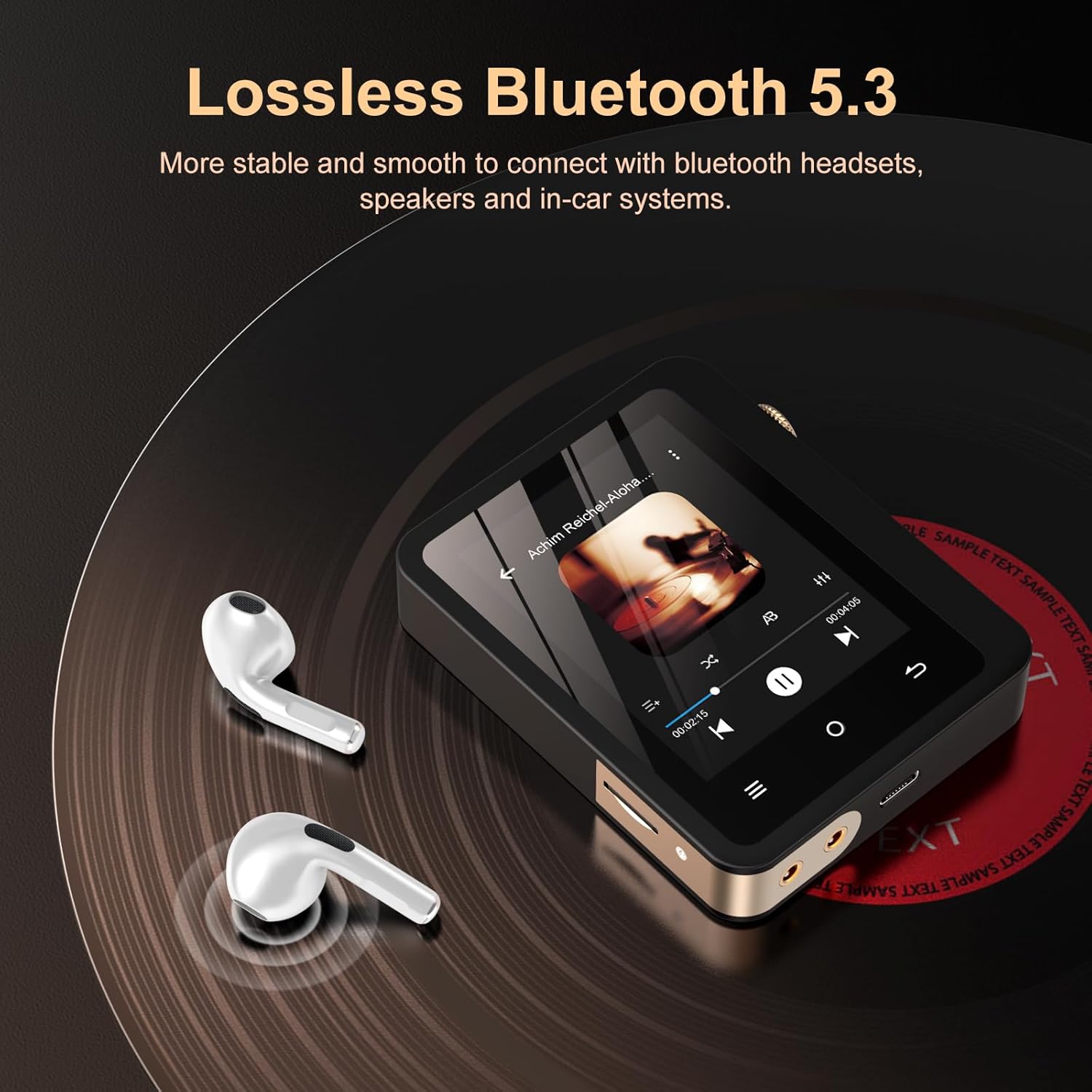
Image: A close-up of the Fanvace MP3 Player's audio output ports, with diagrams showing connections to headphones, speakers, and car audio systems.
4. Maintenance
Cleaning
Wipe the device with a soft, dry cloth. Do not use liquid cleaners or solvents, as they may damage the screen or casing.
Storage
Store the player in a cool, dry place away from direct sunlight and extreme temperatures. Use the provided leather case for protection against scratches and minor impacts.
Battery Care
To prolong battery life, avoid fully discharging the battery frequently. Charge the device regularly, even if not in use for extended periods.
5. Troubleshooting
Device Not Turning On
- Ensure the battery is charged. Connect the player to a power source and try again after a few minutes.
- If the device is unresponsive, try a hard reset (refer to the device's specific reset procedure if available, or hold the power button for 10-15 seconds).
No Sound
- Check the volume level.
- Ensure headphones or external audio devices are properly connected.
- If using Bluetooth, ensure the device is paired correctly and the volume on both the player and the connected device is adequate.
- Test with different headphones or audio cables.
Cannot Transfer Files
- Ensure the USB-C cable is securely connected to both the player and the computer.
- Try a different USB port or cable.
- Verify that the player is recognized as a storage device on your computer.
- Check if the Micro SD card is properly inserted and not corrupted.
6. Specifications
| Feature | Specification |
|---|---|
| Model Name | Fanvace HiFi MP3 Player Model 12 |
| Display | 2.8-inch HD Touchscreen (240*320 resolution) |
| Audio Decoding | DSD (up to DSD256), 24bit/192kHz PCM |
| DAC Chip | ES9018K2M |
| SNR | 127dB/kHz |
| THD+N | < 0.001% |
| Bluetooth | Version 5.3 (Transmitter only, A2DP profile) |
| Supported Audio Formats | MP1/2/3, AAC, FLAC, APE, WAV, PCM, WMA, OGG, ALAC, MS-ADPCM, AIFF, IMA, DSF, DFF, DSD256 |
| Internal Storage | None (relies on Micro SD) |
| Expandable Storage | Micro SD card up to 256GB (64GB included) |
| Battery | 2000mAh rechargeable lithium battery |
| Battery Life | Up to 50 hours (wired), 60 hours (Bluetooth) |
| Charging Port | USB-C |
| Audio Output | 3.5mm Headphone Jack, Line Output |
| Wired Headphone Output Power | 10mW/32 Ω, 20mW/16 Ω |
| Dimensions | 3.36 x 2.56 x 0.6 inches |
| Weight | 5.9 oz |
7. Warranty and Support
Warranty Information
The Fanvace HiFi MP3 Player Model 12 comes with a 1-year limited warranty from the date of purchase. This warranty covers manufacturing defects and workmanship under normal use. It does not cover damage caused by misuse, accidents, unauthorized modifications, or normal wear and tear.
Customer Support
If you encounter any issues or have questions regarding your Fanvace MP3 player, please contact our customer support team. You can typically find contact information on the product packaging or the official Fanvace website. Please have your purchase details and model number ready when contacting support.
We aim to respond to all inquiries within 24 hours.