
radtel RT-900
Radtel RT-900 Multi-Band Ham Radio User Manual
Model: RT-900
Introduction
This manual provides comprehensive instructions for the operation, maintenance, and troubleshooting of your Radtel RT-900 Multi-Band Ham Radio. Please read this manual thoroughly before using the device to ensure proper function and safety.

Figure 1: Radtel RT-900 Ham Radio with included accessories, including two main units, batteries, antennas, belt clips, and charging cables.
What's in the Box
Upon opening the package, verify that all the following items are present:
- 2x Radtel RT-900 Main Unit
- 2x 2200mAh Li-Ion Battery
- 1x Dual-Band Antenna
- 2x Belt Clip
- 2x Type-C Charging Cable
- 2x Power Adapter with USB Port
- 1x English User Manual
Key Features
- Flexible Programming: Easily program via mobile app (iOS/Android), PC CPS software, or CHIRP.
- Advanced Noise Reduction: Ensures clear communication in noisy environments.
- Large LCD Display: Shows channel number, frequency, and names simultaneously for easy navigation.
- Multi-Band Reception: Includes aviation band (108-136MHz RX) for air traffic communication.
- VOX Function: Voice Operated Transmission for hands-free operation.
- High Power Output: 8W power for extended range.
- Wide Frequency Range: 144-148MHz (TX/RX), 420-450MHz (TX/RX), 108-136MHz (RX).
- 256 Channels: Ample storage for various frequencies.
- 2200mAh Li-Ion Battery: Provides long operational time.
- Type-C Charging: Convenient and fast charging.
- NOAA Weather Radio: Stay informed about weather alerts.
- FM Radio: For leisure listening (65-76MHz / 76-108MHz).
- Multi-Scan: Frequency, DCS, and CTCSS scanning capabilities.
- Custom Channel Names: Personalize your channel list.

Figure 2: Overview of RT-900 features including app programming, full frequency band, battery capacity, and VOX function.
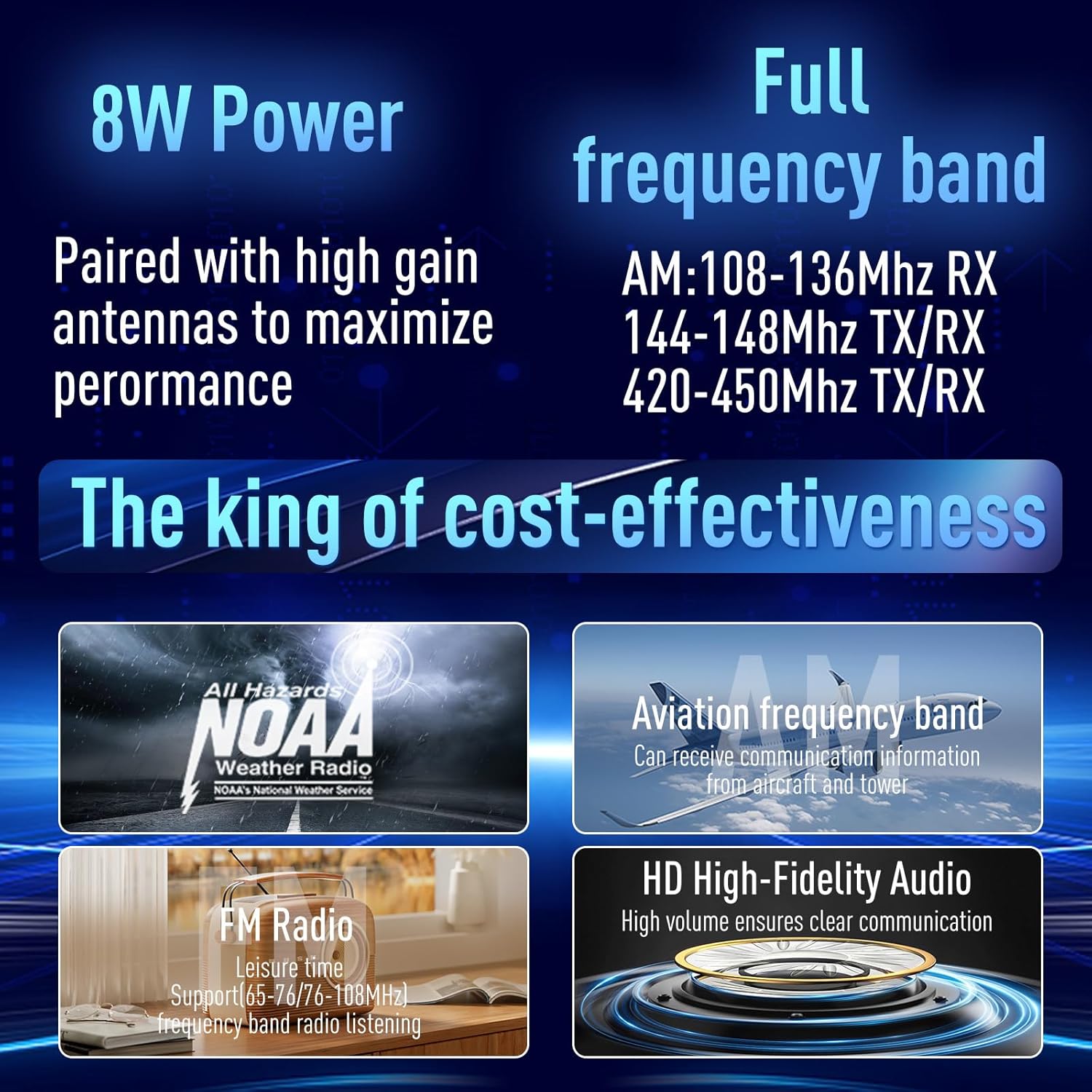
Figure 3: Details on 8W power, full frequency band coverage, NOAA weather radio, aviation band, FM radio, and HD audio.
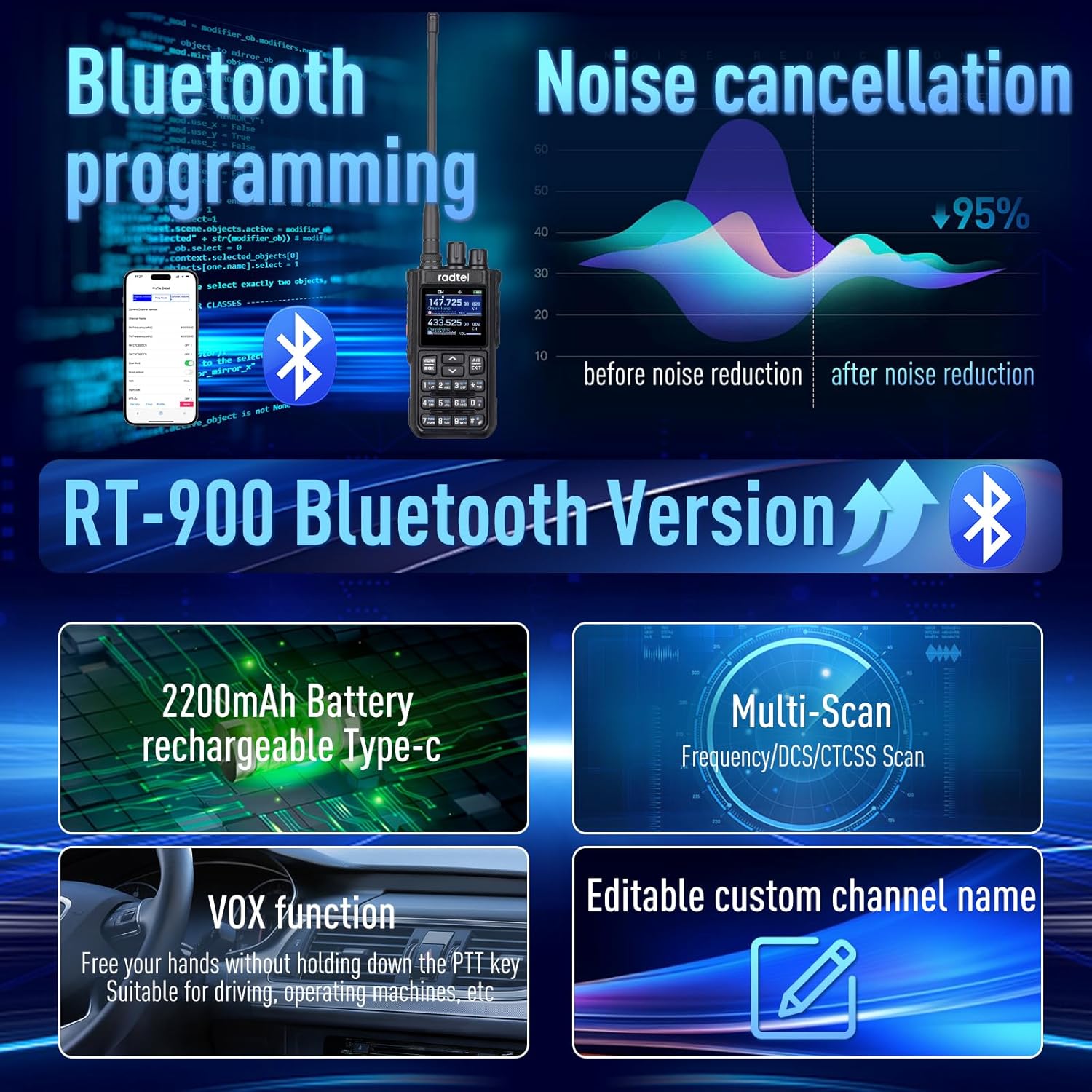
Figure 4: Illustration of Bluetooth programming, noise cancellation effectiveness, battery, multi-scan, VOX, and custom channel naming.
Setup
1. Battery Installation and Charging
- Align the battery with the grooves on the back of the radio.
- Slide the battery upwards until it clicks into place.
- To charge, connect the Type-C charging cable to the radio's Type-C port or the battery's Type-C port.
- Connect the other end of the cable to the provided power adapter and plug it into a wall outlet.
- The charging indicator light will show charging status (e.g., red for charging, green for fully charged).

Figure 5: The RT-900 supports Type-C charging directly to the radio or the battery, offering flexible charging options.
2. Antenna Attachment
- Screw the dual-band antenna clockwise onto the antenna connector on top of the radio until it is finger-tight. Do not overtighten.
3. Belt Clip Attachment
- Align the belt clip with the screw holes on the back of the radio.
- Secure it with the provided screws.
Operating Instructions
1. Power On/Off and Volume Control
- To power on, rotate the Power/Volume Knob clockwise until you hear a click.
- Continue rotating to adjust the volume.
- To power off, rotate the knob counter-clockwise until it clicks.
2. Channel Selection and Frequency Mode
- Press the VFO/MR button to switch between Frequency (VFO) mode and Channel (MR) mode.
- In Channel mode, use the Up/Down Arrow buttons to select a channel.
- In Frequency mode, use the keypad to input desired frequencies directly.
3. Transmitting and Receiving
- To transmit, press and hold the PTT (Push-to-Talk) button on the side of the radio. Speak clearly into the microphone.
- Release the PTT button to receive.
4. VOX Function (Voice Operated Transmission)
- The VOX function allows hands-free transmission. When enabled, the radio will transmit automatically when it detects your voice.
- Refer to the on-screen menu or the full user manual for steps to enable and adjust VOX sensitivity.
5. Programming Channels
The RT-900 offers multiple programming methods:
- Mobile App: Download the official Radtel app (iOS/Android). Connect your radio via Bluetooth (for Bluetooth version) or a programming cable. Follow the app's instructions to manage channels and settings.
- PC CPS Software: Install the Radtel CPS software on your computer. Connect the radio via a USB programming cable. This method offers advanced control over all radio parameters.
- CHIRP: The RT-900 is compatible with CHIRP software, providing an open-source alternative for programming.
6. NOAA Weather Radio and FM Radio
- Access NOAA weather channels to receive local weather alerts. Consult the full manual for specific menu navigation.
- Switch to FM radio mode to listen to broadcast radio stations.
Maintenance
- Cleaning: Use a soft, damp cloth to clean the radio's exterior. Do not use harsh chemicals or abrasive cleaners.
- Battery Care:
- Charge the battery fully before first use.
- Avoid overcharging or completely draining the battery.
- Store the battery in a cool, dry place when not in use for extended periods.
- Storage: Store the radio in a dry, dust-free environment away from direct sunlight and extreme temperatures.
- Water Resistance: The Radtel RT-900 is NOT water resistant. Avoid exposure to water or high humidity.
Troubleshooting
| Problem | Possible Cause | Solution |
|---|---|---|
| Radio does not power on. | Battery is low or not installed correctly. | Charge the battery. Reinstall the battery securely. |
| Cannot transmit or receive. | Incorrect frequency/channel, antenna not attached, or PTT button issue. | Verify frequency/channel settings. Ensure antenna is securely attached. Check PTT button functionality. |
| Poor audio quality / Noise. | Weak signal, interference, or noise reduction settings. | Move to an area with better signal. Adjust noise reduction settings. |
| Programming issues. | Incorrect software/drivers, cable issues, or radio not in programming mode. | Ensure correct software/drivers are installed. Check cable connection. Follow programming guide for specific mode. |
If the problem persists, please contact Radtel customer support.
Specifications
| Feature | Detail |
|---|---|
| Model Number | RT-900 |
| Item Weight | 2.25 pounds |
| Product Dimensions | 1.57 x 2 x 10.62 inches |
| Battery Type | 2200mAh Lithium Ion (included) |
| Number of Channels | 256 |
| Frequency Range (TX/RX) | 144-148MHz / 420-450MHz |
| Frequency Range (RX Only) | 108-136MHz (Aviation Band) |
| Tuner Technology | UHF/VHF |
| Special Features | Bluetooth programming, Type-C charging, Noise reduction, VOX, NOAA, FM Radio |
| Water Resistance Level | Not Water Resistant |
| Manufacturer | Xiamen Radtel Electronics Co.,Ltd |
Warranty and Support
The Radtel RT-900 comes with a 1-Year Warranty from the date of purchase, covering manufacturing defects.
For technical support, troubleshooting assistance, or warranty claims, please contact Radtel customer service. Refer to the contact information provided on the official Radtel website or your purchase documentation.
Manufacturer: Xiamen Radtel Electronics Co.,Ltd
For more information, visit the official Radtel Store on Amazon.
Related documentsRT-900


Ask a question about this manual
Ask about setup, troubleshooting, compatibility, parts, safety, or missing instructions. Manuals+ will review the question and use this page’s manual context to help answer it.