
KAIY C83
KAIY C83 Bluetooth Adapter User Manual
Model: C83
1. Product Overview
The KAIY C83 is a versatile 2-in-1 Bluetooth adapter designed to function as both a transmitter (TX) and a receiver (RX). It allows you to wirelessly stream audio from non-Bluetooth devices to Bluetooth headphones/speakers (TX mode) or enable Bluetooth streaming on wired audio systems from your smartphone/tablet (RX mode). Its compact design, long battery life, and LCD screen make it ideal for various applications, including airplane entertainment systems, TVs, PCs, car stereos, and home audio setups.

Figure 1: KAIY C83 Bluetooth Adapter
Key features include Bluetooth 5.3 for stable connection, an LCD screen for easy pairing and status display, and a built-in battery providing up to 13 hours of use.
2. Safety Information
Please read and understand the following safety precautions before using the KAIY C83 Bluetooth Adapter to ensure safe and optimal operation.
- Battery Handling Precautions: Do not disassemble, puncture, or modify the built-in battery. Avoid exposing the device to extreme temperatures (above 60°C/140°F or below -10°C/14°F) or direct sunlight, as this may cause the battery to overheat, explode, or leak. Dispose of the device and battery according to local regulations.
- Temperature and Humidity Limitations: Operate the device within a temperature range of 0°C to 45°C (32°F to 113°F) and a humidity range of 10% to 90% non-condensing. Avoid using the device in excessively humid or wet environments.
- Potential Interference with Other Wireless Devices: This device operates using Bluetooth wireless technology, which emits radio frequency (RF) energy. While designed to comply with safety standards, it may cause interference with other electronic devices, medical equipment (e.g., pacemakers, hearing aids), or aircraft navigation systems. Always follow regulations and turn off the device where prohibited.
- Keep the device away from water, fire, and high voltage equipment.
- Do not attempt to repair or modify the device yourself. Refer all servicing to qualified personnel.
3. Package Contents
Verify that all items are present in your package:
- KAIY C83 Bluetooth Adapter
- USB-C Charging Cable
- User Manual (this document)
4. Product Diagram and Controls
Familiarize yourself with the various parts and controls of your KAIY C83 Bluetooth Adapter.

Figure 2: KAIY C83 Product Diagram with Labeled Parts
- AUX Interface: 3.5mm audio jack for connecting to audio sources or output devices.
- Adjustable Neck: Allows for flexible positioning of the 3.5mm jack.
- LCD Display: Shows current mode (TX/RX), battery level, and connected device names.
- On/Off Button (M): Press and hold to power on/off. Short press for Play/Pause.
- Handsfree Button (M): Short press to answer/end calls in RX mode.
- Volume + / Next Song: Short press for Volume Up. Long press for Next Song.
- Volume - / Previous Song: Short press for Volume Down. Long press for Previous Song.
- Microphone: For hands-free calling in RX mode.
- TX/RX Switch Button: Toggle between Transmitter (TX) and Receiver (RX) modes.
- Charging Port: USB-C port for charging the device.
5. Charging the Device
Before first use, fully charge your KAIY C83 Bluetooth Adapter. A full charge takes approximately 2 hours and provides up to 13 hours of working time in RX mode or 12 hours in TX mode.
- Connect the provided USB-C charging cable to the charging port on the adapter.
- Connect the other end of the USB-C cable to a standard USB power adapter (5V/1A recommended) or a computer's USB port.
- The LCD screen will indicate charging status. Once fully charged, the battery icon will show full.

Figure 3: Charging the KAIY C83 Adapter
6. Operating Modes
The KAIY C83 operates in two distinct modes: Transmitter (TX) and Receiver (RX). Use the TX/RX switch button on the side of the device to select the desired mode.

Figure 4: TX and RX Mode Applications
6.1. Transmitter (TX) Mode
In TX mode, the adapter transmits audio from a non-Bluetooth device (e.g., airplane entertainment system, TV, PC) to your Bluetooth headphones or speakers.
- Switch the TX/RX button to the TX position.
- Plug the 3.5mm AUX interface of the adapter into the audio output jack of your desired device (e.g., airplane seat, TV headphone jack, PC audio out).
- Power on the KAIY C83 adapter by pressing and holding the 'M' button. The LCD screen will display "TX Searching...".
- Put your Bluetooth headphones or speakers into pairing mode. Refer to your headphone/speaker manual for specific instructions.
- The KAIY C83 will automatically search for nearby Bluetooth devices. The LCD screen will show available device names.
- Select your desired device from the list on the LCD screen using the Volume +/- buttons, then short press the 'M' button to confirm pairing.
- Once connected, the LCD screen will display the connected device name, and audio will be transmitted wirelessly.

Figure 5: TX Mode for Airplane Use
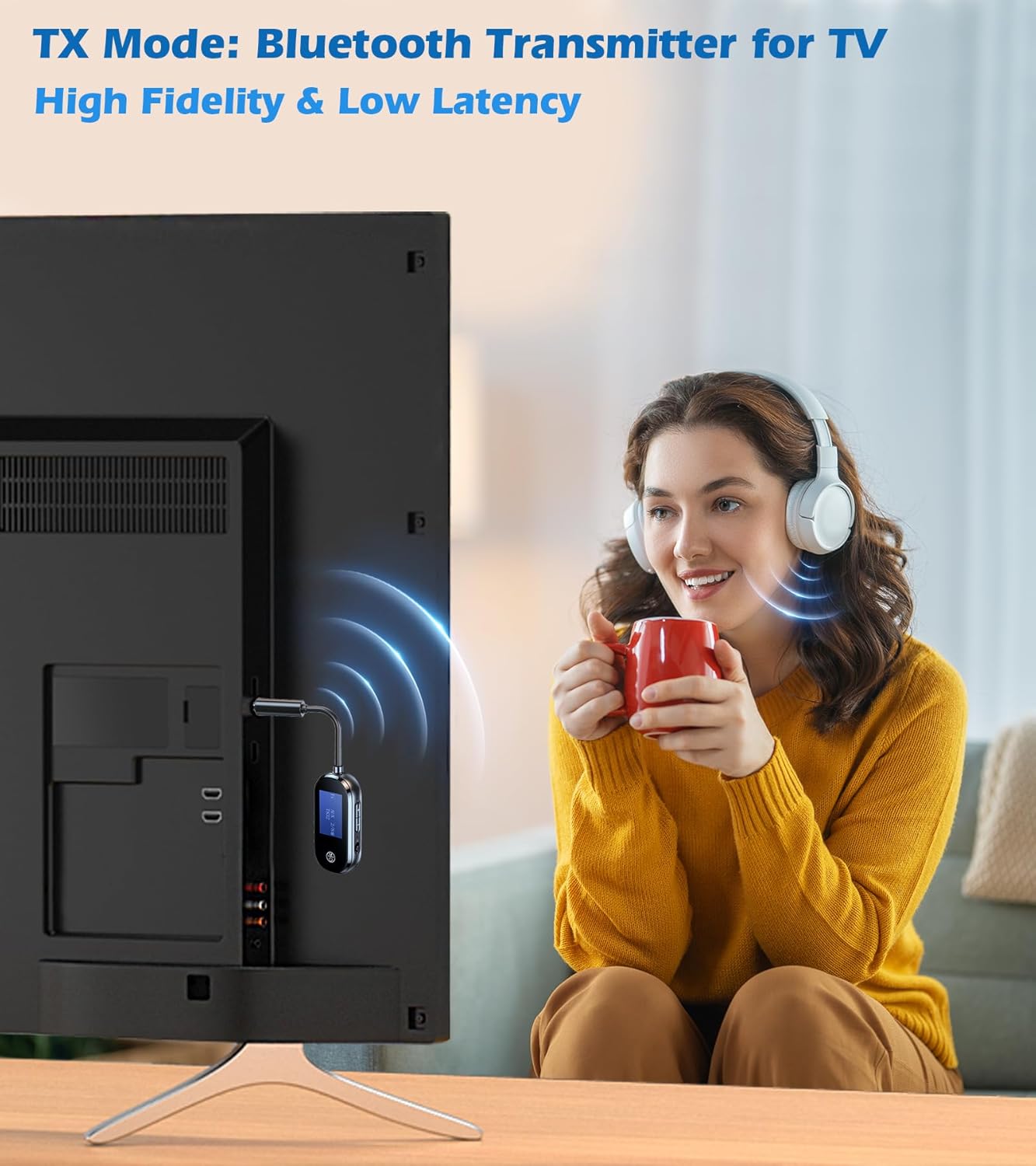
Figure 6: TX Mode for TV Use
6.2. Receiver (RX) Mode
In RX mode, the adapter receives Bluetooth audio from your smartphone, tablet, or laptop and outputs it to a wired audio system (e.g., car stereo, home stereo, wired headphones).
- Switch the TX/RX button to the RX position.
- Plug the 3.5mm AUX interface of the adapter into the AUX input jack of your car stereo, home stereo, or wired headphones.
- Power on the KAIY C83 adapter by pressing and holding the 'M' button. The LCD screen will display "RX Pairing...".
- Enable Bluetooth on your smartphone, tablet, or laptop and search for new devices.
- Select "C83" from the list of available Bluetooth devices on your phone/tablet.
- Once connected, the LCD screen will display "Connected", and you can now stream audio wirelessly to your wired audio system.
- Hands-free Calling (RX Mode): When connected to a smartphone, short press the 'M' button to answer an incoming call or end an ongoing call.

Figure 7: RX Mode for Car Stereo Use

Figure 8: RX Mode for Home Stereo Use
7. Pairing Instructions and Tips
For successful pairing, ensure both the KAIY C83 and your target Bluetooth device are in pairing mode.
- Initial Pairing: When the KAIY C83 is powered on in TX or RX mode, it will automatically enter pairing mode if no device is connected.
- Re-pairing: If you wish to connect to a new device, or if the adapter fails to connect to a previously paired device, you may need to manually put the adapter into pairing mode. For TX mode, the LCD will show "TX Searching...". For RX mode, it will show "RX Pairing...".
- Auto-Reconnect: The KAIY C83 adapter remembers your last-connected devices. Just power it on, and it will attempt to auto-connect to your headphones or phone in seconds, provided the previously paired device is within range and in pairing mode.
- Troubleshooting Pairing: If you experience difficulty pairing, ensure your headphones or speakers are in their correct pairing mode. Many Bluetooth headsets require a specific button press or sequence to enter pairing mode. A common issue is that headphones are not in pairing mode. Search online for your specific headphone model's pairing instructions.

Figure 9: Successful Bluetooth Connection

Figure 10: Example of Putting Headphones into Pairing Mode
8. Maintenance
Proper care and maintenance will ensure the longevity of your KAIY C83 Bluetooth Adapter.
- Cleaning: Use a soft, dry, lint-free cloth to clean the device. Do not use abrasive cleaners, solvents, or strong chemicals, as they may damage the surface or internal components.
- Storage: When not in use for extended periods, store the device in a cool, dry place, away from direct sunlight and extreme temperatures.
- Battery Care: To preserve battery life, avoid fully discharging the battery frequently. If storing for a long time, charge the device to about 50% every few months.
- Avoid Physical Damage: Do not drop, bend, or expose the device to strong impacts. The adjustable neck should be handled with care to prevent damage.
9. Troubleshooting
If you encounter issues with your KAIY C83 Bluetooth Adapter, refer to the following common problems and solutions:
| Problem | Possible Cause | Solution |
|---|---|---|
| Device does not power on. | Low battery. | Charge the device for at least 30 minutes. |
| Cannot pair with headphones/speaker (TX mode). | Headphones/speaker not in pairing mode; too far apart; interference. | Ensure your headphones/speaker are in pairing mode. Move devices closer. Turn off other Bluetooth devices nearby. Try restarting both devices. |
| Cannot connect to phone/tablet (RX mode). | KAIY C83 not in RX pairing mode; "C83" not selected on phone. | Ensure the TX/RX switch is in RX position and the adapter is powered on. On your phone, go to Bluetooth settings and select "C83". |
| No audio or poor audio quality. | Incorrect cable connection; volume too low; source device issue; interference. | Ensure the 3.5mm AUX cable is fully inserted. Adjust volume on both the adapter and the connected audio device. Check the audio source. Move away from sources of interference (Wi-Fi routers, microwaves). |
| Device disconnects frequently. | Out of range; low battery; interference. | Keep devices within 33 feet (10 meters). Recharge the adapter. Reduce wireless interference. |
If the problem persists after trying these solutions, please contact customer support.
10. Specifications
| Feature | Detail |
|---|---|
| Model Number | C83 |
| Bluetooth Version | 5.3 |
| Operating Modes | Transmitter (TX) / Receiver (RX) |
| Connectivity | AUX (3.5mm), Bluetooth |
| Battery Life (TX Mode) | Up to 12 hours |
| Battery Life (RX Mode) | Up to 13 hours |
| Charging Time | Approx. 2 hours (USB-C) |
| Wireless Range | Up to 33 feet (10 meters) |
| Product Dimensions | 1 x 0.52 x 4.99 inches (2.54 x 1.32 x 12.67 cm) |
| Item Weight | 1.44 ounces (40.8 grams) |
| Material | Metal, Plastic |
11. Warranty and Support
KAIY products are designed for reliability and performance. For warranty information and technical support, please refer to the contact details below or visit our official website.
- Warranty: This product comes with a standard manufacturer's warranty. Please retain your proof of purchase for warranty claims. Specific warranty terms may vary by region.
- Customer Support: For any questions, technical assistance, or warranty inquiries, please contact KAIY customer support.
- Online Resources: Visit the KAIY Store on Amazon for FAQs and additional product information: KAIY Amazon Store
Ask a question about this manual
Ask about setup, troubleshooting, compatibility, parts, safety, or missing instructions. Manuals+ will review the question and use this page’s manual context to help answer it.