
TER Air MK-AP01
TER Air Purifier MK-AP01 User Manual
Model: MK-AP01
1. Introduction
Thank you for choosing the TER Air Purifier MK-AP01. This manual provides essential information for the safe and efficient operation, maintenance, and troubleshooting of your air purifier. Please read it thoroughly before use and retain it for future reference.
Important Safety Instructions
- Always place the air purifier on a firm, level surface.
- Ensure adequate clearance (at least 8 inches) around the unit for proper airflow.
- Do not block air inlets or outlets.
- Unplug the unit before cleaning or performing any maintenance.
- Do not operate the unit with a damaged cord or plug.
- Keep the unit away from water or moist environments.
- This appliance is not intended for use by persons (including children) with reduced physical, sensory or mental capabilities, or lack of experience and knowledge, unless they have been given supervision or instruction concerning use of the appliance by a person responsible for their safety.
2. Product Overview
The TER Air Purifier MK-AP01 is designed to provide clean air for large rooms, featuring advanced filtration and smart functions.
Key Features
- Large Room Coverage: Effectively cleans spaces up to 3,000 sq ft once per hour with a CADR of 249 CFM (500 m³/h).
- H13 True HEPA Filtration: A 3-stage system captures 99.97% of particles, including smoke, pollen, pet dander, and dust.
- Smart PM2.5 Sensor: Monitors air quality in real-time and adjusts fan speed automatically.
- Dual-Sided Air Intake: Enhances airflow and purification speed.
- Ultra-Quiet Sleep Mode: Operates at less than 22dB for undisturbed rest.
- Energy-Saving Auto Mode: Adjusts performance based on air quality for optimal efficiency.
- Washable Pre-Filter: Extends the life of the main filter by trapping larger particles.
- Aromatherapy Function: Allows for the addition of essential oils to freshen the air.
- Child Lock: Prevents accidental changes to settings.
Product Components
Familiarize yourself with the main components of your air purifier:

Image: The TER Air Purifier MK-AP01 in dark gray, shown next to a golden retriever, highlighting its pet-friendly design and overall appearance.
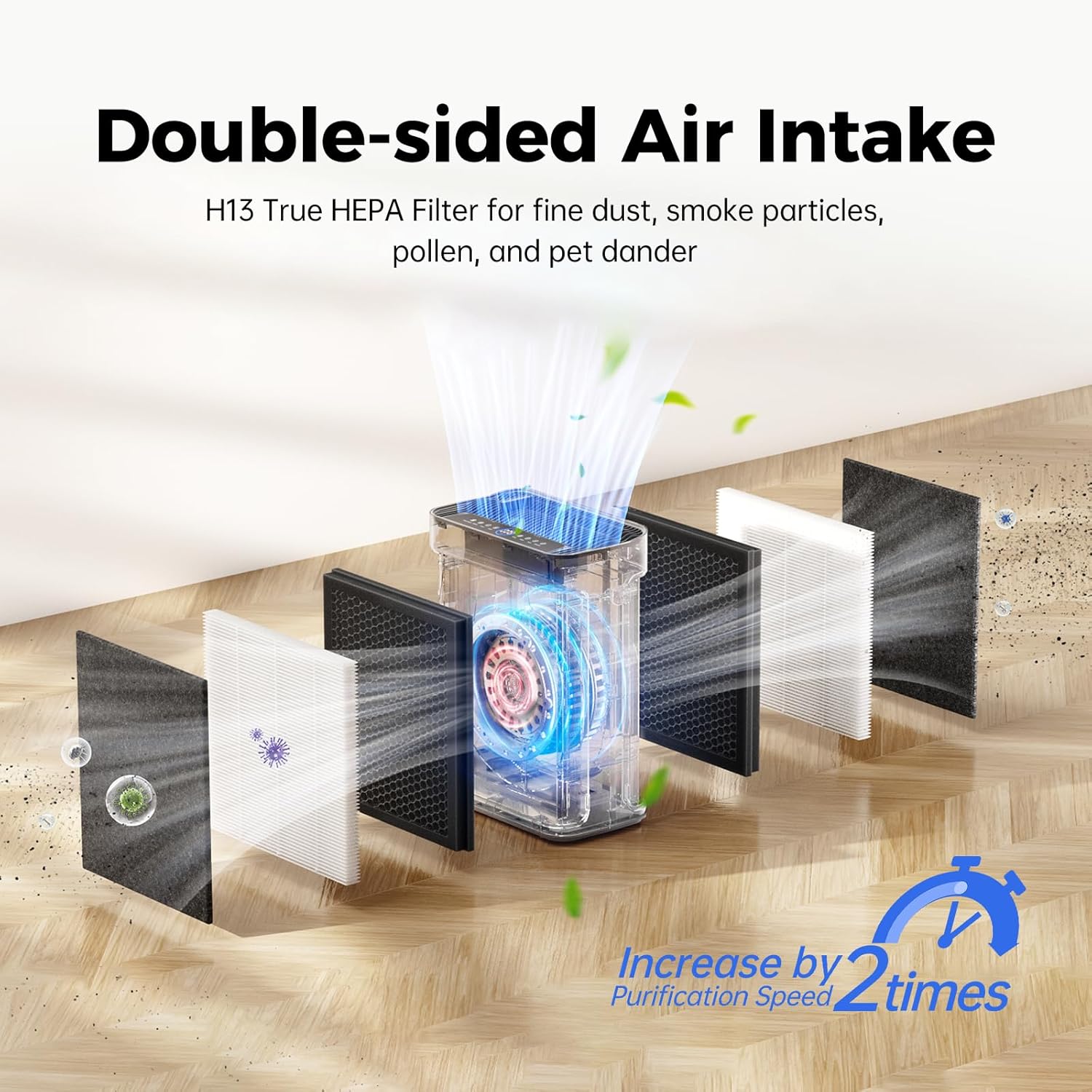
Image: An exploded view diagram illustrating the dual-sided air intake and the three layers of the filtration system: pre-filter, H13 HEPA filter, and activated carbon filter.
3. Setup
Unpacking and Filter Installation
- Carefully remove the air purifier from its packaging.
- Open the filter covers on both sides of the unit.
- Remove the plastic packaging from the filters. The unit comes with a washable pre-filter and a combined H13 HEPA/Activated Carbon filter.
- Insert the filters back into their compartments, ensuring they are correctly oriented.
- Close the filter covers securely.
Placement
Place the air purifier on a flat, stable surface in the desired room. Ensure there is at least 8 inches (20 cm) of space around all sides for optimal air circulation.
4. Operating Instructions
Control Panel Overview
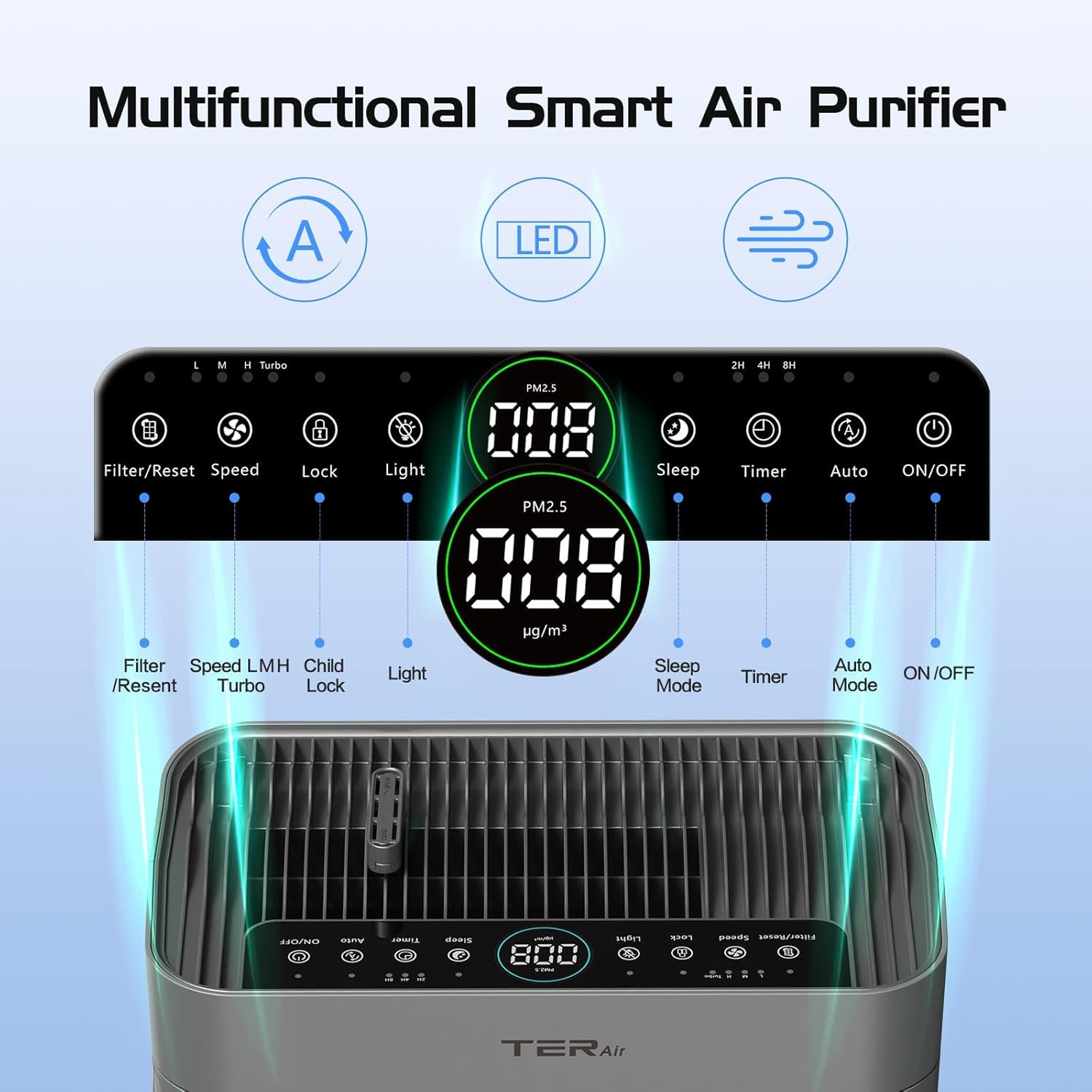
Image: A close-up of the air purifier's top control panel, showing buttons for Filter/Reset, Speed, Lock, Light, Sleep, Timer, Auto, and ON/OFF, along with PM2.5 display.
Functions
- Power ON/OFF: Press the ON/OFF button to turn the unit on or off.
- Fan Speed: Press the Speed button to cycle through low, medium, high, and turbo fan speeds.
- Auto Mode: Press the Auto button to activate Auto Mode. The purifier will automatically adjust fan speed based on real-time PM2.5 levels detected by the sensor. The display will show air quality indicators (Blue: Good, Green: Normal, Red: Bad).
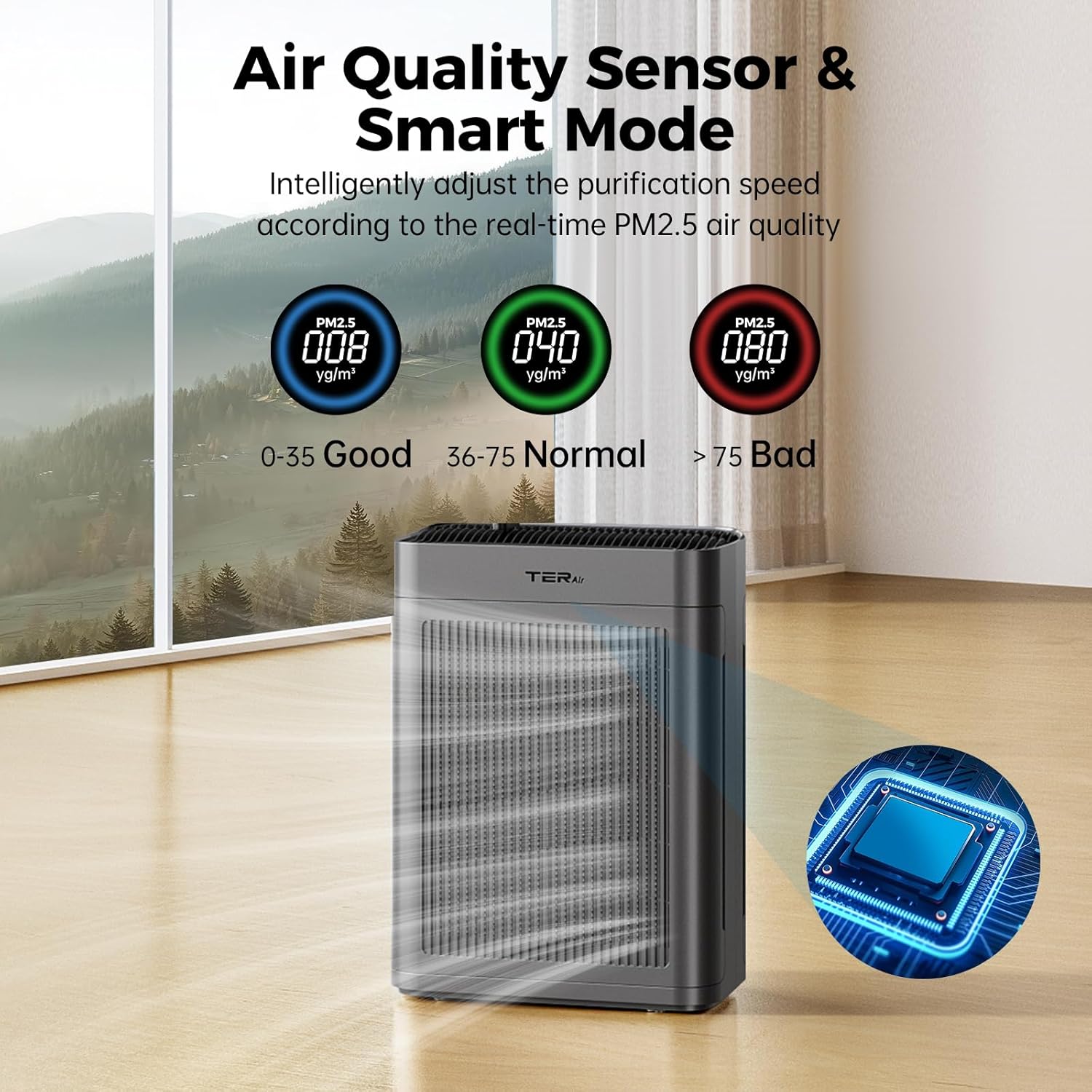
Image: The air purifier's display showing PM2.5 readings and color-coded indicators (blue for good, green for normal, red for bad) to represent air quality levels.
- Sleep Mode: Press the Sleep button to enter Sleep Mode. The fan speed will reduce to its lowest setting, and the display lights will dim or turn off for quiet operation.
- Timer: Press the Timer button to set the operating time for 2, 4, or 8 hours. The unit will automatically turn off after the selected duration.
- Child Lock: Press and hold the Lock button for 3 seconds to activate or deactivate the Child Lock function. When activated, other buttons will not respond.
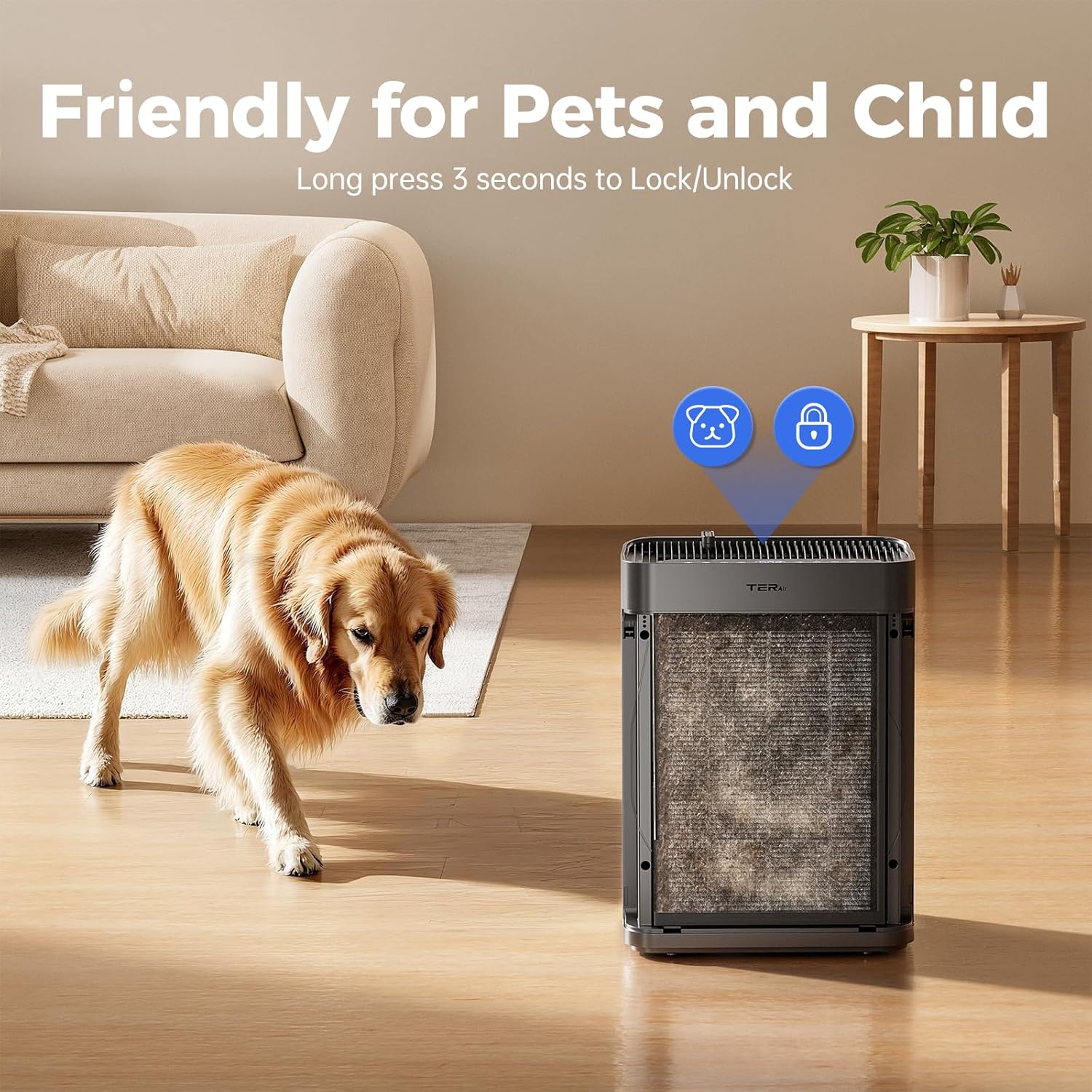
Image: The air purifier with an overlay showing child lock and pet lock icons, indicating the safety feature for households with children and pets.
- Light: Press the Light button to turn the display lights on or off.
- Aromatherapy: Locate the aroma pad compartment on the top of the unit. Add a few drops of your preferred essential oil to the pad. Do not apply essential oils directly to the filters.
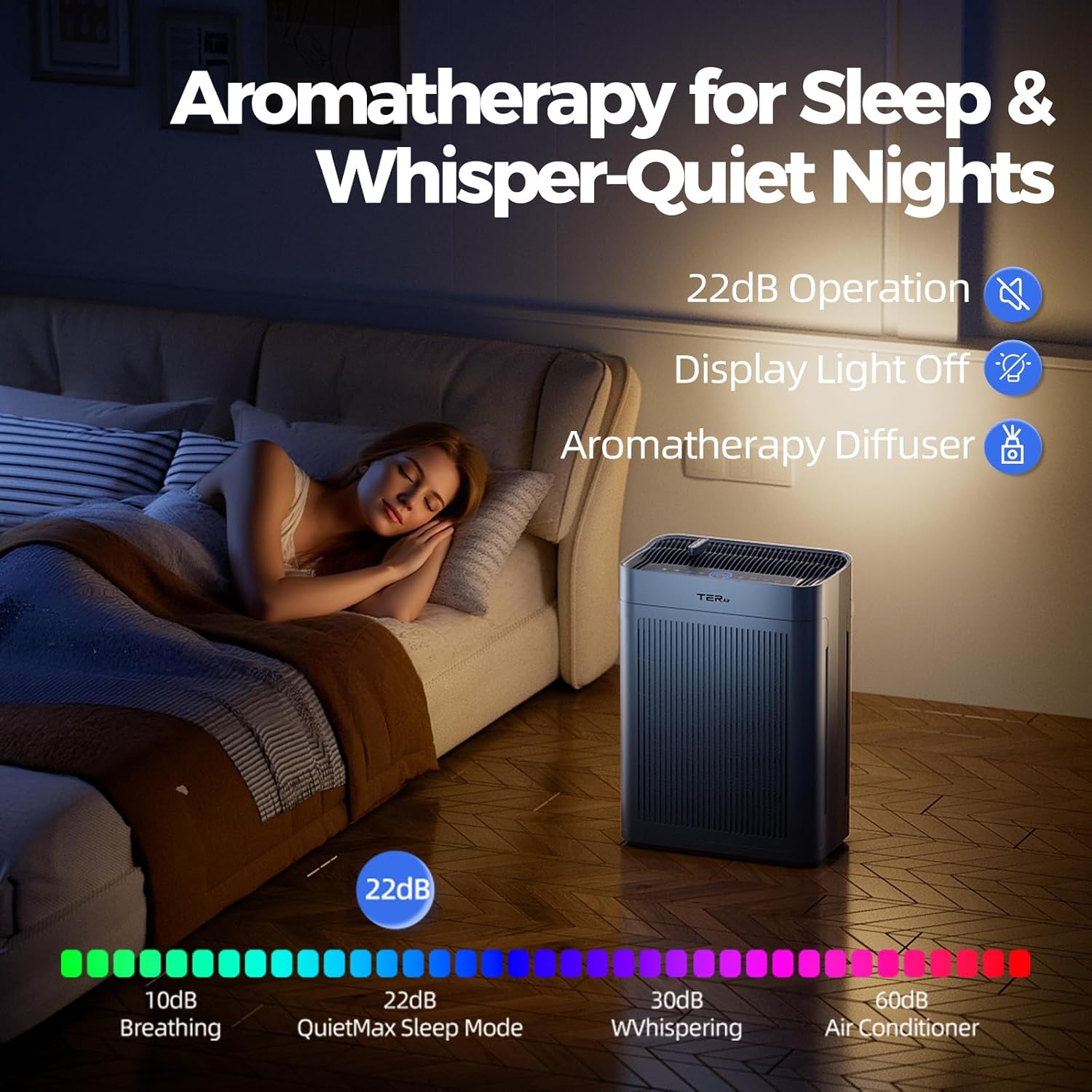
Image: A woman sleeping in a bedroom with the air purifier operating quietly, illustrating the sleep mode and aromatherapy features.
5. Maintenance
Regular maintenance ensures optimal performance and extends the lifespan of your air purifier.
Pre-Filter Cleaning
The pre-filter is washable and should be cleaned regularly (e.g., every 2-4 weeks, depending on air quality and usage) to maintain efficiency.
- Unplug the air purifier from the power outlet.
- Open the filter covers and carefully remove the pre-filters.
- Rinse the pre-filters under running water until clean. For stubborn dirt, a mild detergent can be used.
- Allow the pre-filters to air dry completely before re-installing them. Do not use a dryer or direct heat.
- Re-install the dry pre-filters and close the covers.
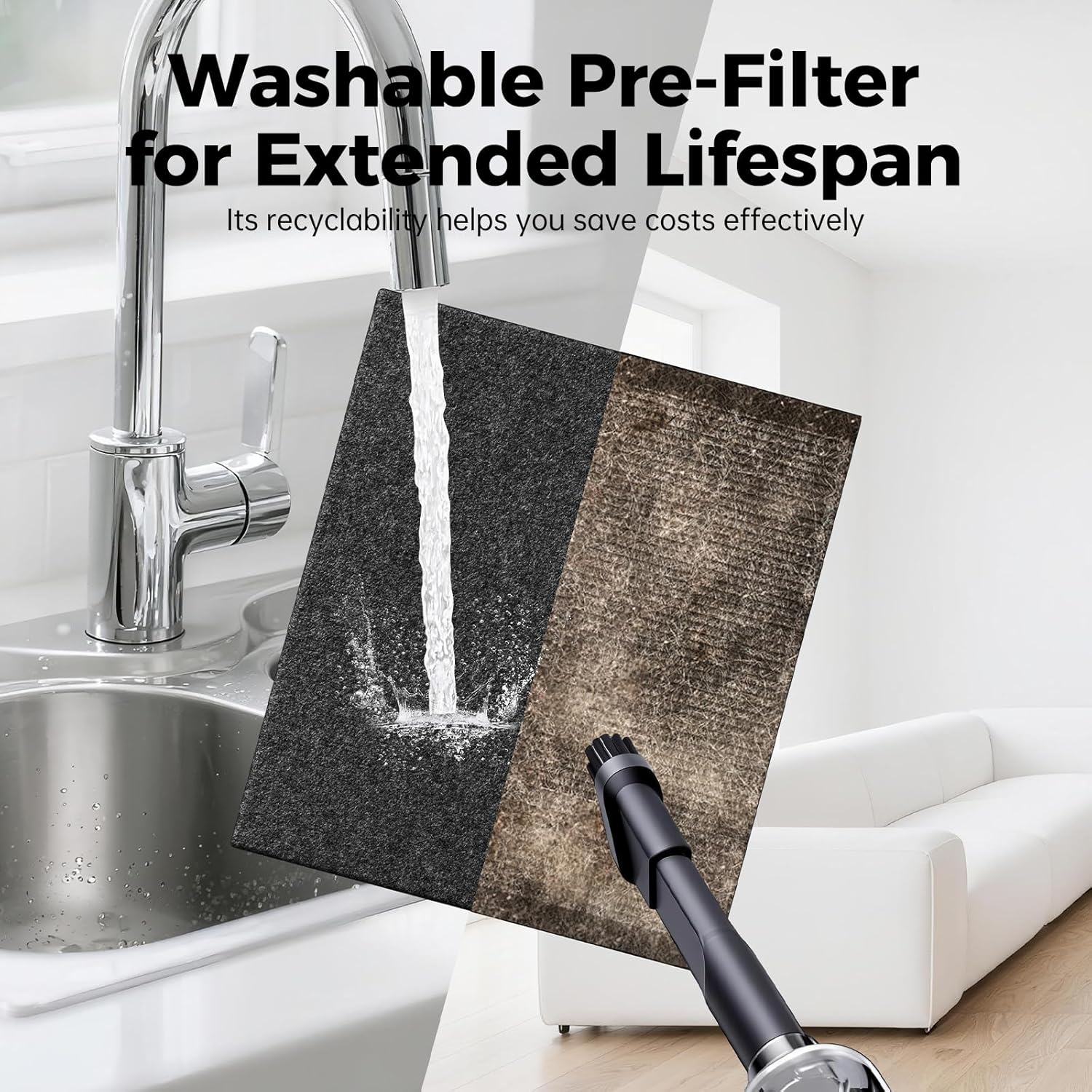
Image: A split image showing the washable pre-filter being rinsed under a faucet and another pre-filter being cleaned with a vacuum cleaner, demonstrating maintenance options.
HEPA Filter Replacement
The H13 True HEPA and Activated Carbon filter has an approximate lifespan of 2,160 hours. The unit will display a filter replacement reminder when it's time to change the filter.
- Unplug the air purifier.
- Open the filter covers and remove the old HEPA filters.
- Insert new replacement filters (Model: MK-AP01F, sold separately).
- Close the filter covers.
- Plug in the unit. Press and hold the Filter/Reset button for 3 seconds to reset the filter lifespan counter.
General Cleaning
- Wipe the exterior of the unit with a soft, dry cloth.
- Do not use abrasive cleaners or solvents.
6. Troubleshooting
| Problem | Possible Cause | Solution |
|---|---|---|
| Unit does not turn on. | No power supply. Power cord not properly connected. | Check if the unit is plugged into a working outlet. Ensure the power cord is securely connected. |
| Air quality not improving. | Filters are dirty or clogged. Room size exceeds coverage area. Air inlets/outlets blocked. | Clean the pre-filter or replace the HEPA filter. Ensure the unit is used in an appropriately sized room. Clear any obstructions around the unit. |
| Unusual noise. | Foreign object inside. Unit not on a level surface. | Unplug and check for foreign objects. Place the unit on a stable, level surface. |
| Filter indicator remains on after replacement. | Filter reset not performed. | After replacing the filter, press and hold the Filter/Reset button for 3 seconds. |
| Child Lock cannot be deactivated. | Incorrect procedure. | Press and hold the Lock button for 3 seconds. |
7. Specifications
| Feature | Detail |
|---|---|
| Model Number | MK-AP01 |
| Brand | TER Air |
| Product Dimensions | 12"D x 6"W x 10"H (30.5 cm D x 15.2 cm W x 25.4 cm H) |
| Weight | 4 Pounds (1.8 kg) |
| Floor Area Coverage | Up to 3000 Square Feet (278 m²) |
| CADR (Clean Air Delivery Rate) | 249 CFM (500 m³/h) |
| Noise Level | Less than 22dB (in Sleep Mode) |
| Filtration Type | 3-Stage (Washable Pre-Filter, H13 True HEPA, Activated Carbon) |
| Power Consumption | 42 Watts |
| Certifications | CARB Certified, EPA Certified, ETL Certified |
| Color | Dark Gray |
8. Warranty and Support
Warranty Information
TER Air products are manufactured to high-quality standards. For specific warranty details, please refer to the warranty card included with your purchase or contact TER Air customer support. The warranty typically covers defects in materials and workmanship under normal use.
Customer Support
If you have any questions, require technical assistance, or need to report an issue with your TER Air Purifier MK-AP01, please contact our customer support team. Contact information can typically be found on the TER Air official website or on the product packaging.
For online resources and frequently asked questions, please visit the TER Air Store on Amazon.
Related documentsMK-AP01

Ask a question about this manual
Ask about setup, troubleshooting, compatibility, parts, safety, or missing instructions. Manuals+ will review the question and use this page’s manual context to help answer it.