
1. Introduction
This manual provides detailed instructions for the safe and effective use of your K&F CONCEPT S255A3+BV01 75-inch Camera Tripod. Please read this manual thoroughly before operating the product and retain it for future reference. This tripod is designed for stability and versatility, supporting various devices including cameras, cellphones, projectors, webcams, and ring lights for photography, video recording, live streaming, and vlogging.
2. Product List (What's in the Box)
- 1 x 75" Lightweight Tripod
- 1 x Cell Phone and Tablet Holder
- 2 x 1/4" Quick Change Plates
- 1 x Bluetooth Remote Control
- 1 x Tripod Bag
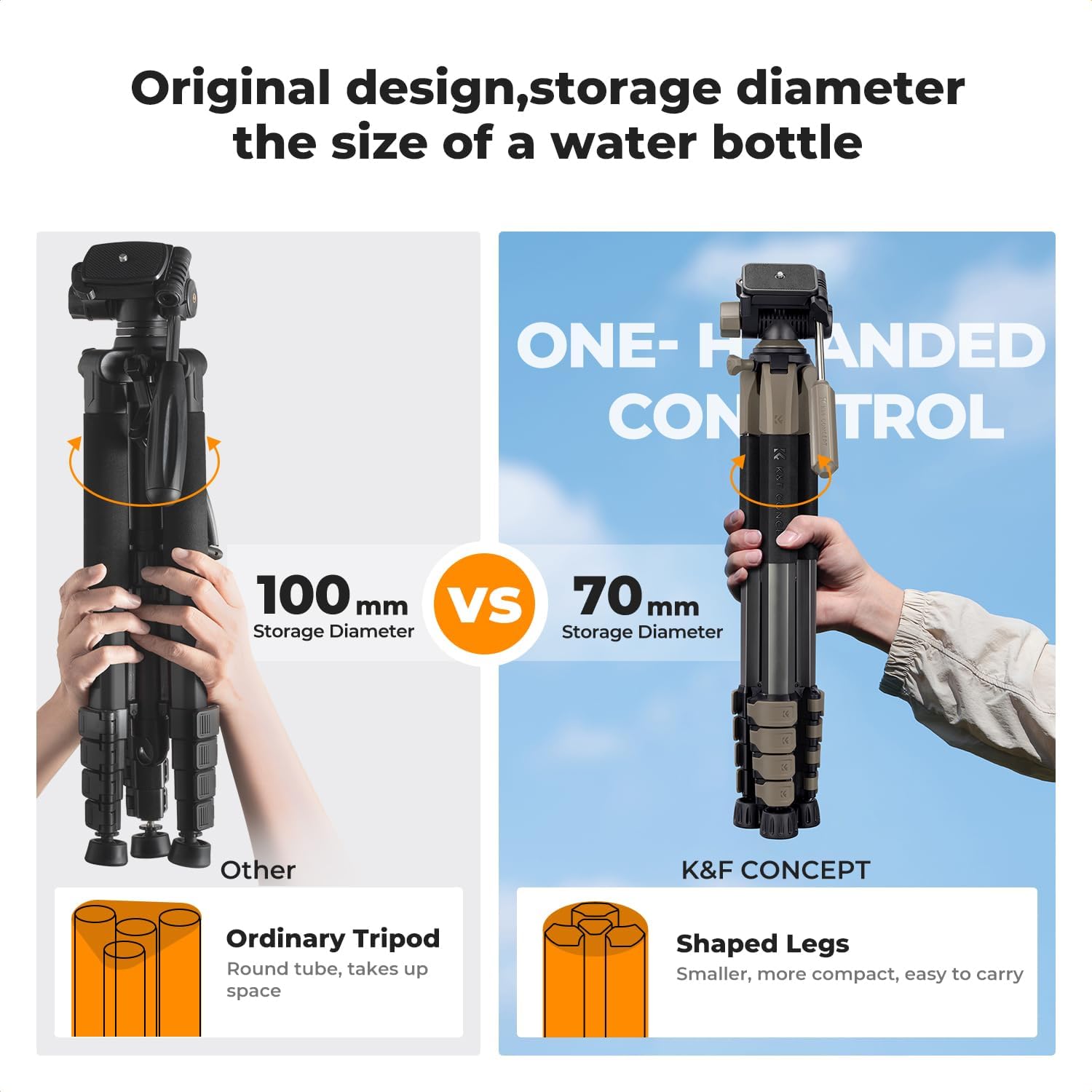
Image: K&F CONCEPT S255A3+BV01 Tripod with all included accessories, including the tripod, phone/tablet holder, quick release plates, Bluetooth remote, and carry bag.
3. Setup
3.1 Unfolding the Tripod
- Remove the tripod from its carry bag.
- Gently spread the tripod legs until they are fully extended.
- Ensure the leg angle adjustment clips are securely locked in place for stability.
3.2 Attaching the Quick Release Plate
- Locate the 1/4" Quick Release Plate on the tripod head.
- Press the Quick Release Plate Lock Knob to detach the plate.
- Securely screw the quick release plate onto the bottom of your camera or device.
- Slide the plate with your device back into the tripod head until it clicks, ensuring it is firmly locked.

Image: Close-up showing the quick release plate, lock knob, and 3/8" screw for secure device attachment.
3.3 Attaching the Cell Phone and Tablet Holder
- If using a phone or tablet, attach the provided holder to one of the 1/4" Quick Change Plates.
- Adjust the holder to securely grip your device.
- Attach the plate with the holder to the tripod head as described in section 3.2.
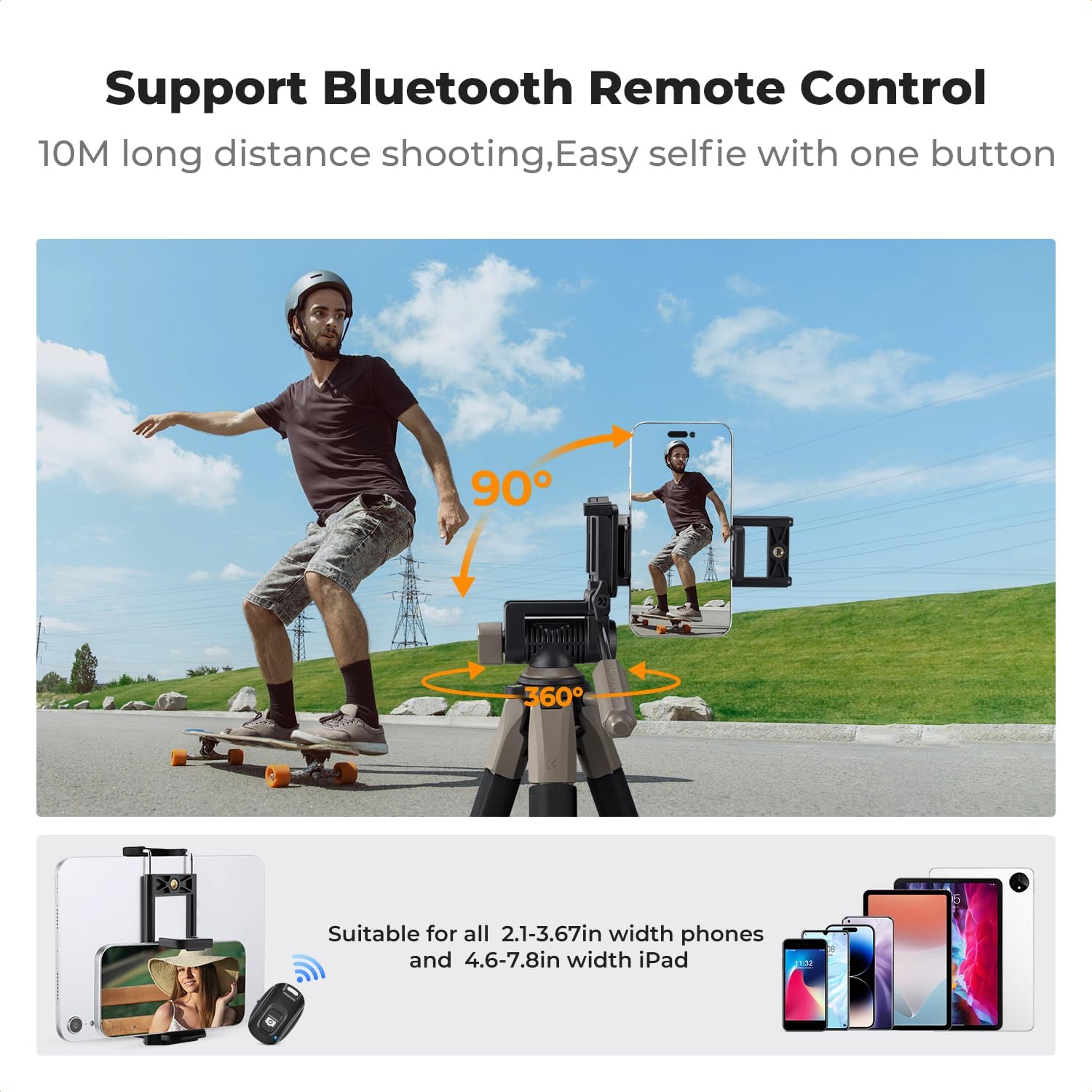
Image: The tripod set up with a smartphone in the holder, demonstrating its use with the Bluetooth remote control.
4. Operating
4.1 Height Adjustment
- To adjust the height of the tripod legs, unlock the quick flip locks on each leg section.
- Extend or retract the leg sections to your desired height.
- Securely close the quick flip locks on each leg section.
- For additional height, loosen the center column locking knob and extend the central shaft. Tighten the knob to secure.

Image: Visual representation of the tripod's adjustable height range, from 19 inches (48cm) to 75 inches (190cm).
4.2 Pan Head Adjustments
The tripod features a 3-way pan head for flexible shooting angles:
- 360° Horizontal Rotation: Loosen the 360° Elastic Knob to rotate the head horizontally for panoramic shots.
- Tilt Angle: Adjust the tilt angle from -70° to +100° using the Angle Adjustment Knob.
- Vertical Shooting: The quick release plate can be positioned for 90° vertical shooting.

Image: Illustrations showing panoramic, vertical, high-angle, and low-angle shooting capabilities with the 3-way pan head.
4.3 Enhanced Stability
- Non-slip Pads: The non-slip rubber mats on the feet improve grip on various surfaces, ensuring stability.
- Bottom Hook: A hook at the bottom of the central shaft allows you to hang additional weight (e.g., a camera bag) to increase stability, especially in windy conditions.
- Bubble Level: Use the integrated bubble level on the tripod head to ensure your setup is perfectly horizontal.

Image: Close-up of tripod details, highlighting the bubble level, center column locking knob, sponge protective cover, quick flip lock, aluminum legs, and non-slip rubber mats.
5. Features
- Compact and Portable: Five-sided shaped tube design allows for easy folding and portability. Weighing only 2.6 lbs (1.18 kg) and folding to 20 inches (50 cm), it is ideal for travel and outdoor use.
- Adjustable Height: Extends from 19 inches (48 cm) to 75 inches (190 cm) for versatile shooting perspectives.
- Compound Triangle Structure: Enhances stability for outdoor shooting.
- High Load Capacity: Tripod head supports up to 8.8 lbs (4 kg).
- Wide Compatibility: Suitable for camcorders, cameras, smartphones, and tablets.
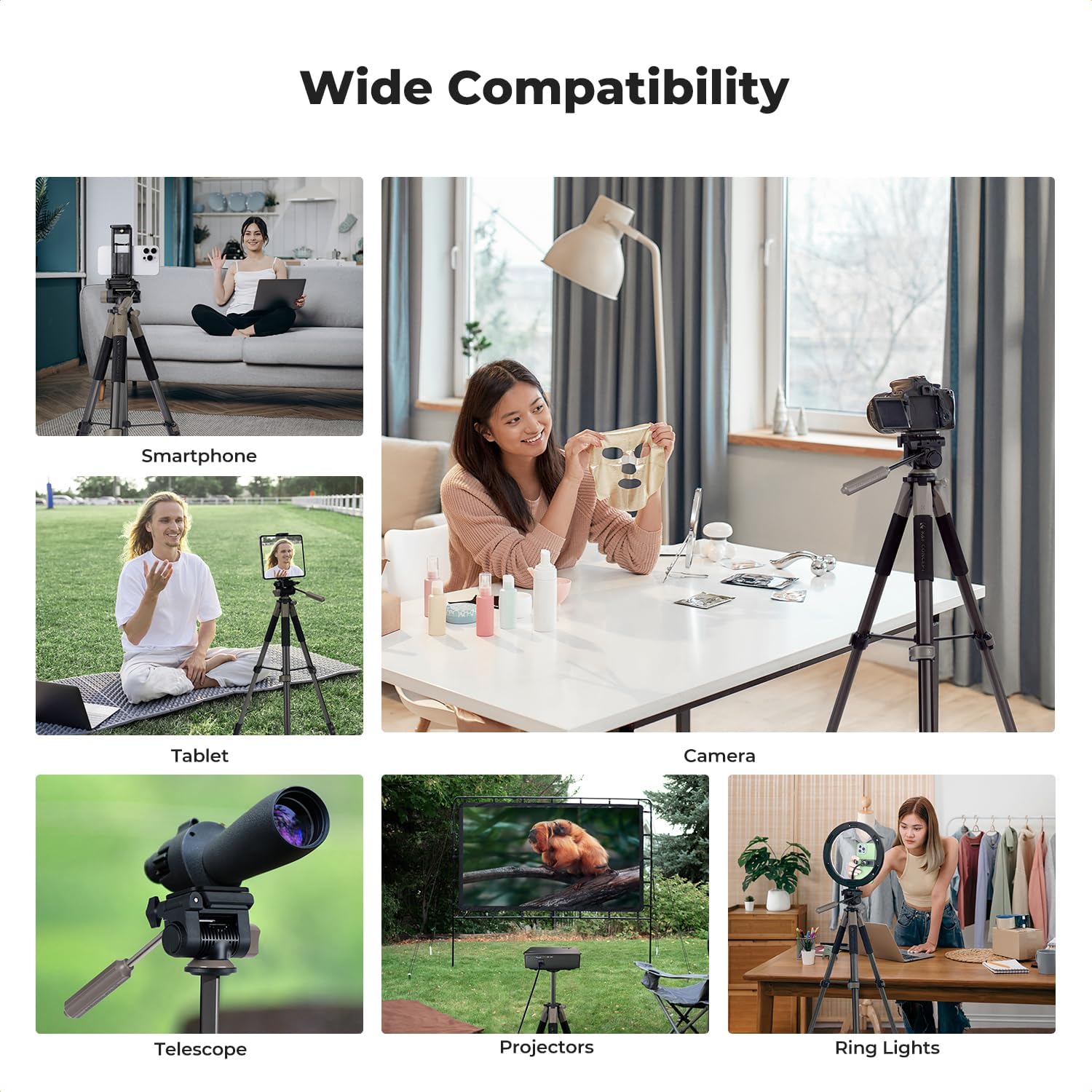
Image: The tripod shown with various compatible devices including a smartphone, tablet, camera, telescope, projector, and ring light.
6. Specifications
| Feature | Detail |
|---|---|
| Product Dimensions | 17.32 x 5.12 x 5.12 inches |
| Item Weight | 2.6 pounds (1.18 kg) |
| Item Model Number | S255A3+BV01 |
| Material | Aluminum |
| Color | Grey |
| Maximum Height | 75 Inches (190 cm) |
| Minimum Height | 19 Inches (48 cm) |
| Weight Limit | 8.82 Pounds (4 kg) |
| Tripod Head Type | Pan Heads |
| Compatible Devices | Camcorder, Camera, Smartphone, Tablet |
7. Troubleshooting
- Tripod Instability: Ensure all leg locks are securely fastened. For added stability, extend the central shaft and hang a weight from the bottom hook. Verify the non-slip pads are clean and making full contact with the surface.
- Uneven Shots: Use the integrated bubble level on the tripod head to confirm the tripod is level before shooting. Adjust leg lengths as needed to achieve a balanced setup.
- Bluetooth Remote Connectivity: Ensure the remote is charged and within range (up to 10 meters). Check your device's Bluetooth settings to confirm it is paired with "Sensyne". If issues persist, consult your device's manual for Bluetooth troubleshooting.
8. Official Product Video
Video: An official K&F Concept video showcasing the SMART-PRO Series Camera Tripod, demonstrating its features and functionality.
9. Warranty and Support
K&F CONCEPT products are designed for durability and performance. For warranty information, product support, or to purchase replacement parts, please visit the official K&F CONCEPT website or contact their customer service. Keep your purchase receipt as proof of purchase for any warranty claims.
For additional support, you may visit the K&F Concept Store on Amazon.