
Monster Clarity 102 Plus
Monster Clarity 102 Plus Wireless Earbuds User Manual
Model: Clarity 102 Plus
Introduction
Welcome to the user manual for your Monster Clarity 102 Plus Wireless Earbuds. These earbuds are designed to provide a high-fidelity audio experience with crystal-clear calls, extended battery life, and a comfortable, secure fit. This manual will guide you through the setup, operation, and maintenance of your new earbuds.
What's in the Box
- 1 x Monster Clarity 102 Plus Wireless Earbuds
- 1 x USB-C Charging Cable
- 3 x Replacement Ear Caps (M size installed)
- User Manual
Product Overview
The Monster Clarity 102 Plus Wireless Earbuds consist of two earbuds and a compact charging case. The earbuds feature a sleek design with integrated controls and microphones, while the charging case provides portable power and secure storage.

Image: The Monster Clarity 102 Plus Wireless Earbuds, showing both earbuds and their compact charging case.
Setup
1. Charging the Earbuds and Case
Before first use, ensure both the earbuds and the charging case are fully charged. Place the earbuds into the charging case. Connect the provided USB-C charging cable to the charging port on the case and plug the other end into a compatible USB power source.
- Charging Time: Approximately 2 hours for a full charge.
- Battery Life: Up to 6 hours of continuous playback on a single charge, with an additional 24 hours provided by the charging case (total 30 hours).

Image: Graphic illustrating the 6 hours of single charge battery life and 30 hours total with the charging case.
2. One-Step Pairing
The Monster Clarity 102 Plus earbuds feature one-step pairing for quick and easy connection.
- Ensure your device's Bluetooth is turned on.
- Open the charging case. The earbuds will automatically enter pairing mode.
- On your device, search for "Monster Clarity 102 Plus" in the Bluetooth settings and select it to connect.
- Once connected, you will hear an audible confirmation.
After the initial pairing, the earbuds will automatically connect to the last paired device when removed from the charging case.
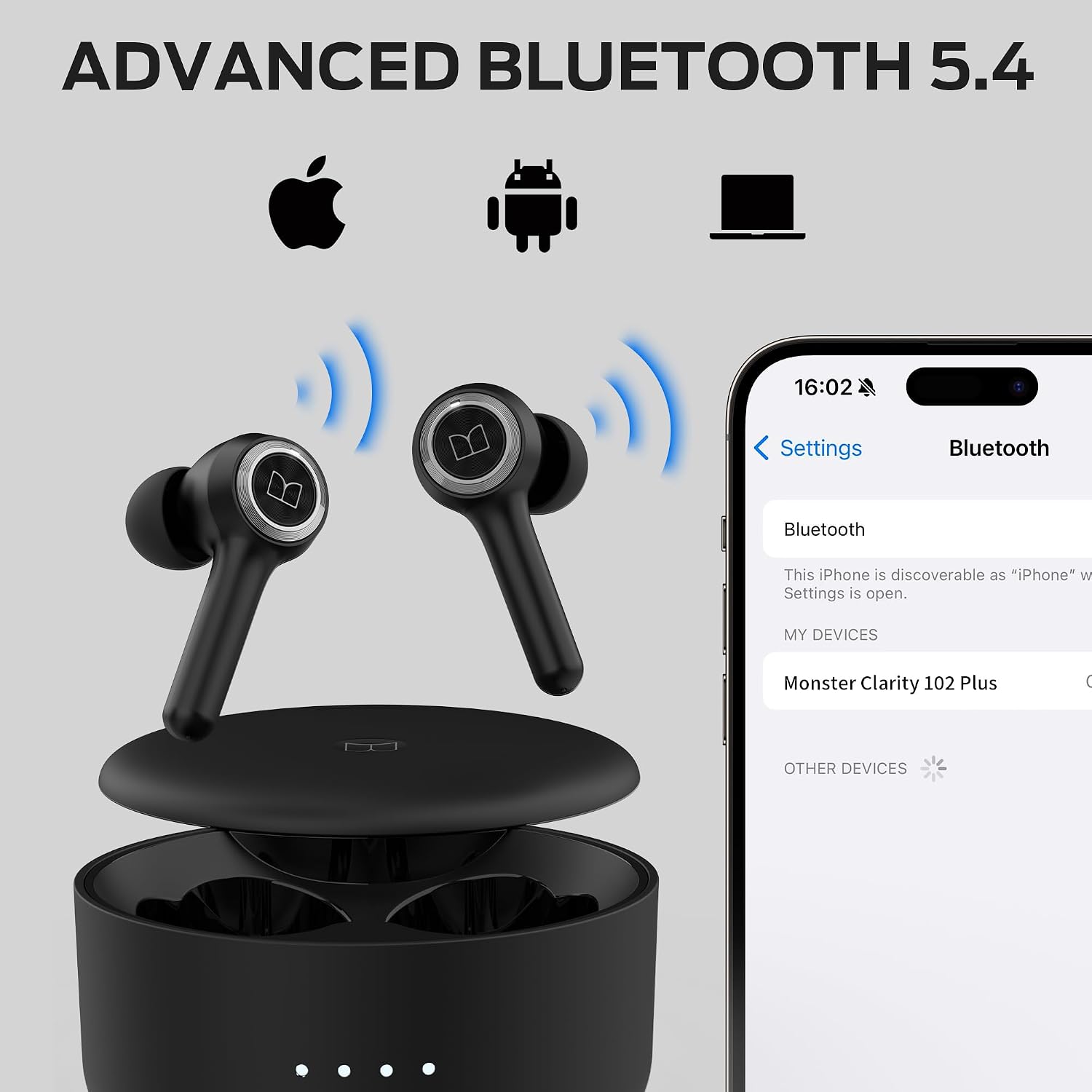
Image: Illustration showing the earbuds connecting via Bluetooth 5.4 to various devices like laptops, iPhones, and Android phones.
3. Selecting and Fitting Ear Tips
For optimal sound quality and a secure fit, choose the ear tips that best suit your ears. The earbuds come with 4 pairs of soft rubber ear caps in different sizes (S, M, L, XL), with the M size pre-installed.
- Select the comfortable ear tips.
- Put the earbuds in your ears.
- Twist the earbuds for comfort and a secure fit.
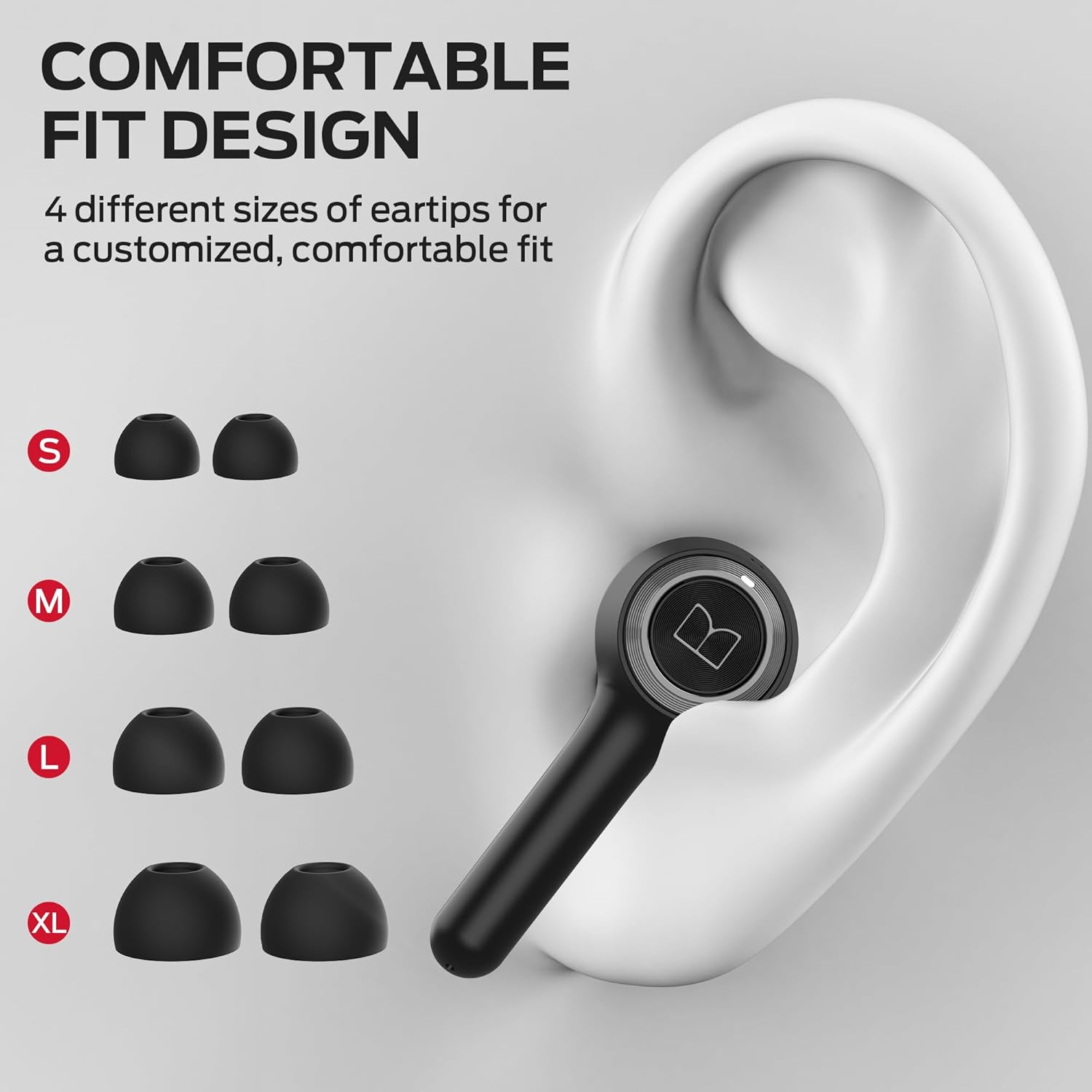
Image: Diagram showing different ear tip sizes (S, M, L, XL) and how to properly insert the earbud into the ear for a comfortable and secure fit.
Operating Instructions
Touch Controls
The Monster Clarity 102 Plus earbuds feature intuitive touch controls on each earbud for easy management of your audio and calls.
| Function | Action |
|---|---|
| Play/Pause | Press x 1 |
| Voice Assistant | Press 2s |
| Answer/End Call | Press x 1 |
| Reject Call | Press 2s |
| Previous Song | Press 2s (Left Earbud) |
| Next Song | Press 2s (Right Earbud) |
| Volume Up | Press x 2 (Right Earbud) |
| Volume Down | Press x 2 (Left Earbud) |

Image: Visual guide to the touch controls on the earbuds, showing actions for play/pause, voice assistant, call management, and volume control.
Pure Monster Sound & Call Quality
Designed by Noel Lee and the Monster Design team, these earbuds deliver an unparalleled audio experience. A unique digital audio processor and professional drivers enhance mid to high frequencies for crystal-clear definition.

Image: Graphic illustrating the "Pure Monster Sound" feature, highlighting deep bass and enhanced clarity.
For calls, the earbuds feature 4 built-in microphones (2 per earbud) combined with an AI algorithm. This technology works to pick up your voice clearly and reduce background noise, ensuring crystal-clear communication without needing to shout.

Image: A person using the earbuds, with visual cues indicating clear call quality due to built-in ENC microphones.
Water Resistance
The Monster Clarity 102 Plus earbuds are IPX6 water resistant. This means they are protected against splashes of water from any direction, making them suitable for workouts, light rain, and daily use without concern for sweat or accidental splashes.

Image: Graphic showing the earbuds with water droplets, indicating rainproof, sweatproof, and splashproof capabilities.
Maintenance
- Cleaning: Regularly clean the earbuds and charging case with a soft, dry cloth. Avoid using harsh chemicals or abrasive materials.
- Storage: When not in use, store the earbuds in their charging case to protect them and keep them charged.
- Battery Care: To prolong battery life, avoid fully discharging the earbuds and case frequently. Charge them regularly.
Troubleshooting
| Problem | Solution |
|---|---|
| Earbuds not pairing | Ensure Bluetooth is enabled on your device. Place earbuds back in case, close, then reopen. Try forgetting the device on your phone and re-pairing. |
| No sound | Check volume levels on both earbuds and connected device. Ensure earbuds are properly paired. |
| Charging issues | Verify the USB-C cable is securely connected. Try a different charging cable or power adapter. Ensure charging contacts on earbuds and case are clean. |
| Poor call quality | Ensure microphones are not obstructed. Check for strong Bluetooth connection. Reduce background noise if possible. |
Specifications
| Feature | Detail |
|---|---|
| Model Name | Clarity 102 Plus |
| Connectivity Technology | Wireless (Bluetooth 5.4) |
| Battery Life (Earbuds) | Up to 6 Hours |
| Total Playtime (with Case) | Up to 30 Hours |
| Charging Time | 2 Hours |
| Microphones | 4 (2 per earbud) with AI algorithm for clear calls |
| Water Resistance Level | IPX6 (Sweatproof, Rainproof, Splashproof) |
| Control Type | Touch Control |
| Ear Placement | In Ear |
| Weight | Approx. 4 grams per earbud (Featherweight Fit) |
| Included Components | Earbuds, USB-C Charging Cable, 3 x Replacement Ear Caps, User Manual |
Warranty & Support
For warranty information and customer support, please refer to the official Monster website or contact their customer service directly. Keep your proof of purchase for any warranty claims.
Website: www.monsterproducts.com
Related documentsClarity 102 Plus


Ask a question about this manual
Ask about setup, troubleshooting, compatibility, parts, safety, or missing instructions. Manuals+ will review the question and use this page’s manual context to help answer it.